 PledgeBox
UPS Shipping Address Validation for Crowdfunding
Step-by-step guide to UPS shipping address validation for backer surveys. Compare APIs, third-party tools, and Google Maps workflows.
Step-by-step guide to UPS shipping address validation for backer surveys. Compare APIs, third-party tools, and Google Maps workflows.
Your campaign's pledge survey closed months ago, and the warehouse is finally ready to ship. Then a backer writes to say the apartment number is missing, another has moved, and a third entered a neighborhood nickname instead of a postal locality. A city, state, and ZIP match may have passed at survey time, but that doesn't prove the parcel can reach the right unit later.
That's why UPS shipping address validation for crowdfunding needs to be treated as a fulfillment workflow, not a single API request. The useful process starts with clean survey data, adds the right level of address checking, assigns risk-based follow-up, and revalidates records close to handover. UPS can filter important errors, but it can't replace country-specific postal rules, human confirmation, or careful pledge-manager design.
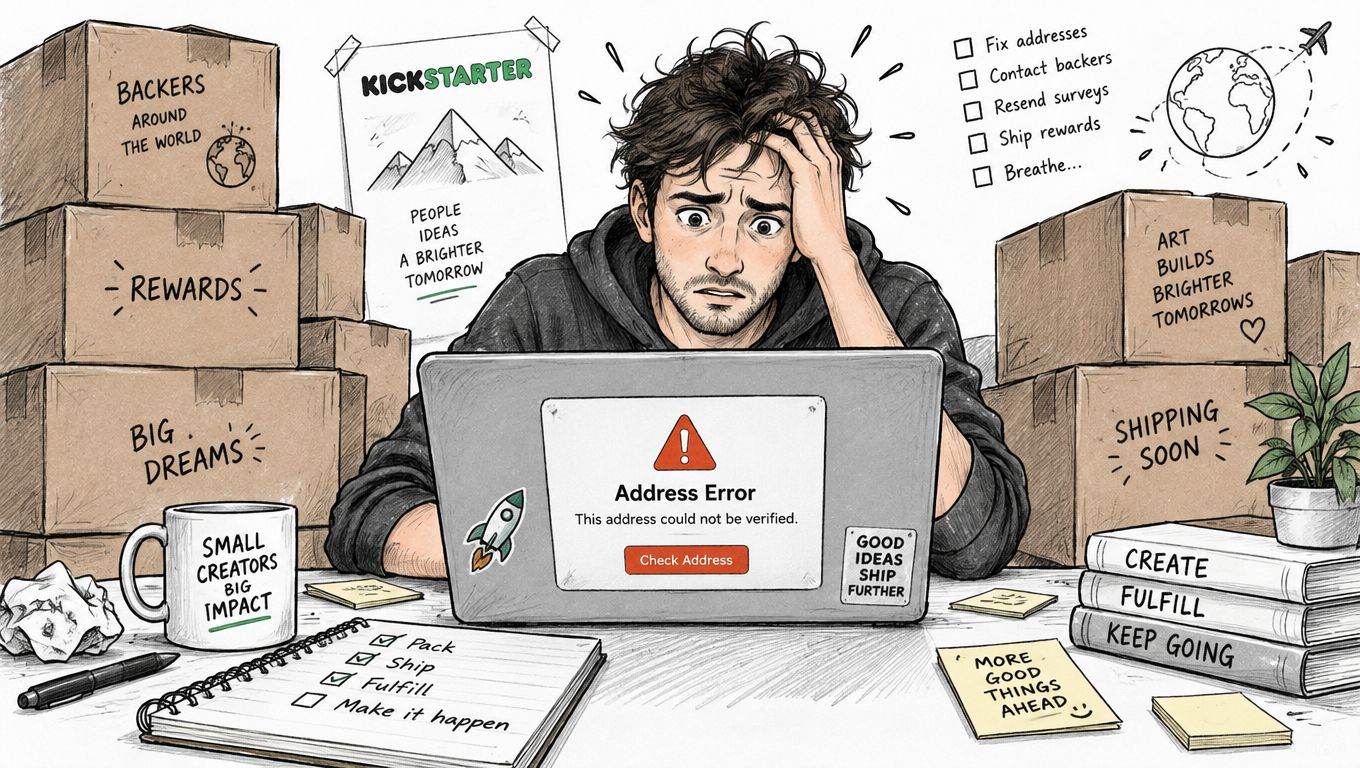
Six months after a pledge survey closes, the warehouse starts printing labels. One backer forgot an apartment number. Another used a dorm address and moved out before fulfillment. A third typed a street that looks valid enough to pass a basic check, but the parcel still cannot reach the right door. That is how crowdfunding address errors usually show up. They are close enough to ship, and expensive enough to hurt later.
For a campaign team, one bad record can trigger several jobs at once:
The problem is timing. By the time the address fails, inventory has often been allocated, labels may already be created, and customs paperwork may be in motion. If stock is tight, a returned reward is not just an inconvenience. It can force a manual exception, delay another shipment, or leave support trying to explain why a backer with a paid reward is still waiting.
Practical rule: A validation result should reduce uncertainty before label creation. It shouldn't be treated as proof that every delivery detail is correct.
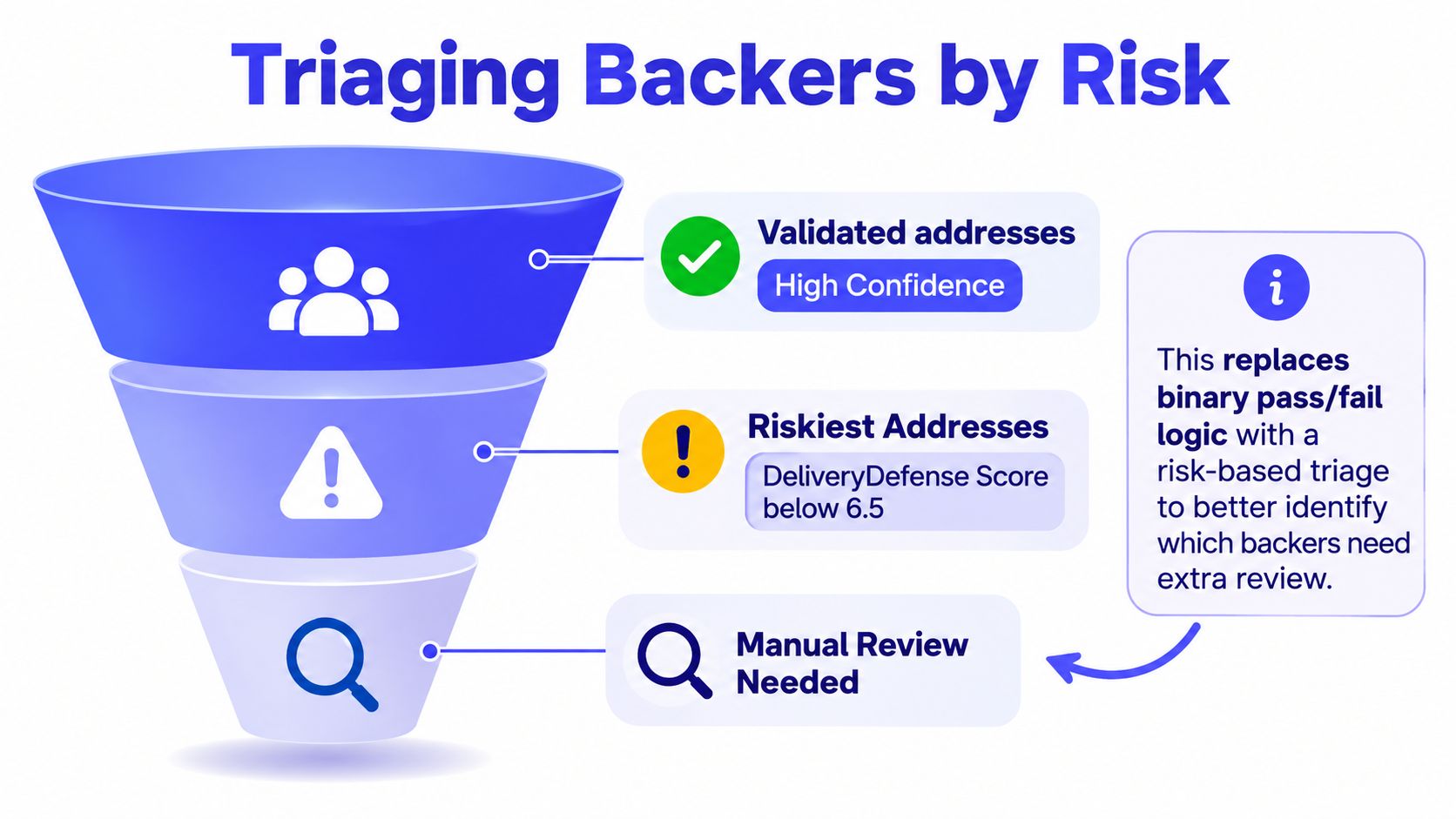
UPS DeliveryDefense supports the broader point that address quality should be handled by risk level, not as a simple yes or no check. In practice, that matters because a record with a plausible street and postal code can still be the one that creates a correction fee, a returned parcel, and a replacement order weeks later.
I would not spend the same amount of effort on every backer record. Clean, high-confidence addresses can move through quickly. Ambiguous records deserve a confirmation email before they become labels, especially when the reward is bulky, limited, or costly to reship.
That is where pledge-survey operations differ from ordinary checkout flows. In ecommerce, the address is usually used right away. In crowdfunding, the survey may be completed long before manufacturing finishes, cartons reach the warehouse, or the final ship window opens. The record that looked fine in week one can be stale by fulfillment week. For a practical overview of that workflow, see address validation software for crowdfunding fulfillment.
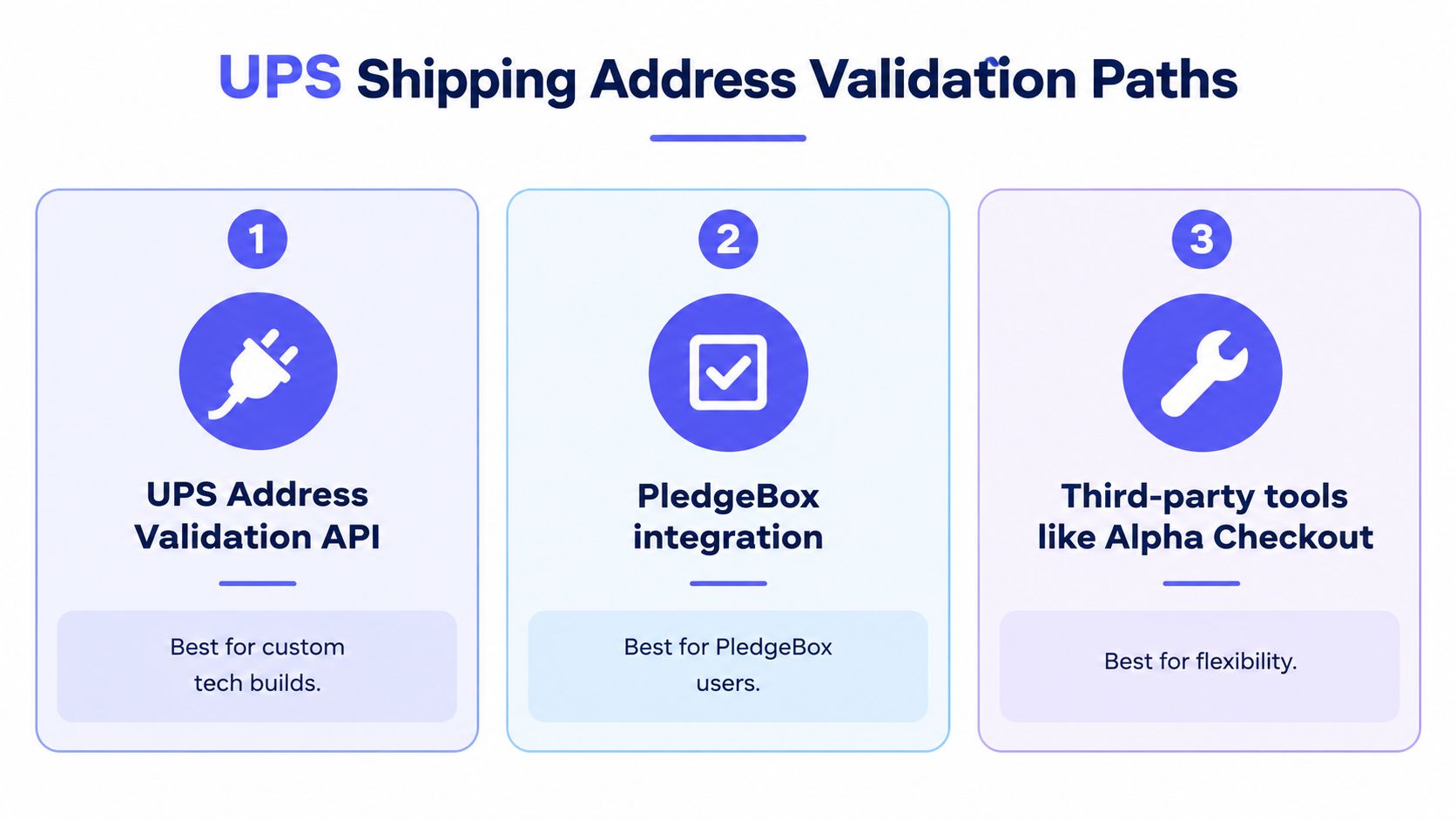
There are three practical paths, and they solve different problems. Choosing one depends on your technical resources, geographic mix, and whether you need a quick survey safeguard or a deeper fulfillment control.
The standard UPS Address Validation API compares a U.S. or Puerto Rico city, state, and ZIP combination with address data maintained by UPS and derived from the USPS. When the combination is invalid, it can return up to 10 possible alternatives, giving a pledge system a way to prompt for correction before shipment creation, according to the UPS developer guide.
That makes it useful as an early error filter. It can catch mismatched locality data, but it doesn't verify the complete street address, apartment, or suite details. The standard service validates one city-state-ZIP combination per request, doesn't support batch upload, and isn't CASS-certified. UPS also documents a monthly USPS data refresh, so it's a recurring reference rather than a permanent guarantee.
The Street Level Address Validation API goes further for U.S. and Puerto Rico addresses by checking street-level information. UPS also documents residential-versus-commercial classification for addresses in the United States and Canada. That classification can help with delivery planning, but it shouldn't be confused with global address verification.
Production access requires activation, and testing restrictions matter. UPS documentation says the Customer Integration Environment can return street-level results only for New York and California during testing. A team that tests only there may mistake successful sandbox responses for nationwide coverage.
A third-party validator or a pledge-manager integration can improve data quality at the moment a backer enters an address. Google Maps-powered autocomplete, for example, can suggest standardized records and expose incomplete entries before the survey is submitted. That's especially helpful on mobile, where backers often type quickly and skip optional-looking fields.
The practical pattern for a large campaign is layered:
| Layer | What it catches | Main limitation |
|---|---|---|
| Survey autocomplete | Typing errors, incomplete entries, inconsistent formatting | Doesn't guarantee future deliverability |
| UPS locality validation | U.S. and Puerto Rico city, state, ZIP mismatches | Doesn't verify full street or unit details |
| Street-level or postal validation | More detailed delivery-point review | Coverage, activation, and testing limits apply |
For postal-quality assurance, add USPS Delivery Point Validation where appropriate. USPS describes DPV as its highest level of address-accuracy checking, which makes it a better fit when mailing compliance or delivery-point confirmation matters than the standard UPS locality check alone.
PledgeBox can add Google Maps-powered address validation during survey entry. The relevant implementation details are covered in Google Maps address validation for pledge surveys.
The right choice isn't “UPS or everything else.” It's usually autocomplete at collection, UPS or postal validation for the applicable geography, and a street-level recheck before fulfillment.
The API can't repair a record that your system has stored as one unstructured paragraph. Start by separating the backer's submission into fields that your validation logic and support team can inspect.
Use distinct values for:
Trim leading and trailing whitespace, standardize casing, and apply consistent abbreviations where your rules allow it. Keep the original submission unchanged alongside the normalized record. That original value matters when a backer disputes a suggested correction or when support needs to understand what the person entered.
Submit the normalized U.S. or Puerto Rico record to the relevant UPS endpoint, then compare the response with the original. Don't automatically overwrite an apartment number, suite, building identifier, or postal code just because the API returns a cleaner-looking value.
A useful decision rule is to classify changes by materiality:
UPS identifies an Ambiguous Address Indicator when the complete address falls below a UPS-defined confidence threshold. That response belongs in a backer-service queue, not in an automatic label-release path, as explained in the UPS developer knowledge base.
One of the easiest integration mistakes is assuming that a successful sandbox response proves broad coverage. UPS states that street-level validation in its Customer Integration Environment is restricted to results for New York and California during testing.
Build QA cases that include unsupported geography, missing units, conflicting locality fields, and international formats. Also test what your system does when the response is ambiguous, unavailable, or materially different from the submitted record.
Survey-side controls still matter. Clear required fields, validation messages, and structured inputs reduce the amount of cleanup your API layer has to perform. PledgeBox's form field validation guidance is relevant to this collection stage, where preventing bad input is cheaper than correcting it during packing.
A good integration stores the request context, response, normalized output, original input, and confirmation status. That record turns a mysterious delivery failure into an explainable operational event.
A clean API response does not mean a backer address is safe to ship. In pledge-survey fulfillment, the core problem surfaces later. A missing unit entered in week one can linger unnoticed for months, then turn into a return, reship, or support ticket when labels finally print.
Treat confidence bands as routing rules for your team, not as a final yes-or-no decision. The useful question is simple: who owns this record next, and what has to happen before it can enter the label batch?
| Address Confidence | Suggested action | Fulfillment treatment |
|---|---|---|
| 900–1000 | Auto-release after routine checks | Include in the approved label batch |
| 700–899 | Request confirmation | Send a targeted address-confirmation message |
| 500–699 | Hold for review | Ask the backer to verify the complete record |
| 300–499 | Hold and escalate | Require human review before label creation |
| 100–299 | Reject or escalate | Don't release until the backer verifies the address |
Those bands matter because the risk does not rise in a straight line. As noted earlier, the lowest band carries a much higher loss likelihood than the top band. That is enough reason to stop treating every non-error response the same way.
A score still needs context. I would not handle a rural address, a shared building, or an address with a translated locality the same way I would handle a standard domestic residential record with a clear street match. UPS can help you score and normalize the record, but your workflow has to account for campaign timing, destination, and whether the backer already confirmed an edited version in the survey tool.
Every status needs an owner, an SLA, and a clear exit condition. “Needs review” is not a workflow. It is a parking lot.
If you use PledgeBox, this is where the platform adds value on top of the carrier response. It gives support a place to collect corrections, preserve the original survey data, and track whether the backer confirmed the final ship-to record.
Run validation again right before fulfillment. Backers move. Postal reference data changes. Store the validation timestamp, normalized output, confidence score, API version, and confirmation event for each record.
A good audit trail answers five questions: what the backer entered, what the system suggested, what the backer confirmed, when the check occurred, and which version produced the result.
Do not merge recipients or overwrite apartment details without review. A plausible postal code does not prove the exact person, building, or unit is correct.
The standard UPS API is not a global address-verification service. UPS documents the basic Address Validation API as limited to the United States and Puerto Rico, with one city-state-ZIP combination per request, no batch upload, and a monthly update cycle based on USPS information, as described in the UPS Dev Kit user guide.
That creates a direct mismatch for a global campaign. A pledge export may contain several address formats, different postal conventions, translations, administrative regions, and customs-sensitive fields. Sending every record through a U.S.-oriented locality check can produce false rejections, while skipping validation can leave the warehouse with records that no carrier can interpret reliably.
For each country, preserve the backer's original address fields for customs and support. Then parse the record according to that country's postal structure rather than forcing every address into U.S. fields.
A workable flow looks like this:
The Street Level API's residential-versus-commercial classification also has narrower coverage than the basic concept of international validation. UPS documents that classification for the United States and Canada, while the documented street-level address checking covers the United States and Puerto Rico. Those are different functions, so a Canadian classification result shouldn't be treated as proof that every global address has been verified.
Because the basic API validates one address per request and doesn't support batch upload, a large backer list needs an orchestration layer. That might be a multi-carrier platform, country-specific postal datasets, a controlled export process, or a queue that sends records individually while tracking response status.
The important point is operational ownership. Someone must know which records were checked, which failed, which were skipped because of geography, and which still need confirmation. Don't let an empty API response become an implicit approval.
UPS's USPS-backed data is updated monthly. A record that looked acceptable during the pledge survey may deserve another review near warehouse handover, particularly when the backer has had months to move or update delivery details.
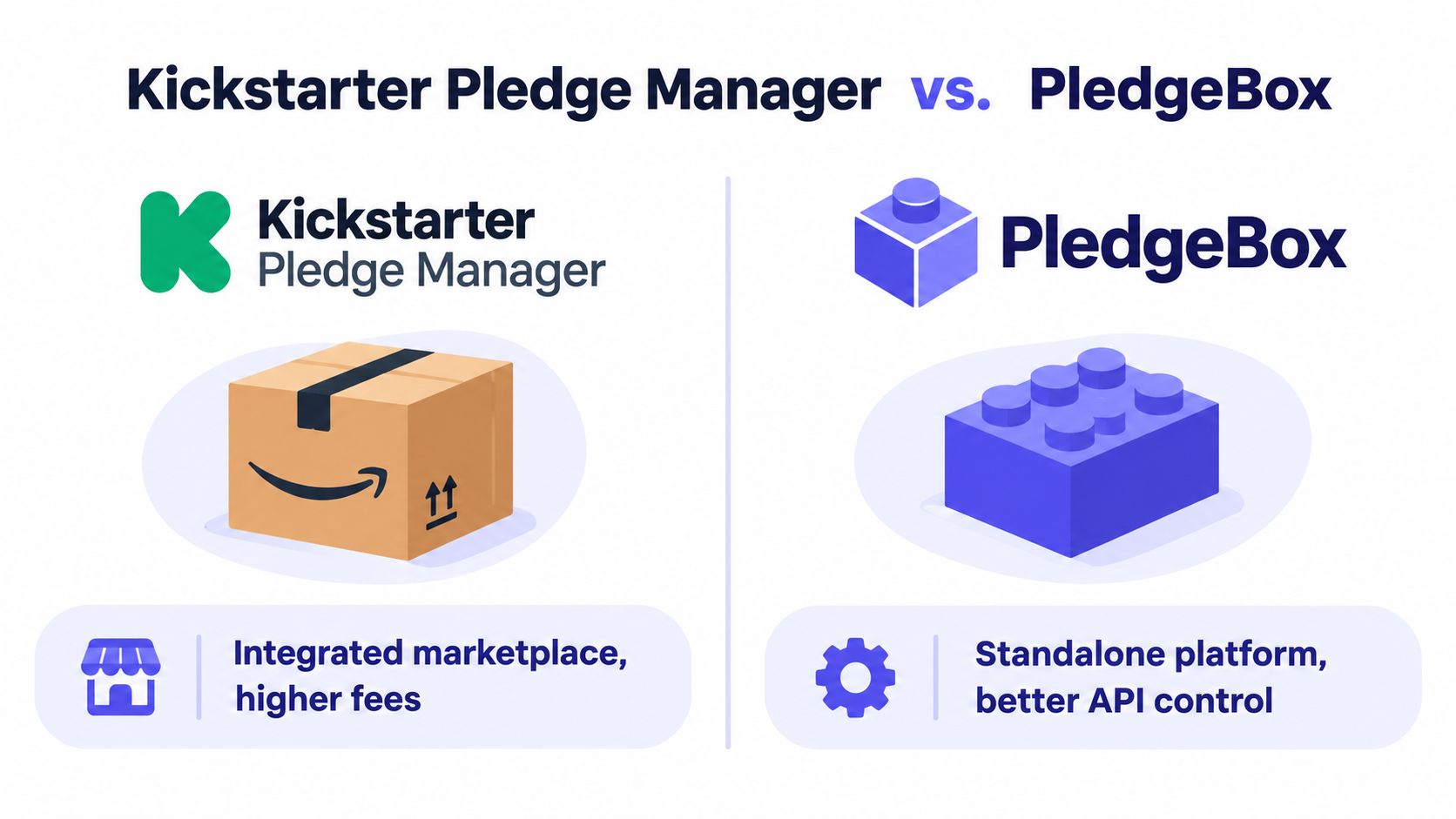
The platform choice shapes where address quality is created. Kickstarter's Pledge Manager is like Amazon, an integrated marketplace and checkout layer where creators can offer reward upgrades, add-ons, shipping, taxes, and post-campaign purchases. Kickstarter states that its Pledge Manager has no upfront cost, collects fulfillment information in one place, and deducts its usual fees from payments processed through the manager, according to Kickstarter's Pledge Manager documentation.
PledgeBox's Pledge Manager is like Shopify. It functions more like a branded, creator-controlled commerce workflow for survey collection, address data, and additional revenue. That distinction matters when the team wants to decide how fields are presented, how validation messages appear, and how normalized records move into fulfillment systems.
| Platform analogy | Operational emphasis | Address workflow implication |
|---|---|---|
| Kickstarter, like Amazon | Integrated marketplace and checkout | Convenient post-campaign collection within the Kickstarter ecosystem |
| PledgeBox, like Shopify | Branded, controlled commerce workflow | More control over survey fields, integrations, and downstream exports |
The financial model is also different. PledgeBox is free to send the backer survey and only charges 3% of upsell revenue if there's any, including qualifying add-ons, shipping fees, and taxes or VAT. If the survey generates no upsell revenue, PledgeBox says the creator pays nothing, as stated on its PledgeBox pricing page.
For address quality, the practical advantage of collecting structured information early is that the later UPS check starts with better input. Google Maps-powered validation can check and standardize entries, identify incomplete records, and suggest corrections during survey completion. The UPS street-level recheck can then happen against a normalized record rather than a free-text paragraph.
The trade-off is control versus convenience. Kickstarter keeps the workflow integrated, while PledgeBox gives creators a more branded survey and commerce layer. Neither removes the need for final revalidation, especially when a campaign has international backers or a long gap between survey completion and fulfillment.
UPS shipping address validation works best as a sequence of controls:
Set up address autocomplete first, then run a UPS city-state-ZIP pass over the applicable backer export. Segment the results by confidence, contact records that need confirmation, and schedule a street-level recheck before the warehouse receives the final shipment file.
The goal isn't to make one API call and declare the list clean. It's to prevent a survey mistake from becoming a returned parcel months later.
PledgeBox offers a branded pledge-survey workflow with Google Maps-powered address validation, backer address updates, and fulfillment-ready exports. If you want to collect cleaner shipping data while keeping survey delivery free and paying only 3% of upsell revenue when there's any, visit PledgeBox.
PledgeBox
The All-in-One Toolkit to Launch, Manage & Scale Your Kickstarter / Indiegogo Campaign