 PledgeBox
Operational Efficiency Improvement: Crowdfunding Guide
Discover how operational efficiency improvement can streamline your crowdfunding campaigns and boost success rates.
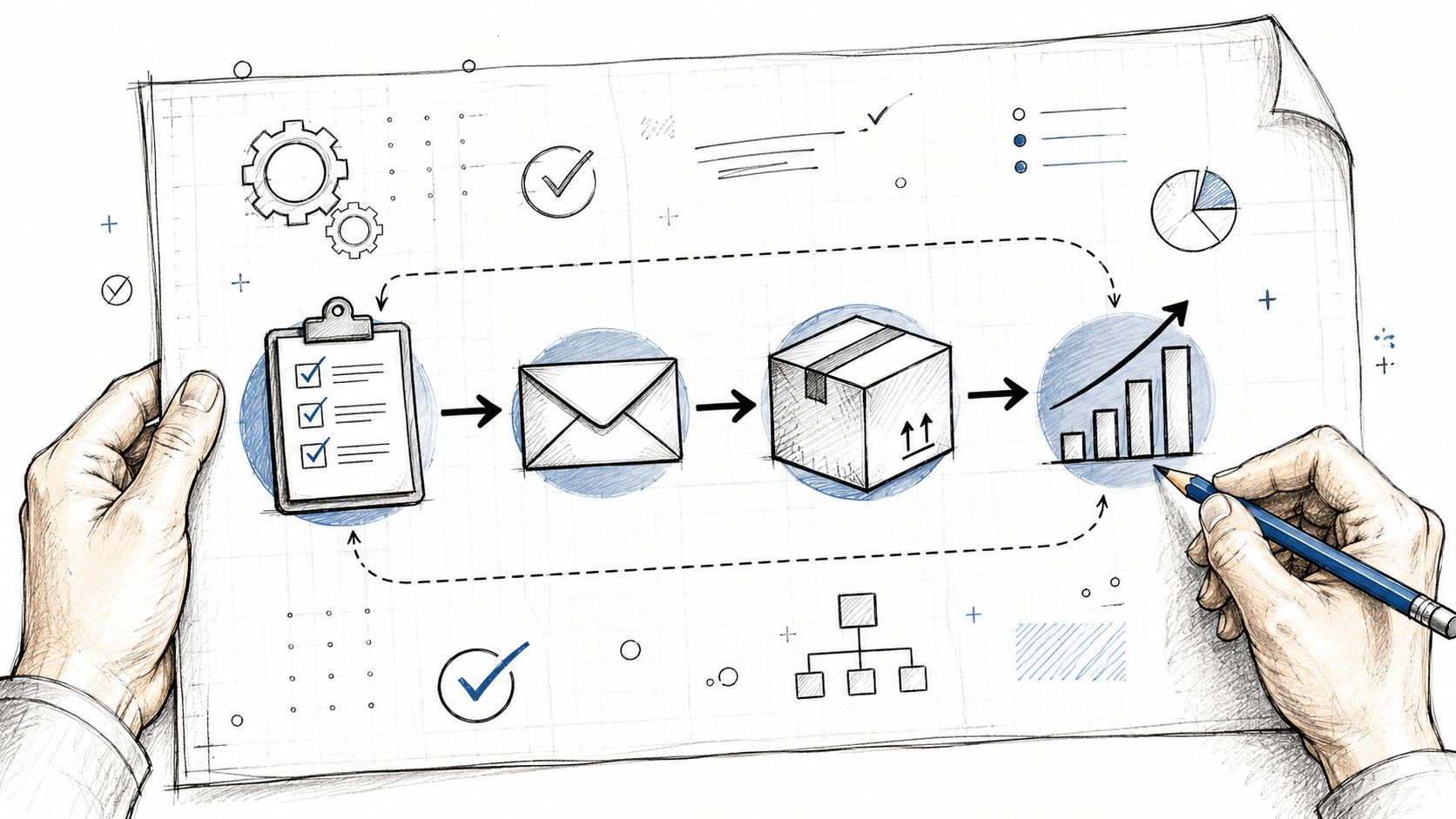
Discover how operational efficiency improvement can streamline your crowdfunding campaigns and boost success rates.
The morning after a campaign funds is usually messier than the launch day everyone planned for. Backers want updates, your inbox fills with shipping questions, spreadsheets start multiplying, and someone on the team is already asking which survey link goes to which pledge tier. That's where operational efficiency improvement stops being a management phrase and turns into survival, because the post-campaign workflow either compounds trust or leaks it through manual work.
In crowdfunding, the strain doesn't show up when the page goes live. It shows up when reward choices, add-ons, addresses, tax handling, and shipping data all have to move cleanly from one place to another without creating extra back-and-forth. The creators who treat that handoff as a designed system usually ship faster, make fewer mistakes, and keep support quieter. The ones who don't end up paying for the same error three times, once in labor, once in delays, and once in goodwill.
The campaign ends, and the work gets more fragmented, not less. One tab holds backer exports, another has survey replies, a third is your shipping tool, and your support inbox is full of messages from people who swore they already completed everything. That's the moment manual operations start costing real money, because every duplicate entry, every missing address, and every delayed approval is time you won't get back.
A lot of teams think the fix is to work harder. It isn't. The fix is to treat fulfillment like a workflow with dependencies, not a pile of tasks that can be handled later.
When the team is reactive, a few patterns repeat. Someone retypes pledge data from one export into another system. Someone else chases add-on selections that never got captured in the survey. Support then becomes a repair desk for process gaps, which is a terrible use of creator time.
Practical rule: if a question appears more than once in support, the workflow is probably asking backers to solve a problem your system should've handled.
That's why operational efficiency improvement matters so much right after funding closes. A 2025 market report found that 75% of organizations report improved efficiency after implementing operational strategies, 60% see a positive ROI within the first year, and 90% of organizations that optimize operations experience reduced costs (source). The same report says efficient operations can bring 30% faster time-to-market, which maps directly to crowdfunding fulfillment, because backers don't care how elegant the internal process looked if the shipment sits idle.
The strongest shift happens when you stop improvising on day one after funding and start designing the post-campaign handoff before the survey goes out. That mindset change is the first real efficiency gain, because it prevents the team from creating operational debt that has to be repaid under pressure.
Before changing anything, write down how work moves. Not how it should move, not how the software vendor describes it, but how your team really handles pledge inflow, survey response, address checks, add-ons, and label creation. That baseline is the difference between a guess and an improvement.

Track the flow for one full week. Write down when the pledge export arrives, when surveys go out, when backers reply, when address issues appear, and when the first shipping labels are created. Don't use memory for this part, because memory smooths over delays that are exactly what you need to see.
You only need a few baseline KPIs to start: average time to survey response, percentage of backers who need follow-up, survey completion rate, average add-on revenue per backer, and cost per shipment. If you don't know these yet, that's fine. The point is to establish a real before state so every later change has a comparison.
The same logic shows up in formal improvement frameworks. Guidance on process redesign recommends current-state process mapping, baseline KPI capture, and a pilot in a controlled workflow before scaling, then standardizing with controls and refreshed SOPs (source). That approach fits crowdfunding perfectly, because campaign operations are full of handoffs where small friction compounds fast.
A useful map doesn't just list tasks. It shows where work waits. In crowdfunding, that usually means one of three things, data is trapped in a spreadsheet, a backer never saw the right survey prompt, or a team member is manually reconciling records across tools.
If you want a quick diagnostic, ask three questions:
Treat the answers as the first benchmark, not the final judgment. Once you know where the delays sit, the rest of the improvement work becomes far more specific.
Most creators don't lose efficiency in one dramatic failure. They lose it in scattered fragments, across email tools, spreadsheets, survey forms, shipping dashboards, and manual reminders. That is why tool sprawl is so expensive. Each system may be useful on its own, but together they create context switching and duplicated work.

The first is tool sprawl. A creator might use one platform for email, another for surveys, a third for fulfillment, and a fourth for support. Every handoff between tools creates a chance for errors, and every extra login slows down the person doing the work.
The second is manual data entry. Backer details copied from campaign exports into shipping systems invite mismatches, missed updates, and bad records. That is a process design issue, not a morale issue.
The third is siloed communication. Approvals get buried in inboxes, and nobody can tell whether a backer's note was answered, escalated, or forgotten. Support tickets then become a shadow project management system.
A practical way to see this is to shadow your own support inbox for a day. Open every message, tag the issue, and note whether it came from missing information, unclear survey logic, or a handoff failure. That direct observation often reveals bottlenecks dashboards miss, which is why frontline-focused operational guidance keeps pushing teams to watch work as it happens, not just inspect reports (source).
Operational insight: if a workflow only looks clean inside a dashboard, it may still be messy where the team does the work.
There is a useful digital strategy lens here too. NiKa Consulting Group's advice on digital strategy is worth reading because it helps teams think about how tools fit together rather than piling on another app for every problem (NiKa Consulting Group advice on digital strategy). That matters in crowdfunding because the goal is not more software, it is fewer handoffs.
Run the audit this way. List every tool in the post-campaign path, mark where data gets copied, mark where approval lives, and mark where backers can get stuck. If you cannot see the workflow end to end, you cannot improve it end to end.
For teams choosing a pledge manager, this same audit is where how to select the right pledge manager becomes a practical decision instead of a feature checklist.
The pledge manager itself can either reduce friction or lock it in. A Kickstarter pledge manager is like Amazon, while a PledgeBox pledge manager is like Shopify. That's the cleanest way to understand the operating model difference, because the first is marketplace-led and centrally mediated, while the second is merchant-led and brand-controlled.
Marketplace-led systems usually give you a more fixed path. That can be convenient, but it also means you're working inside someone else's logic for checkout, upsells, and integrations. In practice, that limits how much of your fulfillment stack you can shape around your own campaign.
Merchant-led systems let the creator own more of the store-like experience. That matters because you can align the survey, shipping rules, tax handling, and analytics stack with the way your team operates. When the workflow matches the business, there's less translation work between tools.
| Dimension | Marketplace-Led Pledge Manager, Amazon-style | Merchant-Led Pledge Manager, Shopify-style, PledgeBox |
|---|---|---|
| Control | Platform-centered rules and templates | Creator-controlled checkout and branding |
| Workflow flexibility | More constrained | More configurable |
| Integrations | Often narrower and more fixed | Easier to align with your own stack |
| Revenue rules | Platform-defined | Creator-defined within the tool |
| Best fit | Teams that want a guided structure | Teams that want operational control |
The comparison is useful because operational efficiency is often a governance issue, not just a software issue. When the platform owns too much of the flow, your team spends more time adapting to the tool than optimizing the process.
PledgeBox's pricing is a precise rule, no upfront fee, no per-backer fee, and no campaign fee, with 3% charged only on add-on sales during surveys. That means the survey itself is free to send, and the tool monetizes only if an add-on is purchased. For creators comparing operating models, that pricing mechanic is easier to reason about than vague “low-cost” language.
If you're choosing a pledge manager, use control versus convenience as the test. Convenience helps at setup, but control usually matters more once the campaign ends and fulfillment starts.
Read the selection criteria in the deeper guide on how to select the right pledge manager before you lock your post-campaign stack.
A post-campaign workflow gets better when the tool stack does less hand-holding. The goal is to automate the repetitive steps, then keep people focused on exceptions, late edits, damaged addresses, and support tickets that need judgment. That balance matters because every extra layer of automation also adds something the team has to maintain.
Start before funding ends. Keep the warm list clean, tag audiences properly, and make sure pre-launch capture flows into the post-campaign system without a manual export. When the survey opens, the data should already be in place.
Connect pledge management to the backer survey so the form pulls live order data instead of forcing the team to work from a frozen spreadsheet. The survey should collect shipping details, tax or VAT fields where relevant, add-on choices, and any subscription or late-backer options in a mobile-friendly flow. If that step is clumsy, the support queue grows fast.
After that, automate shipping. Address validation, vendor exports, and tracking updates should move without someone retyping records every morning. Google Maps-powered validation and direct vendor exports help because they catch avoidable mistakes before labels get printed.
Practical rule: automate the transfer of clean data, not the cleanup of bad data. Catch errors early, and every downstream step gets cheaper.
PledgeBox is free to send the backer survey and only charges 3% of upsell if there's any. That changes the economics of survey-driven add-ons because the survey can bring in margin instead of adding another separate payment flow. If you are already asking backers to confirm details, it makes sense to let that same interaction capture optional add-on revenue.
The internal playbook on Kickstarter post-campaign surveys is a useful starting point if you are building the survey step from scratch. The team that owns the workflow should also review the surrounding reporting process, because campaign performance reporting keeps the automation grounded in actual results instead of guesses.
The sequence matters more than the tools alone. If the survey, the upsell, and the shipping handoff are not wired together, the same data gets moved three times, and each handoff adds room for errors.
If the workflow still feels busy, that does not mean it is better. The only useful test is whether the new setup shortens the path from pledge to shipment, cuts avoidable errors, and gives you cleaner data to work from. Keep the review simple enough to check weekly, and specific enough to show where the friction sits.

Start with cycle time from campaign end to first shipment. Then watch the share of backers with complete survey data after 14 days, average add-on revenue per backer, support tickets per 100 backers, and cost per shipment including payment fees. Read together, those numbers show whether the process is faster, cleaner, and less expensive, or whether you only moved work around.
The best benchmark is not a vanity metric, it is a visible change in the workflow. If you are using a creator-controlled checkout and a pledge manager that keeps survey data, upsells, and shipping handoff in one place, you should see fewer re-entry steps and fewer chances for mistakes. That is the practical difference between a merchant-led process and a marketplace-mediated one, the creator keeps control over the handoff instead of waiting on another system to decide what happens next.
Published case data gives a useful reference point for the kind of improvement that matters. A precast concrete process redesign reported a 31.58% increase in value-added operations, an 80% reduction in rejected materials, and a 32.31% decrease in travel time (source). A ready-mix concrete pilot reduced cement loading time from 9 minutes 59 seconds to 3 minutes 33 seconds, cut total material loading time from 42 minutes to 36 minutes per mixer, and delivered a 22% increase in daily production with a 42.6% improvement in operational efficiency and a 3.5% decrease in material waste (source).
Those examples matter because they show the kind of change worth paying attention to. You want visible gains in cycle time, throughput, or quality, not a soft claim that the team feels a little less strained.
A pilot works when it improves more than one measure at the same time. Faster survey completion helps, but if support tickets rise or shipping accuracy slips, the process has only shifted the burden to another queue. Efficiency improvement should remove friction across the whole path, not just make one step look cleaner on paper.
The same reporting discipline that shows add-on patterns also shows where the process stalls. Keep the internal reporting guide on campaign performance reporting nearby so the workflow review stays tied to actual outcomes instead of assumptions.
If the pilot shortens the path from pledge to shipment, improves survey completion, and lowers avoidable errors, the system is moving in the right direction. If it only makes the team busier, the workflow still needs to be redesigned.
The goal isn't to build one efficient campaign and stop there. The goal is to turn what worked into a repeatable operating system, so the next launch starts from a better baseline instead of relearning the same lessons. That's how operational efficiency improvement compounds.

Write the SOPs while the workflow is still fresh. Capture the campaign start sequence, the survey launch logic, the address-validation rules, the shipping handoff, and the support escalation path. If you wait until the next project begins, the details get fuzzy and the team falls back into improvisation.
Assign roles clearly between the creator, agency, and fulfillment partner. Handoffs fail fastest when everybody assumes somebody else owns the next step. Good role clarity is one of the cheapest efficiency upgrades a team can make.
Automate the handoffs that happen every time. If a backer completes a survey, that action should trigger the next step without someone manually nudging the process along. If a label prints, tracking should get sent without another copy-paste task.
Review and improve after every campaign. Keep the survey template that drove the cleanest response flow, keep the address-validation rule that cut errors, and keep the email sequence that made support quieter. Drop what added friction, even if it looked clever in the planning doc.
Operational takeaway: standardize the repeatable parts, keep the edge cases flexible, and don't let efficiency harden into bureaucracy.
A simple checklist helps the system survive contact with the next launch:
That's the compounding effect. The first campaign builds the map, the second campaign benefits from it, and the third campaign starts to feel predictable.
If you want a crowdfunding workflow that feels controlled instead of chaotic, PledgeBox gives creators a way to run branded backer surveys, manage add-ons, validate addresses, and handle post-campaign data without dragging extra tools into the stack. Visit PledgeBox to see how a merchant-controlled pledge manager can fit your next launch and simplify the work between funding and fulfillment.
PledgeBox
The All-in-One Toolkit to Launch, Manage & Scale Your Kickstarter / Indiegogo Campaign