 PledgeBox
Google Maps Address Validation for Crowdfunding Surveys
Set up Google Maps Address Validation for your backer surveys with practical steps, edge case handling, and UX patterns that reduce shipping errors.
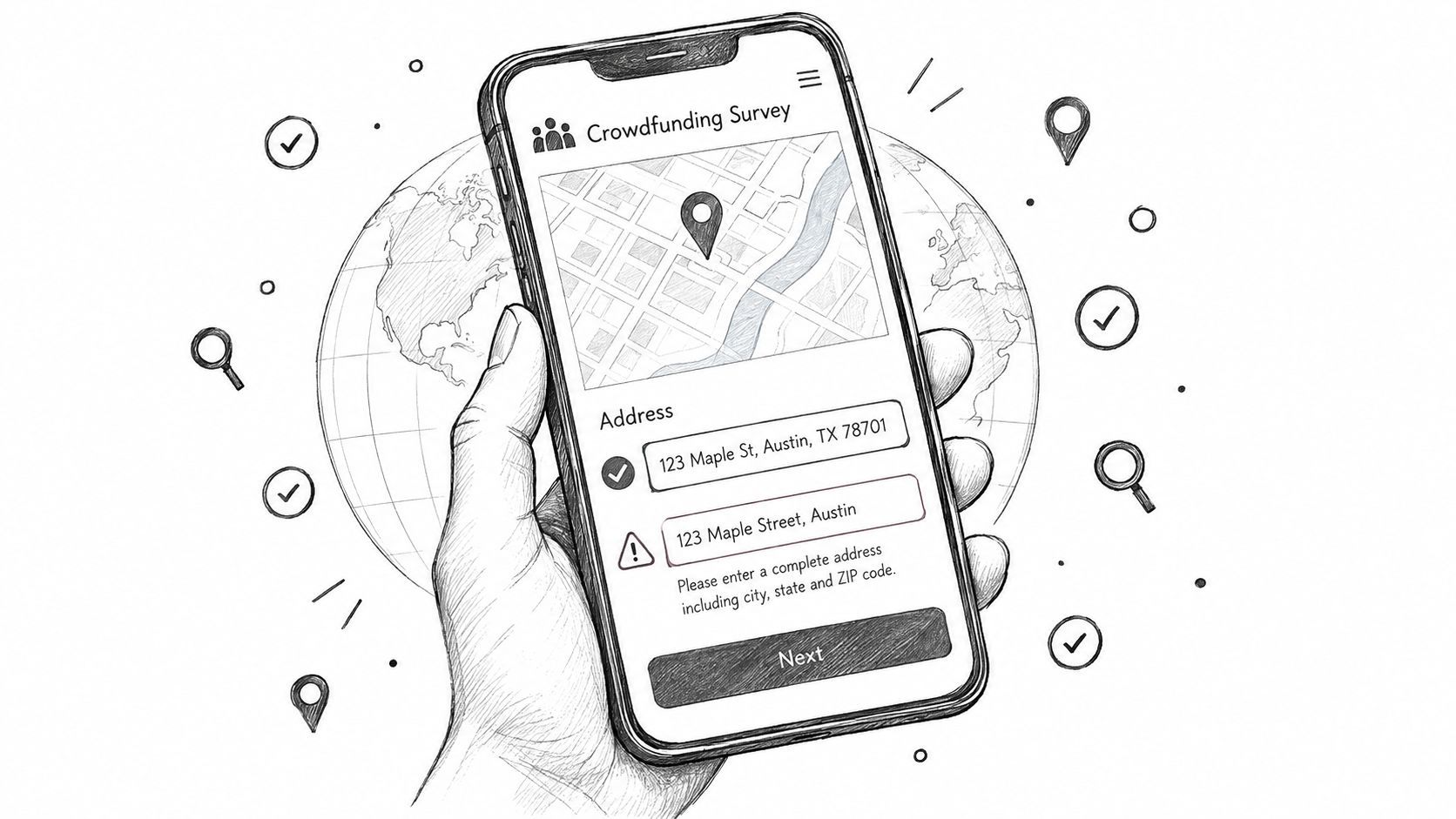
Set up Google Maps Address Validation for your backer surveys with practical steps, edge case handling, and UX patterns that reduce shipping errors.
A crowdfunding survey can look finished while the fulfillment risk is only beginning. Backers enter apartment numbers in the wrong field, omit building names, transpose postal codes, or paste an address that looks perfectly reasonable but can't receive a parcel. By the time the warehouse flags the problem, the campaign team is dealing with support tickets, returned rewards, replacement shipments, and frustrated customers.
Google Maps Address Validation helps, but it isn't a simple yes-or-no gate. The API returns confidence signals about completeness, granularity, inferred components, geocoding, and, for US addresses, postal delivery data. A reliable survey uses those signals to decide what happens next: accept a clean address, ask the backer to confirm an uncertain one, or send a risky record to review.
A tabletop creator closes a campaign with a large backer base spread across dozens of countries. The survey opens, shipping details arrive quickly, and the first export looks healthy. Then support messages appear. One reward went to an old address, another is missing a unit number, and a third has a postcode that doesn't match the locality. The creator now has to investigate records that appeared complete in the survey.

The common response is to add a green checkmark beside the address field. That helps only when the system understands what the check means. A deliverable premise with no missing components deserves different treatment from a plausible street address without a confirmed number. A digital-only reward may not need the same decision as a parcel containing a heavy core box and add-ons.
Google launched the Address Validation API as a Google Maps Platform product and announced general availability on 9 November 2022. Google positions it to validate, standardize, and geocode addresses, while identifying missing or unconfirmed components and returning a validated address with a best-known geocode. That combination is useful for global fulfillment, but the response still needs an operational policy. See the Google Address Validation documentation for the product model and returned data.
Operational rule: Treat validation as a confidence signal. Don't let a single green result make a shipping decision that your fulfillment team can't defend.
A sensible survey can auto-accept a complete US premise, ask a German backer to confirm an unusual or partially confirmed entry, and route a complex Brazilian address with uncertain locality or subpremise details to review. The technology matters, but the workflow determines whether it prevents failed shipments or adds another badge to a form.
Start with a dedicated Google Cloud project for the campaign or fulfillment application. Keeping the project separate makes ownership, billing, quota controls, and incident investigation easier when the team already runs other Google Maps services.
Open the Google Cloud Console, select the project, and use the API Library to enable Address Validation API. Don't assume the Places API covers the same job. Places autocomplete helps users find and format an address, while Address Validation evaluates the submitted postal address and returns structured confidence signals.
Attach a billing account to the project, then create an API key with the narrowest practical restrictions. A browser-based implementation should restrict the key by website referrer and limit the available API to Address Validation API. A server-side implementation should keep the key off the client and restrict access to the backend environment instead.
Google's request guidance says the minimum request needs a PostalAddress containing at least one addressLines entry. Supplying regionCode is recommended because it gives the service useful country context. The API is called through a POST request to the validateAddress endpoint, as described in Google's validateAddress request reference.
Google's architecture guidance recommends beginning with a representative sample of roughly 5,000 to 10,000 existing addresses and preserving the original geographic mix. It also identifies a 6,000 QPM rate limit, so a survey launch should use debouncing, queueing, and controlled retries rather than firing requests on every keystroke. Those figures and acceptance signals are documented in Google's address validation solution guidance.
Creators with an engineering team can own the project, key restrictions, quota policy, logging, and billing alerts. Teams that don't want to maintain that layer can use a pledge manager that already connects address verification to its survey flow. PledgeBox is free to send the backer survey and only charges 3% of upsell if there's any, so creators don't have to add an upfront survey or per-backer charge to collect and check addresses.
Autocomplete and address validation solve different problems. Autocomplete helps a backer type less and select a standardized suggestion. validateAddress examines the submitted address as an operational record that may be used for shipping.
Autocomplete belongs near the input field. It can reduce spelling mistakes, normalize formatting, and help a mobile user select a locality without entering every component manually. It shouldn't be treated as proof that a building, apartment, or delivery point is ready for fulfillment.
The server-side call belongs at a deliberate checkpoint, usually after the backer has completed the address and submits the survey step. Google documents the API response as a structured result containing verdict, address, geocode, metadata, and uspsData, which gives the application more to work with than a formatted suggestion. The response model documentation explains those returned objects.
A practical sequence looks like this:
PostalAddress to the server-side endpoint.| Dimension | Places Autocomplete | Address Validation API |
|---|---|---|
| Primary job | Help a backer find and format an address | Evaluate a submitted address for completeness and confidence |
| Best location in the flow | During typing | After the address is ready for submission |
| Main value | Fewer typing errors and faster entry | Better fulfillment decisions and clearer review queues |
| Key limitation | A suggestion isn't delivery confirmation | A strong response still needs policy for edge cases |
| Operational output | Suggested place or formatted address | Verdict, address components, geocode, metadata, and postal signals |
The right design doesn't force a validation call on every keystroke. It waits until the data is meaningful, then shows the backer what needs attention. That makes the experience closer to finish your order on T-Shirt Envy than to an opaque error screen, the user sees a clear path to completion instead of a technical rejection.
A fulfillment operator doesn't need to memorize a nested JSON response. They need to know which fields change the shipping decision.
verdict is the starting point. Read it as a confidence tier, not a pass or fail label. A confirmed response suggests the service has strong support for the address. UNCONFIRMED_BUT_PLAUSIBLE means the entry may be usable but deserves a confirmation step. UNCONFIRMED_AND_SUSPICIOUS signals a record that should usually stop before it reaches a shipping export.
validationGranularity adds the detail that broad verdicts can hide. PREMISE indicates a recognized building or delivery premise. SUB_PREMISE can identify a more specific unit or apartment. BLOCK and ROUTE are less precise for parcel fulfillment, especially when a campaign ships rewards that require a particular entrance, floor, or unit.
The address object shows the service's interpretation of the submitted components. Compare it with the backer's original entry rather than replacing the original without notice. The geocode helps confirm the geographic result, while metadata adds context that can support downstream routing and fulfillment rules. For US records, uspsData can provide postal-specific signals, including DPV information.
Google's acceptance guidance says addresses with PREMISE granularity and no unconfirmed, inferred, or replaced components are generally safe to accept. A US address with dpvConfirmation of N may need user confirmation. Google also notes that an unconfirmed but plausible street number can remain a candidate for acceptance when the customer confirms it. These rules are set out in the address acceptance examples.
| Verdict + DPV Signal | Granularity | Recommended Action |
|---|---|---|
| Confirmed, no unconfirmed, inferred, or replaced components | PREMISE |
Auto-accept for physical fulfillment |
| Confirmed, but unit or apartment is absent from the submitted address | PREMISE or SUB_PREMISE |
Prompt the backer to confirm the unit before locking the survey |
| Unconfirmed but plausible, with a coherent locality and street result | ROUTE or PREMISE |
Prompt for confirmation, then accept only if the backer approves |
US result with dpvConfirmation of N |
Any non-specific granularity | Queue for review or request a corrected address |
| Suspicious verdict or several unconfirmed components | BLOCK or ROUTE |
Manual review before export |
| Unconfirmed address for a digital-only reward | Any usable geographic result | Consider auto-accepting if no physical shipment depends on it |
A worked example makes the distinction clear. A backer enters a real building but leaves out the apartment number. The verdict may look strong, yet the survey should ask for the missing subpremise because the parcel needs a door-level destination. Conversely, an unconfirmed address attached to a backer receiving only a digital file may not justify blocking delivery, provided the campaign has no physical reward tied to that record.
International validation fails when teams apply US assumptions everywhere. A postal address can be structurally correct without following the street, number, city, state pattern that a US-trained operator expects. Some countries also rely on building names, block references, delivery facilities, or local conventions that don't fit neatly into a standard form.
Japan may use block numbers and landmarks rather than a familiar street-level pattern in many areas. Germany can include unusual postcodes, Packstation details, or Filiale references that need deliberate handling. Brazil's logradouro terminology and CEP structure vary by locality, while Australian addresses can depend heavily on unit numbering, property names, and regional formatting.

USPS-specific data won't provide the same depth for every country. Outside the United States, operators may need to rely more heavily on postal components, premise metadata, geocoding precision, and the backer's own confirmation. A green result can still leave a missing apartment, an ambiguous building reference, or a locality name that a carrier interprets differently.
Independent evaluation material has documented the danger of overconfident acceptance. One published comparison reported that 32% of accepted Google-valid addresses contained unconfirmed components and 3% were false positives, while reported Google “high” validation rates ranged from 53.18% in Australia to 85.81% in Canada. Those findings are summarized in Melissa's comparison of Google and Melissa address validation. The practical lesson is to compare regions and address types instead of assuming one global acceptance rule.
Fulfillment checkpoint: For a non-US address below
CONFIRMED, ask the backer to review the complete formatted address and route the record to a human queue if the subpremise, locality, or postal detail remains uncertain.
Append country-specific checks to the review SOP:
For a deeper operational treatment of international survey handling, use PledgeBox's guide to international address validation.
A technically accurate API can still produce failed shipments if the survey makes it easy to ignore uncertainty. Backers complete surveys on phones, in a hurry, and often while switching between a campaign page and a confirmation email. The interface has to explain the issue plainly and offer the next action immediately.
Start with autocomplete, but keep the backer's original input visible. If the selected suggestion differs from what they typed, show a soft prompt such as, “We found a more complete version of this address. Please check that the apartment, unit, and postcode are correct.” Don't rewrite a personal address without notice. A normalization that looks harmless to the application may remove the detail a local carrier needs.
A strong flow uses different levels of friction:
The message should name the problem instead of displaying a generic red border. “Please check your postal code” is useful. “Invalid address” isn't, especially when the address may be valid but incomplete.
PledgeBox bakes Google Maps-powered address validation and real-time suggestions into its backer survey experience. It is free to send the backer survey and charges 3% only on upsell conversions, while late backer pre-orders let the same validation pattern continue after the initial survey window. The platform's mobile-friendly portal and field validation guidance reflect the same principle, ask for correction when the signal is weak, but don't turn every uncertainty into an unexplained hard stop.
“We couldn't fully confirm this address. Check the street number, postal code, and apartment or unit, then confirm if everything is correct.”
“This address looks plausible, but delivery may fail without a unit or building number. Add that detail if it applies.”
“We saved your address. You can edit it until the survey lock date shown in your account.”
These messages protect the backer relationship because they explain why the survey is asking for another action. They also give the fulfillment team a defensible record of what the backer confirmed.
Address validation is an operational dependency, not a one-time integration. Google recommends testing a representative sample of roughly 5,000 to 10,000 existing addresses, preserving the original geography mix and classifying the responses with signals such as granularity, completeness, and inferred or replaced components. Use that sample as a regression baseline, then compare new results by country, reward type, and review outcome.
A useful test set contains clean premises, missing units, unusual postal formats, multilingual entries, old addresses, and deliberately ambiguous records. Classify each result as accepted, confirmation required, or manual review. The purpose isn't to maximize acceptance. It's to make sure the same type of address receives the same decision when the survey opens.
Google's public service history records multiple Address Validation API incidents, including a 6-hour 2-minute service degradation on 9 March 2024, an issue lasting 1 day 2 hours on 14 March 2025 where some street-level addresses in Germany and other countries returned unconfirmed responses, and a 1-hour 33-minute incident on 7 April 2026 involving 403 rejections. The Google Maps Platform service history shows why a survey needs degraded-mode behavior.
Track request errors, response latency, verdict distribution, and the share of records entering review. A sudden shift toward unconfirmed results in one country can indicate a provider issue, an input-mapping bug, or a campaign-specific form problem. Store enough context to investigate without exposing more personal data than the fulfillment team needs.
| Provider | Best Use Case | Approx. Cost per Validation | Coverage Notes |
|---|---|---|---|
| Google Address Validation API | Primary validation inside a Google Maps workflow | Check current Google pricing before launch | Returns verdict, address, geocode, metadata, and US postal data |
| Smarty | Secondary address verification for operational fallback | Confirm current vendor pricing | Useful when a US-focused postal workflow needs another provider |
| Loqate | Global address cleansing and review support | Confirm current vendor pricing | Evaluate country coverage and formatting behavior for campaign destinations |
| Google Geocoding API | Degraded-mode geographic plausibility check | Check current Google pricing before use | Geocoding isn't a substitute for full deliverability validation |
| PledgeBox | Survey and fulfillment workflow with integrated validation | Free survey delivery, 3% of upsell only if there is an upsell | Connects validation to backer collection and logistics workflows |
Don't invent a fallback policy around an untested vendor. Run a controlled outage drill, verify that new submissions enter a safe review state, and inspect the final export before fulfillment locks. Your shipping integration should preserve the original address, validation result, operator decision, and any backer confirmation, as described in PledgeBox's logistics integration overview.
PledgeBox gives creators a backer survey and pledge manager with Google Maps-powered address validation, shipping data collection, upsells, and late backer pre-orders. Send the survey for free, pay 3% only when there's an upsell, and visit PledgeBox to connect address decisions with the rest of your fulfillment workflow.
PledgeBox
The All-in-One Toolkit to Launch, Manage & Scale Your Kickstarter / Indiegogo Campaign