 PledgeBox
7 Survey Question Templates for Crowdfunding Creators
Use survey question templates for crowdfunding to collect fulfillment details, personalize rewards, protect data, and map responses into PledgeBox.
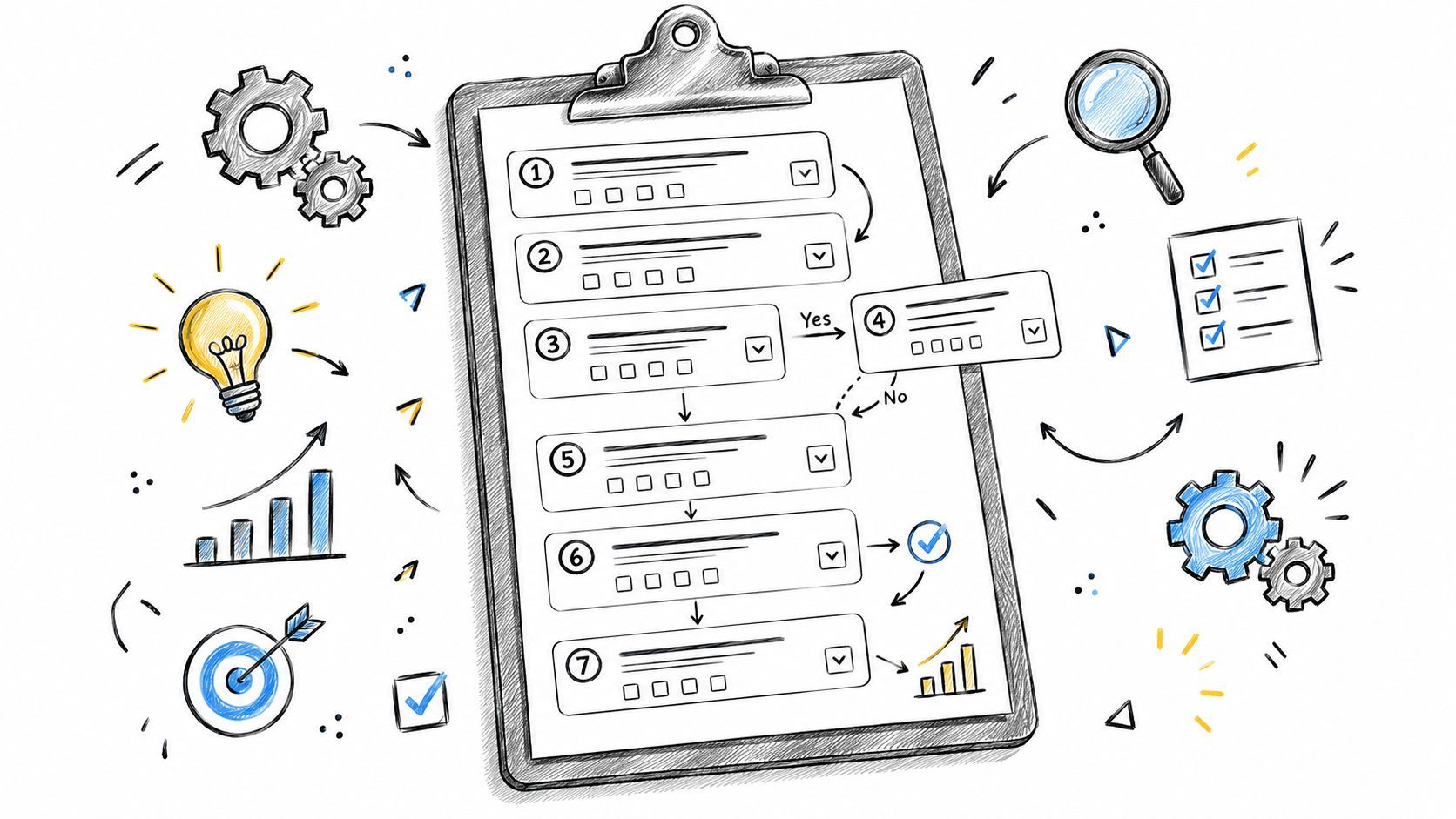
Use survey question templates for crowdfunding to collect fulfillment details, personalize rewards, protect data, and map responses into PledgeBox.
Your campaign has ended, pledges are in, and fulfillment is suddenly full of unanswered questions. Which reward did each backer choose? Where should it ship? Does the address include the right region and tax details? Who wants an add-on, and who needs a simple confirmation without another sales prompt?
A strong backer survey turns that uncertainty into usable fulfillment data. The seven survey question templates below cover reward confirmation, delivery information, personalization, upsells, privacy, and export mapping, with exact wording, answer types, conditional logic, timing, and practical implementation guidance. They're designed for Kickstarter and Indiegogo creators who need surveys backers can finish and operations teams can use.
PledgeBox is free to send the backer survey and only charges 3% of upsell revenue if there's any. The positioning is useful to understand: Kickstarter's pledge manager is like Amazon, a marketplace-style destination for completing a pledge, while PledgeBox's pledge manager is like Shopify, giving creators a flexible post-campaign store and fulfillment workflow.
PledgeBox's Pledge Manager is the strongest fit when the survey is part of a larger post-campaign operation rather than a standalone questionnaire. It combines branded survey creation with payment collection for shipping fees, VAT or tax, subscriptions, add-on upsells, and late-backer pre-orders. That means a creator can ask a backer to confirm a reward, collect missing delivery information, offer a relevant accessory, and route the result into fulfillment without stitching together several unrelated tools.
The practical distinction is workflow ownership. A generic form can collect an address, but PledgeBox can connect survey responses with pledge data, payment processing, shipping workflows, tracking, reports, and vendor exports. It supports Stripe and PayPal, address validation through Google Maps, shipping integrations, automated shipment tracking, and downloadable reports. Backers receive a mobile-friendly portal with automated reminders, while creators have access to support from AI and human teams.
Use question types according to the data you need:
Group related questions and use conditional logic so a backer doesn't see questions that don't apply to their pledge tier. A backer receiving a standard product shouldn't face personalization fields, while a backer who selects an engraved version should see the engraving input immediately.
Practical rule: Ask for information when your team can explain what it will change. If an answer won't affect production, shipping, communication, or support, remove the field.
PledgeBox also supports privacy-first data isolation and one-click data erasure, which matters when surveys collect addresses, personalization details, or other sensitive fulfillment information. Before launch, define which fields vendors need, which fields only your team needs, and when deletion requests should be handled.
Read the Kickstarter post-campaign survey guidance before publishing. The platform is particularly useful when you want an all-in-one pledge and survey tool, but a 3% fee on add-on sales during surveys can reduce margins for campaigns that depend heavily on upsells. Region-specific integrations and unusual shipping edge cases may also require additional setup.
SurveyMonkey works well when you want a polished starting point for research, feedback, pricing, or customer experience questions, then adapt the wording to a crowdfunding audience. Its library includes 500+ editable, expert-certified templates, covering areas such as market research, pricing tests, CSAT, NPS, employee engagement, and events. You can begin with a complete survey or insert individual questions into a custom build.
For a creator, the useful feature isn't the sheer volume of templates. It's the ability to borrow tested structures while replacing generic business language with backer-specific wording. A product research question such as “How valuable is this feature?” can become “Which included accessory would you use most often?” A customer satisfaction template can become a post-campaign question about reward expectations or delivery communication.
The Team Library helps collaborators share approved templates, brand assets, and recurring survey structures. API endpoints can also help teams list and instantiate survey templates programmatically, which is useful for agencies managing several campaigns with similar post-campaign flows.
Use a short sequence rather than importing an entire template:
The free Basic plan has strict limits, including commonly cited restrictions such as 10 questions and limited response viewing, so active campaigns may need a paid plan. Those plan limits are documented in SurveyMonkey's own product offering, while question quality still depends on how carefully you adapt the template.
The best practices for survey design matter more than the template label. Keep each item single-purpose, avoid leading phrasing, and make answer options exhaustive and mutually exclusive. Survey-methods guidance identifies these choices as important because unclear wording increases measurement error and respondent misinterpretation. Visit SurveyMonkey's template library when you need breadth, collaboration, or research-oriented starting points.
Typeform is the choice for creators who care most about the backer's experience while completing the survey. Its conversational, mobile-first format presents questions one at a time, which can feel less like an administrative form and more like a guided conversation. That presentation suits a premium campaign with strong visual branding, especially when the survey includes a small number of carefully sequenced decisions.
Start with a template for customer feedback, product research, lead capture, or applications, then replace the generic questions with fulfillment language. For example, use a multiple-choice question that asks, “Which color should we ship?” followed by a conditional text field, “If you selected a custom color, enter the exact name.” Don't show the second field to backers who chose a standard option.
Typeform supports branding customization, conditional logic, integrations such as Google Sheets, and response export or download. Those connections can help a small team move answers into a working fulfillment sheet, though the export still needs deliberate field naming. “Address line 1,” “Address line 2,” “Postal code,” and “Country” will be easier to map than a single field called “Shipping information.”
A useful Typeform sequence might be:
Typeform's free plan has a 10-response-per-month cap, making it impractical for an active campaign unless the account is upgraded. Response caps apply account-wide per month, and collection can stop when the limit is exceeded unless the plan changes.
Use Typeform's template gallery when presentation and mobile completion are central requirements. For conditional branches and backer-specific paths, the survey skip logic guide provides a useful implementation reference. Typeform looks excellent, but creators must monitor response capacity before sending a survey to a full backer list.
Qualtrics is built for organizations that treat survey design as a repeatable research system. Its Library includes expert-designed surveys, reusable question blocks, and templates that teams can share across an organization. You can create projects directly from templates, preserve consistent wording across campaigns, and maintain a central source for approved questions.
That level of control is valuable for a hardware company running several launches, an agency supporting multiple clients, or a publisher that wants consistent post-delivery research after every release. A shared question block might contain a standard delivery experience question, a product-use question, and a support follow-up. Campaign-specific content can then be added without rebuilding the measurement foundation each time.
For crowdfunding, use Qualtrics when the survey has a research purpose beyond collecting fulfillment details. A practical structure could combine reward confirmation with product research:
The platform scales to advanced logic, flows, analysis, and organizational governance. A free account exists for light use or evaluation, but custom or usage-based pricing and institutional access can make Qualtrics excessive for a small creator who only needs addresses and add-on payments.
The main trade-off is capability versus operational simplicity. Qualtrics can support a methodologically consistent research program, but it may not provide the crowdfunding-specific payment, pledge, shipping, and upsell workflow that a dedicated pledge manager handles directly. Teams should map the handoff before building, especially if the survey will collect fulfillment data that must move into a vendor or shipping system.
See the Qualtrics Survey Library when governance, reusable blocks, and advanced research logic justify the additional setup.
Jotform suits creators who want one flexible form tool for surveys, registrations, applications, orders, and other collection tasks. Its catalog advertises 8,000+ survey and form templates, giving non-technical teams plenty of starting points. Drag-and-drop editing, real-time reporting, data analysis tools, mobile apps, and a broad integration ecosystem make it approachable for straightforward or moderately complex builds.
A crowdfunding creator could start from an order or product feedback form, then adapt it for a reward confirmation flow. Keep the operational sequence visible:
The best template is the one your fulfillment team can read without translating it.
Use a choice field for reward selection, a separate choice field for variant selection, and a conditional text field for personalization. If a backer chooses “custom engraving,” show “Enter the engraving exactly as it should appear.” If the backer chooses “no personalization,” skip that field entirely. This structure creates cleaner exports and avoids collecting irrelevant answers.
Jotform's breadth is its advantage and its limitation. It can handle many kinds of forms, but creators may need to configure payment connections, shipping logic, notifications, and exports themselves. Usage limits are spread across several caps, including submissions and storage, so growing volume can push a campaign toward an upgrade.
Higher tiers offer options such as HIPAA-compliant handling, although that's generally more relevant to regulated data collection than standard crowdfunding fulfillment. The platform's mobile apps can help a small team monitor submissions while traveling, but the team still needs a defined response process for address corrections, duplicate submissions, and late changes.
Explore Jotform's survey templates if you need a broad form catalog or want to reuse the same platform beyond your campaign. It's a practical generalist, but creators should verify every plan cap and integration requirement before launch.
QuestionPro offers a template-rich environment organized around customer, employee, product, market research, and industry use cases. Its library includes 300 to 350+ free survey templates, and the platform supports 40+ question types, along with web distribution, analytics dashboards, exports, and integrations.
That combination works for a small team that wants more structure than a basic form but doesn't need an enterprise research environment. Start with a product feedback template and rewrite every question around a post-campaign decision. “How satisfied are you with the product?” may be too broad before delivery. “Which product detail would you like clarified before shipment?” is more actionable during fulfillment.
A useful QuestionPro build separates operational questions from optional research:
The step-by-step process for copying and starting from templates can shorten setup, while analytics dashboards help teams identify incomplete fields and recurring themes. Broad app integrations also make it easier to move responses into existing workflows, although advanced exports and integrations may require higher-tier plans. Some pricing and feature decisions may route buyers to sales, so confirm access before designing a workflow around a specific capability.
Use QuestionPro's survey templates when categories, question variety, and budget-sensitive options matter. It's less specialized than a pledge manager, so map the response destination before you collect data. A survey that produces attractive charts but leaves the shipping team with manual cleanup hasn't solved the problem.
Alchemer, formerly SurveyGizmo, is aimed at professional users who need reusable templates, advanced logic, analysis, and exports. You can begin with pre-built templates or save a completed survey as a custom template for later campaigns. That repeatability is useful for agencies, consultants, and creators who run a recurring post-campaign process.
A saved template might include the standard wording for reward confirmation, address verification, delivery communication, and product feedback. For each new campaign, the team can change the reward options and branding while preserving the tested structure. This approach reduces accidental differences between campaigns and makes response comparisons easier for an internal team.
Alchemer's logic tools can support a more detailed fulfillment path. Ask whether the backer has moved since the original pledge, then show an updated-address sequence only when needed. Ask whether they want an add-on, then reveal the relevant product choice and payment step. For a personalized reward, display an open-text field and, where appropriate, an attachment request.
Higher tiers provide advanced analysis and exports, including SPSS export and conjoint or open-text analysis. Published U.S. pricing tiers and a free trial make evaluation more concrete, but some branding controls and professional features require paid plans. The platform offers strong flexibility, although creators must still connect the survey to payment collection, shipping, and vendor systems if those aren't already part of their stack.
Visit Alchemer if you need a professional survey platform for repeated campaigns and deeper analysis. It's a strong middle ground between a simple form builder and an enterprise research system, but the more complex the workflow becomes, the more important it is to document field names, logic branches, exports, and ownership.
| Tool | Implementation Complexity 🔄 | Resource Requirements ⚡ | Expected Outcomes 📊⭐ | Ideal Use Cases 💡 | Key Advantages ⭐ | Key Limitations 💡 |
|---|---|---|---|---|---|---|
| Pledge Manager | Moderate–low; quick config for common flows, advanced integrations may need setup 🔄 | Low upfront; requires Stripe/PayPal and shipping integrations ⚡ | Improved post-campaign revenue and streamlined fulfillment; strong analytics 📊⭐ | Kickstarter/Indiegogo creators, fulfillment + upsells 💡 | All‑in‑one pledge, payment & shipping automation, privacy controls ⭐ | 3% fee on add‑on sales; some region-specific integrations limited 💡 |
| SurveyMonkey | Low; launch ready surveys from templates quickly 🔄 | Low→moderate; API and team features available on paid plans ⚡ | Credible, bias‑checked surveys fast; good benchmarking 📊⭐ | Market research, pricing tests, CSAT/NPS, team templates 💡 | Large expert‑certified template library; benchmarks ⭐ | Free plan tightly limited; higher features require paid plans 💡 |
| Typeform | Low; templates + conditional logic, intuitive editor 🔄 | Moderate; integrations common but response caps push upgrades ⚡ | Higher respondent completion and polished brand experience 📊⭐ | Conversational surveys, branded post‑campaign interactions 💡 | Mobile‑first UX improves completion; easy branding ⭐ | Very low free response caps; monthly limits may halt collection 💡 |
| Qualtrics | High; enterprise workflow and advanced logic/configuration 🔄 | High; custom/licensed pricing, often institutional access required ⚡ | Methodologically robust research and scalable analysis 📊⭐ | Enterprise research, academic studies, organization‑wide surveys 💡 | Enterprise library, reusable blocks, advanced analytics ⭐ | Costly and potentially overkill for small projects 💡 |
| Jotform | Low; drag‑and‑drop builder, fast template use 🔄 | Moderate; many integrations and mobile apps, plan limits apply ⚡ | Rapid multi‑use form deployments across many use cases 📊⭐ | Non‑technical teams needing forms, orders, registrations 💡 | Very large template catalog; easy to use and mobile apps ⭐ | Submission/storage caps and other usage limits may require upgrades 💡 |
| QuestionPro | Low; template‑driven start with step‑by‑step help 🔄 | Low→moderate; affordable tiers but advanced features paid ⚡ | Template‑rich, budget‑friendly surveys with dashboards 📊⭐ | SMBs and creators on limited budgets needing ready templates 💡 | Focused template depth and lower‑cost paid options ⭐ | Advanced exports/integrations may need higher tiers; sales gating 💡 |
| Alchemer (SurveyGizmo) | Moderate–high; professional features and reusable templates 🔄 | Moderate→high; tiered pricing with clear response allowances ⚡ | Professional analytics and repeatable, agency‑grade templates 📊⭐ | Agencies and teams needing advanced logic, repeatability 💡 | Strong power features, template saving, enterprise compliance ⭐ | Advanced analysis and branding behind higher‑tier plans 💡 |
The right template starts with the fulfillment decision, not the tool's template gallery. Confirm the reward first. Then collect only the delivery information your shipping process requires. Ask for a variant, size, color, or personalization detail only when it applies to the selected reward. A backer who pledged for a standard item shouldn't have to answer questions intended for a premium tier.
Conditional logic keeps the survey shorter and improves data quality. Simple, single-construct wording, non-leading phrasing, and answer options that are exhaustive and mutually exclusive are standard survey-design principles because unclear questions increase measurement error and respondent misinterpretation. A recent survey-response guide also shows why deployment context matters: popup surveys average 3.65%, web-link surveys 29.95%, email surveys 49.17%, and mobile SDK in-app surveys 34.37% response, as reported in the Qualtrics handbook on question design. The same template can perform very differently depending on how you deliver it.
Test before sending. Small changes in wording, symbols, or graphics can change how respondents understand and answer a question, and a web-survey study reported response rates between 53% and 60% across tested variants in research published in Public Opinion Quarterly. Pilot the survey on mobile and desktop, compare completion and item-nonresponse, and remove any question that creates ambiguity without supporting a decision.
Timing matters too. Send reward confirmation when pledge details are still easy for the backer to recognize, ask address questions before the shipping workflow locks, and present upsells after the essential fulfillment information is complete. Make required fields visibly different from optional feedback, explain why sensitive information is needed, and document your privacy and data-deletion process.
The strongest survey systems connect responses to action. Current survey-trend coverage describes a shift from forms that merely collect answers toward systems that trigger action, with AI helping draft questions, summarize themes, and route feedback into business workflows, as discussed in survey trends for 2025. Map every field before exporting:
PledgeBox's pricing model keeps the initial survey accessible. Sending the backer survey is free, and PledgeBox charges only 3% of upsell revenue if there's any, with no fee on original campaign funds. Kickstarter's Pledge Manager help page says there's no upfront cost, but Kickstarter deducts its usual fees from payments made within the pledge manager, including shipping and additional add-on funds, while taxes raised through the pledge manager aren't charged fees, according to the Kickstarter Pledge Manager information.
For creators, PledgeBox is best understood as a flexible, Shopify-like post-campaign store and fulfillment workspace rather than an Amazon-like pledge manager. Use the tool that matches your workflow, but don't let a beautiful template hide the operational test: can backers finish it easily, and can your team ship the right reward without manual interpretation?
PledgeBox gives crowdfunding creators branded survey templates, conditional logic, payment collection, upsells, shipping support, exports, and fulfillment tools in one pledge manager. Build your backer survey around the decisions your team must make, then visit PledgeBox to turn those responses into a cleaner post-campaign workflow.
PledgeBox
The All-in-One Toolkit to Launch, Manage & Scale Your Kickstarter / Indiegogo Campaign