 PledgeBox
Order Fulfillment Workflow: A Crowdfunding Playbook That
Build a reliable order fulfillment workflow for Kickstarter and Indiegogo. Covers surveys, shipping, taxes, inventory, KPIs, and PledgeBox templates.
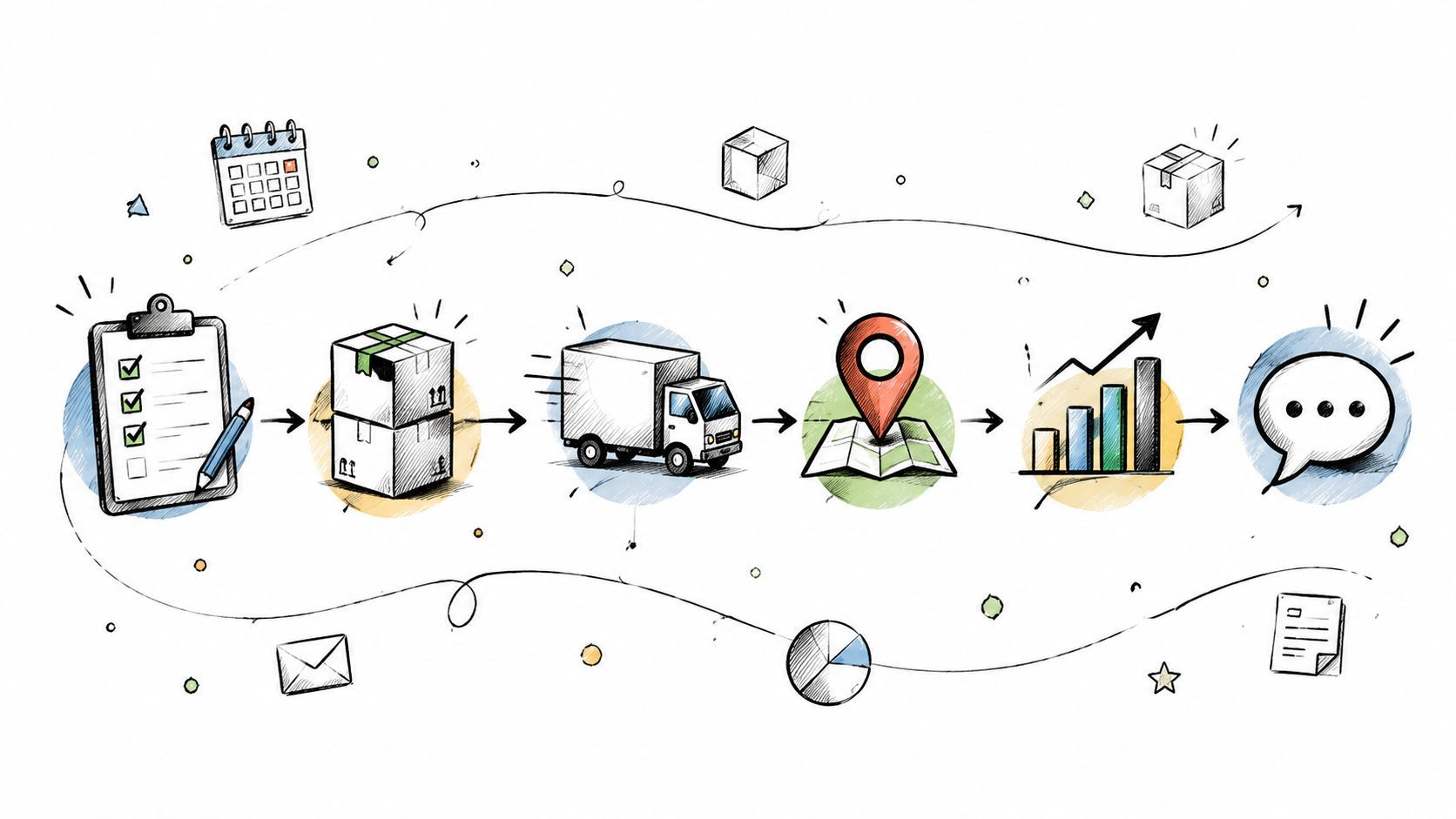
Build a reliable order fulfillment workflow for Kickstarter and Indiegogo. Covers surveys, shipping, taxes, inventory, KPIs, and PledgeBox templates.
Funding clears, the campaign dashboard turns green, and the inbox fills before you've finished celebrating. Your fulfillment partner wants a SKU list, your manufacturer needs final quantities, and the bank balance looks healthy until freight, taxes, warehouse handling, and support costs appear. That's the point where an order fulfillment workflow stops being an administrative follow-up and becomes the operating system for the campaign.
Reliable delivery depends on connected checkpoints: a clean backer survey, validated addresses, collected VAT or tax information, reconciled inventory, quality assurance, carrier labels, tracking, and timely communication. A mistake in the first checkpoint can become a refund request several steps later. The practical objective is to use one pledge manager as the source of truth, then move verified data into manufacturing, warehouse, tax, carrier, and support processes without losing context.
Funding close feels like the finish line. Operationally, it's the moment the work becomes visible. Backers are waiting for reward selections and address collection, manufacturers need quantities by variant, and a 3PL needs instructions that account for every tier, add-on, split shipment, and destination.
Treating fulfillment as a simple checklist creates gaps between teams. The survey collects an address, but nobody validates it. The warehouse receives a tier count without add-on details. A carrier label is created without the tax information needed for customs. Each team may complete its individual task while the backer still receives the wrong product, a delayed parcel, or a request for information that should already have been captured.
The global warehouse management and order fulfillment business process outsourcing market was valued at US$1,868.8 million in 2024 and is projected to reach US$3,415.4 million by 2030, with an estimated CAGR of about 10.6% to 10.8%, according to Grand View Research's market data. That growth reflects a shift in responsibility. Fulfillment now demands specialized coordination across picking, packing, shipping, returns, and software systems, rather than a final warehouse handoff.

Use the pledge manager as the record that every downstream system reads. The sequence should make each checkpoint verifiable:
A delayed manufacturing run can be communicated. A delayed run combined with unvalidated addresses, missing tax data, and an outdated warehouse file becomes a support crisis. The workflow must survive schedule changes without forcing the team to rebuild the source data.
Order processing speed is now closely tied to customer expectations. In 2024, nearly 30% of 3PL professionals reported average order processing times below 30 minutes, while another industry benchmark placed average fulfillment turnaround at 4.2 days, as summarized by Statista's fulfillment-time data. The lesson for crowdfunding teams isn't that every reward must ship immediately. It's that every internal delay should have an owner, a status, and a communication trigger.
Start with the promised ship-by date, not the day you intend to send the survey. Work backward through warehouse receiving, customs clearance, freight transit, production, quality inspection, and the point at which the vendor needs locked quantities.
A useful reverse schedule has two categories. Hard dates govern everything else, such as manufacturing capacity, freight booking, warehouse receiving slots, and carrier collection windows. Negotiable dates include the survey reminder cadence, the length of the grace period, and the timing of a final address correction window.

Map the timeline in this order:
For most physical reward campaigns, a 14 to 21 day survey window gives backers enough time to respond without leaving the warehouse idle. That window should be longer when VAT registration, international tax collection, or multiple warehouse splits add complexity. It can be shorter when late stretch tiers have added SKUs and you need final quantities quickly, but a shorter window requires more direct reminders and a clearer correction process.
Launching too early creates avoidable churn. Backers change addresses, move between reward tiers, add products, or discover that the shipping charge has changed. Every change forces the team to reconcile the survey, payment record, inventory reservation, and warehouse export again.
Planning rule: Never let the survey deadline be the only deadline. Set separate dates for SKU lock, tax review, export approval, warehouse receipt, label creation, and final address edits.
At each milestone, record the decision owner. The creator may approve reward rules, the manufacturer confirms production quantities, the tax adviser validates the collection model, and the 3PL confirms receiving requirements. A reverse timeline works because it turns “we're almost ready” into a series of documented approvals.
Kickstarter's pledge manager and PledgeBox solve overlapping problems, but they create different operating environments. A useful shorthand is that Kickstarter's pledge manager is like Amazon, while PledgeBox's pledge manager is like Shopify. Kickstarter keeps the experience close to the original campaign platform. PledgeBox gives the creator a more configurable commerce and fulfillment layer.
Kickstarter requires backers to open the manager from their backed-projects area or through an email link. They then complete survey responses, confirm their address, and make any required payment before finalizing the pledge, as described in Kickstarter's pledge-manager help documentation. Kickstarter also allows creators to choose when editing closes, and backers may update survey responses after checkout, which makes the manager a post-checkout collection process rather than a one-time form, according to Kickstarter's product update.
PledgeBox is free to send the backer survey and only charges 3% of upsell revenue if there's any, including revenue collected through surveys from shipping fees, taxes or VAT, and add-on products. If the survey produces no additional revenue, the platform is completely free, as stated on PledgeBox's pricing page. The variable fee matters most when add-ons and late purchases are central to the campaign's economics.
| Capability | Kickstarter Pledge Manager | PledgeBox |
|---|---|---|
| Backer survey | Native post-campaign survey flow | Branded survey workflow |
| Address collection | Address confirmation within the manager | Address collection and validation options |
| Add-ons | Supports pledge-related selections and payment | Supports conditional upsells and add-on collection |
| Tax handling | Limited tax support depending on campaign setup | Supports VAT and tax collection workflows |
| Store-style configuration | More platform-contained | More configurable commerce-style rules |
| Cost model | Platform-specific terms and campaign setup | Free survey sending, with 3% of upsell revenue if there's any |
| Best fit | Simpler campaigns prioritizing platform continuity | Complex campaigns with varied tiers, tax needs, and upsells |
Choose based on SKU count, international audience, reward complexity, and how much control the operations team needs. Kickstarter's familiar environment can reduce backer hesitation. PledgeBox's free survey model can reduce fixed cost when the campaign needs more flexible post-campaign selling and accepts a variable fee on upsells.
The survey should be the single source of truth for fulfillment. Every question needs a downstream purpose. If the warehouse, tax process, or support team won't use an answer, don't ask for it.
Start with tier-specific logic. A $79 early-bird reward shipping from one 3PL may need only the core product, variant if applicable, shipping address, and confirmation details. A $149 bundle may require an add-on picker, a color selector, or a choice between product configurations. Keeping those questions conditional prevents simple orders from being buried under fields that don't apply.
Use a practical sequence:
The confirmation screen is where many disputes can be prevented. Show the recorded address, reward, variant, add-ons, shipping charge, and tax calculation in plain language. Backers are more likely to correct a mistake when the record is visible than when they receive a warehouse-related email much later.
PledgeBox states that creators can send the backer survey without an upfront survey cost, while its fee applies to revenue collected through the survey. Its post-campaign survey guidance is useful when deciding which questions belong in the survey and which belong in a later support process.

Give the survey a visible deadline, explain the grace period, and state when editing closes. Backers should know whether changing an address after the deadline is possible, whether it can create a shipping surcharge, and whether the warehouse may already have processed the order.
Don't hide the final-lock notice in small text. Put it beside the submit action and repeat it in the confirmation email. The survey is not finished when a backer clicks submit. It's finished when the creator can export a stable, reconciled order record.
Once the survey closes, the export becomes the operational handoff. A single generic CSV usually fails because each recipient needs different fields. The warehouse needs pick instructions and SKU quantities. A tax process needs destination and tax identifiers. A carrier workflow needs address, package, and service data.
Build the export around its consumer. A 3PL handling EU units should receive EU rows, not a mixed file containing domestic orders and irrelevant cross-border fields. A separate US partner should receive domestic records that match its own packing and labeling rules.
Configure the workflow in layers:
The tax configuration deserves a separate review because an attractive checkout total means little if the carrier presents the backer with an unexpected customs bill. The PledgeBox international tax compliance guidance provides context for structuring this part of the workflow. For general shipping preparation, a practical shipping guide from TLC Moving & Storage can also help teams think through documentation, packaging, and handoff requirements.
| Export Target | Required Columns | Tax Fields | Trigger Event |
|---|---|---|---|
| Warehouse or 3PL | Order ID, SKU, quantity, tier, variant, address, split-shipment flag | Destination tax data where needed | Survey batch approved |
| EU fulfillment partner | EU order rows, SKU, quantity, address, VAT details | VAT treatment, tax-inclusive line items | EU allocation locked |
| US fulfillment partner | Domestic order rows, SKU, quantity, address | Domestic tax fields only | US allocation locked |
| Carrier system | Recipient, validated address, package details, service level | Customs values and commodity data for cross-border orders | QA sign-off complete |
| Internal audit file | Full order record and export timestamp | All collected tax and payment fields | Every export run |
Automated exports help, but automation shouldn't bypass approval. Schedule files after each survey batch closes, then require a human to compare totals against the pledge manager before the warehouse begins picking.
Communication belongs inside the order fulfillment workflow. A support team shouldn't discover a manufacturing delay from a wave of backer tickets, and a creator shouldn't wait until delivery failure to learn that a postal code was invalid.
Use communication as a set of operational gates. After survey submission, send a confirmation that recaps the address, reward, variant, and add-ons. During production, tie updates to real milestones rather than vague reassurance. Before labels are created, send a shipping-soon notice that gives backers a final opportunity to report an address problem.

Before the warehouse generates labels, sample 5% of export rows for address validity, missing VAT IDs, and tier mismatches. This is a process requirement, not a benchmark claim. The sample should represent different destinations, reward tiers, add-on combinations, and fulfillment partners.
Require a second reviewer to sign off on any backer above the campaign's defined value threshold. High-value orders often combine a base reward, multiple add-ons, and special shipping rules, so they deserve a separate check rather than being treated like a standard single-SKU parcel.
Operational rule: A label is a commitment. Don't create it until the order record, inventory allocation, tax data, and address have passed review.
After label creation, push the tracking number and carrier link back into the pledge manager. Backers can then self-serve delivery status from the same place where they confirmed their reward. If labels are generated outside that system, establish an import step with a clear owner and reconciliation report.
Maintain a tagged issue log for address changes, lost parcels, customs delays, damaged items, and returns. Review the tags beside the KPI dashboard. If the same issue appears repeatedly, change the survey, export, packaging instruction, or carrier rule. Apologies solve individual tickets. Workflow changes reduce the next batch of tickets.
Fulfillment needs a weekly measurement loop, especially when orders move through multiple vendors or warehouses. Pull the dashboard from pledge-manager exports and compare the current week with the previous week. The direction of change often matters more than a single isolated result.
Track these eight measures:
A warehouse management or order management system should exchange status data with the pledge manager rather than create a second, disconnected record. The Wistec OMS integration guide offers useful background on connecting order management with broader ecommerce operations. For workflow automation ideas, see PledgeBox's order fulfillment automation guidance.
| KPI | Healthy Range | Warning Signal | Action Trigger |
|---|---|---|---|
| Survey completion rate | Stable against the prior week | Completion slows after reminders | Rewrite reminders or simplify the survey |
| Address validation pass rate | High and consistent | One destination performs poorly | Review postal rules and request corrections |
| Outstanding balance rate | Declining after survey close | Unpaid orders remain in warehouse files | Hold affected orders and trigger payment outreach |
| Average upsell attach per backer | Matches inventory planning | Attach rate exceeds available stock | Reconcile upsell inventory before promotion |
| Label cost as a percentage of pledge | Within the campaign model | Costs rise by zone or package type | Audit dimensions, services, and packaging |
| Warehouse exception rate | Low and explainable | Same SKU or tier repeats | Inspect inventory mapping and receiving records |
| Support tickets per 100 orders | Falls as shipments progress | Tickets cluster around one issue | Assign a root-cause owner |
| On-time delivery percentage | Tracks the promised window | Late deliveries cluster by carrier | Escalate carrier or revise communications |
Survey fatigue appears as drop-off after the sixth question. Reduce nonessential fields, use conditional logic, and make the final confirmation screen easier to scan.
VAT misconfiguration shows up as missing identifiers, inconsistent totals, or customs questions from one region. Pause that destination's export, verify the tax rule, and regenerate the affected file.
Dimensional-weight surprises surface when bulky rewards cost more than the shipping model allowed. Recheck package dimensions, carrier services, and whether the packaging design matches the original assumption.
Lost tracking occurs when labels are created in a separate system but never synchronized. Make tracking import a required closing step for every fulfillment batch.
Inventory shrinkage becomes visible when the pledge-manager allocation exceeds the warehouse receipt. Compare supplier quantities, receiving records, damaged units, and reserved stock before releasing new orders.
Review the dashboard on the same day each week, assign an owner to every warning, and record the corrective action. That rhythm turns fulfillment from a one-time scramble into a controlled operating process.
PledgeBox lets creators collect backer addresses, reward selections, shipping fees, VAT or tax, and add-on orders through a configurable pledge manager, then export fulfillment-ready data and support shipment tracking. Since sending the backer survey is free and PledgeBox only charges 3% of upsell revenue if there's any, visit PledgeBox to evaluate whether its workflow fits your campaign's survey, tax, inventory, and delivery requirements.
PledgeBox
The All-in-One Toolkit to Launch, Manage & Scale Your Kickstarter / Indiegogo Campaign