 PledgeBox
Email Marketing Strategy for Crowdfunding Campaigns
A practical email marketing strategy for crowdfunding creators: build your list, sequence launch emails, recover pledges and track revenue.
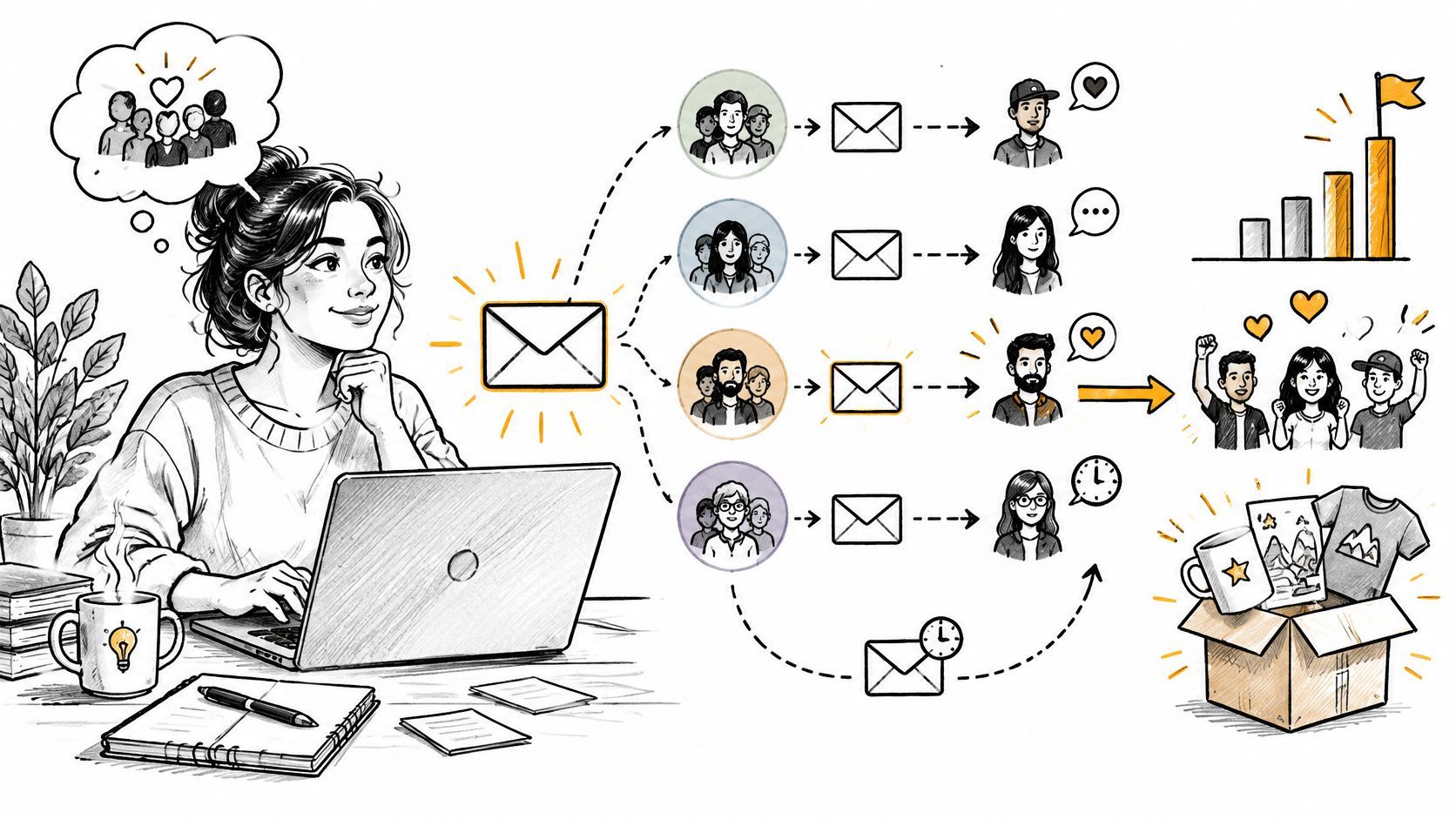
A practical email marketing strategy for crowdfunding creators: build your list, sequence launch emails, recover pledges and track revenue.
You've prepared the campaign page, collected subscribers, and scheduled the launch email. Then pledges slow down, and you're left deciding whether another reminder will help or just annoy people who've already backed you. Say your list contains 2,000 subscribers: that's a useful hypothetical audience, but it doesn't tell you who needs reassurance, who's ready to pledge, or who only needs a shipping update.
A useful email marketing strategy answers those questions before you press send. For crowdfunding, the constraint isn't list size. It's how many relevant messages you can send while keeping subscribers willing to hear from you.
Build the sequence around changes in backer status, not a weekly content calendar. A subscriber becomes a prospect, a prospect becomes a backer, and a backer becomes someone waiting for a reward. Each change should alter what you send next.
The following is a recommended working schedule, not an industry benchmark. Adjust it to your actual launch date, campaign readiness, and fulfillment commitments.
Campaign email stages, timing and metrics
| Stage | Audience | Send timing | Main goal | Metric to watch |
|---|---|---|---|---|
| Waitlist confirmation | New sign-ups | Within minutes of sign-up | Confirm the address and set the launch window | Confirmation rate |
| Early education | Waitlist subscribers | One or two emails across the 2 to 4 weeks before launch | Build interest in the project | Delivered-to-click rate |
| Launch day conversion | Subscribers who have not pledged | Launch day, first 24 hours | Turn interest into pledges | Click-to-completion rate |
| Stretch-goal or closing reminder | Consenting subscribers who clicked through but haven't pledged | Once per meaningful milestone, or during the final 48 hours | Resolve hesitation before a real deadline | Pledge completion rate |
| Survey and address request | Backers who have not replied | Target within 48 hours of campaign end if setup is ready; reminders after 3 and 7 days | Collect shipping and reward choices | Survey completion rate |
| Fulfillment and add-on updates | Backers affected by changed details or relevant availability | When shipping, tax, or availability changes | Keep fulfillment accurate and offer relevant add-ons | Unsubscribe rate |
Write the exit condition beside each trigger in your planning sheet. Confirmation ends when the subscriber verifies their address. Launch persuasion ends when they pledge. Survey reminders end when their response is complete.
Don't make an arbitrary deadline more important than readiness. If reward mapping or shipping charges aren't finalized, send a clear status update rather than an unusable survey.
Practical rule: Before writing an email, finish this sentence: The reader needs this message because their current status is…
A sequence works when each stage has a distinct job and a precisely defined audience. The same person can move through several stages, but they shouldn't remain eligible for every earlier message.
A waitlist should attract people interested in the reward, not people interested in winning an unrelated giveaway. Give visitors enough information to recognize whether the project is for them, then make joining straightforward.
Use this setup process as your starting point.
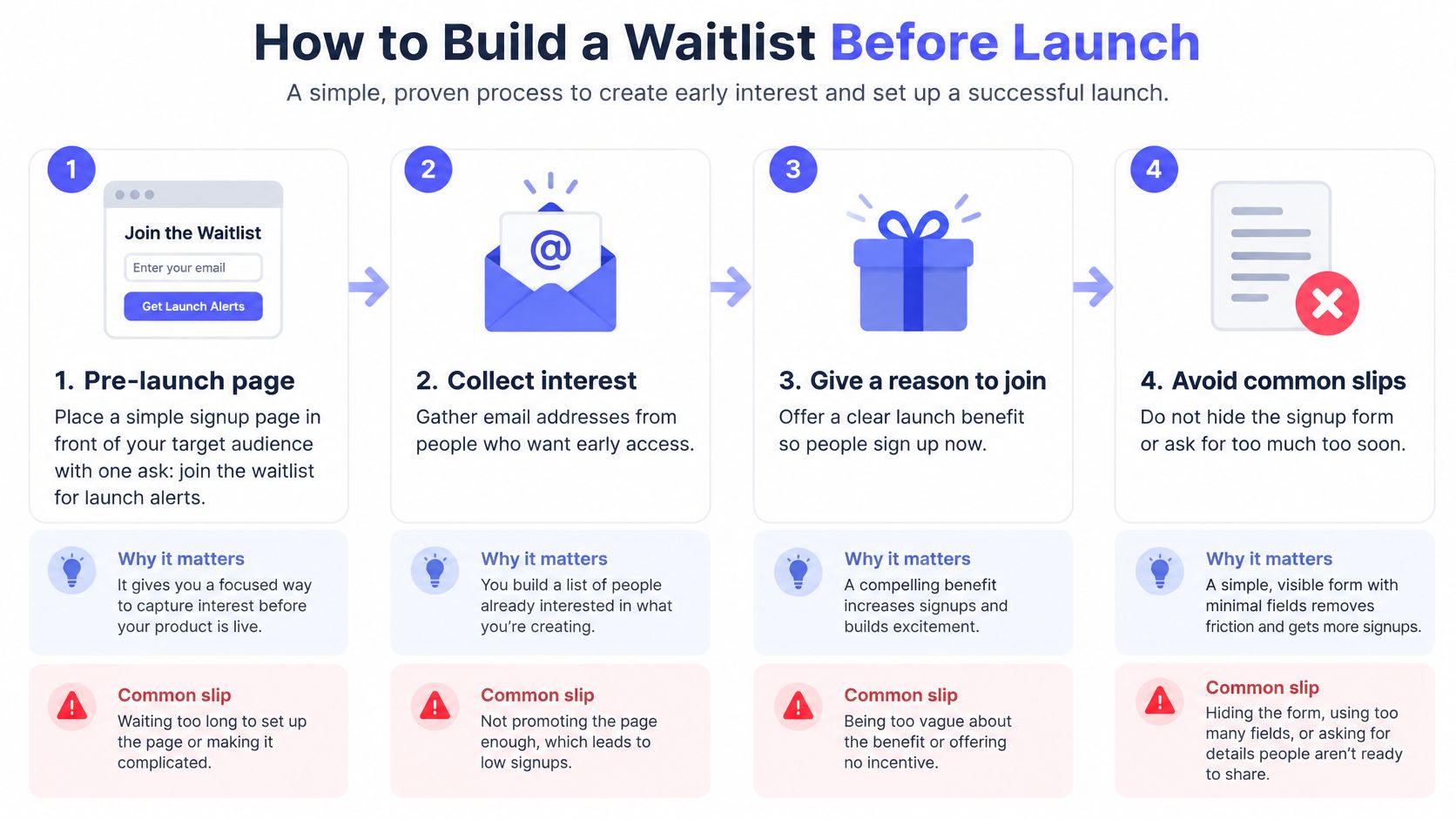
Publish a focused pre-launch page. Show the product, its main benefit, and a visible invitation to receive launch alerts. Don't give visitors competing instructions to join a community, download a brochure, and complete a long questionnaire.
Collect only useful information. Start with email, country, and an interest question such as which feature matters most. Make country optional unless regional availability matters immediately. Skip phone numbers unless you have a clear, explained use for them, because they introduce friction without necessarily improving your launch emails.
Confirm the address and expectations. Send a confirmation message that names the project and gives the expected launch window. If the date isn't firm, say so rather than inventing certainty. Make the confirmation action obvious and distinguish it from visiting the project page.
Prepare a short education sequence. I'd start with an origin-story email, followed by a prototype demonstration if it adds useful evidence. Spread these across the pre-launch period, and include the launch date once it's confirmed. Don't turn every internal development into a subscriber update.
Tag the interest answer. For a tabletop project, useful tags might distinguish solo play, cooperative play, and expansion content. Ask something you'll use in later copy, not a question that merely fills a database field.
Check the quality of the audience. Count confirmed subscribers and examine how many supplied an interest answer. Compare those groups with subsequent clicks rather than treating every collected address as equally interested.
A useful signup promise explains what the person will receive: launch timing, a demonstration, or notice of an available launch reward. Avoid promising exclusive pricing unless you can honor it.
Our email marketing lead generation guide offers more ways to connect the signup offer with the eventual campaign. Keep the acquisition message consistent with the product you'll ask people to fund.
By launch week, you should know how many subscribers confirmed their interest and what they want to hear about. If you only know your total contact count, fix the capture process before buying more traffic.
A single broadcast list creates contradictory messages. Someone who just paid for a board game expansion doesn't need another explanation of why they should pledge. They need to know what happens to their reward.
Segmentation should change the action you ask for, not merely insert a different first name. Apteco's email marketing overview reports approximately 30% more opens and 50% more click-throughs for segmented emails than unsegmented campaigns. Treat those comparisons as directional evidence, not a forecast for your campaign.
Capture consent and useful attributes. Keep a record of how the person joined and what communication they agreed to receive. Then maintain pre-launch interest, pledge tier or product variant, and purchase status. Collect pledge information when it becomes available rather than asking prospects to supply it prematurely.
Trigger from a meaningful event. Waitlist registration, pledge completion, an unfinished survey, add-on interest, and payment exceptions each justify different next steps. Use abandoned-checkout signals only when your checkout or integration exposes them and you have permission to contact that person.
Route by the task still unfinished. A subscriber interested in solo play gets an explanation of the game's solo mechanics. A paid expansion backer gets reward-specific fulfillment information and an honest shipping estimate. A backer with a payment problem gets instructions for fixing it, not a promotional offer.
Our audience segmentation guide can help you turn these distinctions into usable audience rules.
Decide which system holds the current pledge and survey status. If your email audience uses an outdated export, even well-written automation can ask a paid backer to pledge again.
Use a simple eligibility checklist before activating a flow:
For PledgeBox users, the practical order is confirmation, education with launch timing, launch conversion, and then reminders tied to unfinished actions. Judge those journeys by clicks and completed tasks, not opens alone, since mail-app privacy behavior can inflate open reporting.
The post-campaign survey is an operational request first. Tell backers which shipping details, reward choices, and applicable tax information they'll provide, and why those answers are needed.
Keep the journey clear before introducing an optional purchase.
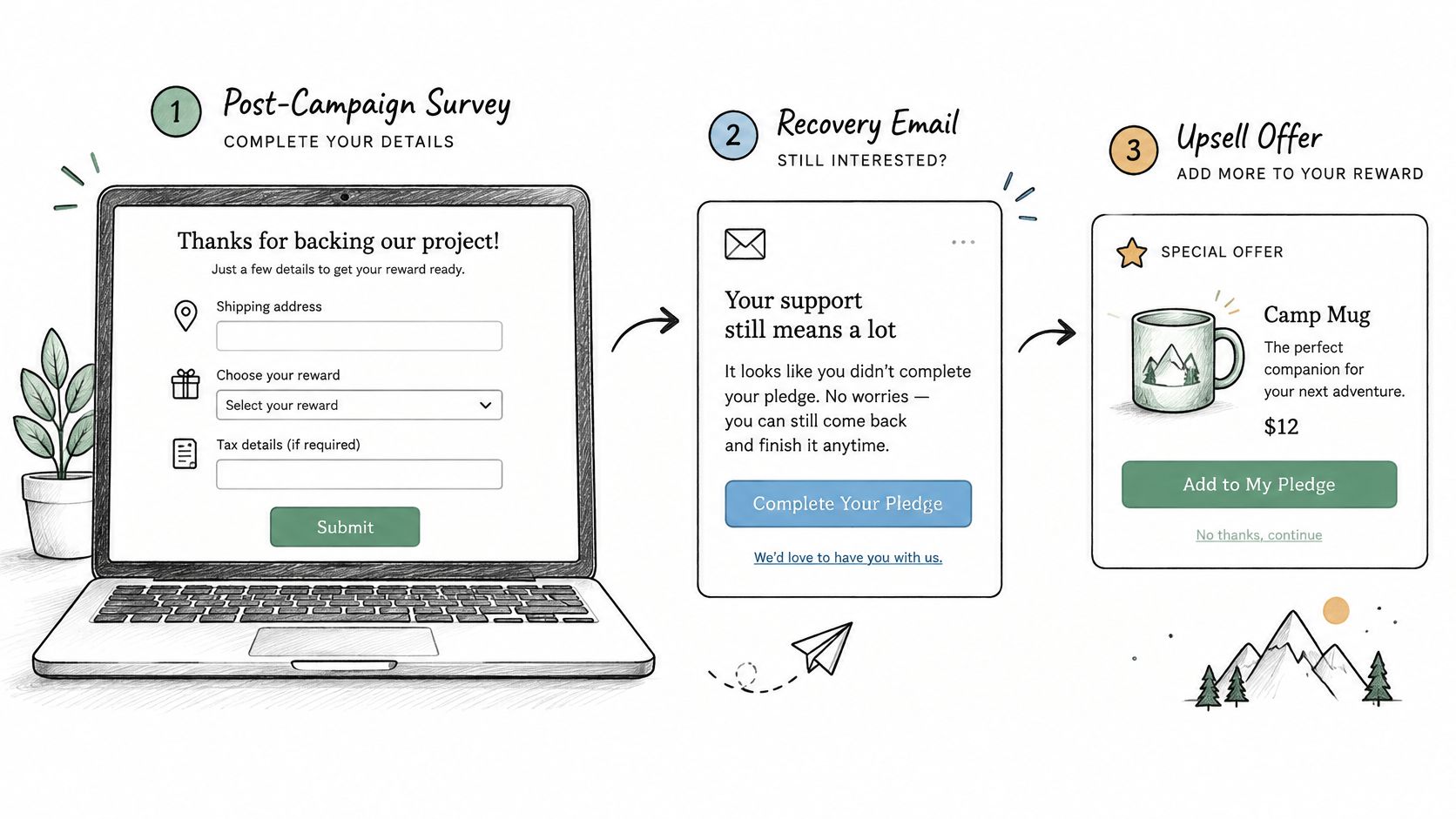
Before sending survey invitations, we configure products, variants, reward mapping, shipping, tax, and payment settings. Then we preview the backer experience and resolve blocking checklist messages. That preparation matters more than sending an invitation quickly.
Use the proposed reminder schedule only for backers whose responses remain incomplete. Shorten the reminder to the missing action, retain the same destination, and stop immediately after completion.
For abandoned pledges, I'd send a single recovery message once the checkout has been abandoned. Name the selected reward, explain what remains available, give the deadline, and return the reader directly to the unfinished step. Don't claim that an item is reserved unless it is.
Kickstarter's pledge manager is like Amazon; PledgeBox's pledge manager is like Shopify for campaign operations. That's an analogy about how creators use the tools, not a claim that their technical architectures match those companies.
Kickstarter provides a controlled marketplace in which creators define available rewards, add-ons, prices, and quantity limits. Its pledge-manager setup guide says there's no upfront cost, but standard fees are deducted from pledge-manager payments.
PledgeBox is free to send the backer survey and only charges 3% of upsell revenue if there's any. A survey without an upsell costs nothing.
Kickstarter pledge manager compared with PledgeBox
| Feature | Kickstarter pledge manager | PledgeBox pledge manager |
|---|---|---|
| Model | Controlled marketplace, like Amazon | Campaign operations toolkit, like Shopify |
| Survey cost | No upfront cost; standard fees apply to payments | Free to send the backer survey |
| Upsell cost | Standard fees deducted from pledge-manager payments | 3% of upsell sales only |
| Shipping and tax collection | Collected in one workflow with rewards | Branded survey with shipping, VAT, and tax settings |
| Late orders | New backers can buy available rewards after the campaign | Late backer pre-orders supported |
Kickstarter's backer FAQ explains that its workflow collects addresses, reward preferences, taxes, and shipping fees, and supports eligible upgrades and available post-campaign purchases.
Use this walkthrough while checking the survey journey.
Send an upsell only when there's a relevant, unfinished purchase decision. A backer who entered the survey and selected an add-on but hasn't completed checkout has a clearer reason to receive it than someone whose only signal is an email open.
Present a single add-on, its price, availability, and a genuine decision deadline. Set quantity limits before invitations go out, and exclude completed purchases from recovery messages.
You can collect addresses and product choices without offering extra products. Completing fulfillment preparation is a valid outcome on its own.
Sending more emails doesn't automatically create more revenue. It can also exhaust the audience you'll need for shipping updates, late orders, and your next launch.
In a 2025 U.S. survey of 1,000 adults, 67% identified excessive frequency as the leading reason they unsubscribed from retailer emails, according to Optimove's consumer marketing fatigue report. That's retail evidence, not a crowdfunding-specific limit, but it makes a strong case for controlling overlapping sends.
I'd use the following as a conservative starting policy, then adjust it against actual engagement and opt-outs:
Cap promotional sends. Allow no more than two promotional emails per week to active subscribers. Count launch messages, stretch-goal promotions, and add-on offers together, even if different team members send them.
Let people choose the category. Offer campaign updates, promotional offers, or both in a preference center. Make leaving the promotional audience straightforward without forcing backers to abandon necessary reward information.
Remove converted backers promptly. A pledge should end launch and stretch-goal persuasion. Set promotional frequency to zero once a backer has pledged and finished the survey, rather than continually searching for another reason to sell.
Require useful information. Every message must provide something the recipient needs: an answer, a changed shipping estimate, or a real decision deadline. A new subject line doesn't make a repeated offer newly valuable.
Separate operational communication. Necessary survey, shipping, and payment notices should use their own eligibility rules. A promotional cap mustn't block a shipping-delay notice, but adding a shipping sentence mustn't disguise an upsell as operational mail.
Consider a backer who receives a pledge confirmation, an unfinished-survey reminder, and an add-on offer while their survey purchase is still incomplete. Once they finish, stop the promotional sequence and send operational notices only when needed.
That's different from sending several sales messages just because separate automations qualified them independently. Put campaign sends and automated sends on the same contact calendar so the team can see collisions.
Before approving a send: Ask what changed for this recipient, not what changed on your marketing calendar.
Count unsubscribes for every send and compare the rate with similar messages to the same segment. Pause a flow when opt-outs rise after a particular message, then inspect its relevance, timing, and overlap before rewriting the subject line.
Keep each template focused on a single action. Replace bracketed fields with verified campaign details, and remove any sentence that doesn't help the reader make that decision.
Waitlist confirmation
Subject: Confirm your [Project] launch alerts
You've signed up for [Project] updates. We expect to launch in [window]. Confirm your email to receive the launch announcement and project details.
Action: Confirm and view the launch page.
Education email
Subject: Why we built [Project]
We started with [specific problem]. This prototype demonstrates [relevant benefit], including [evidence or limitation]. We launch on [date]. What would you like us to explain before launch? Reply to this email.
Launch-day conversion
Subject: [Project] is live, [reward] available until [deadline]
[Pledge tier] includes [benefit relevant to this segment]. Review the reward contents, shipping expectations, and campaign timeline before pledging.
Action: View the reward and pledge.
Abandoned pledge
Subject: Finish your [reward] pledge
You started checkout for [reward], but it isn't complete. [Accurate availability statement]. If you'd like to continue, complete your pledge by [deadline].
Action: Return to checkout.
Survey request
Subject: Complete your [Project] reward details
Please confirm your shipping address and [reward choices] by [reply date]. We need these details to prepare your reward correctly. If you're stuck, reply for help.
Action: Complete your survey.
Upsell offer
Subject: Add [accessory] to your reward
[Accessory] adds [specific benefit] for [price], with [shipping or tax implications]. Availability is limited to [actual quantity], and orders close on [deadline].
Action: Review the add-on.
For survey reminders, keep the same request but shorten the opening to the outstanding task. Use our email marketing examples for copy ideas, and test a single variable at a time rather than changing subject, offer, and audience simultaneously.
Track delivered-to-click, click-to-completion, revenue per recipient, unsubscribe rate, and incremental revenue. Together, they distinguish an email that attracted attention from one that helped someone finish a task or generated an additional sale.
The Litmus State of Email report provides context on email investment and measurement, but your decisions should use campaign-level results rather than a borrowed return forecast.
Metrics to track for each email flow
| Metric | What it tells you | When to act |
|---|---|---|
| Delivered-to-click | Whether the message earned attention | Click rate falls after a flow change |
| Click-to-completion | Whether the reader took the action | Survey or payment completion stalls |
| Revenue per recipient | The value of each send | Revenue drops while send volume rises |
| Unsubscribe rate | Message fatigue | Rate rises after a promotional send |
| Incremental revenue | Sales the flow added beyond baseline | Revenue would have arrived without the flow |
Calculate click rates using unique clickers and a consistent denominator. Divide attributed revenue by delivered recipients for revenue per recipient, and keep the attribution window consistent between comparisons.
Use this scorecard when reviewing results.
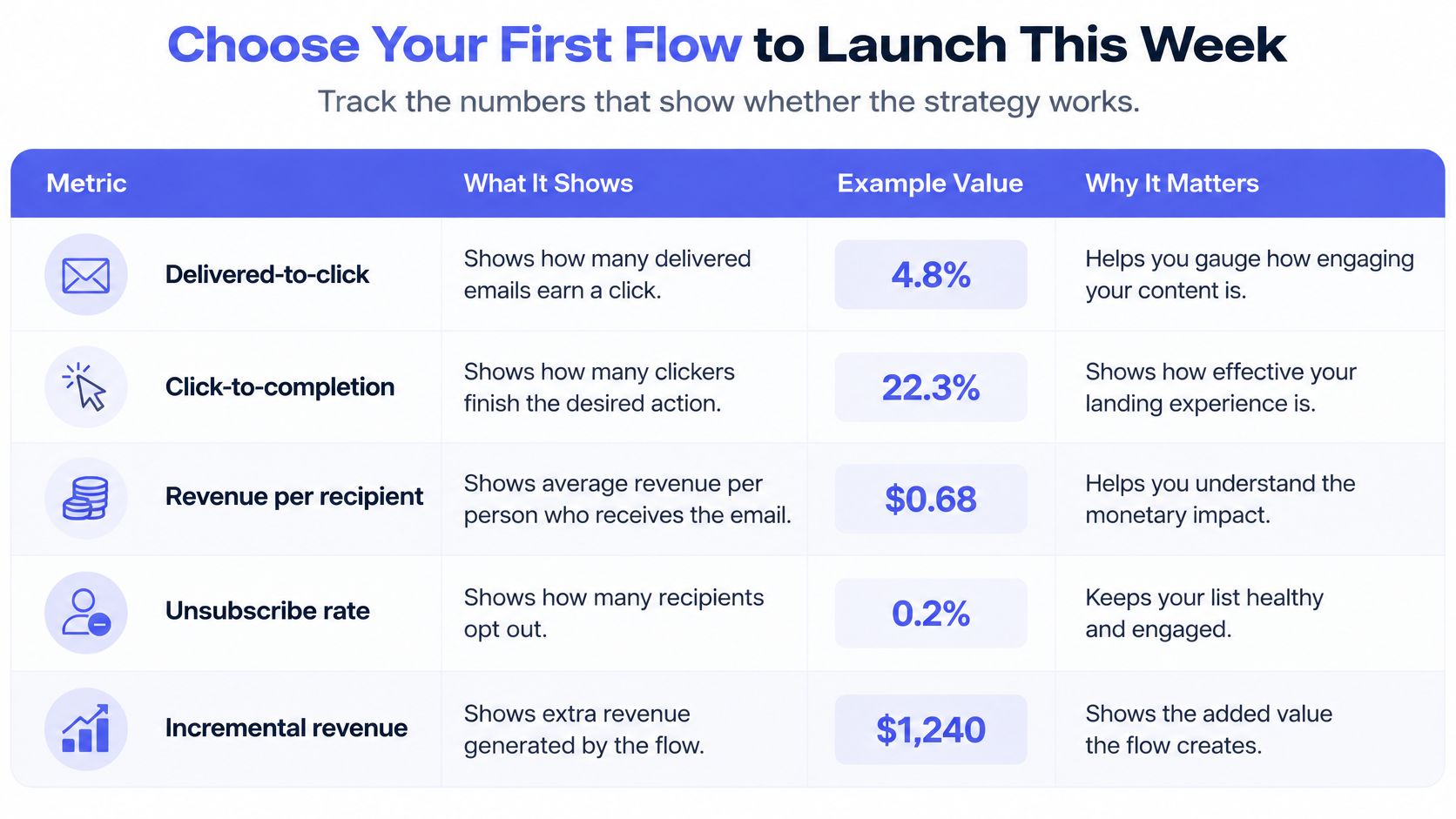
Compare early subscribers, existing backers, and late purchasers separately. During acquisition, watch confirmation and engagement; during fundraising, watch pledge completion. After funding, prioritize completed surveys and resolved shipping or tax tasks before judging optional purchase revenue.
For a promotional test, a comparable holdout group can help distinguish incremental purchases from purchases that would have happened anyway. Don't withhold necessary fulfillment information to create that comparison.
This week, I'd launch the survey flow first if your campaign has ended. Set its primary measures to survey completion, click-to-completion, and unsubscribe rate, test the destination, and run it through a campaign before adding another flow.
For implementation, our InBox builder uses drag-and-drop editing without HTML coding and tracks clicks, conversions, and engagement across campaigns. Sending the backer survey on PledgeBox is free, with a charge only when upsells occur, at 3% of upsell sales.
PledgeBox combines backer surveys, pledge management, and email tools so you can connect each message to the action a backer still needs to finish. Visit PledgeBox to prepare your survey, check the backer experience, and build your first targeted follow-up flow.
PledgeBox
The All-in-One Toolkit to Launch, Manage & Scale Your Kickstarter / Indiegogo Campaign