 PledgeBox
Smart Measuring Tape: A Creator's Guide to Hardware
Discover how a smart measuring tape works, key specs to compare, and expert tips for prototyping, manufacturing, and crowdfunding your hardware gadget.
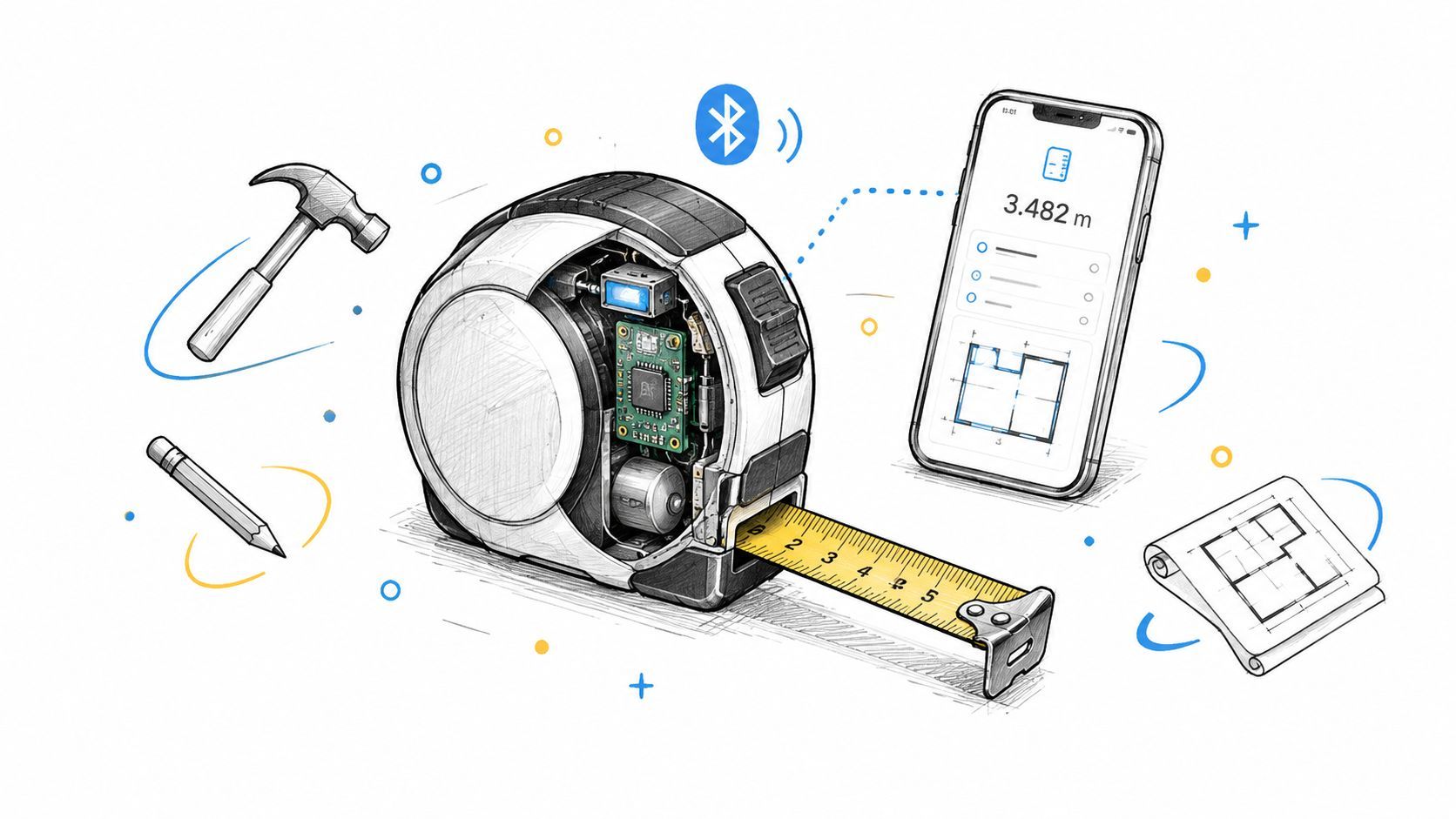
Discover how a smart measuring tape works, key specs to compare, and expert tips for prototyping, manufacturing, and crowdfunding your hardware gadget.
You've built a prototype that measures circumference, displays a digital value, and sends readings to an app. Then the practical questions arrive. Can the tape retract reliably after the electronics are installed? Will users measure the same point twice? What happens when the battery dies, a shipment is delayed, or backers want an extra unit after the campaign closes?
A smart measuring tape succeeds only when the physical tool, software workflow, manufacturing plan, and fulfillment operation work together. The electronics are important, but they're just one part of the product.
A tailor can take careful body measurements and still lose time writing them down. A DIYer can read a manual tape correctly and then transpose the result into a spreadsheet incorrectly. A smart measuring tape addresses that gap by turning tape movement into a digital reading that can be displayed, transmitted, and stored.
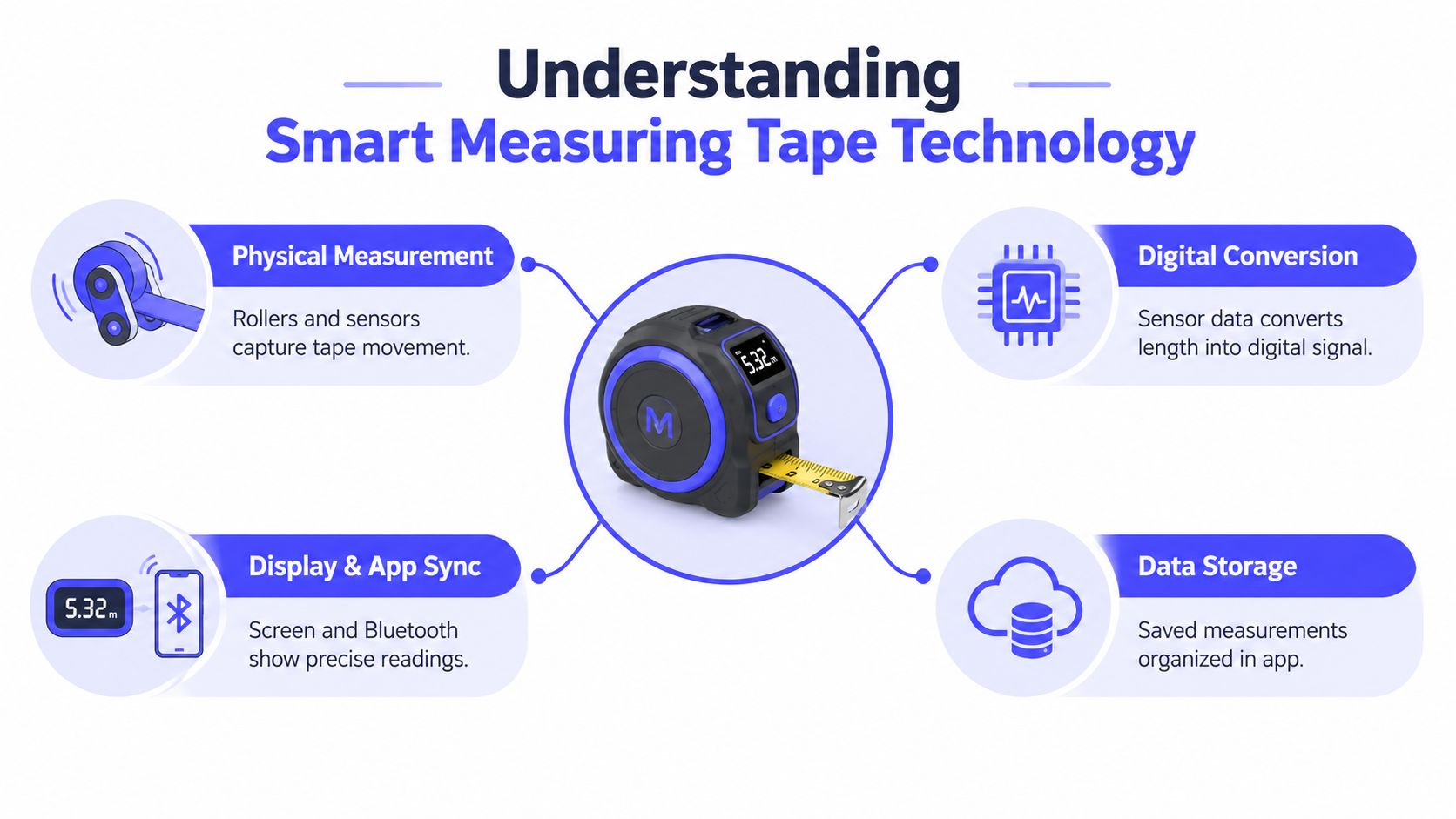
The core process is straightforward:
The engineering challenge is making those steps agree. A sensor can detect rotation, but the firmware still needs to account for roller diameter, slip, tape tension, and the starting reference point. The housing must keep the tape aligned without creating friction that changes the reading.
Smart measuring tape technology traces back to patent activity in the late 1970s and 1980s, with filings like US4890392A describing tape measures that convert tape movement into an electronic signal and display measurements digitally. That history matters to creators because it shows that the product category isn't just a recent gadget trend. It's the result of incremental work on movement detection, electronic readouts, and unit conversion.
The microcontroller is the product's decision-maker. It samples the sensor, applies calibration values, converts units, updates the screen, and manages the Bluetooth connection. Keeping those tasks efficient reduces power consumption and improves responsiveness, but adding features increases firmware complexity and test requirements.
Bluetooth then becomes the bridge to the phone. A reliable design should handle pairing failures, interrupted connections, duplicate readings, and app permissions without forcing users through technical troubleshooting. If the product will process sensitive health-related or workplace information, creators should also study broader design principles through resources such as medical IoT architecture and security, especially around data handling and access control.
Practical rule: Treat the tape, firmware, mobile app, and data model as one measurement system. Optimizing only the sensor won't fix a confusing workflow.
A traditional tape measure wins whenever the job is quick, offline, and disposable. It has no pairing screen, no firmware, and no battery compartment. For checking whether a shelf fits or estimating a rough dimension, the analog tool is often the better product because it removes friction.
A smart measuring tape earns its extra complexity when the user repeats measurements, shares them, or needs a searchable record. Fitness users can save body circumferences without handwriting each value. Tailors can associate readings with a client profile. Construction teams can transmit dimensions into a digital workflow instead of relying on notes that may be incomplete or difficult to read.
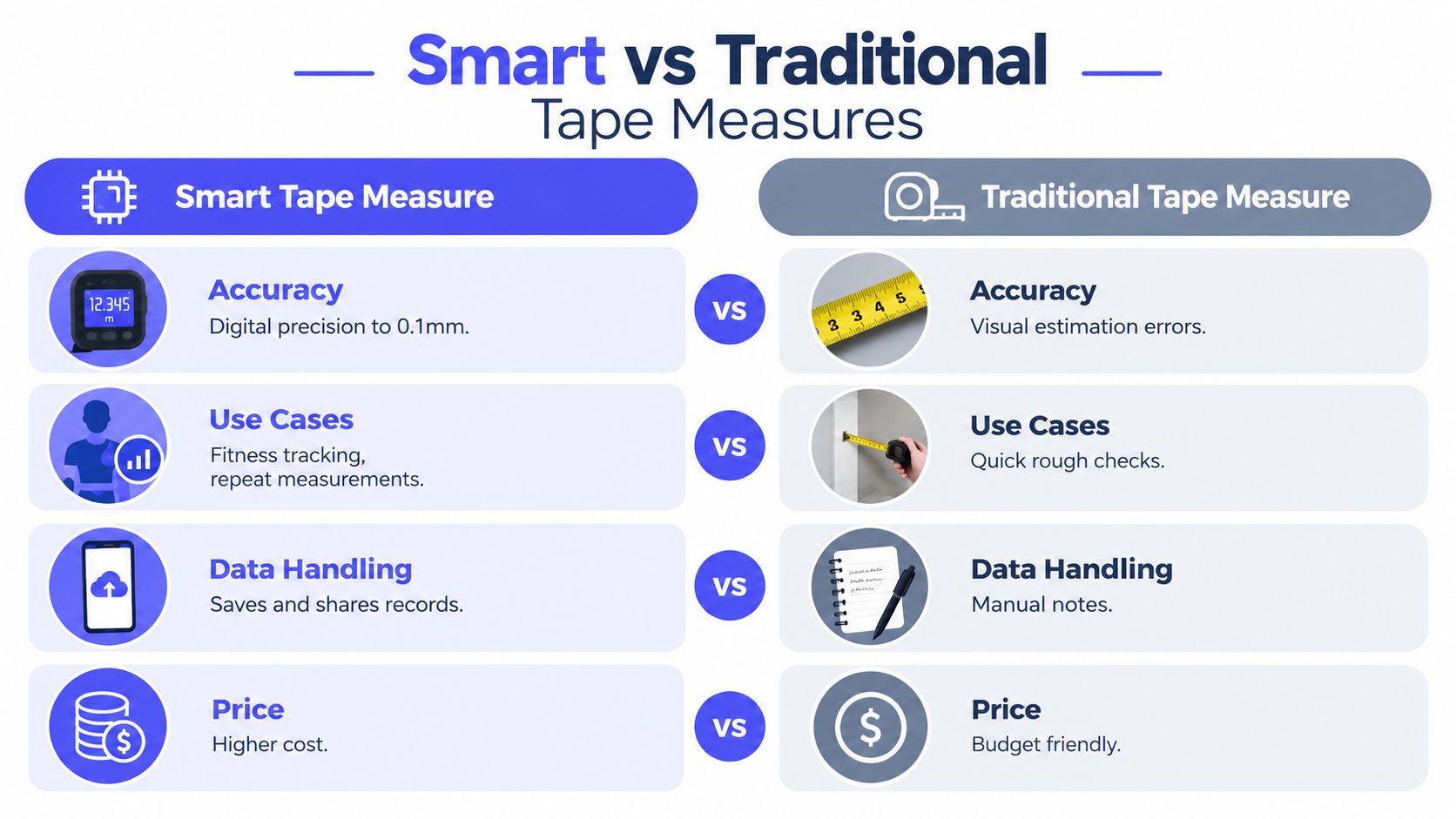
The strongest use cases share three characteristics: measurements happen repeatedly, records have value, and another person or system needs the result.
| Workflow | Traditional tape | Smart measuring tape |
|---|---|---|
| Fitness tracking | Manual notes or memory | Saved readings and trend organization |
| Tailoring | Write values on a form | Associate measurements with a client record |
| Construction | Read, write, and re-enter | Send values into a digital workflow |
| One-off household check | Fast and dependable | Often more setup than the task requires |
The comparison isn't only about numerical precision. It's about reducing transcription work. A digital record can prevent a user from confusing one client's sleeve measurement with another's, but it can't guarantee that the tape was placed at the correct anatomical point.
That limitation is frequently underexplained. Accuracy and calibration are an under-served FAQ for smart measuring tape buyers, because measurement quality often depends on technique, placement, tension, and timing rather than the electronics alone, as discussed in this review of smart tape measurement behavior.
A smart tape depends on power and software support. A dead battery can stop the display or syncing function, while an app update can introduce compatibility issues. Pairing also adds a learning curve, especially for users who only need a measurement occasionally.
The product should therefore preserve a useful offline mode. A readable local display, clear unit switching, and a simple tare or zero procedure make the tape valuable even when the phone isn't available. If the app is required for every action, the product may feel less dependable than the tool it replaces.
The best specification is the one that supports the user's workflow without creating unnecessary failure points. A creator choosing components should begin with the measurement mechanism, then work outward to connectivity, power, enclosure design, and app behavior.
Most smart measuring tapes in the 150 cm class use Bluetooth 4.0+ and a CR2032 coin cell, with published operating ranges around 0–40°C and 12 hours of battery life for some models, according to published smart tape specifications. Those choices keep the device compact and power-efficient, but they constrain always-on sensing, display brightness, wireless activity, and field endurance.
| Component | Standard specification | Design impact |
|---|---|---|
| Wireless connection | Bluetooth 4.0+ | Supports smartphone syncing while favoring low power consumption |
| Battery | CR2032 coin cell | Keeps the housing thin, but limits capacity and peak power |
| Operating environment | Around 0–40°C | Establishes a practical boundary for testing and use |
| Battery endurance | 12 hours for some models | Requires careful decisions about sleep modes and connection behavior |
| Measurement output | Digital display and app reading | Improves readability and record keeping, but adds firmware dependencies |
A display can show a fine increment while the user still produces inconsistent results. Independent listings commonly describe 0.1 cm resolution and ±2‰ to ±3 mm accuracy, which is suitable for body-circumference workflows but remains sensitive to handling, according to independent smart body tape specifications.
That distinction should shape the product requirements. Test the device with controlled tension, consistent tape alignment, and repeated measurements on the same reference. Then test it with ordinary users, because real-world errors often come from rolling speed, surface friction, or the tape sitting at a slightly different angle.
Bluetooth pairing should recover gracefully. The app should show whether a reading was received, avoid saving duplicates without notice, and make manual correction possible when a user spots an obvious mistake. Battery warnings should appear before the device becomes unusable, and the firmware should retain a basic local readout if wireless syncing fails.
A low-power architecture is usually more valuable than a feature list. Constant sensor polling, animated displays, and aggressive sync behavior can consume the battery without improving the core measurement experience. Put advanced functions behind deliberate user actions, and validate them against the actual power budget.
The first prototype often proves the wrong thing. A 3D-printed housing may hold a circuit board and display, yet fail once the tape has to retract smoothly, maintain alignment, and survive repeated handling. The useful prototype is the one that exposes those mechanical conflicts early.
Start with the tape path. The electronics need a protected area that doesn't interfere with the roller, spring, guide, or locking mechanism. A battery door must be accessible without weakening the housing. The display needs a viewing angle that works while the user holds the tape around an object or body part.
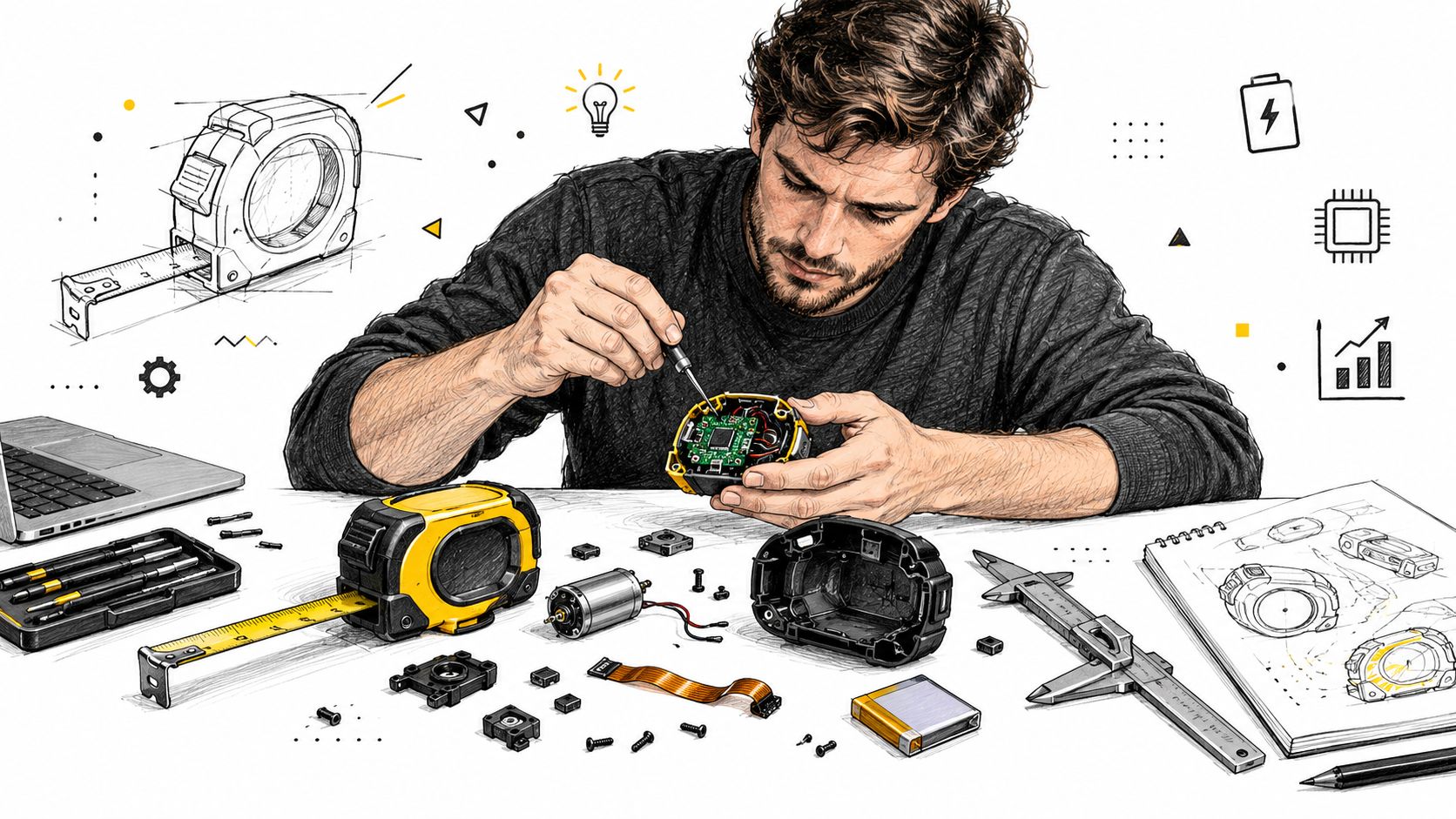
Use early prototypes to answer practical questions:
A rapid printed enclosure is excellent for checking grip, button placement, display visibility, and component clearance. For a useful overview of iterative printed prototypes and rapid prototyping with 3D printing, focus on the decision each prototype is meant to validate rather than treating every printed shell as a near-final product.
Independent listings show typical measurement performance around 0.1 cm resolution and ±2‰ to ±3 mm accuracy, but that specification doesn't eliminate user technique as a variable. Factory calibration should establish a repeatable relationship between tape movement and the digital output, while product instructions should explain placement, tension, and alignment.
A sound calibration process uses known reference lengths, checks multiple points across the tape, and records the correction values applied to each unit or production batch. Test after assembly, not only at the component level. Pressure from the enclosure, slight roller variation, and tape coating can change behavior once the complete product is built.
Manufacturing decisions also affect the business model. Custom injection tooling can improve consistency and appearance, but it commits the project to a fixed enclosure before all field feedback is available. Design for manufacturing should simplify fasteners, reduce part count, define inspection points, and make rejected units diagnosable rather than disposable.
Before opening preorders, document the prototype limitations, supplier assumptions, calibration method, and expected rework. A practical reference on overcoming limitations in prototyping can help structure that risk review.
Crowdfunding works best when the campaign proves that a specific group of users wants a specific workflow improvement. A smart measuring tape shouldn't be presented as a circuit board with a tape attached. Show the moment the user measures, records, compares, and shares the result.
The campaign needs evidence before launch. Build a landing page that demonstrates the product in use, collect permission-based email subscribers, and use short demonstrations to test which audience responds. Tailors may care about client records, fitness users about repeat tracking, and tradespeople about transferring measurements into existing systems. Those are different promises, and a single vague message will weaken all of them.
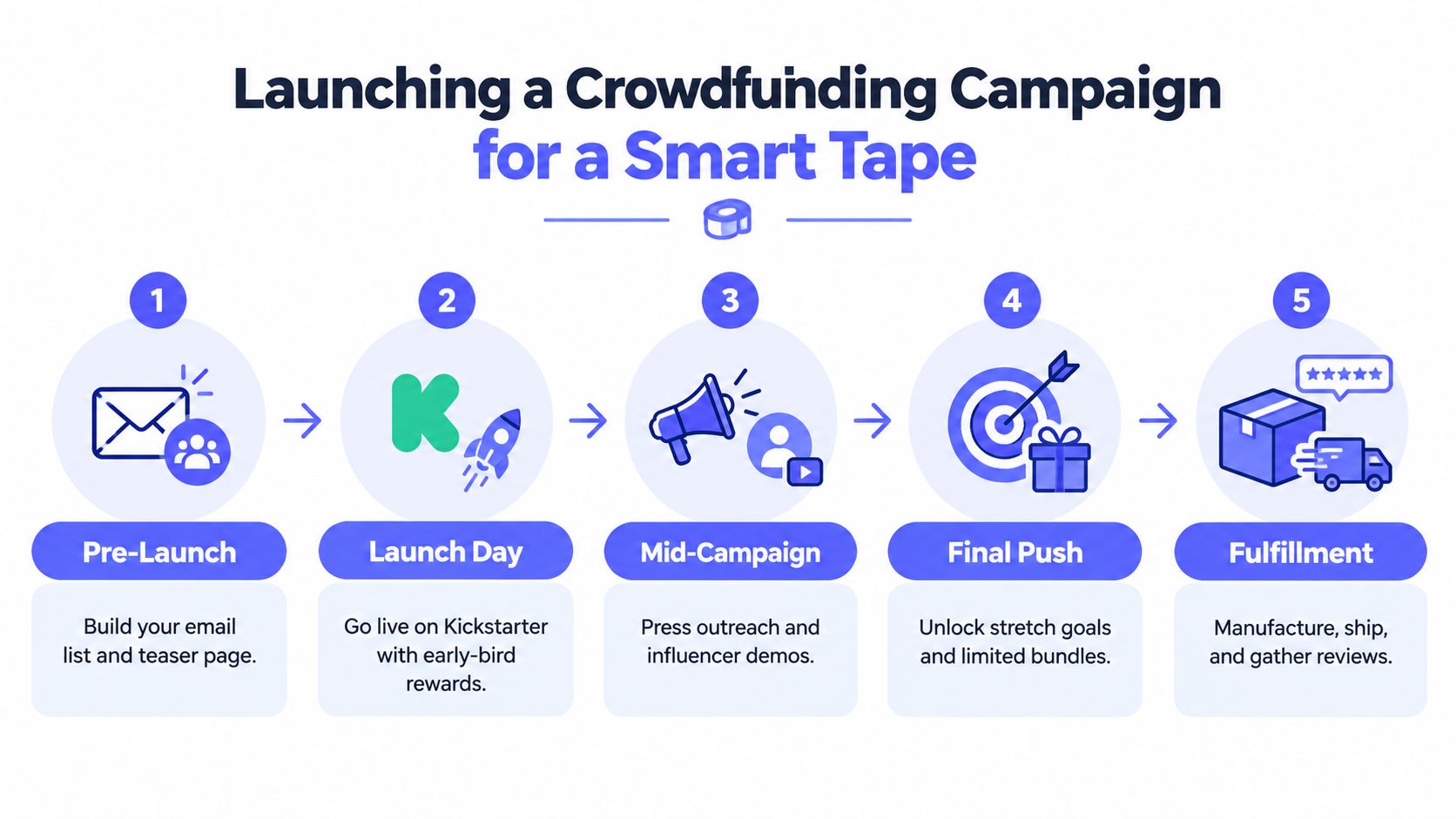
Your video should show the tape being placed, the reading appearing, the app receiving it, and the measurement being retrieved later. Include battery access, pairing, unit changes, and a realistic mistake or recovery flow. Hardware buyers are evaluating reliability, not just industrial design.
Reward tiers should reflect actual production and shipping constraints. A single unit can serve first adopters, while bundles may suit studios, tailoring teams, or households. Don't add colors, accessories, or complex personalization until the factory confirms that each variation can be tracked and packed correctly.
The market context supports treating this as a serious product category. Recent estimates place the global smart tape measure market around USD 1.12 billion to USD 1.2 billion in 2024, with projections of about USD 3 billion by 2032, depending on the report, as outlined in market estimates for smart tape measures. Those estimates don't guarantee campaign demand, but they do suggest that creators are entering an established tools segment rather than inventing a category from nothing.
Press and creator outreach should provide demonstrable access to a working unit. When assessing paid promotion, compare the quality of audience engagement and purchase intent, not just clicks. A useful reference is reviewing Shirt In A Box results, especially for thinking about how campaign messaging and performance evidence should connect.
For campaign mechanics, creators can also consult this guide on how to start a Kickstarter. The key preparation work remains the same: confirm the bill of materials, define delivery assumptions, explain technical risks plainly, and keep enough contingency for manufacturing variation.
Campaign success creates a new operational workload. You need to confirm each backer's reward, collect or verify shipping information, handle tax and shipping differences, offer legitimate add-ons, and export clean data to the fulfillment partner.
Use a controlled sequence:
The survey is also the point where many hardware creators recover useful revenue. A backer who already trusts the product may want another unit, a gift bundle, or an accessory. The offer should remain relevant to the original purchase and should never obscure what the backer is already entitled to receive.
The Kickstarter pledge manager is like Amazon, focused primarily on completing the existing transaction and fulfillment process. The PledgeBox pledge manager is like Shopify, designed more like a customizable store layer where creators can manage surveys and pursue additional sales around the original order.
PledgeBox is free to send the backer survey and only charges 3% of upsell revenue if there are any add-on sales. Its published pricing states that there's no fee when there are no add-on upsells, so the economics are tied to new revenue rather than the act of sending the survey, as explained on the PledgeBox pricing page.
That distinction affects how you configure the experience. Use branded product descriptions, show shipping and tax clearly, set deadlines, and avoid presenting optional purchases as mandatory steps. A practical walkthrough of the Kickstarter post-campaign survey can help creators organize the process without losing sight of warehouse accuracy.
Fulfillment principle: Every add-on must be easy for a warehouse worker to identify, pick, pack, and reconcile.
The first batch gives a smart measuring tape brand more than revenue. It reveals which users measure repeatedly, which app actions cause confusion, which mechanical parts fail, and which add-ons make operational sense. Use that evidence to prioritize the next revision instead of adding features because they look impressive in a product roadmap.
Independent market coverage says digital and laser measuring tools already represent a meaningful share of demand, while Bluetooth-connected tapes and software integration are moving toward mainstream use in professional tool lines, according to measuring tape market coverage. That direction favors products that connect cleanly to construction software, inventory systems, body-measurement logs, or broader IoT environments.
A practical scale-up checklist looks like this:
The strongest connected-tool brands don't sell wireless connectivity by itself. They sell fewer repeated tasks, cleaner records, and a measurement process that can move from a physical object into the systems customers already use.
PledgeBox helps hardware creators manage post-campaign surveys, shipping information, taxes, and relevant add-on sales in one workflow. Since it's free to send the backer survey and charges only 3% of upsell revenue when add-ons sell, it's a practical fit for smart measuring tape launches that need disciplined fulfillment without an upfront platform fee. Visit PledgeBox to plan your campaign's path from backer data to delivered product.
PledgeBox
The All-in-One Toolkit to Launch, Manage & Scale Your Kickstarter / Indiegogo Campaign