 PledgeBox
Logistics Integration for Crowdfunding Creators
Master logistics integration for your crowdfunding campaign. Learn APIs, shipping connectors, and best practices to automate fulfillment and reduce errors.
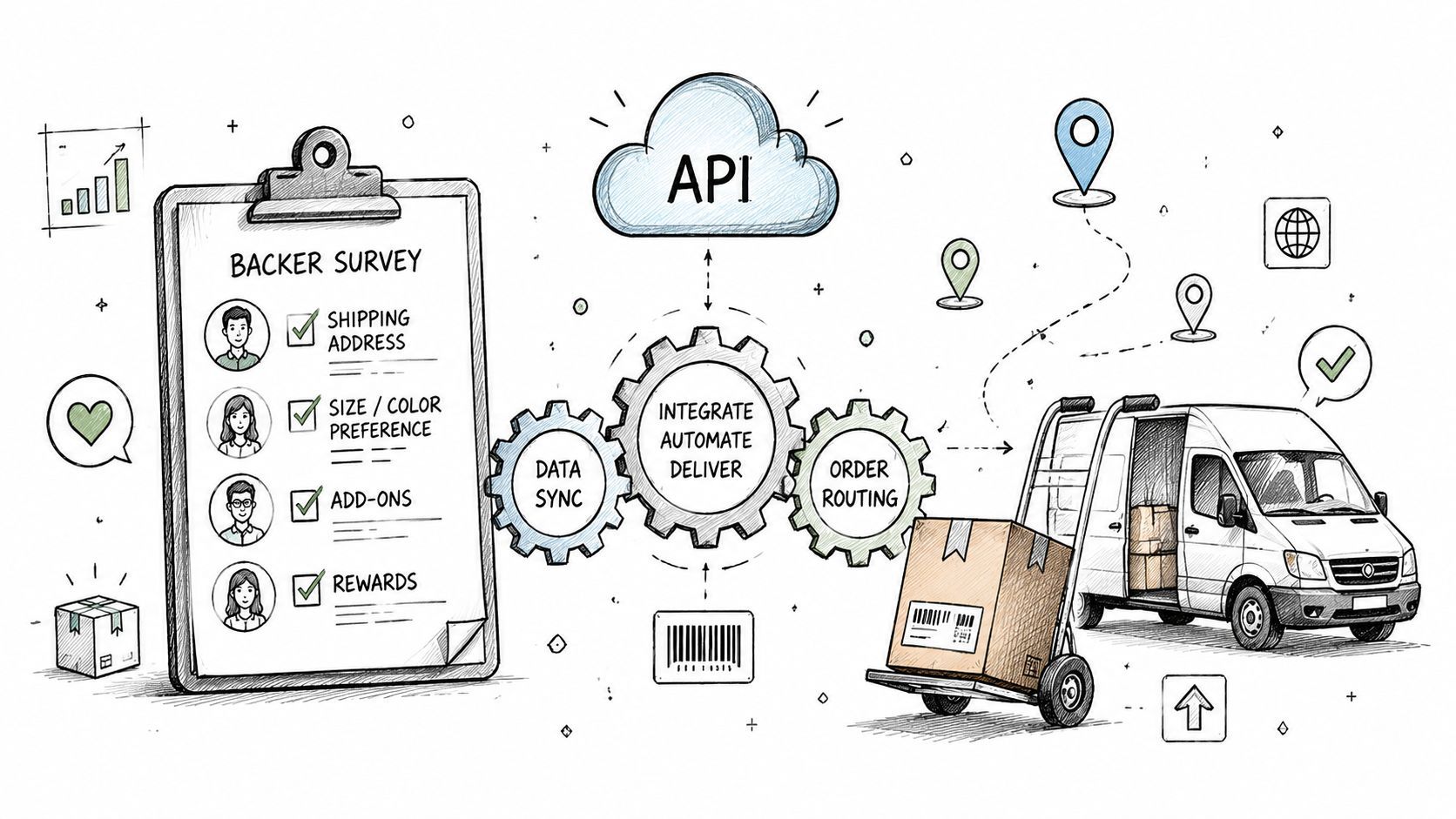
Master logistics integration for your crowdfunding campaign. Learn APIs, shipping connectors, and best practices to automate fulfillment and reduce errors.
You've closed your crowdfunding campaign, celebrated the funding milestone, and promised backers that their rewards are on the way. Then the practical questions arrive. Which address is final? Who collected the shipping fee? Did a backer choose the standard edition or the add-on bundle? Where should the fulfillment partner find the order file, and who will send the tracking email?
A spreadsheet can hold answers temporarily, but it can't coordinate the entire journey reliably. Logistics integration connects pledge data, address collection, taxes, shipping operations, inventory decisions, and tracking updates so that each team works from the same order information.
The post-campaign workload often begins. You export backer names, copy addresses into a spreadsheet, ask your manufacturer for carton details, and create a separate file for the shipping partner. Soon, one backer has changed countries, another has selected an add-on, and a third has entered an address that a carrier can't validate. Your support inbox fills with questions before the first label is printed.
That's the point where fulfillment stops being a simple delivery task. You're coordinating several connected events, and each handoff creates an opportunity for missing data, duplicate entry, or an outdated file.

A pledge manager collects more than a shipping address. It may need reward selections, add-ons, taxes, shipping fees, payment details, and preferences for communication. Your shipping platform needs a clean order record. Your fulfillment partner needs product quantities, destination information, and handling instructions. Backers need confirmation and tracking updates.
Logistics integration creates the bridge between those requirements. Instead of treating every system as a separate island, you define how information moves from one stage to the next:
The benefit isn't limited to saving time. A connected workflow helps you find the source of an error, decide which system owns each field, and prevent staff from correcting the same problem in several places.
Practical rule: If a person must copy the same order detail between systems, treat that handoff as a fulfillment risk.
Logistics has moved in this direction for decades. The historical development from fragmented transport and warehousing toward integrated management connected procurement, production, distribution, and customer service into a coordinated network capability, as described in this historical overview of integrated logistics strategies. For a crowdfunding creator, the principle is straightforward: your campaign may be small compared with a major retailer, but your backers still experience every disconnected handoff.
A campaign can close successfully and still create a fulfillment problem. A backer selects a reward, adds an accessory, changes an address, and expects the final package to reflect every choice. Logistics integration means coordinating the systems, people, and decisions that turn a confirmed pledge into a delivered reward. An API, shipping connector, or structured export may carry the information, but the workflow determines whether it arrives complete and usable.
Logistics gradually shifted from separate transport and warehousing activities toward unified management. A historical timeline describes the move from a “revolution in physical distribution management” in the early 1960s U.S. to dedicated logistics departments in many firms by the late 1970s. During the 1990s, organizations increasingly connected internal functions with wider supply chains through enterprise systems and information and communication technologies, as outlined in the integrated logistics strategies timeline.

A useful way to understand integration is to follow one pledge through a chain of decisions:
This model focuses on handoffs and ownership rather than repeating a three-layer system diagram. It exposes the hidden bottlenecks. For example, an add-on may exist in the survey but lack a warehouse code, or a changed address may update the pledge manager without reaching the shipping file. The package then waits while staff investigate, correct records, and explain the delay to backers.
Kickstarter's built-in pledge manager works like Amazon. It provides a marketplace-style environment with standardized features and a defined experience. Kickstarter says its pledge manager has no additional upfront cost, while usual fees apply to payments made within it. The tool can collect addresses, reward preferences, taxes, and shipping fees, with add-ons presented separately when enabled, according to the Kickstarter pledge manager.
PledgeBox works more like Shopify. Shopify describes its service as a customizable ecommerce store, while Amazon is an online marketplace. Shopify also states that it does not charge referral or transaction fees when Shopify Payments is used, as explained in its Shopify and Amazon comparison. For a creator, the comparison highlights a practical choice: standardized collection through a marketplace-style tool, or greater control over branded surveys, workflow rules, exports, and connections with vendors and shipping systems.
Choose a platform that can integrate with your workflow, not one that makes staff recreate order data in separate tools. Logivo's integration resources describe integration options, while this guide to fulfillment in ecommerce clarifies how order collection differs from delivering the package.
Creators typically combine three approaches: direct API, pre-built connector, and CSV export. The right mix depends on how much technical support your campaign has, how often orders change, and how much review your fulfillment partner requires. A direct connection may process routine orders, while a CSV file gives a manufacturer a controlled production list or provides a fallback if a connector stops working.
An API lets systems exchange structured information without repeated uploads. Your pledge manager can send order records to a fulfillment system, which can return shipment statuses or tracking details. That creates an automatic handoff, but it does not remove the need to define what each field means.
Direct connections provide the most control and require the most setup. Someone must map reward, add-on, address, and shipping fields, authenticate the connection, decide how updates are handled, and test exceptions such as address changes, canceled orders, and multiple items in one reward. A connection that handles standard orders may still fail when an unusual case appears.
This method suits creators with developer support, a technically capable fulfillment partner, or a workflow that will remain active across repeated campaigns. Before implementation, document who owns each correction and which system is the final source of truth.
A pre-built connector reduces custom development. Tools such as ShipStation and Easyship can connect a pledge manager with carrier workflows, sending order information into shipping operations and returning tracking data.
The trade-off is dependence on the connector's supported fields and rules. Check whether it carries reward variants, add-ons, international destinations, tax fields, split shipments, and carrier events. A connector that passes only a basic order summary can leave staff repairing records by hand. Review the full path from survey response to label creation, not just whether the initial order appears in the shipping tool.
For creators comparing a customizable platform with a standardized marketplace-style manager, connector support is part of the practical difference. PledgeBox can be configured around the workflow, while the chosen connector still determines which details travel between systems.
A CSV or Excel export uses more manual work, but it is accessible and easy to audit. Download a confirmed order file, review it, send it to a manufacturer, or upload it to a shipping firm. This approach works when a fulfillment partner requires a specific template or when you want a deliberate review before labels are created.
Its main weakness is version control. Two people may edit separate copies, or someone may upload a file before survey data is final. Set a clear cutoff, name files consistently, preserve the original export, and record which version reached each vendor.
| Method | Setup Complexity | Best For | Error Risk | Maintenance |
|---|---|---|---|---|
| Direct API connection | High, with technical mapping and testing | Teams with developer or integration support | Low for planned events, higher when exceptions aren't mapped | Ongoing monitoring and field maintenance |
| Shipping-platform connector | Moderate, using supported integrations | Creators working with established shipping tools | Moderate if fields or variants don't transfer cleanly | Check connector behavior as workflows change |
| CSV or vendor export | Low to moderate, depending on templates | Smaller teams, manufacturers, and controlled handoffs | Higher if files are edited or outdated | Manual review, version control, and repeat exports |
If custom mapping or a complex handoff is involved, consultancy on platform integration can help define ownership before implementation. Review guidance on order fulfillment automation before choosing how orders, exceptions, and tracking updates should move through your operation.
The financial value of integration comes from preventing avoidable work. A failed delivery can trigger carrier research, backer support, address correction, and a reshipment. A wrong reward can require replacement inventory and create an unhappy customer even when the original order was technically delivered.
Address validation checks whether the information is complete and usable before the shipping stage. That matters because a malformed address is cheaper to correct while the backer is completing a survey than after a package has left the warehouse.
The same logic applies to reward data. If a survey records the base product, a color choice, and an add-on as structured fields, the fulfillment partner receives a clearer instruction than a note buried in a spreadsheet comment. Every manual transcription step removed is one less opportunity to ship the wrong item or omit a paid extra.
Tracking automation changes the support burden. Instead of asking your team to copy carrier numbers into a portal and send separate messages, an integrated workflow can pass shipment events into the backer experience.
That doesn't eliminate every delivery question. It does give the backer a dependable place to check progress, while your team can focus on exceptions rather than routine status requests.
Crowdfunding orders often combine reward prices with shipping fees, taxes, or VAT. When the survey collects and records those amounts before fulfillment, the shipping operation starts with a more complete order record. You're less likely to discover a missing charge or regional rule after the parcel is ready.
The larger business case is supported by supply-chain research. One study of C&F companies reported a 0.791 path coefficient with p-value below 0.001 for logistics integration's effect on organizational performance, while another study found a significant positive effect on supply-chain performance, as reported in this logistics integration research article.

Integration also forces you to manage transportation and inventory together. Shipping less often or in larger batches may reduce transportation spend while increasing holding or backlog costs. More frequent shipments can reduce inventory exposure while increasing transport cost, so integrated transportation-inventory models treat both cost pools as one optimization problem, as explained in this transportation and inventory integration research.
A practical workflow starts when a backer submits the survey, not when a warehouse prints a label. The platform should capture complete order information, flag problems early, and pass the approved record to the next system without forcing you to reconstruct it.

PledgeBox uses Google Maps-powered address validation to identify incomplete or questionable addresses while the backer is completing the survey. That timing matters. Your team can ask for a correction before the order reaches the shipping queue, instead of waiting for a returned package or a carrier exception.
A good operating rule is to separate submitted, validated, and ready for fulfillment states. Don't send every submitted address directly to a warehouse. Give the system and your team a chance to resolve missing information, unusual formatting, or a mismatch between the destination and the selected shipping charge.
Once the fulfillment partner ships an order, tracking data needs to travel in the opposite direction. PledgeBox supports auto shipment tracking, allowing tracking information from logistics companies to be uploaded or connected to the backer-facing workflow. That reduces the need for staff to maintain a second manual tracking spreadsheet.
The sequence should be easy to audit:
Here's a short product walkthrough before you map your own process:
Direct vendor exports give you another controlled route. You can send structured order details to a manufacturer or fulfillment center without reformatting every row by hand. That's especially useful when your partner needs product quantities, variants, shipping destinations, and add-on information in a consistent file.
PledgeBox is free to send the backer survey. Its pricing page says the platform is totally free when a survey generates no add-on upsell revenue, and otherwise the only platform fee is 3% of revenue collected through backer surveys, including shipping fees, taxes or VAT, and add-on products, as stated on the PledgeBox pricing page. This structure lets you send the survey without an upfront platform charge and ties the platform fee to upsell revenue when it exists.
A fulfillment workflow can fail even when the main connection works. A variant may use a different label in the pledge manager and warehouse system, or a test order may pass while an add-on is dropped during export. Treat the checklist like a rehearsal: verify the handoffs before real backer data enters the process.
A pledge manager can export every order correctly and still leave fulfillment exposed. The delay may begin later, when an address changes, a shipment splits, a carrier rejects a label, or a backer adds an item after the first export. These are event-level orchestration problems: each event needs a clear trigger, owner, action, and final status.
Logistics integration research points to inconsistent API quality, limited event detail, unclear responsibility between warehouse systems, and weak exception handling as recurring causes of delays and duplicate work, as discussed in this analysis of modern logistics platform integration challenges. For a creator, ask three practical questions: which system notices the event, which system responds, and where can the team confirm the result?
Measure signals that show where an order slows down:
A campaign-specific guide to campaign performance metrics helps connect fulfillment signals with the wider backer experience.
When an API fails, inspect the field mapping, authentication status, and last successful event. If tracking is missing, confirm that the carrier number was created, attached to the correct order, and accepted by the backer portal. If data arrives late, compare timestamps across systems before creating another export.
The operating environment is large, but a creator's measurement task is narrower. Every order event should remain visible, assigned to an owner, and recoverable when something goes wrong.
Logistics integration is an ongoing operating process, not a one-time connection. Review it when the reward mix changes, a fulfillment partner changes its procedure, or backers begin asking questions that the current tracking flow cannot answer.
PledgeBox lets you send branded backer surveys, collect shipping fees and taxes or VAT, validate addresses, export vendor-ready order data, and automate shipment tracking. Sending a survey carries no charge, while upsell revenue incurs a 3% fee only when it exists. Visit PledgeBox to connect backer information with fulfillment before manual errors become expensive.
PledgeBox
The All-in-One Toolkit to Launch, Manage & Scale Your Kickstarter / Indiegogo Campaign