 PledgeBox
Bulk Data Processing Explained for Crowdfunding Teams
Learn what bulk data processing is, how batch and stream methods differ, and how crowdfunding teams can clean CSV imports, survey exports, and backer data.
Learn what bulk data processing is, how batch and stream methods differ, and how crowdfunding teams can clean CSV imports, survey exports, and backer data.
Your campaign just ended. You're staring at a spreadsheet with thousands of backers, reward choices, half finished addresses, and a few rows that don't look right at all. You can't fix them one by one, and you can't send that file to a warehouse as it is.
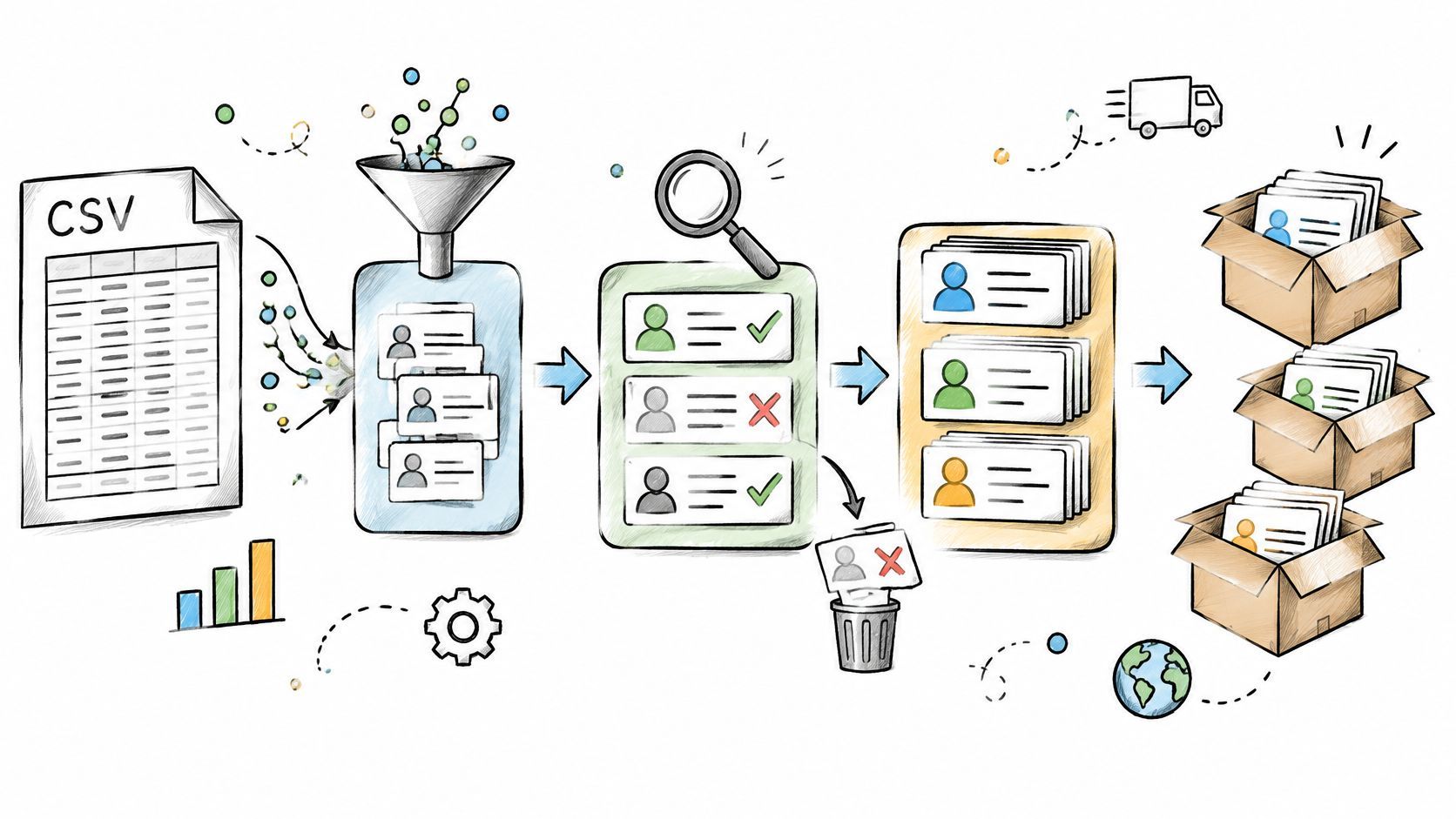
That's the moment most creators meet bulk data processing, even if they've never used the term. It's how you run the same careful steps across a large set of records at once, so clean orders move forward and problems get caught before they become wrong shipments.
In 1890, clerks at the U.S. Census faced a version of your spreadsheet problem at national scale. They transferred handwritten answers onto punched cards, and Herman Hollerith's electric tabulating system read the holes and counted them mechanically. That system processed records for nearly 63 million people in the 1890 Census, compared with a population of approximately 50.2 million when Hollerith began at the Census Bureau in 1879, as documented in the Census Bureau history of early data processing.
The machines didn't remove human work. People still standardized the forms and punched the cards. The machines took over the repetitive counting and sorting, which is exactly the split you want today.
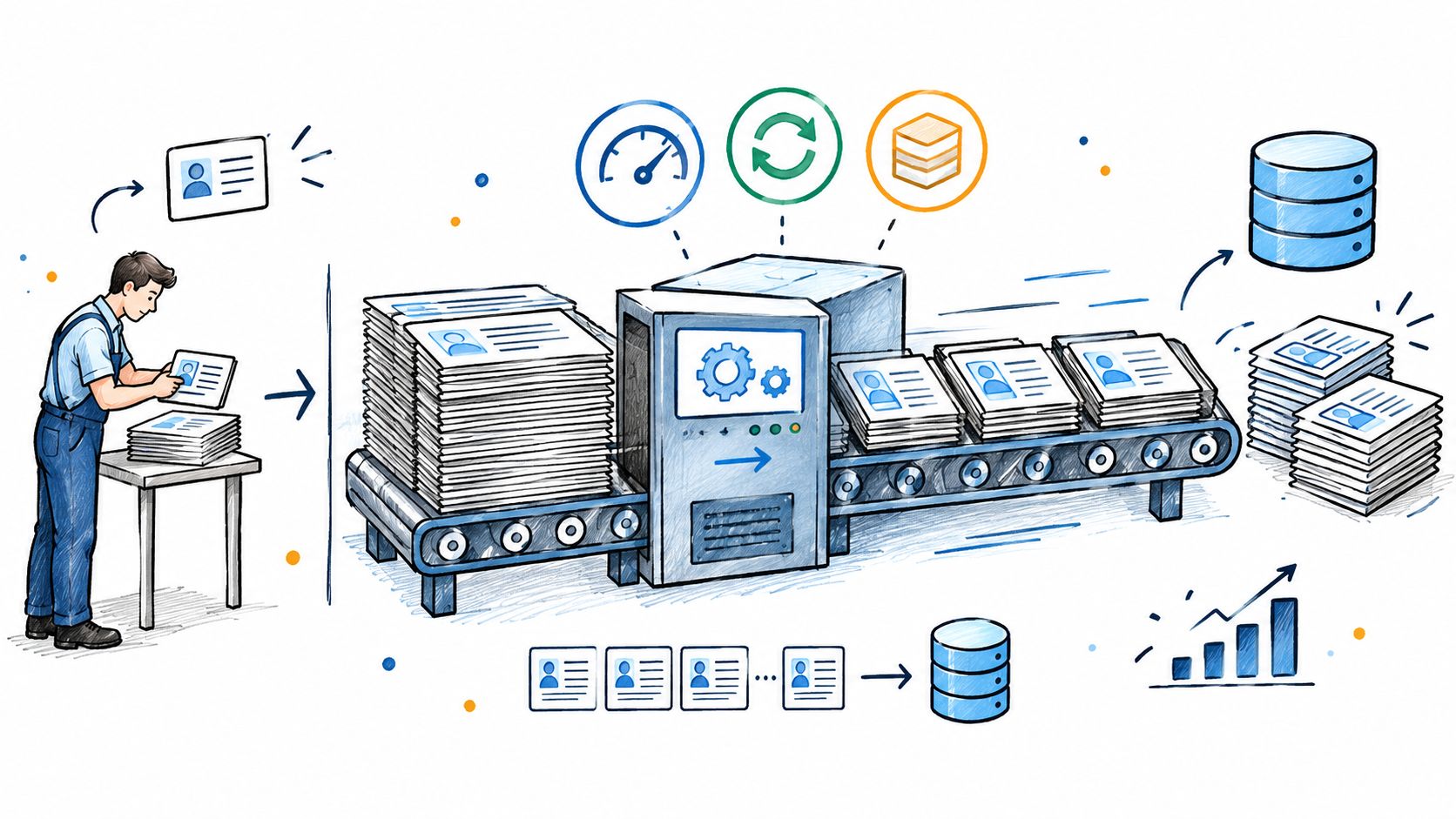
A CSV of several thousand backer rows follows the same pattern. Each row is one person with standardized fields, such as name, email, reward, variant, address, and tax region. If those fields aren't consistent, no system can sort or count them reliably.
Think of a bakery filling a full tray instead of shaping one cookie, baking it, then starting again. The tray only works if the dough portions fit the tray. Your backer file only works if every record fits the agreed format.
Working definition: Bulk data processing means applying the same rules to many standardized records in a batch, then producing a usable output from the whole set.
Most bulk jobs follow capture, transform, and report. First you capture records in a consistent shape. Then you transform them, which can mean cleaning addresses, matching reward names to product codes, or calculating shipping. Finally you report or export the result for labels, vendors, or accounting.
The electronic version of this pattern became clear in the 1950 Census. About 200 million punch cards were produced for stateside population and housing schedules, and in June 1951 UNIVAC I began converting card data to magnetic tape, processing approximately 1,900 instructions per second, as described in the Census Bureau account of UNIVAC I. Work that once needed repeated sorting passes could run in one pass.
That history matters because it shows what breaks first. It's rarely raw computer speed. It's messy input, unclear field meanings, and trying to process everything as one fragile lump. Standardize first, then let the batch do the repetitive work.
Two creators can handle the same backer update in opposite ways. One waits until Friday, exports all survey answers, and cleans them together. The other updates the fulfillment file the second a backer changes an address. Both approaches can be right, depending on what the record controls.
Batch processing collects records and runs them on a schedule. Stream processing handles each event as it arrives. A mailroom helps here. Batch is sorting all letters at closing time. Stream is opening each envelope the moment it lands and acting on it right away.
The visual below puts those two rhythms side by side.
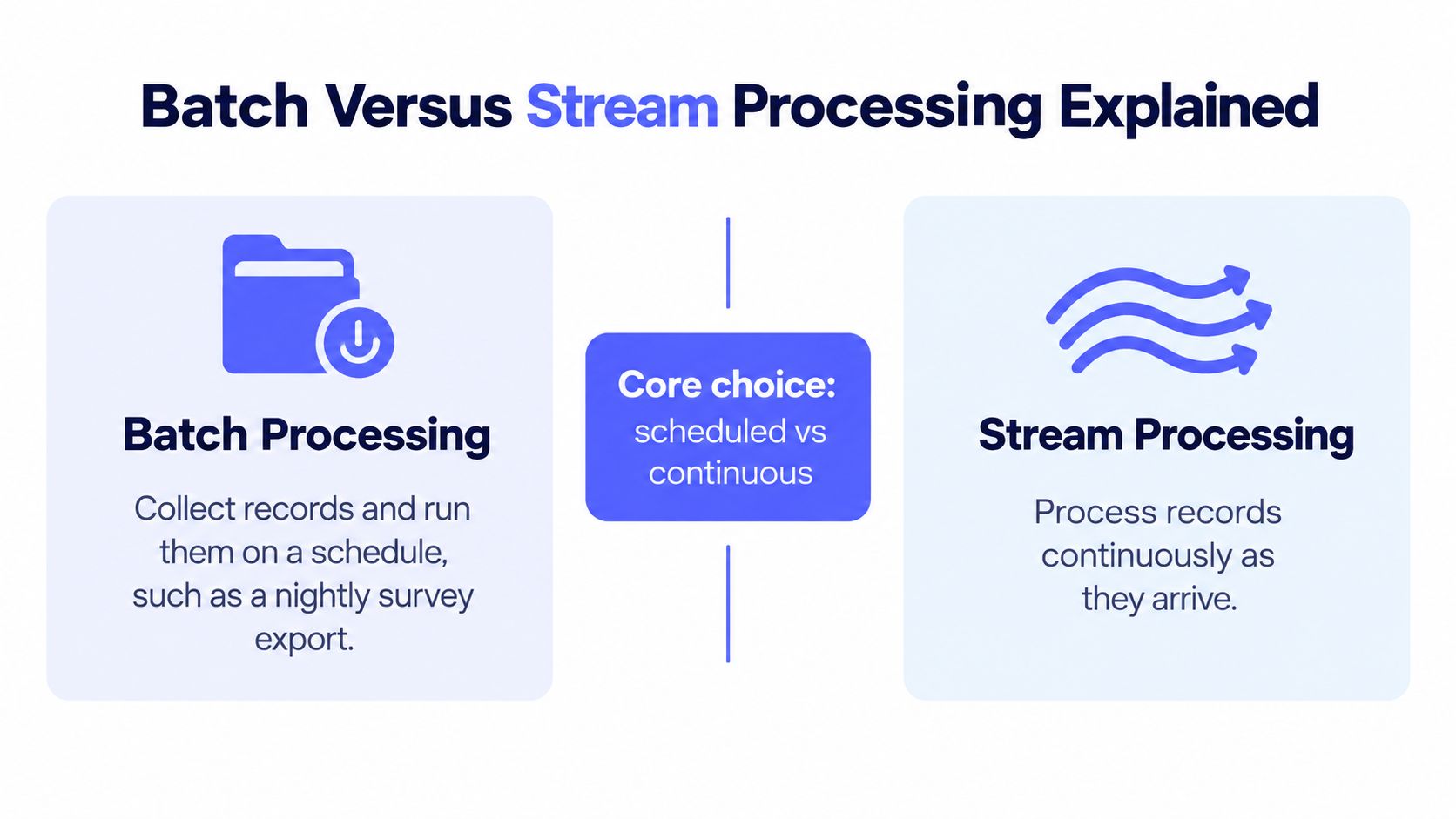
Payment confirmations, fraud signals, address corrections close to shipping, and inventory exceptions often need near real time handling. If you wait a week, you might ship to the old address or oversell a limited add-on. Survey exports, tax reconciliation, vendor files, and campaign summaries usually don't need that speed.
Recent evidence summarized in IBM's streamhouse overview found 68% of surveyed IT leaders reported fragmented ownership, 65% reported difficult integration of new sources, and 61% reported inadequate real time infrastructure. Those aren't just technical complaints. They explain why adding streaming everywhere can create ownership and recovery problems your small team then has to run.
For readers weighing event driven designs, data processing insights from HarvestMyData offers useful context on continuous handling. Use it to understand the option, not as a reason to stream every field by default.
If urgency and recovery cost are both low, a scheduled batch is usually simpler to check and rerun. If either is high, handle that narrow event in near real time and keep the rest in bulk.
The short video below gives another plain language walkthrough of that scheduled versus continuous choice.
Real time isn't automatically better. It adds monitoring, failure recovery, and cost, so reserve it for records where delay creates a real operational risk.
A bulk job rarely fails because the whole file is bad. It fails because a small share of rows are incomplete, duplicated, or sent to another service too quickly. Your job is to spot which problem you have from its symptoms before those rows reach fulfillment.
Validation checks whether a record is fit to move forward. A missing country, a malformed email, or a reward ID that doesn't match your catalog should stop that row, not become a packing error later.
Good checks happen at entry and again in bulk, because imports can bypass form rules. Creators who want the form side tightened can review practical form field validation guidance and then mirror those rules in their import checks.
Deduplication answers a different question. Is this the same backer appearing twice? A resubmitted survey can create two rows for one pledge, and without a matching rule you risk two shipments or double counted add-ons.
Match on a stable combination such as pledge ID plus email, then keep the latest complete response as the active record. Don't match on name alone, since two different backers can share a name, and one backer can type their name two ways.
Address checks, tax lookups, and carrier services often limit how many requests you can send in a short window. Send thousands at once and the service throttles you, so later rows fail even though their data is fine. Queue the work in smaller batches, pause after errors, and retry with backoff instead of hammering the service. If you're planning those calls, understanding API request budgets helps you think in allowed request volume rather than wishful speed.
Partition size matters for the same reason. A benchmark discussed in research on Apache Spark at large scale found smaller blocks move between nodes faster, while larger blocks reduce per block overhead. For creator scale work, the lesson is simpler. Don't run one giant export. Split by campaign or fulfillment phase, use bounded batches, and checkpoint after each batch so one failure doesn't restart everything.
Diagnostic shortcut: Validation errors cluster in specific fields, duplicates cluster around specific backers, and rate limit failures cluster in time after a large send.
Names, addresses, and tax fields also need access limits and retention rules throughout. Only people who need personal data for fulfillment should see the full file, and old exports shouldn't sit in shared folders forever.
A reliable post campaign workflow isn't fancy. It's a sequence where each step has a clear input, a check, and an output, so you can rerun one step without guessing what changed. Here's a sequence many small teams can adapt.
The flow below maps the import path and the vendor export branch.
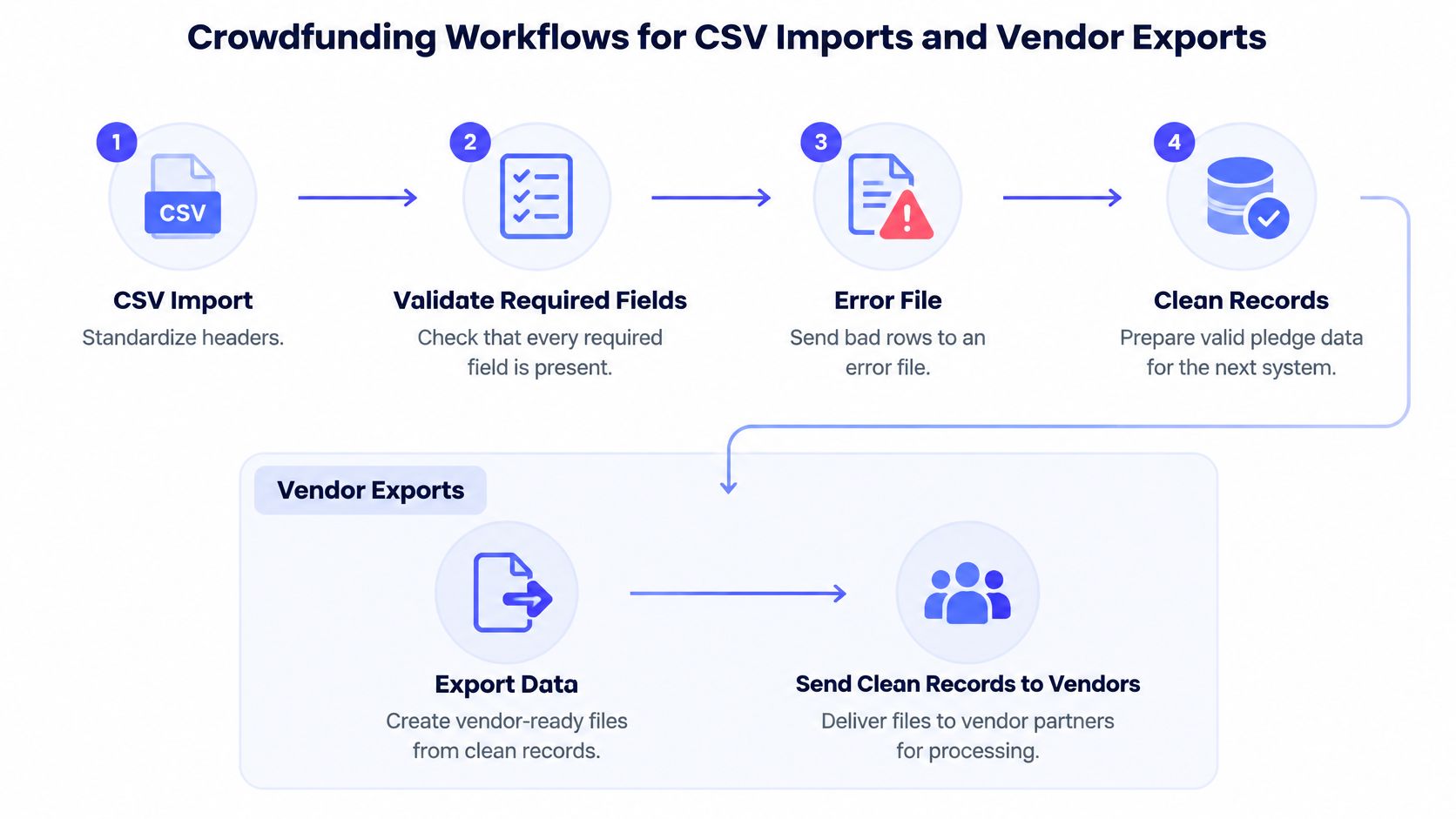
That separation matters. If you change rewards, addresses, and shipping groups in one giant pass, you can't tell which change caused a mismatch in the final count.
Split work by campaign phase or fulfillment region, not by arbitrary chunks of a spreadsheet. A batch should mean something operationally, such as all standard rewards for one warehouse. After each batch, save a checkpoint showing how many rows entered, passed, and failed.
Retries need rules too. A timeout from an address service is temporary, so retry it after a pause. A missing reward code isn't temporary, so send it to manual review instead of retrying it all night. Teams coordinating outside partners can align those handoffs with a structured approach to vendor coordination, especially when different partners expect different files.
Your printer, warehouse, and freight partner don't need the same columns. Send each partner only the fields required for its job, in the format it accepts, and name files with the campaign, batch, and date. A warehouse may need product codes, quantities, and addresses. A manufacturer may only need variant counts, with no backer personal data at all.
If a vendor file contains personal data the vendor doesn't need to do its job, the export is too broad, even if the file itself is accurate.
Finish each run with a simple count check. Rows in should equal clean rows out plus error rows. If that equation doesn't balance, don't ship from the file yet.
Choosing where this work happens shapes how much manual file handling your team keeps. A useful analogy is retail. Kickstarter's Pledge Manager is like Amazon, a familiar place where backers already understand how to check out. The PledgeBox pledge manager is like Shopify, a toolkit you configure around your own storefront and fulfillment flow.
Neither analogy makes one right for every campaign. The better question is how each option fits the jobs you mapped earlier, from collecting addresses to producing vendor files.
Kickstarter describes its tool as a centralized post campaign option for collecting shipping addresses, reward preferences, taxes, and shipping fees, with upgrades and add-ons before fulfillment. In Kickstarter's pledge manager backer guidance, the company states there's no upfront cost to use the tool, and its usual fees are deducted from payments made inside the pledge manager.
| Workflow Need | Kickstarter Pledge Manager | PledgeBox Pledge Manager |
|---|---|---|
| Collect addresses and reward preferences | Centralized collection inside Kickstarter | Creator configured survey collection |
| Taxes and shipping fees | Collects applicable taxes and shipping fees | Configurable shipping, tax, and VAT collection in the survey flow |
| Upgrades and add-ons | Backers can upgrade rewards or buy add-ons | Add-ons and upgrades offered through the creator's survey setup |
| Address validation | Part of the backer checkout flow on the platform | Address validation support within a creator managed fulfillment flow |
| Vendor exports | Platform managed post campaign records | Downloadable reports and direct vendor exports for fulfillment partners |
| Reporting | Campaign centered pledge manager records | Creator facing reports shaped around survey and order data |
If your priority is keeping backers in one familiar environment and minimizing setup decisions, the Amazon style model may suit you. Your team accepts the platform's structure and works within it.
If your priority is shaping surveys, exports, and fulfillment steps around multiple warehouses, regions, or product variants, the Shopify style model gives you more places to configure the flow. That flexibility also means your team owns more decisions, such as which fields are required and how vendor files are split.
Don't choose based only on the survey screen backers see. The expensive problems happen after submission, in address cleanup, tax files, and warehouse exports. Pick the option that makes those bulk steps easiest for your team to audit.
Many teams do the same work three times. They clean survey data for a production count, clean it again for freight planning, then start over for final labels. Each rerun feels safe, but it multiplies time, error risk, and computing waste.
Faster hardware doesn't fix that habit. It just repeats waste faster. A framework comparison in a Hadoop and Spark benchmark study found performance depended heavily on workload and configuration, including Spark reaching up to 2x speedup for WordCount and up to 14x for TeraSort after reconfiguration in a 600 GB comparison, while another comparison found MapReduce nearly 2x faster for larger datasets under particular configurations. The lesson for creators isn't to pick a famous engine. It's to measure your actual jobs and remove needless reruns first.
Other fields face the same cataloging problem at scale. Even a wine auction catalogue overview depends on standardized lots and reusable descriptions rather than rewriting every entry from scratch. Your reward catalog deserves the same discipline.
Track processing time, retry counts, and error rows per batch, then compare runs over time. If a phase keeps producing the same errors, fix the input rule instead of celebrating a faster rerun. Creators tightening later stages can connect this mindset to order fulfillment automation practices without automating bad data faster.
Environmental cost belongs in that measurement. Forecasts cited in reporting on data centre energy demand estimate global AI data centre electricity use could rise from 50 billion kilowatt-hours in 2023 to approximately 550 billion by 2030. Your campaign files are tiny by comparison, but the principle scales down. Repeated transformations, oversized exports, and indefinite retention all carry cost.
Measure a batch by clean records produced, retries needed, and time spent, not only by whether it eventually finished.
A leaner pipeline is usually a more reliable one. Fewer reruns mean fewer chances to overwrite a correction or ship from a stale file.
Start smaller than you think. Your first bulk job doesn't need streaming, complex automation, or a perfect vendor pipeline. It needs a clean survey, clear required fields, and one test export you can inspect before fulfillment depends on it.
The lowest risk first move is a survey that collects only shipping addresses and product choices. PledgeBox is free to send the backer survey for that use, and it charges only 3% of upsell or other additional payments if there's any. The standard platform fee is 3% of additional payments collected through the survey, including add-ons, reward upgrades, shipping fees, and taxes or VAT, as stated on PledgeBox pricing details. It doesn't apply again to the original Kickstarter or Indiegogo pledge, and if you sell no upsell, that fee doesn't arise.
That test run teaches you more than another week of planning. You'll see which backers misunderstand a question, which reward names don't match stock codes, and which addresses need correction. Fix those rules while the batch is still small and cheap to rerun.
Once that first survey works, you can add add-ons, shipping charges, and tax collection with a clearer view of cost. You already know the fee applies only to additional survey payments, so you can estimate exposure from your own expected upsell rather than guessing. Keep the workflow boring, repeatable, and auditable. That's what good bulk processing looks like at creator scale.
Ready to turn your backer list into clean, fulfillment ready records without rebuilding spreadsheets at every phase? PledgeBox lets you send a backer survey for free when you're only collecting addresses and product choices, then handle add-ons, shipping, and taxes in the same flow as your campaign grows. Start your first survey this week and test one export before fulfillment pressure arrives.
PledgeBox
The All-in-One Toolkit to Launch, Manage & Scale Your Kickstarter / Indiegogo Campaign