 PledgeBox
Best Practices for Email Marketing: A Crowdfunding Guide
Apply best practices for email marketing to build a crowdfunding audience, automate backer flows, and increase survey and upsell revenue.
Apply best practices for email marketing to build a crowdfunding audience, automate backer flows, and increase survey and upsell revenue.
A creator can have a strong pre-launch audience, a successful Kickstarter or Indiegogo campaign, and a crowded inbox, yet still lose momentum because every message is sent as a separate announcement. Backers receive a launch update, a survey request, a shipping notice, and an upsell email without a clear connection between them. The team then struggles to identify who has completed a survey, who needs a reminder, and which messages create useful action.
The strongest best practices for email marketing connect the entire crowdfunding lifecycle. That means capturing permission before launch, segmenting backers by pledge and behavior, automating relevant reminders, designing for accessible delivery, and continuing the relationship after fulfillment. Good email marketing doesn't mean sending more messages. It means sending the right message when a backer has a clear reason to act.
The same principles apply beyond crowdfunding. These proven email tips for manufacturers reinforce the value of clear goals, relevant messaging, and disciplined execution. For creators, the system also needs to connect with the pledge manager, because survey completion, shipping information, add-ons, and late pre-orders all affect the customer journey.
PledgeBox is free for sending the backer survey. It has no setup, campaign, or per-backer fee, and it charges 3% only on revenue generated through survey-based upsells, such as add-ons, shipping fees, and taxes or VAT. If a survey produces no upsell revenue, the survey service costs nothing. That pricing makes it practical to build a post-campaign email engine without treating every survey response as a new operating cost.
A backer who selected an early-bird hardware reward shouldn't receive the same message as someone who chose a premium bundle. Both people supported the campaign, but their expectations, shipping questions, and upgrade opportunities may be different.
Start with the information already available in your campaign and pledge manager. Useful segments include reward tier, pledge level, country, language, fulfillment status, survey status, and recent engagement. You can then tailor the message to the decision each group needs to make.
A hardware creator might send an early-bird group a production and shipping update while giving regular-tier backers a different timeline. A board game publisher could offer an expansion pack to standard-tier backers while showing premium backers a storage solution or accessory they don't already own. An Indiegogo campaign may need separate domestic and international shipping communications because the available options and costs differ.
A segment earns its place when it changes the content, offer, or timing. Don't create dozens of categories that produce nearly identical emails. Begin with a small number of meaningful groups, then refine them when the data reveals a real difference in behavior or need.
Useful practices include:
Mailchimp's benchmark data shows why creators should compare like with like. Across all users, the dataset reports an average open rate of 35.63%, click rate of 2.62%, and unsubscribe rate of 0.22%, while nonprofit and ecommerce audiences show materially different averages. The email benchmark breakdown from Mailchimp supports a practical rule: measure early-bird backers, active backers, and post-campaign customers against their own baselines instead of one universal target.
The first message after a campaign ends should reduce uncertainty. Backers want confirmation that their pledge was recorded, an explanation of what happens next, and a reliable place to update information. A welcome series gives you several opportunities to answer those questions without forcing one email to carry the entire fulfillment process.
The first email can thank the backer and confirm the reward or pledge tier. A later message can explain the survey, shipping information, taxes, add-ons, and expected communication schedule. Another can introduce the product development process or explain how stretch goals affect fulfillment. If the backer hasn't completed the survey, the sequence can eventually shift from education to a direct reminder.
Avoid turning the sequence into a stream of unrelated announcements. Each message should have one primary action, such as opening the survey, confirming an address, reviewing an upgrade, or reading a production update.
For a Kickstarter hardware campaign, the welcome flow might explain the development timeline and place the survey link near the top of the first practical email. A tabletop publisher could use the sequence to clarify stretch-goal fulfillment before presenting expansion choices. An Indiegogo creator might introduce relevant add-ons only after the backer understands how to complete the survey.
Automation should be event-based rather than volume-based. A 2025 email automation benchmark report found that automated messages made up 2% of email volume but generated 41% of email revenue, with automated campaigns recording a 48.57% average open rate compared with 25.2% for manual campaigns. The practical lesson is to define a trigger, suppression rule, frequency cap, conversion event, and holdout group for each workflow.
Use a direct link to the PledgeBox survey early in the sequence, personalize the subject line with the backer's name and reward where appropriate, and stop educational reminders once the required action is complete. The email workflow automation guide can help teams turn these stages into repeatable campaigns.
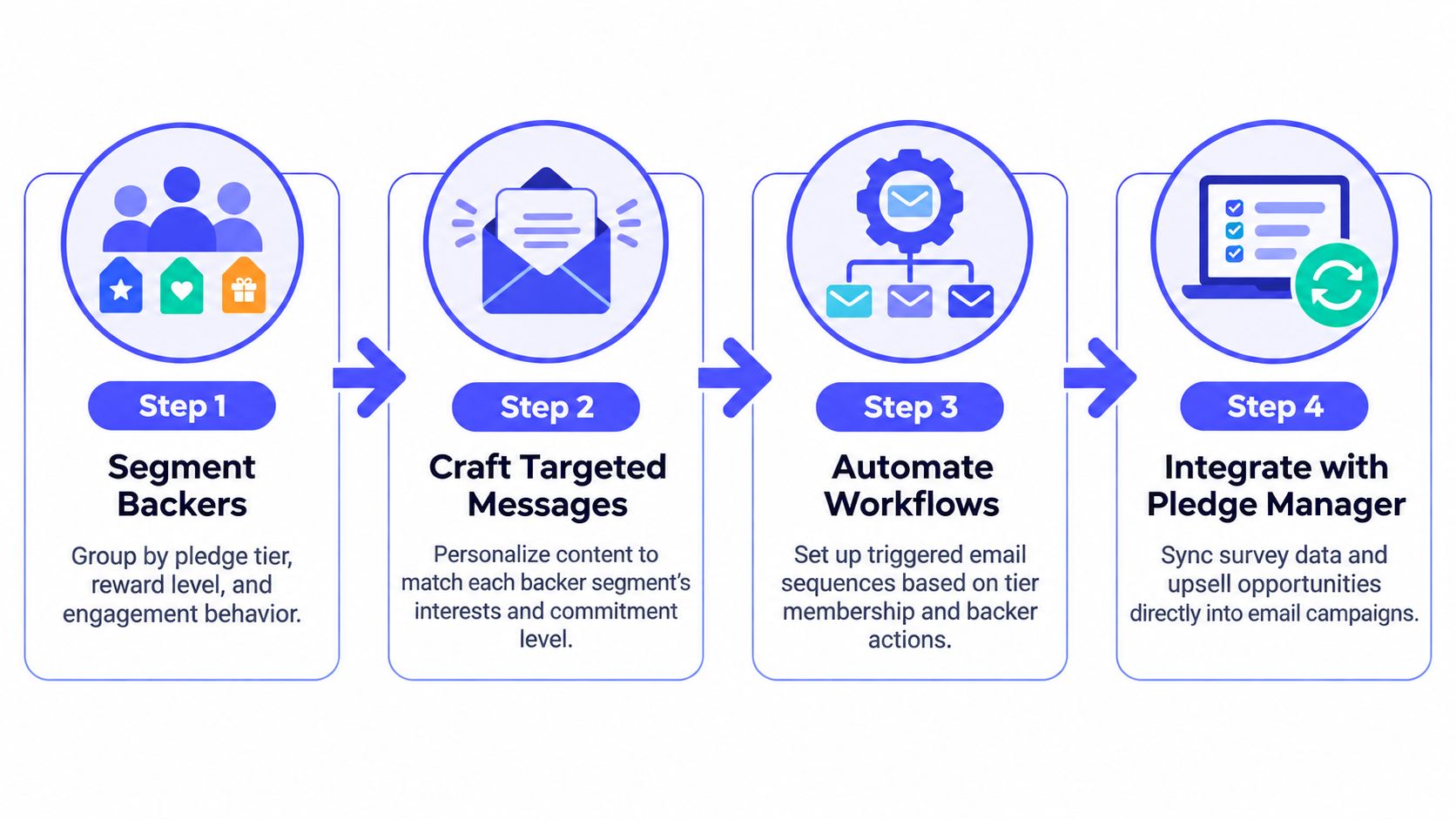
An add-on should complete the backer's original purchase, not distract from it. A camera backer may need a carrying case or lens accessory. A board game backer may want an expansion that fits the base game. A hardware supporter may prefer a replacement part while reviewing the original pledge.
The survey creates a practical buying moment because the backer is already confirming reward and fulfillment details. Use email to guide that decision, then let the pledge manager handle the transaction. PledgeBox provides a Shopify-like shopping experience for post-campaign choices, while Kickstarter's pledge manager is closer to an Amazon-like checkout flow. The comparison matters because backers need a clear path from interest to completed add-on.
Start with one recommendation based on the pledge tier, reward, and survey responses. A premium-tier backer may need no upgrade, while a basic-tier backer may benefit from an expansion or accessory. Exclude products that do not match the reward category. Relevance protects trust and usually makes the offer easier to explain.
A practical sequence might run as follows:
Keep the sequence concise. Repeating the same product image and sales copy can make a helpful recommendation feel like pressure. Change the reason to act, such as clarifying compatibility in one message and confirming availability in another. Suppress backers who have already purchased, and avoid presenting optional add-ons as required fulfillment steps.
Because the survey fee is only 3% of upsell revenue, the economics of a five-step reminder sequence stay predictable. The add-on sales strategy guide provides a framework for coordinating reminders with the in-survey purchase experience.
Measure revenue per delivered email, conversion rate, unique clicks, unsubscribe rate, and contribution margin, rather than opens alone. The email performance benchmark dataset from MailerLite reports a 2025 average open rate of 43.46%, click rate of 2.09%, and click-to-open rate of 6.81% across 3.6 million email campaigns. Those figures show why strong opens can still conceal weak post-click performance.
A backer who opens a pledge manager survey and leaves one answer unfinished needs a different email from someone who never starts. Trigger messages should respond to the action, not send every backer the same reminder.
PledgeBox can support this lifecycle with a Shopify-like pledge manager experience, where creators can connect survey completion, add-ons, shipping details, and follow-up emails. Kickstarter's pledge manager works more like an Amazon-style checkout flow. The difference matters when you want behavioral data to guide communication after the campaign ends.
Start with the backer's last meaningful action. If the survey is incomplete, link directly to the unanswered step and explain what information is still required. If an add-on was viewed but not purchased, clarify compatibility or practical use without implying that the original reward depends on it. For an abandoned upsell cart, return the backer to the selected items and show the remaining decision clearly.
A trigger map can use these paths:
Send the first message while completing the action remains easy. Then stop based on behavior. Suppress survey reminders after completion, upsell emails after purchase, and all promotional messages after an unsubscribe or clear preference change. Keep fulfillment notices separate from sales prompts. A missing shipping address can delay delivery, while declining an add-on does not prevent the original reward from shipping.
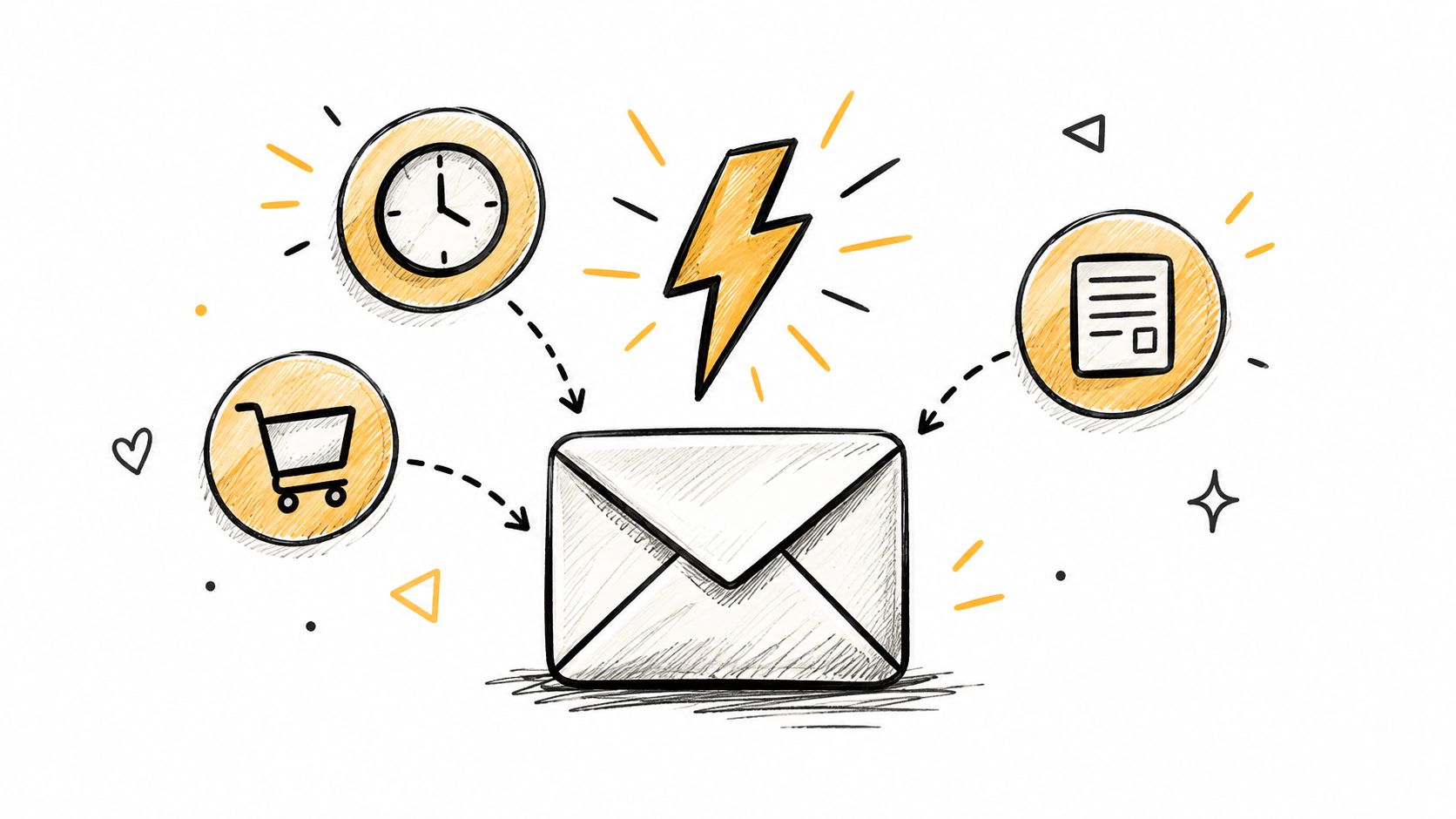
Review revenue per delivered email, conversion rate, unique clicks, unsubscribe rate, and contribution margin for each trigger. These measures show whether the message resolves friction or merely adds another email to the backer's inbox.
A backer joins before the product is finished, so campaign emails should show how the project is progressing and where supporters fit into it. Share production evidence, explain meaningful changes, and distinguish confirmed information from plans that may still change.
A hardware creator might show factory samples, test results, and the reason for a design revision. A board game publisher could share an unboxing video or a backer's first impression. Ask permission before using any testimonial, photograph, or video, and explain where it will appear. Let contributors review sensitive details before publication.
Community updates should also support the full backer lifecycle. During pre-launch, invite subscribers to shape questions or vote on features. After pledging, recognize supporters without confusing community content with fulfillment instructions. During surveys, upsells, and delivery, keep each required action clear. A pledge manager such as PledgeBox can give campaigns a Shopify-like shopping experience for these interactions, while Kickstarter's pledge manager is closer to an Amazon-like checkout flow.
Set a rhythm that matches the campaign stage. Weekly updates may suit an active launch, while production emails can follow genuine milestones. A message about a manufacturing decision can build confidence. A message with no meaningful information can make future updates easier to ignore.
Use email to connect supporters without requiring one platform:
Place any deadline or required action before the longer story, with a descriptive link that makes sense on its own. Community content should strengthen trust while leaving the backer's practical next step obvious.
A backer may read a survey reminder while commuting, review an add-on from a phone, or open a shipping notice between other tasks. A desktop-only design creates friction at exactly the moment when the reader needs to act.
Use a responsive, single-column structure for important actions. Keep the primary button easy to find, make links large enough to tap comfortably, and write short paragraphs with clear headings. Product images should support the decision rather than push the call to action below a long visual block.
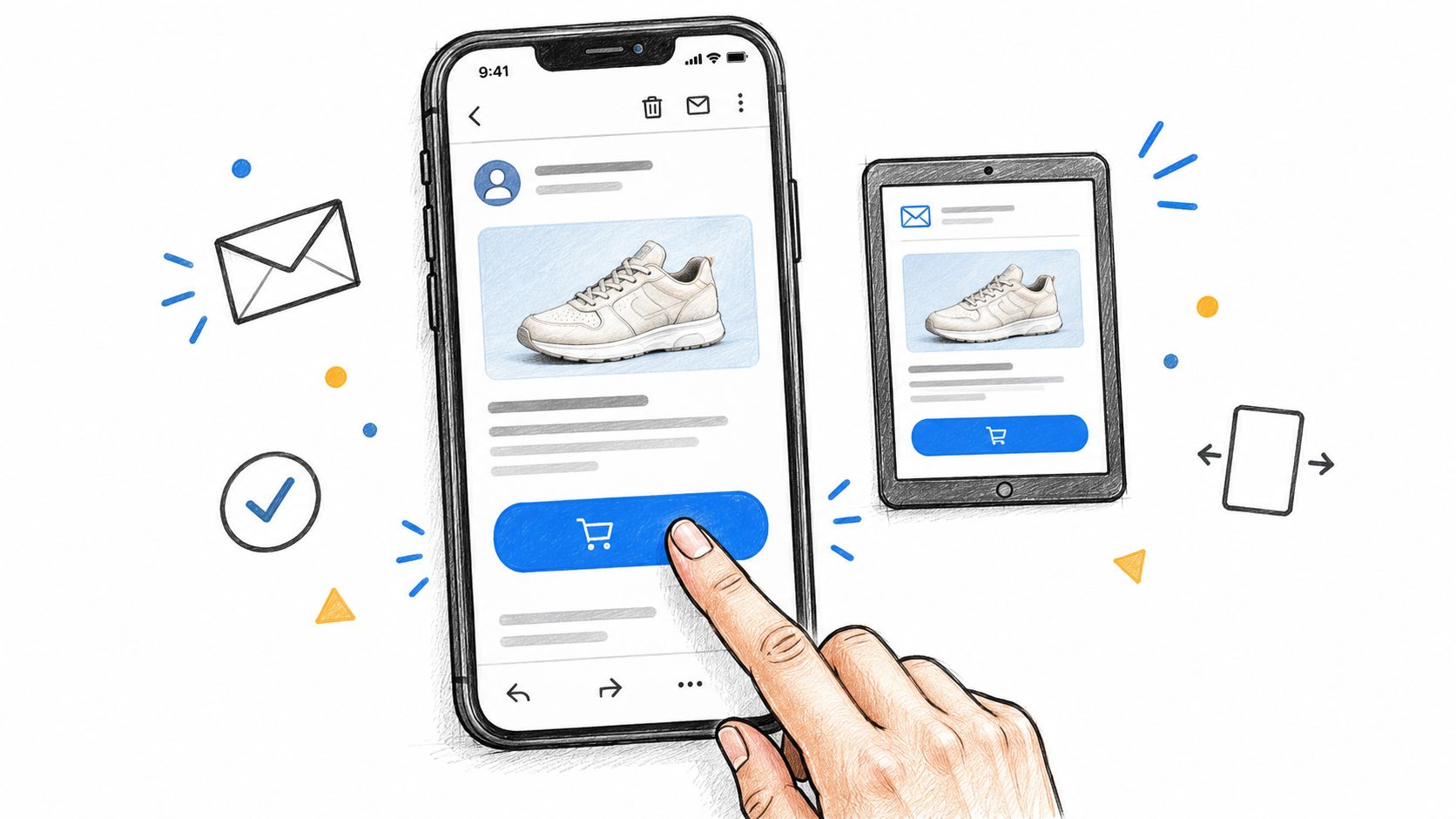
Send previews to real iPhone and Android devices as well as a tablet when those devices represent your audience. Check the rendered email, the plain-text version, every link, image loading behavior, and the path to the pledge manager. An HTML email template checker can help identify structural issues before a campaign send.
For a mobile survey reminder, put the backer's current status in the opening lines and use one prominent survey button. For an add-on email, stack product information vertically so the backer doesn't need to pinch and zoom. For a shipping notice, lead with the deadline, the required information, and the support route.
The message should remain understandable when images fail to load. Add descriptive alternative text, use sufficient contrast, and don't place essential instructions inside an image. Semantic structure and descriptive link text also help people using screen readers, which makes accessibility part of usability rather than a decorative extra.
A short video can demonstrate how a backer moves from an email to the survey, but it shouldn't replace written instructions. Keep the action available in text for readers whose inbox doesn't display embedded media.
A backer should know what the next email is for before opening it. Production update, survey reminder, or promotional offer each needs a clear place in the communication plan. Predictable timing reduces surprise and helps your team coordinate campaign activity, fulfillment, and community updates.
Match the rhythm to the backer lifecycle. Pre-launch subscribers may need more frequent reminders as a campaign event approaches. After pledging, backers need updates tied to real production milestones. Survey reminders should stop once a response is recorded, and add-on messages should end when the relevant window closes. A customer entering fulfillment should not keep receiving launch-style urgency.
PledgeBox supports this lifecycle with a Shopify-like pledge-manager experience, while Kickstarter's pledge manager is more Amazon-like. That distinction matters when you coordinate surveys, add-ons, and fulfillment messages. Set the send schedule around the actions available in the manager, then suppress each message when the backer completes the related step.
Ask for preferences where the choice affects the inbox experience. One backer may want production updates but no product promotions. Another may prefer a monthly summary rather than individual notices. A preference center lets people adjust those categories without leaving every type of communication.
Your calendar should answer five operational questions:
Review frequency against audience behavior. Rising unsubscribes, spam complaints, or ignored emails can indicate a problem with content, timing, or volume. Mailchimp's benchmark data places unsubscribe and click behavior alongside opens, so opens alone should not determine whether the schedule works.
Manufacturing timelines can change. Promise the type of update backers will receive and explain when the next meaningful message is expected, rather than committing to dates your operations cannot reliably meet.
A backer who selected a reward expects campaign and fulfillment updates, but that permission does not automatically cover every future launch, product announcement, or promotional offer. Treat consent as part of the full backer lifecycle, from pre-launch capture through surveys, upsells, fulfillment, and repeat campaigns.
Whether updates are managed through Kickstarter's Amazon-like pledge manager or PledgeBox's Shopify-like pledge manager experience, record each communication purpose separately. Your preference center might distinguish campaign updates, survey requests, fulfillment notices, product news, and promotional offers. Explain what each category contains, why the information is collected, and how subscribers can change their choices.
Make opting out easy. Every marketing email needs accurate sender information, a physical business address, and a visible unsubscribe route. Keep fulfillment instructions separate from promotions. If someone leaves the product-news list, remove them from that category while retaining only the messages required to complete an agreed fulfillment process, subject to applicable law and legal advice.
Apply the same discipline to your sending systems:
Authenticate the domain: Configure DKIM, SPF, and DMARC for the sending domain.
Monitor bounces: Remove invalid addresses and investigate sudden changes in delivery.
Respect suppression: Apply unsubscribes across every connected email system.
Review consent: Store when and how a person agreed to each message category.
Protect personal data: Treat addresses, tax details, and reward selections as fulfillment data rather than casual marketing fields.
Accessibility supports reliable communication too. Use semantic structure, meaningful link text, sufficient contrast, useful alternative text, and copy that remains understandable without images or interactive elements. The preference center should work on mobile devices and with assistive technology.
Do not buy a list for a campaign. A smaller permission-based audience gives you a clearer relationship with backers than a larger list that ignores messages or marks them as unwanted.
Using a backer's first name is a basic courtesy, not a complete personalization strategy. More useful content reflects the reward selected, the survey response, the country or language, the fulfillment stage, and the action the backer has already taken.
A board game publisher can recommend an expansion based on the game selected. A hardware creator can show an accessory that fits the original reward. A shipping reminder can display the relevant information for the backer's region, provided the data is accurate and the message doesn't expose unnecessary personal details.
Small teams don't need to build an invasive profile. Ask a question when the answer will improve the experience, explain the value of providing it, and let the subscriber control the result. Preference centers, surveys, quizzes, and optional questions can create useful zero-party data, meaning information a subscriber intentionally provides.
Separate marketing preferences from fulfillment information. A shipping address may be necessary to deliver a reward, but it should not become permission for unrelated promotions without clear consent. Keep retention and deletion practices clear, limit access, and avoid collecting fields that no workflow uses.
Personalization also needs a fallback. If a country, pledge tier, or survey response is missing, the email should display accurate general content rather than a broken conditional block. Test every variation before sending, especially when one template serves several languages, currencies, or reward types.
The personalization at scale guide provides a relevant framework for using campaign and survey data without treating every subscriber as a data point to exploit. Current email trend guidance from Mailchimp's privacy and personalization resource also emphasizes transparent consent, preference centers, secure handling, one-click unsubscribe, and accessibility.
Personalization should make the backer's next decision easier. If it merely proves that the creator has collected extensive data, it has crossed into unnecessary complexity.
Fulfillment is a milestone, not the end of the backer relationship. Once a package leaves the warehouse, the creator can still earn a review, useful feedback, community participation, or support for the next campaign. Each message should give backers a clear reason to remain subscribed.
Start with a delivery update that confirms shipment progress and explains how to get help. Wait until the product has been used before requesting feedback. A board game publisher could ask for an unboxing photo or review. A hardware company could ask which feature deserves attention in a future update. An Indiegogo creator could invite satisfied customers into a private feedback community.
Tag backers who repeatedly engage, support more than one project, or volunteer specific feedback. Send them early development news, behind-the-scenes material, or a concept-testing invitation. Keep this audience separate from the full customer list, and let behavior and stated preferences determine who receives each invitation.
A pledge manager can support this progression. PledgeBox provides a Shopify-like shopping experience for surveys, add-ons, and later purchases, while Kickstarter's pledge manager is more like an Amazon-style checkout. Use that post-campaign window to collect required survey details, present relevant upsells, and keep future product news permission-based.
Give the long-term email program a practical job. Product education shows useful ways to get more value from the delivered reward. Feedback requests ask focused questions that can shape product improvements. Community access invites engaged supporters to a Discord group or feedback program. Future previews share a new project with people who opted into product news. Referral opportunities offer a clear, voluntary way for satisfied backers to introduce others.
Track repeat purchases, completed reviews, referrals, replies, and unsubscribes. Opens provide directional context, but they do not define customer value alone. For a crowdfunding creator, the strongest audience is the group that trusts the communication enough to act on the next relevant opportunity.
| Strategy | 🔄 Implementation Complexity | ⚡ Resource Requirements | 📊 Expected Outcomes | 💡 Ideal Use Cases | ⭐ Key Advantages |
|---|---|---|---|---|---|
| Segmented Email Campaigns Based on Backer Tiers and Pledge Levels | Medium–High, segmentation, workflows setup | Moderate, CRM/pledge-manager data + automation | Higher open/CTR and improved upsell conversion | Post-campaign shipping, tier-specific upsells | Highly relevant messaging; better conversion & lower unsubscribes |
| Automated Post-Campaign Welcome Series for New Backers | Medium, build 4–7 sequence templates and triggers | Low–Moderate, automation platform + content | Increased survey completion; fewer support inquiries | Immediately after campaign end or new backer joins | Establishes trust; captures engagement when interest is high |
| Strategic Upsell and Add-On Email Sequencing | Medium, phased offers and timing strategy | Moderate, inventory coordination + pledge manager integration | Incremental revenue; improved customer lifetime value | During pledge manager surveys or post-campaign windows | High ROI from existing backers; lower acquisition cost |
| Behavioral Trigger Emails Based on Pledge Manager Actions | High, real-time integration & trigger logic | High, API work, accurate event tracking | Recovers lost revenue; boosts completions & conversions | Abandoned carts, incomplete surveys, deadline reminders | Timely, behavior-driven recovery and personalization |
| Social Proof and Community Building Through Email | Medium, ongoing content creation & moderation | Moderate, media assets, community management | Higher engagement, referrals, and loyalty | Milestones, backer spotlights, creator updates | Deepens emotional connection; generates authentic UGC |
| Mobile-First Email Design and Responsive Templates | Medium, responsive templates + device testing | Moderate, design, QA tools (Litmus/real devices) | Better mobile open/CTR; fewer rendering issues | Any campaign with majority mobile opens or survey links | Improved conversions and perceived professionalism |
| Consistent Send Schedule and Frequency Optimization | Low–Medium, content calendar and cadence planning | Low, scheduling tools and some content resources | Improved deliverability and predictable engagement | Weekly/bi-weekly updates, milestone announcements | Builds audience habit; reduces unsubscribe risk |
| Clear Compliance and Preference Management to Ensure Deliverability | Medium, legal requirements + preference center setup | Moderate, list maintenance, auth (DKIM/SPF), audits | Higher deliverability; lower legal and ISP risk | GDPR/CAN-SPAM sensitive audiences, large lists | Protects sender reputation; improves inbox placement |
| Personalization Beyond Names: Dynamic Content Based on Backer Data | High, dynamic blocks, data mapping, testing | High, advanced ESP, clean backer data, template variants | Strong engagement uplift and higher conversion rates | Tier-based offers, geo-specific shipping/pricing | Deep relevance at scale; increased LTV and reduced churn |
| Post-Campaign Engagement and Lifetime Value Building Through Email | Medium, sustained program and loyalty initiatives | Moderate, ongoing content, offers, community tools | More repeat funding; lower future CAC | Post-fulfillment nurturing, ambassador programs | Converts one-time backers into repeat customers and advocates |
A dependable crowdfunding email system starts before the campaign goes live. Capture permission with a clear explanation of what subscribers will receive, then store the consent and preference information in a way your team can use. Don't wait until the campaign ends to decide whether backers should receive product updates, fulfillment notices, or promotional offers.
Next, define the segments that change the message. Start with pledge tier, reward type, country or language, engagement, and survey status. Add more detailed conditions only when they produce a better decision or a more useful experience. A backer who hasn't completed a survey needs a practical reminder. A backer who has completed it may need an update, an add-on recommendation, or no message at all.
Write the essential workflows before you need them. The core system usually includes a welcome sequence, a survey invitation, an incomplete-survey reminder, an abandoned-upsell flow, a deadline notice, and a post-fulfillment relationship sequence. For each flow, document the trigger, the single conversion event, the suppression rule, the frequency cap, the fallback content, and the person responsible for reviewing performance.
Treat automation as a way to improve relevance, not as a reason to remove human judgment. The benchmark evidence on automated email supports prioritizing event-triggered workflows over just increasing send volume. Your team should still review every message for accuracy, tone, accessibility, product availability, and links that lead to the correct survey or checkout step.
Test the experience on mobile devices and in the email clients your backers use. Check buttons, images, alt text, contrast, plain-text rendering, unsubscribe behavior, and the handoff to the pledge manager. A beautiful campaign email that sends a backer to a broken survey is still a failed email.
Deliverability needs the same attention as creative performance. Authenticate your domain, monitor bounces and complaints, maintain accurate consent records, and provide a visible preference center. Separate required fulfillment communication from optional marketing so subscribers can make an informed choice.
Measure the full path from delivery to business outcome. Track delivery, unique clicks, campaign-page visits, survey completion, completed pledges, add-on purchases, shipping-payment completion, late pre-orders, replies, unsubscribes, and spam complaints. Use UTM parameters and one primary conversion definition for each message. Compare variants through randomized A/B tests and evaluate them over a consistent attribution window.
Open rate still has directional value, but privacy protections and newer inbox experiences can distort what an open means. Clicks, completed actions, revenue per delivered email, and contribution margin tell you whether the message helped the business and the backer. A smaller, qualified audience may outperform a larger list that creates low engagement and damages sender reputation.
PledgeBox fits this workflow by combining campaign email capabilities with a pledge manager experience. It is free to send the backer survey and charges only 3% of upsell revenue if there is any. Original Kickstarter or Indiegogo campaign funds aren't subject to that survey-based fee. The platform can support the transition from survey collection to shipping fees, taxes or VAT, add-ons, and late pre-orders without requiring a separate payment for each backer record.
The product comparison is useful for choosing the right operating model. Kickstarter's pledge manager is like Amazon, a platform-controlled and integrated environment where Kickstarter collects fulfillment information and manages payments within its own ecosystem. PledgeBox's pledge manager is like Shopify, giving the creator a more independent, configurable customer journey around surveys, offers, fulfillment data, and post-campaign communication.
Kickstarter's own eligibility rules make that choice time-sensitive. A project must have properly itemized rewards, must not already have sent the Kickstarter Backer Survey, and must not be using another pledge-manager service for the campaign to use Kickstarter's native pledge manager. Creators should select and configure their approach before sending a survey, because adopting one system can affect eligibility for the other.
Kickstarter says its pledge manager is available without an upfront cost and can collect addresses, reward preferences, shipping costs, taxes, and optional add-ons or upgrades. Its usual fees are deducted from payments made inside the pledge manager, and its subsidiary handles applicable sales or use tax. The official Kickstarter pledge manager guidance explains the integrated model, while the eligibility requirements from Kickstarter clarifies the constraints creators need to consider before sending the survey.
Review the system after every important send. Identify where people dropped out, which segment responded, whether the offer was relevant, and whether the next message should be suppressed. Then use those findings to improve the next launch rather than treating email as a series of isolated broadcasts.
PledgeBox helps crowdfunding creators connect pre-launch audience capture, email campaigns, backer surveys, upsells, shipping information, and post-campaign fulfillment in one workflow. It's free to send the backer survey and charges only 3% of upsell revenue when there's any. Visit PledgeBox to build a more coordinated email and pledge-management process before your next Kickstarter or Indiegogo campaign.
PledgeBox
The All-in-One Toolkit to Launch, Manage & Scale Your Kickstarter / Indiegogo Campaign