 PledgeBox
Indiegogo Pledge Manager: The Complete Fulfillment Guide
Master your Indiegogo pledge manager workflow. Learn how to collect shipping, taxes, and upsells while streamlining post-campaign fulfillment with PledgeBox.
Master your Indiegogo pledge manager workflow. Learn how to collect shipping, taxes, and upsells while streamlining post-campaign fulfillment with PledgeBox.
Your Indiegogo campaign has just ended. The funding goal is surpassed, notifications are still arriving, and you're celebrating until backers begin asking which color they selected, how much shipping will cost, whether taxes are included, and when their reward will arrive. The campaign page created demand. Now you need a reliable system to turn that demand into accurate, deliverable orders.
An Indiegogo pledge manager provides that system. It brings surveys, variants, add-ons, shipping, taxes, payments, and fulfillment data into a post-campaign workflow instead of leaving you with disconnected spreadsheets and support emails. The difference between a smooth delivery and a crowdfunding horror story often comes down to how early you prepare this workflow.
The first few days after funding can feel strangely chaotic. During the campaign, your team focused on storytelling, updates, conversion, and community engagement. After the campaign, the same backers want operational answers. One needs to correct an address, another wants to change a color, and someone else asks whether they can add a second unit.
A spreadsheet may appear sufficient when the order count is small. It quickly becomes fragile once you're tracking reward tiers, product variants, shipping destinations, unpaid orders, tax information, and special requests. A single manual edit can create a mismatch between the amount collected, the item packed, and the address sent to your fulfillment partner.

A pledge manager acts as the control center for the fulfillment pipeline. It gives backers a structured place to confirm their details, while your team gets a consistent order record for production, shipping, customer support, and later changes. Indiegogo's own help center treats pledge management as a formal post-launch workflow, with documentation for setting up a pledge manager and late pledge, plus dedicated guidance on pledge statistics. That structure reflects a broader shift from one-time fundraising toward managing the entire backer lifecycle. This post-campaign checklist is useful when you're organizing the transition.
Practical rule: Treat campaign close as the beginning of order management, not the end of marketing.
The reputation risk is real even when the product itself is excellent. If you collect the wrong address, understate shipping, lose a customization choice, or delay updates, backers experience the failure as a broken promise. A managed process protects your team from avoidable mistakes and gives supporters a clear path to complete their orders.
A pledge manager collects the information and money you still need after the campaign. That can include shipping addresses, product variants, taxes, shipping charges, late pledges, and purchases for accessories or extra units. It then organizes the resulting data so you can prepare production and fulfillment.
The easiest way to understand the difference between native tools and a dedicated platform is to compare Amazon and Shopify. Kickstarter's pledge manager is like Amazon, while PledgeBox's pledge manager is like Shopify. Amazon gives you access to a large marketplace, but the marketplace controls much of the customer experience. Shopify gives you a store structure you can shape around your brand, products, customer relationship, and sales process.
Indiegogo's native tools can support important campaign operations. Its documentation shows that creators can review page views, referrals, contributions, backer counts, and perk performance, then download campaign activity as CSV files. Its pledge manager also tracks extra pledges, products, extra payments, shipping fees, and taxes. That makes the native system useful for creators who want a platform-managed workflow with fewer moving parts.
A dedicated system gives you a different kind of control. You can build a branded survey, present conditional questions, create an add-on store, collect additional charges, and export fulfillment-ready data. PledgeBox is free to send the backer survey and only charges 3% of upsell revenue if there's any, as explained in its pricing information. If no upsell revenue is generated, the survey itself doesn't create that charge.

A basic survey asks for an address and perhaps a product choice. A full pledge manager can connect that response to an order, calculate what the backer owes, record payment, and pass the final order to your warehouse or fulfillment partner.
That distinction matters when you offer multiple variants or optional purchases. Indiegogo documents add-ons directly in checkout, where backers can select one or multiple add-ons or continue without any. Campaign settings can also control add-on availability. In practical terms, add-ons turn a post-campaign questionnaire into a controlled sales channel.
You'll also need a payment process for any outstanding amount. Creators comparing options can review guidance on how to choose a payment gateway for donations because the same basic questions apply here: which payment methods should you accept, how will you reconcile transactions, and how will you handle payment failures?
A pledge manager earns its place in your workflow by solving specific operational problems. The right feature isn't valuable because it sounds advanced. It's valuable because it prevents a wrong shipment, recovers an unpaid order, or gives your warehouse clean data.
A backer survey should collect more than an address. It may need to record a color, size, voltage, language, engraving, compliance confirmation, or delivery preference. Conditional logic keeps the form readable by showing only questions relevant to the reward or country selected.
Clear field labels also reduce support work. Ask for address information in a format your shipping partner can use, explain why certain details are required, and give backers a way to flag a change without sending a separate email.
Indiegogo supports add-on purchases as part of its campaign operations. A creator might offer a replacement cable, carrying case, extra unit, upgraded component, or bundle. The backer can choose the additional item during checkout, and the manager can record it as a separate line item for production and fulfillment.
That separation is important. If an accessory is buried in a note field, your warehouse may miss it. If it appears as a defined product, you can plan inventory, charge correctly, and report on demand.
Shipping costs can be collected with the original contribution or later through pledge-manager flows. Indiegogo's Easyship Collect guidance allows backers to prepay shipping, choose tracked or expedited delivery, prepay duties and taxes, and add shipping insurance up to $5,000 at 1–3% of order cost. Campaigns can collect shipping costs 6–8 weeks before shipment, which can make the final charge more closely reflect the delivery plan. Easyship Collect guidance explains those options.
A manager should also show the backer what remains unpaid before payment. This avoids the unpleasant surprise of a warehouse-ready order that still lacks shipping funds or required tax information.
Analytics aren't limited to campaign performance. Indiegogo's support materials identify pledge statistics and line items such as extra pledges, products, extra payments, shipping fees, and taxes. A useful dashboard helps you see which surveys are incomplete, which orders need payment, and which products require production attention.

The following video gives additional context on how post-campaign pledge management fits into a creator's wider fulfillment process.
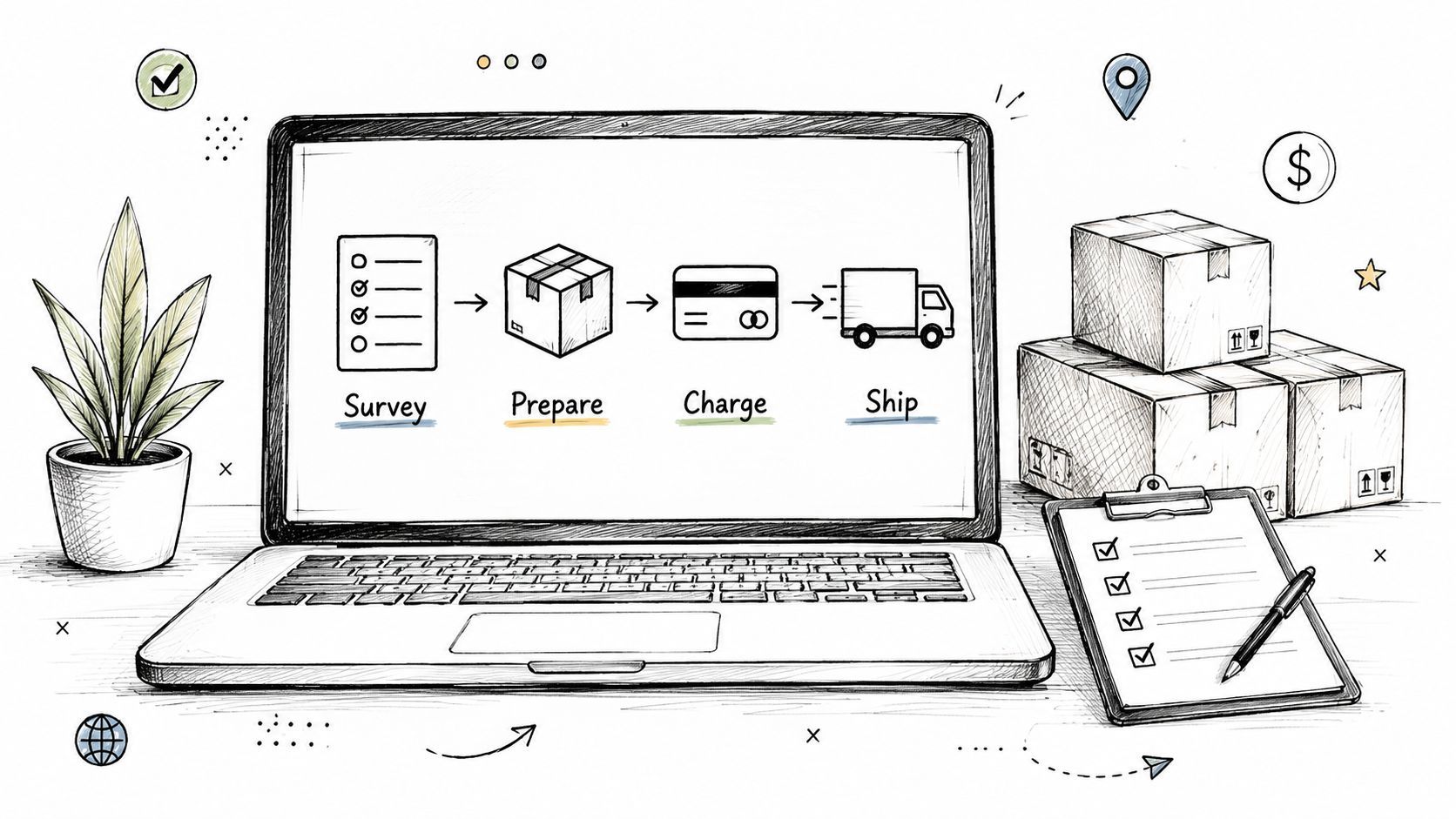
A dependable workflow moves in a defined sequence. Each stage prepares the data required by the next one, so your team isn't repeatedly cleaning the same order file.
Import your Indiegogo campaign records, including backers, pledge levels, products, and available variants. Check that every reward maps to the correct product record before inviting anyone to complete a survey. This is the moment to resolve naming inconsistencies, duplicate products, or rewards that include different combinations of items.
Next, design the survey around decisions that affect fulfillment. Ask for the shipping address, destination country, product variant, size or color, and any compliance information required for your product. Use conditional questions so a backer doesn't see irrelevant fields.
Build add-ons into the survey flow rather than asking backers to email you separately. A backer who selected a device might be offered a case, spare part, or extra unit. The manager should display the price, add the item to the order, and preserve it as a separate fulfillment line.
Indiegogo's documentation also distinguishes between ordinary pledge-manager activity and a shipping-only soft-close mode. After product counts are locked, creators can keep the manager open for shipping edits and payment while disabling new pledges. That separation helps you protect inventory counts without stopping address corrections or freight collection.
Shipping logic should reflect the destination and service selected. Indiegogo supports country-based shipping behavior, including automatic shipping added during contribution when a country is chosen. A manager may also collect later shipping charges, taxes, duties, or upgrades through the survey.
Review the total before the backer reaches payment. Show the original pledge, any add-ons, shipping, taxes, and other charges as distinct lines. Transparency gives supporters a chance to catch an error before the order enters production.
Once the backer confirms the order, collect the outstanding amount through the payment methods connected to your workflow. Then export a clean file for your 3PL, manufacturer, or shipping partner. Include the order identifier, product codes, quantities, variants, address, service level, payment status, and any special fulfillment note.
The crowdfunding order fulfillment guide can help you think through the handoff between the pledge manager and the warehouse. Don't send raw survey responses to a fulfillment partner and expect them to interpret them. Normalize the data first, then create an exception list for incomplete addresses, failed payments, or unusual requests.

The strongest post-campaign systems balance two goals: collect the information needed for delivery and make the experience easy enough that backers complete it. Every extra question, unclear charge, or confusing product name creates friction.
Send a clear announcement before the survey opens. Tell backers what information they'll need, whether shipping or taxes will be collected, and how long they'll have to respond. Follow with a reminder and a final deadline notice. The message should explain the consequence of missing the deadline without sounding threatening, such as delayed fulfillment or placement in a later shipping batch.
Keep the survey concise. Use conditional logic, familiar product names, and examples for address formatting. If you sell different versions of a product, show the selected reward first and make changes explicit. A backer shouldn't wonder whether choosing an add-on changes the main reward.
Communication rule: Explain every additional charge before the payment screen, not after the order enters fulfillment.
Upsells work best when they solve a clear backer need. Pair a product with its natural accessory, offer a practical bundle, and make the availability window clear. Don't use scarcity language unless the stock or offer has a limit. A good add-on improves the order. A confusing upsell makes the campaign feel like a surprise retail checkout.
Shipping deserves special attention. Undercharging can create a margin problem, while an unexpected international charge can reduce order completion. Indiegogo's documented shipping and tax tools support later collection, but you still need to decide what the backer sees, when you collect it, and how you explain the calculation.
Before sending the first email, test the entire path. Submit a survey as a backer in more than one destination, select each important variant, add an optional product, and attempt payment. Check that the warehouse export contains the same choices. Use an email tester to review rendering and delivery issues before your announcement reaches the full list.
Set up a dedicated helpdesk or FAQ for common questions about shipping timelines, product specifications, address changes, refunds, and taxes. A short answer library lets support staff respond consistently and gives backers a self-service option. Above all, don't leave the survey dormant for so long that supporters forget what they purchased or lose confidence in your delivery plan.
Pledge-manager pricing can shape your post-campaign strategy. Some services charge based on the number of backers or the value processed, which makes the tool a growing fulfillment expense as your campaign expands. That model treats every survey response as a billable event, whether or not the backer buys anything beyond the original pledge.
PledgeBox uses a different approach. Its materials state that sending the backer survey is free and that it charges 3% only on new funds raised through upsells. If no upsell revenue is generated, the service is free to send the survey. The result is a closer alignment between the tool's revenue and the creator's incremental sales.
That doesn't mean you should add products to generate a fee. It means the cost is connected to a successful add-on transaction rather than the basic act of collecting fulfillment information. For creators, this can make it easier to open a survey early, gather accurate addresses, and test sensible accessories without paying an upfront survey charge.
| Feature | Traditional Pledge Manager | PledgeBox |
|---|---|---|
| Backer survey | Pricing varies by provider and plan | Free to send |
| Survey charge without upsells | May apply under a per-backer model | No charge when no upsell revenue is generated |
| Add-on revenue | May be handled under separate terms | 3% of upsell revenue |
| Post-campaign role | Survey and fulfillment workflow | Survey, add-ons, shipping, and fulfillment workflow |
Indiegogo's own materials show why this category has become more than an address form. The platform tracks pledge statistics, products, extra payments, shipping fees, and taxes, while its add-on framework supports multiple purchases and add-on-only configurations in some settings. This overview of PledgeBox for Indiegogo campaigns is relevant if you're comparing a native workflow with a dedicated commerce layer.
A pledge manager should turn campaign records into shipment-ready orders. Set it up before launch, then use each stage to prevent avoidable corrections.
Indiegogo allows unpaid orders from campaigns starting after Dec. 16, 2025 to move into Late Pledge or the Pledge Manager unless creators disable that setting. Add reminders and reconciliation checks so these orders do not appear as unexpected fulfillment work.
PledgeBox lets creators send backer surveys free, with a 3% charge only when upsells generate new revenue. It also supports add-ons, shipping collection, tax handling, and fulfillment data management. Visit PledgeBox to assess whether its workflow fits your Indiegogo orders before support requests overwhelm the process.
PledgeBox
The All-in-One Toolkit to Launch, Manage & Scale Your Kickstarter / Indiegogo Campaign