 PledgeBox
Scale Crowdfunding with a Video Tutorial Library
Learn to plan, produce, and host a video tutorial library that onboards backers, cuts support tickets, and drives upsell revenue.
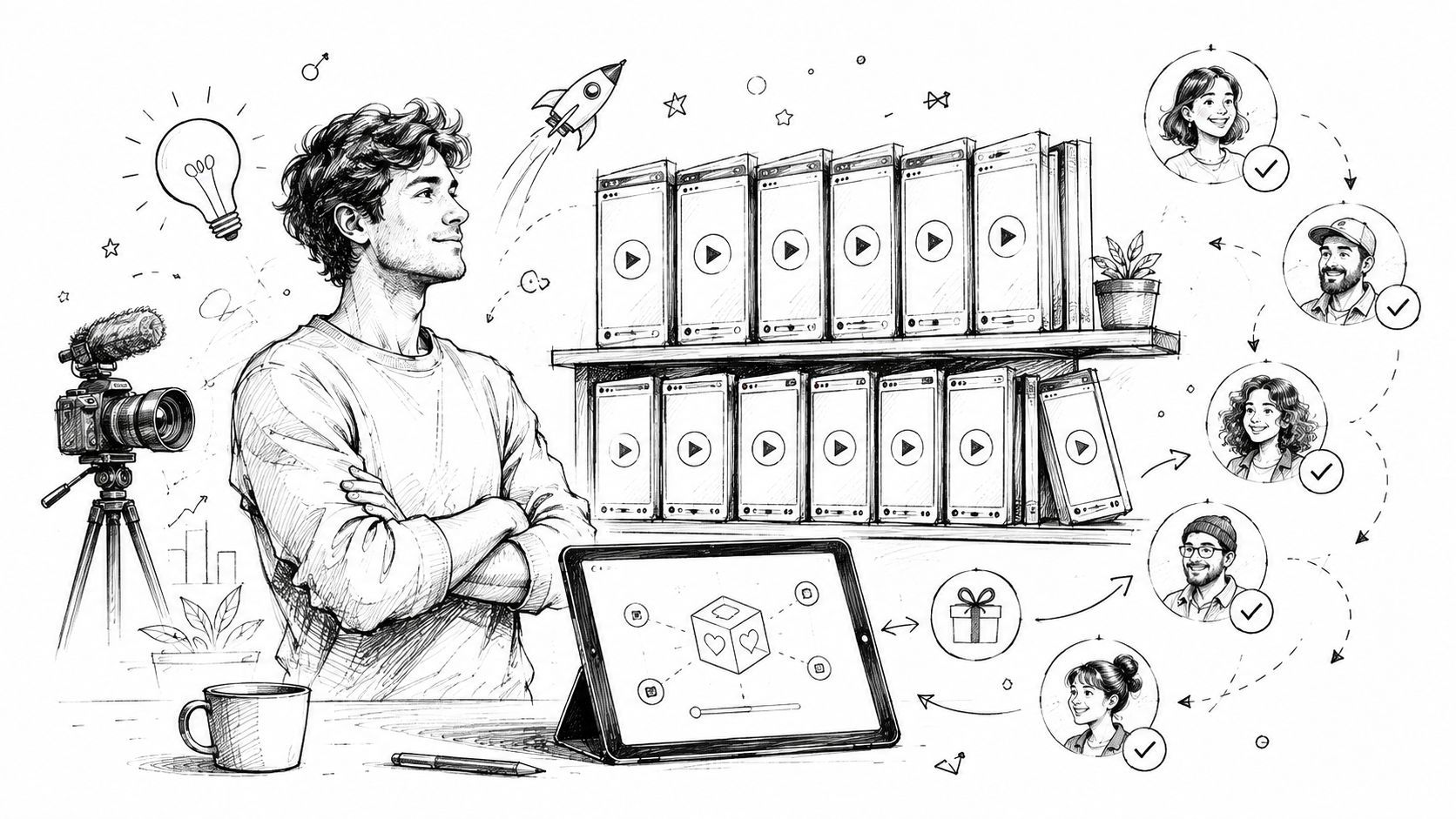
Learn to plan, produce, and host a video tutorial library that onboards backers, cuts support tickets, and drives upsell revenue.
The moment a Kickstarter campaign funds, the inbox stops being a nice-to-have and turns into a triage room. Backers ask where to enter shipping details, whether an add-on is worth it, how to change a size, and why the survey looks different on mobile. If you answer those questions one by one, fulfillment slips and the same confusion gets handled forty times instead of once.
That is where a video tutorial library earns its keep. In a crowdfunding workflow, it is not a marketing reel or a loose YouTube playlist. It is a reusable set of short, task-specific videos embedded where backers make decisions, inside the pledge manager, the survey flow, and the post-campaign emails. If you build it right, it helps with backer onboarding, ticket deflection, upsell conversion, and the quality of your next launch.
The campaign funds, the inbox fills up, and the same five questions start landing over and over again. Backers want to know where to enter shipping details, how to change a size, whether an add-on is worth the cost, and why the survey looks different on mobile. Text-heavy help pages get skipped because people are trying to finish a survey on a phone between other tasks, not read a wall of copy.
A video tutorial library in a crowdfunding workflow is a reusable set of short, task-specific videos placed where backers make decisions. It belongs inside the pledge manager, the survey flow, and the post-campaign emails. The goal is practical, cut repeat tickets, reduce backer confusion, and nudge people toward the right add-on or setup choice before they leave the flow.
A short clip does a better job than a long FAQ when the problem is small and specific. If a backer can solve the issue in under a minute, the tutorial should feel like a checklist, not a lecture.
That matters because support after funding is where campaigns get expensive. Every repeated explanation slows fulfillment, and every unclear step creates another ticket that your team has to answer by hand. The right library handles those repetitive questions once, then keeps doing the work every time a new backer hits the same snag.
A YouTube channel can help with awareness, but it does not solve gated post-campaign support, backer-only instructions, or the moment someone is halfway through a pledge manager flow and needs an answer right then. A library built for the pledge manager works like a support desk that scales, and it can also support post-campaign revenue by making add-ons and setup choices easier to complete.
For a practical overview of the work that lands after funding, PledgeBox has a useful guide in everything you need to handle after your crowdfunding project end. If the library does not cut repeat questions, improve ticket deflection, and support the choices that lead to upsells, it is just decoration.
A campaign can fund cleanly and still create a mess in the support inbox the next morning. The fastest way to prevent that is to build the video tutorial library from real backer friction, not from a blank content calendar. Pull the last campaign's support inbox, survey comments, and refund requests, then sort the repeated questions into clusters. Five or six answers that clear the bulk of the churn will serve the library better than twenty ideas that only sound useful in a planning doc.
Start by separating evergreen topics from campaign-specific ones. Firmware updates, address changes, and assembly setup can carry across launches. Choosing a reward tier, adding a limited-edition accessory, or understanding a campaign-specific shipping rule belongs to the current campaign and needs a clear label so backers know it applies to this project, not every project you run.
Write one learning objective for each video. Keep it to a single sentence. “Show backers how to complete the shipping survey without missing the add-on step” gives the production team a target and gives support a reason to send people there. “Explain survey basics” leaves too much open and usually produces a video that does nothing well.
If you are still mapping launch timing, the tips for launching a campaign resource from Fundl helps because it keeps the pre-launch work tied to the backer journey instead of treating campaign prep as a separate universe.
A tutorial plan also needs a budget reality check. Short clips cost less to reshoot, are easier to localize, and are less likely to become stale when your pledge manager flow changes. PledgeBox's budget-friendly tips for creating a crowdfunding-winning video is a useful reference if you need to keep production lean without turning the library into placeholder content. That trade-off matters because a library that is cheap to make but useless to backers still generates tickets, and tickets are the cost.
A tutorial that sits outside the journey gets ignored. Tie each video to a moment where the backer is deciding, correcting, or confirming something. That gives the library a job instead of a shelf.
| Tutorial Topic | Backer Journey Stage | Primary Outcome |
|---|---|---|
| Survey login and account access | Pre-survey setup | Fewer access problems |
| Reward tier selection | Survey completion | Faster completion |
| Add-on choice explanation | Add-on selection | Better upsell clarity |
| Address and shipping review | Post-purchase setup | Fewer correction tickets |
| Firmware or assembly overview | Post-fulfillment setup | Less post-delivery friction |
Use naming conventions that still make sense on the next campaign. A title like “Setup 01, Shipping Address Review” is easier to version than a clever title nobody can search later. If your team is running multiple launches at once, the library needs to read like an operating system, not a pile of creative ideas. It should help support deflect repeat questions, help the pledge manager flow move people toward the right add-on, and give post-campaign buyers a reason to stay engaged instead of drifting away after fulfillment.
Backers do not finish long tutorials because long tutorials ask too much of them. They are on a phone, they are in a hurry, and they are usually trying to fix one narrow problem. Washington State University Library's guidance on tutorial best practices makes the useful distinction here, point-of-need videos should be no longer than 30 seconds to 1 minute, while general videos should stay within 2 to 3 minutes and be modularized when possible. WSU's video tutorial best practices matches what works in the field, short, clean, and task-first.
Each video should cover one concept or skill. Script it before you hit record, then sync the narration to the screen action so the viewer never has to guess what happened. The moment a tutorial starts drifting into extra context, completion drops and the support ticket still arrives.
Closed captions are required. They help hearing-impaired users, silent mobile viewers, and non-native speakers, and they also make the video usable in noisy or public places. Slower, clearer narration serves the same goal. It is not about dumbing content down, it is about making the action legible.
A strong tutorial also maps the process end-to-end. Do not assume users know where the feature lives or which menu comes next. Show the path from the moment they open the page to the point where the task is done. In a campaign setting, that usually means showing the exact click path that clears a survey question, confirms an add-on, or resolves a shipping detail before a backer opens a support ticket.
Keep the how-to first. If the backer has to listen to three minutes of context before seeing the button, the video lost.
The file specs matter because your library has to work across devices and platforms. A durable setup uses MP4 with H.264, a 1080p master with a 720p mobile version, and AAC audio normalized so voice stays clear on phone speakers. The same implementation guidance recommends keeping file sizes under 100MB for 10-minute videos to balance quality with loading speed, and that kind of restraint matters when a backer is on weak mobile data. TechSmith's training video library management guide is one of the clearest references for that workflow.
For broader production inspiration, the budget-friendly tips for creating a crowdfunding-winning video article is useful because it keeps the production mindset tied to actual campaign outcomes rather than polishing for its own sake. If you are trimming scope for a post-campaign library, that framing helps you keep the video useful enough to deflect tickets without spending like a launch trailer.
If you hand one checklist to a freelancer, it should include script, captions, modular runtime, synced narration, MP4 export, mobile playback testing, and a quick pass against trends in AI 3D generation if your campaign includes modeled products or generative visual steps. That is enough to make the library reusable without turning the team into a revision machine.
Hosting choice decides whether a library becomes part of the workflow or just another forgotten folder. Public YouTube is easy to share and easy for backers to find, but it is weak on gating and branding. Private platforms like Vimeo or Wistia tend to fit embedded playback and analytics better, while self-hosted pages give you control at the cost of more setup work.
Placement matters more than the host. A tutorial about survey completion should appear inside the survey flow. A clip about assembly or firmware belongs in the post-purchase support path. That is where embed quality and mobile playback become operational issues, because they affect whether a backer finishes the task or opens a ticket.

Public video platforms are strongest when you want discoverability and external sharing. They are weaker when you need backer-only context, cleaner branding, or a controlled path from tutorial to action. If a video is meant to answer a private survey question, public distribution adds friction instead of removing it.
Private hosting gives you more control over the backer experience. That matters when the tutorial is embedded inside the pledge manager or linked from a backer-only email, because the playback has to feel native to the journey. Self-hosting can work too, but only if your site can handle performance, accessibility, and analytics without turning maintenance into a second job.
A hybrid approach usually wins. Use public clips for awareness, then keep the backer-facing tutorials embedded in the pledge manager or help center. That keeps the library useful without turning it into a separate destination backers have to hunt for.
One more trade-off deserves attention. Some platforms strip captions, block embeds, or make playback awkward on mobile. If the tutorial cannot load cleanly on the same device where the survey is being completed, it is not operationally useful.
A library with thirty unsorted videos creates more confusion than help. Backers do not want a content catalog, they want the exact answer for the stage they are in right now. That means tagging, playlists, search, and a master inventory sheet have to work together, or the library becomes another place where questions pile up.
Use a tight set of tags such as setup, troubleshooting, and upgrade paths. If one teammate tags a clip as “shipping” and another calls the same thing “delivery,” search gets sloppy fast. Controlled vocabulary keeps the library readable across campaigns and across staff turnover, and it keeps support from answering the same question in three different ways.
Versioning matters just as much. A firmware tutorial for v1 hardware cannot sit next to a v2 video without labels, or backers will follow the wrong instructions and create support noise you could have avoided. Archiving everything indefinitely creates noise. Keeping the active answer visible and retiring stale content keeps the library useful.
The operational backbone is a master spreadsheet. Track title, URL, topic tag, target backer stage, owner, last reviewed date, and current status. That gives someone on your team a fast way to decide whether a tutorial still matches the pledge manager flow, or needs to be replaced before it sends backers in the wrong direction. Keep the record tight enough that it can be maintained after launch, when everyone is dealing with support tickets and fulfillment issues at the same time.
If a video has not been reviewed, it is already a risk.
Captions and transcripts are not a cosmetic layer. They decide whether the library works for backers watching on mute, in noisy environments, or in a language they are still reading through. Slower pacing also helps non-native speakers and anyone watching with the sound off, which reduces the chance that a simple answer turns into a ticket.
The organization layer should make accessibility easy to maintain, not something you bolt on after upload. A transcript belongs in the same inventory record as the video URL and version number, because that is what keeps the library searchable and usable over time. If a tutorial supports a high-friction step in the pledge manager, that transcript is part of the support system, not an extra.

The pledge manager is where a tutorial library stops being background support and starts shaping revenue. In a Kickstarter flow, the survey and add-on selection screen works like the checkout path people already know from Amazon. PledgeBox's pledge manager is closer to Shopify, because it gives you a branded, mobile-friendly survey, collects shipping and taxes, and keeps the backer inside one controlled surface.

That matters because PledgeBox is free to send the backer survey, and it charges only 3% on upsell or add-on sales if there's any. The survey itself carries no upfront, per-backer, or campaign fees, so the cost stays tied to add-on revenue instead of access. That pricing structure means tutorial placement inside the flow can influence upsell behavior without adding extra platform friction.
A video above the add-on catalog can explain why an extended warranty matters or how an accessory fits the hardware. A short clip beside the shipping step can clear up regional fee confusion before the backer drops out of the survey. A post-purchase thank-you email can carry a setup video so buyers know what happens after they click submit.
Placement is the key advantage. The library should appear where hesitation happens, not buried in a help center page nobody opens during checkout. Once the backer leaves the flow, conversion gets harder and support tickets take longer to resolve.
The PledgeBox support and tutorial content around downloads with surveys is a practical example of how a help asset can sit directly beside a transaction step. That same logic works for hardware add-ons, shipping choices, and onboarding clips tied to survey completion.
If a tutorial gets watched but does not lead to a completed survey or add-on purchase, the script is doing something wrong. Maybe the opening is too slow. Maybe the video explains the feature but not the decision.
Usage stats should drive edits. Look at which videos get opened, where people stop, and which clips appear before a completed upsell. The library should be edited like a sales surface, continuously refined based on viewing behavior. For a useful outside check on how video changes buyer behavior, the CPG retail video marketing advice piece from Reddog Consulting Group reinforces a point campaign teams already know, video works when it changes behavior, not when it just fills a content slot.
A tutorial library earns its keep after the campaign funds, when the same five questions start hitting support and the pledge manager. Short, tight videos usually work better than one polished long walkthrough because backers want the fastest path to an answer, an add-on, or a finished survey. Long videos often feel more complete to the creator and less useful to the person trying to complete a task.
The cleanest ROI view comes from four measures. Track support tickets per 100 backers, average survey completion time, upsell conversion rate on add-ons, and repeat backer rate on your next campaign. Those numbers show whether the library reduced friction, improved the pledge manager flow, and made the next launch easier to run.
A weak library can still look active. High views with flat ticket volume usually mean the videos are getting opened for the wrong reason, or the question in the video does not match the question in the ticket queue. If add-on conversion does not move, the library may be informative without helping backers decide.
The CPG retail video marketing advice piece from Reddog Consulting Group lines up with what campaign teams see in practice, video matters when it changes behavior. If a clip helps a backer finish a survey, pick an upgrade, or stop emailing support, it is doing real work. If it just adds another place to watch, it is overhead.
Days 1 to 30, foundation. Audit the last campaign, list the repeated questions, choose the five or six tutorial topics, and write the one-sentence objective for each. Separate the clips that will stay useful after launch from the ones tied to the current pledge manager setup.
Days 31 to 60, production and structure. Record the tutorials, add captions, assign tags, build the master inventory, and upload the first batch so it is easy to embed where decisions happen. The goal here is not a neat folder of drafts, it is a working system that support can use during a live campaign.
Days 61 to 90, launch and iteration. Embed the videos in the pledge manager, link them in post-campaign emails, review watch behavior, and retire the clips that do not reduce confusion. If one tutorial keeps sending people back to support, rewrite it quickly and test a clearer version against the same question.
The rollout should end with one question, did this library make the next campaign easier to run? If the answer is yes, you built an asset. If the answer is no, you built content that will not improve your next campaign.
PledgeBox
The All-in-One Toolkit to Launch, Manage & Scale Your Kickstarter / Indiegogo Campaign