 PledgeBox
Sales Tax Collection on Kickstarter Rewards Explained
Learn how sales tax collection works on crowdfunding rewards, including pledge manager options, VAT basics, and practical compliance steps for creators.
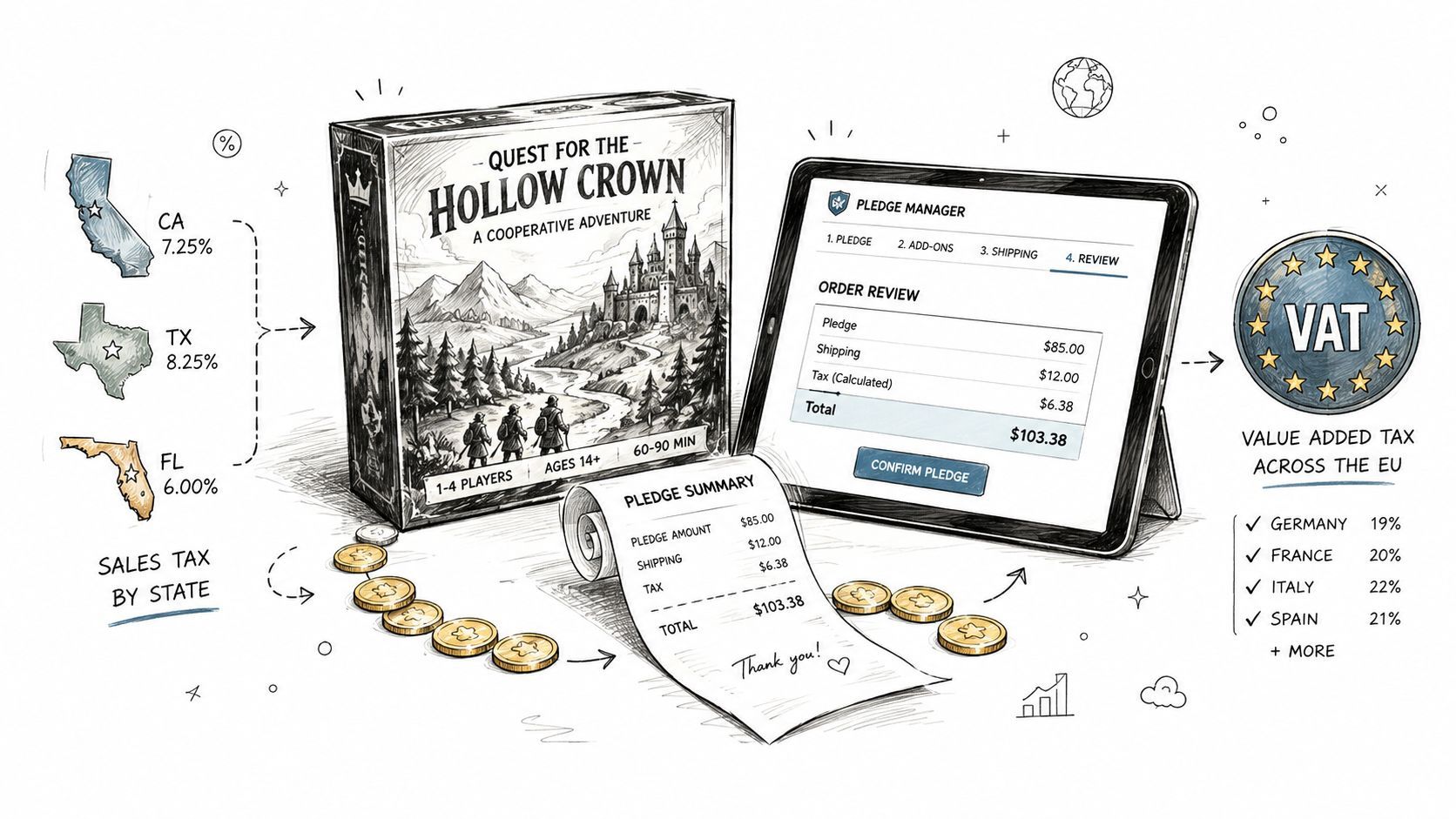
Learn how sales tax collection works on crowdfunding rewards, including pledge manager options, VAT basics, and practical compliance steps for creators.
Your Kickstarter campaign has just closed. The pledges look healthy, the manufacturing quote is moving, and then a backer in Washington asks why sales tax wasn't collected. A few days later, similar questions arrive from other states. You open the campaign settings and realize that the add-ons purchased after the campaign weren't part of the original checkout at all.
That surprise is common because crowdfunding starts out feeling like a preorder, then starts behaving like retail once you ship physical rewards, collect shipping, and sell extras through a pledge manager. The money arriving in your account doesn't automatically settle the tax question. The delivery destination, the items promised, the way the pledge is split, and your activity in each jurisdiction all matter.
This guide separates taxable reward value, donations, shipping, and upsells so you can build a cleaner process before fulfillment begins. It also compares Kickstarter's pledge manager with PledgeBox, which is free to send the backer survey and only charges 3% of upsells if there's any.
After a campaign closes, three things change your tax situation: the destinations backers ship to, the items added through a pledge manager, and how each jurisdiction classifies those shipments.
Three weeks after a successful campaign, a creator may receive a message from a Washington backer asking why tax was not included at checkout. The campaign payment felt like the transaction, yet the later shipment of a taxable board game to that backer's address can create a separate sales tax collection responsibility.
Crowdfunding changes shape after funding. You confirm addresses, adjust reward selections, add sleeves or dice, collect shipping, and prepare orders for delivery. A base-game pledge, a donation, shipping charges, and a post-campaign upgrade may not receive the same tax treatment. PledgeBox can help organize these changes, while Kickstarter's built-in pledge manager handles the post-campaign checkout within Kickstarter's system.

The operational questions usually cluster around a few changes:
The U.S. Supreme Court's 2018 South Dakota v. Wayfair decision replaced the physical-presence rule with an economic-nexus standard. A seller can therefore have a collection obligation based on sales activity in a state, even without an office, warehouse, or employee there. South Dakota's model used more than $100,000 in annual sales or 200 separate transactions, thresholds the Court accepted as satisfying substantial nexus. The Tax Adviser's analysis of South Dakota v. Wayfair summarizes the background and later implications.
Operational rule: Treat every physical reward shipment as a tax-sensitive order, not as a simple fulfillment line.
Start with the reward itself. Then check the delivery destination and the jurisdiction's classification. Finally, confirm which tool will calculate, record, and support remittance before you ship.
Think of a tabletop game moving through different tax systems. In the United States, sales tax is like a destination toll. The package reaches the backer in a particular state, and the seller may need to collect the applicable tax at that point of retail delivery.
Sales tax is generally a destination-based consumption tax added to a taxable retail sale. The seller collects it from the customer and sends it to the relevant state authority. For a board game shipped to Washington, the delivery location matters because Washington's rules apply to the taxable sale and its delivery charges.
VAT, or value-added tax, works more like a tax trail through the game's production journey. A manufacturer, distributor, and retailer may account for VAT at different stages, while the final consumer bears the economic cost of the completed supply. In the U.K., European Union, and similar systems, the creator or importer must account for the destination country's VAT rules when physical rewards enter the market.

A U.S. pledge for a physical game may therefore require sales tax based on the backer's delivery address. The same game sent to Germany can involve import and destination-country VAT considerations. The tax isn't determined only by where your studio sits. It follows the transaction, the goods, the delivery route, and the relevant rules.
Digital rewards need their own classification. A PDF rulebook, digital soundtrack, or virtual tabletop asset may not receive the same treatment as a boxed product. VAT systems can distinguish digital services from physical goods, and U.S. states differ in how they treat digital products.
For a broader explanation of VAT obligations in crowdfunding, PledgeBox's VAT tax compliance guide offers useful context. You can also use the following overview to see how tax treatment changes between physical reward delivery and digital fulfillment.
The practical distinction is simple. Sales tax usually appears at the retail destination. VAT can follow value through multiple stages and may involve import, registration, or platform collection rules. Don't place both labels into one generic “tax” field without knowing which system you're handling.
Economic nexus measures your sales activity in a jurisdiction. It asks whether your transactions into a state have crossed that state's threshold, rather than asking whether you opened a physical location there.
The Wayfair decision made this distinction central to U.S. remote sales. South Dakota's benchmark used more than $100,000 in annual sales or 200 separate transactions, but creators shouldn't assume every state uses that same structure. Thresholds can differ by state, use different lookback periods, and treat marketplace activity differently.
| State | Sales Threshold | Transaction Threshold | Notes |
|---|---|---|---|
| South Dakota | More than $100,000 | 200 separate transactions | Benchmark structure used in Wayfair |
| Texas | State-specific | Transaction-only rules may apply | Confirm the current state rule |
| California | State-specific | Transaction-only rules may apply | Confirm the current state rule |
| New York | State-specific | Transaction-only rules may apply | Confirm the current state rule |
| New Hampshire | No state sales tax | Not applicable | No general sales tax |
| Oregon | No state sales tax | Not applicable | No general sales tax |
The table isn't a substitute for checking the destination state. It shows why a campaign with many smaller pledges can create a different compliance question from one with fewer, higher-value orders. Marketplace sales may also count toward a seller's threshold in some jurisdictions. The OECD guidance on digital platforms and VAT or GST collection describes how platform-liability and data-sharing rules can shift compliance toward a platform-plus-seller model.
Start with the addresses and order values you expect to fulfill. Then:
VAT registration follows a different path. Country rules and distance-selling arrangements vary, and creators may need to consider destination-based obligations or an applicable One Stop Shop process. For an adjacent cross-border perspective, Everglow Prosperity's GST guidance for Australia can help creators compare how registration concepts differ outside the United States.
Registration before fulfillment is easier than reconstructing tax after packages leave the warehouse. If you're unsure whether a specific reward creates nexus, ask a qualified tax professional before you collect or ship.
How do you separate taxable pledge components from non-taxable ones? Start by listing every line item a backer pays for, then identify what the backer receives in return. Reward value, shipping, and optional support should not disappear inside one combined pledge total.
A backer selects a $60 hardcover rulebook, adds a $15 dice set, pays $8 domestic shipping, and contributes a $5 voluntary tip. The goods total $75, while the full payment is $88.
| Pledge Component | Amount (USD) | US Sales Tax | UK VAT |
|---|---|---|---|
| Hardcover rulebook | $60 | Generally taxable if the destination treats it as taxable | Usually considered with the physical supply |
| Dice set add-on | $15 | Generally taxable if the destination treats it as taxable | Usually considered with the physical supply |
| Domestic shipping | $8 | Depends on destination and how shipping is charged | Shipping can follow the goods under applicable treatment |
| Voluntary tip | $5 | Generally not taxable when no additional item or service is promised | A true donation is generally outside VAT |
The $75 in goods is the clearest taxable base in this example. Washington Department of Revenue crowdfunding guidance explains that creators must collect sales tax when backers receive taxable rewards. It also distinguishes amounts paid above an item's minimum value, when those amounts are not payment for additional goods or services, as donations. The applicable rate depends on where the backer receives the goods or services, rather than where the creator lives.
A pledge manager should separate the reward price, add-ons, shipping, and voluntary contributions. That structure lets you review each amount against the destination's rules before collecting or filing.
Shipping is not automatically taxable or exempt. Washington generally taxes delivery charges connected with taxable products. In the U.K., shipping can follow the physical goods when it forms part of the same supply. The treatment depends on how the charge relates to the items delivered.
A true donation is different from payment for a reward. A supporter who receives goods or services gives consideration for a supply, while someone who receives nothing in return may be making a contribution outside VAT. Keep that distinction visible in your records.
Early-bird labels and deluxe-tier names do not decide taxability. The delivered items do. If a “limited supporter tier” includes a game, art book, and metal tokens, classify those fulfilled items and assign their values. A Magic: The Gathering zine campaign that adds a digital art pack to a physical bundle should document whether the jurisdiction treats the download as taxable, exempt, or part of the bundled sale.
If a creator wants extra support, use a clearly optional contribution field with no promised item. Keep it separate from reward revenue. A required amount is part of the purchase price when the backer must pay it to receive the package, even if the checkout labels it a donation.
Kickstarter's pledge manager is like Amazon. It sits close to the marketplace transaction and extends the campaign's own checkout environment. PledgeBox's pledge manager is like Shopify. It gives the creator a separate post-campaign storefront where surveys, add-ons, shipping, and late orders can be configured as an operating system around fulfillment.
That distinction matters because the original pledge and a later upsell aren't always the same transaction. A campaign may collect a backer's base commitment first, then offer an art print, upgraded tokens, or a second copy after the campaign closes.
| Feature | Kickstarter Pledge Manager | PledgeBox Pledge Manager |
|---|---|---|
| Where add-ons are sold | Inside the Kickstarter pledge-manager flow | In a dedicated post-campaign survey and upsell flow |
| Tax display | Kickstarter calculates applicable tax for taxable rewards in its supported pledge-manager coverage | PledgeBox can calculate tax or VAT using backer location, reward values, add-ons, and shipping settings |
| Fees | Stripe card processing is roughly 3% to 5% on the full payment, including taxes. Kickstarter's platform fee is 5% on funds except taxes. Kickstarter's fee explanation | PledgeBox is free to send the backer survey and charges 3% of upsells if there's any |
| Remittance | Kickstarter says its pledge manager calculates, collects, and remits applicable U.S. sales tax for taxable rewards shipped to backers in all 50 states, plus VAT for items shipped to the EU and U.K. | The creator configures collection and reporting for the destinations and fulfillment model |
| Integrations and operations | Closely tied to the Kickstarter campaign environment | Designed for surveys, upsells, shipping workflows, reports, and connections with external tools |
Kickstarter's own documentation says creators must provide item costs so the platform can calculate tax correctly. It also says the pledge manager can collect tax or VAT on transactions involving the United States, Canada, the United Kingdom, and the European Union, with no upfront cost to use the tool. Review the difference between Kickstarter and PledgeBox pledge managers before deciding where your post-campaign store should live.
Suppose the original comic bundle is $120, and the backer later adds a $40 art print. In a Kickstarter-centered workflow, the platform's pledge-manager tax process handles applicable tax on the taxable reward transaction according to its own coverage and item data. In a PledgeBox workflow, the art print is a distinct upsell line that can be assigned its own item value, tax category, and destination-based treatment.
The important comparison isn't only the fee. It's whether your records can show what the backer bought, when the purchase happened, where it ships, and how tax was calculated. Kickstarter states that no fees are applied to taxes raised through its pledge manager, while Stripe's processing fee applies to the full payment, including taxes. PledgeBox's model keeps the survey free and charges only on add-on sales.
A clean tax record starts before backers edit their surveys. PledgeBox is free to send the backer survey and only charges 3% of upsells if there's any, so the setup should distinguish original reward revenue from later add-on revenue from the beginning.
Enable the free backer surveys and assign every reward tier to a defined SKU or item record. A base game, expansion, rulebook, dice set, and art print shouldn't appear as one vague “pledge” if you need to determine which part is taxable.
Next, turn on the 3% add-on transaction fee so upsell revenue remains visible as a separate category. That separation helps your bookkeeper reconcile the campaign payment, later orders, shipping, and collected tax without treating every receipt as one product.
Connect Stripe or PayPal, then test the tax display for U.S. states, Canadian provinces, and EU or U.K. destinations. PledgeBox can use the backer's delivery location to calculate applicable tax or VAT, but the result depends on accurate item values, tax categories, and destination settings.
Sync shipping zones before you publish the survey. If a physical reward's freight is configured separately in one system and included in the item price in another, you can double-charge or omit the relevant tax treatment.
Schedule regular CSV and PDF exports into the shared folder used by your accountant. The Tax Report dashboard should provide a jurisdiction and period view that can support filing or a hand-off to another sales-tax automation tool.

For teams handling digital assets or international payment records alongside physical fulfillment, OneSafe's Web3 invoicing guidance offers a useful reference for organizing invoice data across newer payment workflows. Keep the tax report tied to the actual order record, not just the payment processor export.
Lock survey edits once manufacturing quantities and fulfillment pricing are finalized. A backer changing a reward after the quote is locked can change the taxable value, shipping class, and destination treatment. A clear edit cutoff protects both your inventory plan and your audit trail.
During the first 30 days after a campaign closes, build your tax file in four weekly increments. Each week handles a specific layer of the compliance process.

Gather campaign pledges, survey responses, add-on orders, shipping addresses, refunds, and reward quantities. Separate physical goods, digital goods, shipping charges, and voluntary contributions into distinct fields. A pledge for a printed book, its postage, and an optional donation should remain visible as three different lines, because those amounts may receive different tax treatment.
List the states and countries receiving taxable rewards. Compare those destinations with the applicable nexus rules, and flag any location where the threshold structure remains unclear. Address data already in your system gives you a starting point, so do not wait for a backer to ask about tax.
Register in jurisdictions where a collection duty exists. Record permit numbers and filing expectations in one shared location. In the pledge manager, assign a tax category to every SKU and connect each shipping zone to the correct destination rule.
Export the first sales report during this week. Confirm that it separates original pledges, upsells, shipping, refunds, and collected tax. If a supporter adds a second reward during the survey, the report should show that upsell separately instead of blending it into the original pledge. Correct the data structure before fulfillment, while the order details are still easy to verify.
Reconcile the add-on ledger with payment processor deposits. Check that the tax shown to backers matches the amount in your report, then prepare returns or give the documentation to the person responsible for remittance.
Archive order records, survey versions, invoices, shipping evidence, and tax reports for the retention period required by your advisor or jurisdiction. Retention rules vary, so record the applicable period instead of applying one universal assumption.
For international campaigns, review TaxID's guide to handle ID validation and OSS rules when addresses cross borders and VAT obligations depend on destination information. Automation can handle repeated calculation and reporting tasks. PledgeBox's tax compliance automation overview can help you assess how those functions fit your workflow.
Founder mindset: Tax works like a production line. Classify the item, confirm the destination, calculate the charge, record the result, and preserve the evidence.
Vertex reported 681 U.S. sales tax rate adjustments and new rates enacted in 2025, so schedule quarterly rate reviews instead of assuming launch-time rules remain valid. The figure appears in Vertex's sales tax report coverage.
Consistent bookkeeping gives your fulfillment team reliable order data, gives backers a clearer checkout, and creates a repeatable process for the next campaign.
PledgeBox lets creators send backer surveys, collect shipping and tax details, separate reward revenue from upsells, and charge only 3% of upsells if there's any. Visit PledgeBox to organize taxable reward value, shipping, donations, and add-ons before fulfillment begins.
PledgeBox
The All-in-One Toolkit to Launch, Manage & Scale Your Kickstarter / Indiegogo Campaign