 PledgeBox
Que Es Una 1099: Complete Guide for Crowdfunding Creators
Learn que es una 1099 and how it impacts crowdfunding creators. Covers 1099-NEC, 1099-MISC, 1099-K thresholds, pledge manager payouts, and practical tax steps.
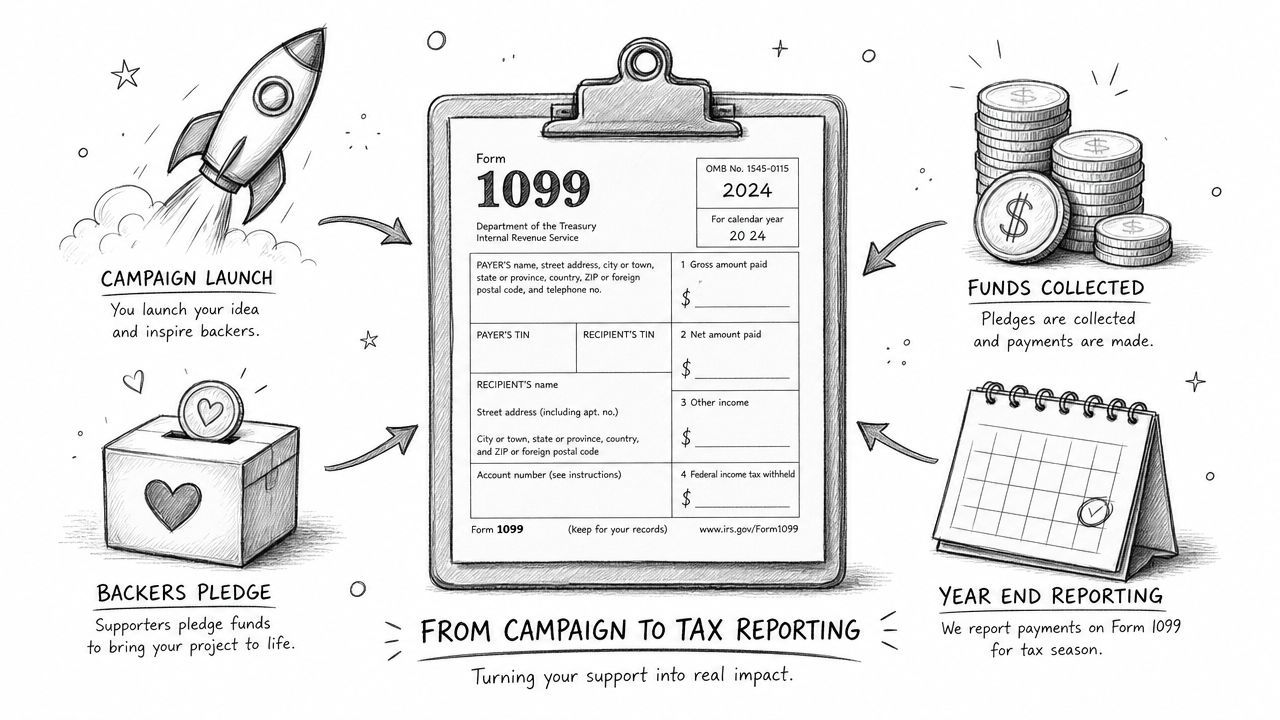
Learn que es una 1099 and how it impacts crowdfunding creators. Covers 1099-NEC, 1099-MISC, 1099-K thresholds, pledge manager payouts, and practical tax steps.
You just wrapped a successful campaign, your backers are excited, and then a tax form shows up in your inbox with a label that feels more confusing than helpful. If you're a first-time creator, que es una 1099 can feel like a surprise problem that arrived after the fun part was already over.
The good news is simple. A 1099 usually isn't a sign that you did something wrong, it's a sign that money moved outside normal payroll, and the IRS wants a paper trail. For crowdfunding creators, that paper trail can come from platform payouts, pledge manager revenue, add-on sales, and the contractors you pay during fulfillment.
A creator finishes a board game campaign, collects the last addresses, and starts counting boxes. Then a 1099 lands in the mail, and the reaction is usually the same, a mix of panic and confusion because the project felt like product work, not freelance work. That confusion is normal, but it can cost you time if you ignore the form.

A Form 1099 is an IRS information return, not a tax payment form. It reports non-wage income like contractor compensation, interest, dividends, rent, and other payments that didn't go through traditional employer withholding, which gives the IRS a way to cross-check what the payer reported against what the recipient includes on a return. That compliance trail is why 1099s matter in contractor-heavy workflows and investment reporting, and why creators should treat them as part of operations, not as an afterthought. IRS information-return mechanics and non-wage income reporting
Crowdfunding doesn't always feel like “business income” on day one. A lot of creators think in terms of stretch goals, reward tiers, and shipping tables, then find themselves dealing with a form that was built for broader reporting of outside-the-payroll payments. The IRS uses forms in the 1099 family to track income paid outside ordinary payroll systems, and the payer sends copies to both the recipient and the IRS. The 1099 family of IRS returns
That matters when your campaign money doesn't come from a single clean invoice. It can come from a platform payout, a pledge manager, or a payment processor, and each of those can create a different reporting trail. If you've ever wondered why tax season feels harder after a big campaign than after a normal product launch, this is part of the reason.
Practical rule: if money came in outside payroll, assume someone may report it on a 1099 and keep records from the start.
By the end of this guide, you'll know how to read the form, spot which version applies to your campaign, and build a workflow that keeps you from scrambling when January arrives.
A creator can run a crowdfunding campaign and still end up with several different tax forms at year-end. That happens because a 1099 is not one single form, it is a family of IRS information returns, each used to describe a different kind of payment. In practice, that family matters whenever campaign money moves through platform payouts, add-on sales, or vendor payments that do not run through ordinary payroll.
The 1099 system works like a receipt trail. The payer records what it paid, the recipient records what it received, and the IRS compares those records against each other. For a crowdfunding creator, that comparison matters because money often arrives without standard payroll withholding, so the form helps keep non-wage income from disappearing into a pile of campaign deposits and fulfillment expenses.
A W-2 works differently. W-2 income comes from employment, where the employer handles withholding and payroll reporting. With 1099 income, the person receiving the money is generally not an employee, so the tax burden shifts onto that recipient, who has to handle self-employment-related tax obligations and estimated payments. That distinction is the starting point for understanding why creators, contractors, and vendors keep running into these forms. Independent contractor classification and the 1099 structure
For crowdfunding, the easiest way to sort the family is by the kind of money involved:
The 1099-NEC came back into use in 2020 so nonemployee compensation could be separated from the older 1099-MISC structure, and the common service threshold is $600. For a creator, that separation matters in real campaign work. A designer hired for reward-page art, a translator localizing campaign copy, or a fulfillment consultant coordinating box inserts can all create the kind of paper trail that belongs in NEC territory when the payments are for services. Nonemployee compensation reporting and the 2020 1099-NEC change
If you paid for a service, you're usually in 1099-NEC territory. If the money came through a processor or marketplace, 1099-K may be the form that shows up instead.
For a broader look at how payers think about reporting, CEFCore has a helpful explainer on 1099 reporting for Church Extension Funds, which can help if you want to compare crowdfunding payouts with other reporting situations outside the creator economy.
The main point is simple. The form follows the path the money took, who handled it, and whether it was payment for work, investment income, or a transaction processed through a platform.
A crowdfunding campaign can send money in different directions, and the tax form depends on which path that money took. A designer paid to build a reward-page graphic, a platform payout from backer checkouts, and a licensing payment for using campaign artwork all sit in different reporting buckets. That is why creators who are still pre-launch often get surprised later, when the books and the tax forms do not line up the way they expected.
| Form | Income Type | Threshold | Issued By |
|---|---|---|---|
| 1099-NEC | Nonemployee compensation for services | $600 or more for the tax year | The payer that bought the services |
| 1099-MISC | Rent, royalties, and other miscellaneous income | Varies by income type, with common service-adjacent contexts tied to $600 | The payer that reported the income |
| 1099-K | Payment-card and third-party network transactions | Reporting rules have been in flux | The payment processor or network |
1099-NEC is for services performed by someone who is not your employee. A creator might use it for a reward-page designer, a translator cleaning up campaign copy, or a fulfillment consultant helping with inserts and box planning, if the payments cross the reporting threshold. The form sits in the contractor lane because the worker controls how the job gets done, while the hiring business sets the outcome. Independent contractor vs employee classification
1099-MISC still matters because some campaign-adjacent income does not belong in the contractor box. It covers items like rent and royalties, so a creator who earns from property use, licensing, or other nonservice payments may see this form instead. The broader 1099 family includes several reporting tracks, and What the broader 1099 family reports helps show why those tracks do not all work the same way.
1099-K is tied to payment-card and third-party network transactions. For creators, that usually means platform payouts, checkout tools, and other processor-based revenue streams where the money moves through a network instead of a direct invoice. The IRS guidance on Form 1099-K explains that the reporting rules have been in flux, so the safest habit is to check processor statements carefully instead of assuming every campaign payment will be reported the same way each year.
The cleanest way to sort the forms is to follow the money trail. A direct contractor payment, a miscellaneous income stream, and a processor-based payout can all arrive from the same campaign, but they do not belong in the same bucket. A creator who mixes them up can end up reconciling the same dollar twice, once in the books and once on a form that was never meant for that type of income.
For a broader reporting comparison, CEFCore has a helpful explainer on 1099 reporting for Church Extension Funds, which can help if you want to compare crowdfunding payouts with other reporting situations outside the creator economy. Crowdfunding adds its own twist because platform fees, pledge manager revenue, and post-campaign add-ons can all change where a payment belongs. If part of the campaign involves international backers or cross-border fulfillment, this note on international tax compliance for creators is a useful place to check the documentation side before the paperwork gets messy.
A crowdfunding campaign is a small revenue ecosystem, not a single sale. Money can come in during the launch, move through a platform, get topped up by pledge manager upsells, and later be affected by shipping fees or direct pre-orders. That mix is exactly why creators get surprised by 1099s.

Kickstarter and similar platforms often look like marketplaces from a tax perspective. If the payment flows through a third-party network, that's where 1099-K questions start. Pledge managers and add-on tools create a different layer, because they may collect revenue directly from backers after the campaign ends, which can change who is reporting what and how the sale is documented.
That's where the Amazon and Shopify analogy helps. Kickstarter pledge manager is like Amazon, because the platform-mediated transaction and payout flow are more marketplace-like. PledgeBox pledge manager is like Shopify, because it functions more like a direct-to-creator toolkit for surveys, add-ons, and post-campaign revenue control. For creators, that distinction matters because the reporting trail follows the path of the money, not just the product idea.
PledgeBox is also free to send the backer survey, and it only charges 3% of upsell revenue if there's any. That's relevant operationally because upsells and late backer sales often sit outside the original campaign pledge, which means you need to track them separately for tax purposes.
If you use payment processors like Stripe or PayPal, read their reporting policies carefully and ask how they handle the payouts tied to your account. That matters because processor statements and 1099s need to line up with your own records, especially when a campaign has multiple revenue streams and a long fulfillment tail. For a separate operational issue that often comes up in international fulfillment, the PledgeBox note on international tax compliance is worth bookmarking if your backers live across borders.
Track the campaign like a chain of separate transactions, not one lump of “funds raised.” That habit saves you from guessing later which dollar belonged to which source.
Creators usually get into trouble when they treat the campaign as a single pool of income. The tax forms don't care about the excitement of launch day. They care about the source, the payment path, and the entity that moved the money.
Good recordkeeping is the difference between a smooth tax season and a messy one. If you're running a campaign, you need a system that shows where money entered, where it went, and which part of it was tied to fulfillment, add-ons, shipping, or contractor work. That's the only way to make a 1099 useful instead of scary.
Start by separating each stream into its own bucket. Platform payouts should sit apart from pledge manager add-ons, shipping collections, and direct pre-orders. If everything lands in one bank feed without labels, you'll waste hours trying to reconstruct the story later.
You also want a clean trail for each payer. If a backer paid through a processor, keep the processor statement. If the payment came through a pledge manager, keep those records too. The goal is to make sure every incoming dollar can be traced to a category before tax season turns that dollar into a puzzle.
If you hire people for fulfillment, ask for a W-9 before work starts. That includes manufacturers, freight forwarders, freelance designers, translators, photographers, and anyone else you pay for services that could belong in 1099 reporting.
A W-9 gives you the name, address, and tax identification details you'll need if the contractor later requires a 1099. Keep those forms on file while the relationship is active and for years after the last payment, because the paper trail matters long after the boxes ship.
Stripe and PayPal don't just “handle payments,” they also shape what gets reported and when. Ask each processor how they handle 1099-K reporting for your account type, what transaction categories they include, and how refunds or failed payments are reflected in the reporting view. If you wait until tax time to ask, you're already behind.
Practical rule: reconcile the processor statement, your pledge manager report, and your bank deposits before you touch your tax software.
For creators who want to tighten the back end, PledgeBox has a useful guide on tax compliance automation. Even if you don't automate everything, the mindset is the same, reduce manual cleanup before it becomes a filing problem.
A solid recordkeeping system doesn't need to be fancy. It needs to be consistent, searchable, and tied to the actual flow of your campaign money. That's what makes the next January far less painful.
DIY tax software works fine for simple returns. It gets shaky when your crowdfunding life gets more complicated, because more forms, more vendors, and more states create more chances to misclassify income or miss deductions. If your campaign only had one payout stream and no paid fulfillment help, you might be fine on your own. If not, the math changes.
Bring in an accountant if you're dealing with multiple 1099 variants, especially when a campaign touches both processor-based income and contractor payments. The same applies if you're operating across state lines, paying several vendors during fulfillment, or managing a business structure that might change how income is reported.
Crowdfunding creators also hit the limit when they start mixing reward production with creative service work. A CPA who understands that split can help you separate taxable income, deductible business costs, and timing issues that software won't catch on its own. That matters because a missed classification can turn into an avoidable tax notice later.
For a broader view of expense categories, the guide on self-employed tax deductions UK is a useful reminder that deductible business spending has to be documented carefully, even when the business model is creator-led rather than office-based.
If your revenue is straightforward, your vendors are few, and your records are clean, software may be enough. You still need to review every 1099 against your books, but the work stays manageable when the campaign stack is simple. That's the point where most creators can keep control without paying for help they don't yet need.
The core issue is risk. If a filing error would force you to spend days untangling contractor records, processor statements, and payout splits, the cost of a CPA is easier to justify. You're not just paying for form filling, you're paying for fewer mistakes and less time burned during the busiest part of the year.
The right accountant doesn't just file forms. They help you avoid turning one campaign into three tax problems.
If your post-campaign revenue is growing and your operational stack includes pledge managers, late sales, and outside contractors, that's a strong signal that professional help will pay for itself in sanity alone.
Keep this sequence handy from launch to filing season.
For a creator-specific wrap-up, bookmark the after-the-crowdfunding-campaign checklist and use it alongside your tax folder. A good system turns the year after your campaign into a routine, not a scramble.
PledgeBox helps creators manage the messy middle between campaign close and fulfillment, where surveys, add-ons, and payouts all create records you'll want at tax time. If you want a cleaner post-campaign workflow and a pledge manager built for creator operations, visit PledgeBox and see how it fits your next launch.
PledgeBox
The All-in-One Toolkit to Launch, Manage & Scale Your Kickstarter / Indiegogo Campaign