 PledgeBox
Marketplace Integration for Crowdfunding Creators
Learn what marketplace integration means for crowdfunding creators and how to sync orders, SKUs, and shipping without losing revenue or data.
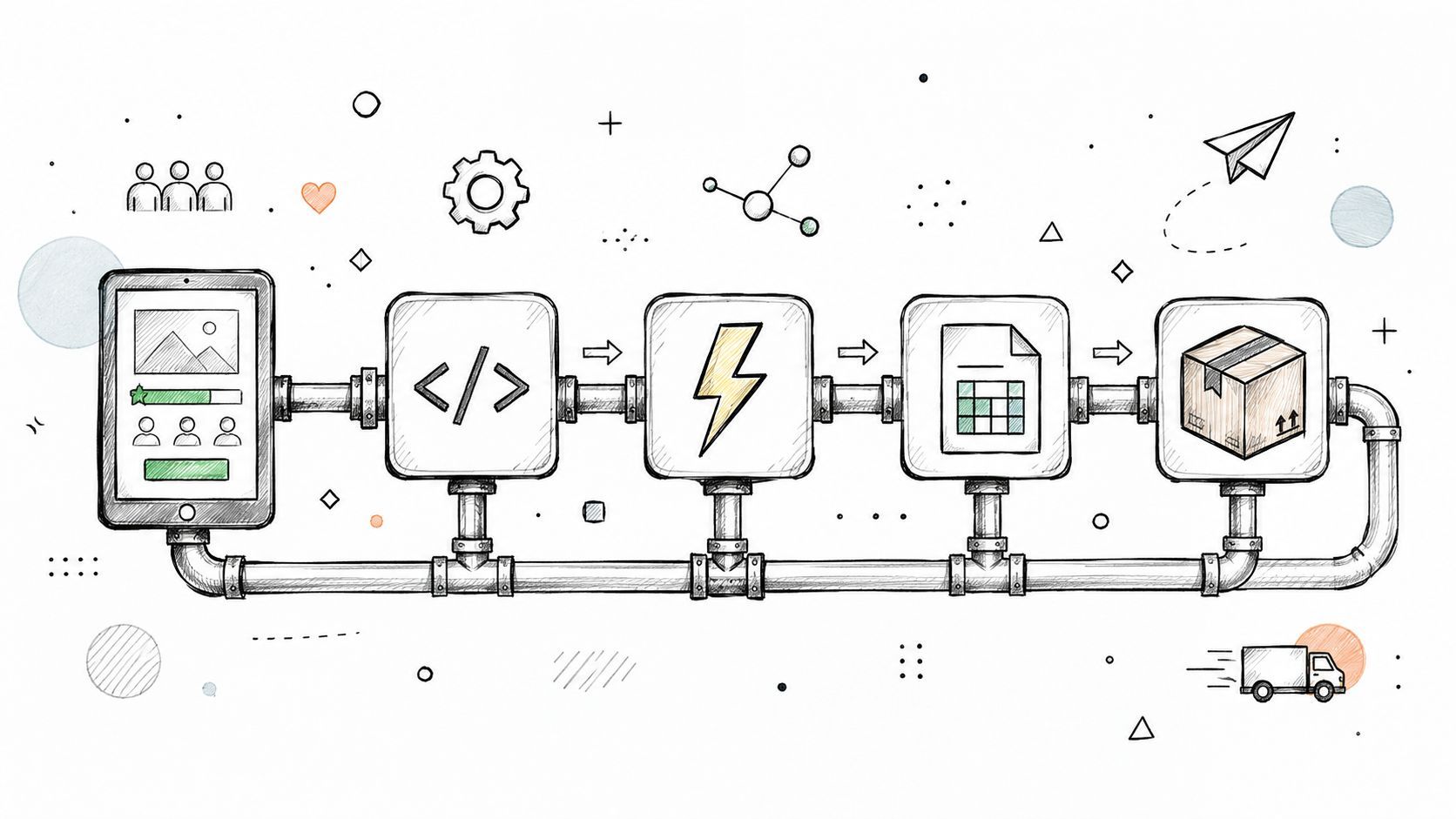
Learn what marketplace integration means for crowdfunding creators and how to sync orders, SKUs, and shipping without losing revenue or data.
You've just closed a crowdfunding campaign, and the pledges are still arriving in your head long after the campaign page goes quiet. Add-ons need sorting, addresses need checking, shipping fees need collecting, and every reward must reach the correct fulfillment partner. Marketplace integration turns that post-campaign maze into a connected workflow, linking your campaign platform, pledge manager, payment tools, warehouse, and customer support process.
The idea sounds technical, but the operating principle is simple: each system should receive the information it needs without forcing you to copy the same data repeatedly. This guide explains the plumbing behind that process, using the difference between Amazon and Shopify to clarify why Kickstarter's Pledge Manager and PledgeBox suit different fulfillment stacks.
At 2 a.m., a creator sits in front of a laptop with a spreadsheet open across several screens. One tab contains backer addresses, another lists add-on SKUs, and a third groups destinations into shipping zones. The creator is checking whether a selected accessory belongs to the reward tier, whether the address is complete, and whether the warehouse has the right pick instruction.
The campaign was successful, but success has created operational work. A pledge manager must collect missing details, convert selections into structured orders, calculate shipping or tax information where applicable, and send usable records to fulfillment. When those steps depend on repeated copy and paste, one small correction can create conflicting versions of the same order.

Marketplace integration is the connection layer between the systems that create, update, and fulfill an order. In a crowdfunding workflow, that usually means campaign pledges flow into a pledge manager, reward and add-on choices become order lines, and fulfillment details travel to a warehouse or shipping partner.
A connected workflow can centralize SKU state, customer records, and order status instead of asking the creator to maintain separate files. That's the same operational logic behind order management for growth, where a central system helps teams coordinate orders as sales channels multiply.
Operational rule: If a backer's address, reward choice, or tracking number exists in more than one place, define which system owns the current value.
The rest of the process becomes easier once you treat integration as system design rather than spreadsheet cleanup. You'll identify the data that must move, choose how it moves, test the handoffs, and create a fallback for the day an API or webhook stops responding.
After a campaign closes, a pledge manager becomes the working record for rewards, add-ons, addresses, and post-campaign orders. Marketplace integration is the connection that lets this record exchange information with fulfillment, commerce, and shipping systems. The marketplace integration model describes a central connection pattern that reduces manual reconciliation across channels.

A bidirectional API layer sends information both ways. Product data, prices, and inventory can move from a commerce or pledge system to connected tools. Orders, customer details, fulfillment updates, and tracking information can return to the system that needs them. In practice, that may mean a backer's add-on becomes an order line, then a warehouse sends shipment status back to the pledge manager.
Amazon is a centralized marketplace. Sellers work inside an environment that combines listings, transactions, and marketplace processes. Shopify supports an independent online store, giving the merchant more control over the storefront and connected tools, as described in Shopify's comparison of Shopify and Amazon.
The comparison helps clarify two pledge-manager models:
The decision depends on where you want operational control to sit. A built-in tool can reduce setup choices, while a separate platform can suit external fulfillment, additional sales channels, or a branded post-campaign storefront. Creators considering that approach can review the PledgeBox pre-order marketplace during planning.
There are four practical ways to connect crowdfunding systems with fulfillment and commerce tools. The right choice depends on order volume, vendor capabilities, technical comfort, and how quickly inventory must update.
| Method | Best For | Technical Effort | Sync Speed |
|---|---|---|---|
| API | Real-time connections between a pledge manager and a 3PL | Higher | Near real time |
| Webhooks | Triggering actions when an event occurs, such as a shipment update | Moderate to higher | Event driven |
| CSV exports | Batch transfers to a warehouse or finance tool | Low | Manual or scheduled |
| Middleware | Connecting systems without a native connector | Moderate | Depends on configuration |
An API lets one system ask another system for structured information or send an update automatically. A pledge manager can send a new order to a third-party logistics provider, while the warehouse can return shipment status or inventory changes. This suits teams that need continuous synchronization and have a vendor willing to support the required endpoints.
An API connection needs clear ownership rules. If both systems can change an order, you'll need a way to decide which update wins and how duplicate requests are handled.
A webhook is an automated notification triggered by an event. When a warehouse marks an order as shipped, a webhook can notify the pledge manager, which can then make tracking information available to the backer or customer support team.
Webhooks are efficient, but they're not a complete integration on their own. They report that something happened. Your connected system still needs to process the event, record it, and handle failures.
CSV is often the sensible choice for a smaller operation or a fulfillment partner that accepts file uploads. You can export orders from the pledge manager, review the columns, and upload the file to the warehouse. This approach gives the creator a visible checkpoint before production fulfillment begins.
The trade-off is timing. A CSV reflects the data at export, not necessarily the current state a few minutes later. It works when batch updates are acceptable and the creator has a disciplined reconciliation process.
Middleware, including tools such as Zapier or a custom script, sits between systems that don't connect natively. It can transform field names, route orders, or start a notification workflow. Middleware reduces the need to build every connection from scratch, but it introduces another service to monitor, document, and secure.
Integration succeeds when every important field has a clear owner and destination. Before choosing a connector, draw the path from campaign platform to pledge manager to fulfillment vendor. If a field has no defined destination, someone will eventually re-key it by hand.
| Data Field | Source System | Destination System | Flow Direction |
|---|---|---|---|
| Orders | Campaign platform or pledge manager | Fulfillment vendor and finance tools | Outbound, with status returning |
| SKUs | Reward catalog or pledge manager | Warehouse and sales channels | Outbound |
| Inventory counts | Warehouse or fulfillment system | Pledge manager and sales channels | Inbound to connected catalogs |
| Shipping addresses | Backer survey | Fulfillment vendor | Outbound |
| Tracking numbers | Carrier or fulfillment vendor | Pledge manager and support tools | Inbound |
| Tax or VAT information | Pledge manager and payment records | Finance or fulfillment systems | Usually outbound, with reconciliation returning |
A backer's pledge starts as a campaign commitment. The pledge manager turns that commitment into a structured order with a reward SKU, selected add-ons, shipping information, and any relevant tax or VAT fields. The fulfillment vendor then uses the SKU-linked order to create a pick and pack instruction.
The process must preserve identity at every handoff. “Deluxe reward” is a human-friendly label, but a unique SKU gives systems a stable value to match. If the same reward receives different identifiers after import, the warehouse can pick the wrong product even when the backer selected the correct option.
Some data normally travels in one direction. A shipping address moves from the survey to the fulfillment partner, while a tracking number moves back after dispatch. Other data needs a two-way relationship. Inventory deductions made by the warehouse should update the available quantity in the connected pledge or pre-order system.
Shipping and financial data also need to agree. Advanced marketplace integrations may need commission settings, geographic shipping profiles, settlement records, payment reconciliation, and currency-aware logic so each fulfilled order line can be matched with the correct financial record. The marketplace API guide explains why shipping configuration and settlement data belong in the same operational conversation.
Practical rule: Map the field before you map the software. A connector can't fix an undefined SKU, incomplete address, or unclear tax owner.
A pledge manager should fit the way your campaign operates after funding. Kickstarter and Indiegogo don't necessarily give creators the same level of control over post-campaign workflows, so the right choice depends on your campaign platform, fulfillment partner, add-on model, and reporting requirements.

Kickstarter positions its Pledge Manager as an included extension of campaign collection rather than a separate storefront. Kickstarter says creators can use it without an upfront cost, while its usual fees apply to payments made through the manager. That can make the built-in route attractive when the campaign has straightforward reward choices and the creator wants fewer external systems.
The trade-off is scope. A tightly controlled platform environment may simplify the basic survey but leave fewer choices for custom post-campaign commerce, exports, or external integrations. You should confirm the exact data your fulfillment partner needs before assuming the built-in path will provide it in the required format.
Indiegogo campaigns may use InDemand and a wider set of post-campaign tools. That flexibility can help a creator who wants to continue selling, support varied add-ons, or connect a fulfillment stack that isn't native to the campaign platform. It also means the creator carries more responsibility for deciding which system owns orders, inventory, payments, and customer records.
For creators comparing external options, PledgeBox is free to send the backer survey and only charges 3% of upsell revenue if there's any. The fee applies to revenue collected through surveys, including shipping fees, taxes or VAT, and add-on products, as stated on the PledgeBox pricing page. That structure differs from Kickstarter's built-in approach, where Kickstarter applies its usual fees to pledge-manager payments.
Use the guide to selecting the right pledge manager to frame the decision around stack fit rather than a feature checklist. Ask whether you need regional shipping rules, multi-currency settlement, flexible exports, add-on selling, or a direct connection to your warehouse.
A creator with a small reward catalog and simple add-ons may value fewer moving parts. A creator with complex tax collection, several fulfillment regions, or an ongoing pre-order operation may value control over the surrounding commerce stack more.
A working integration can still be unsafe or unreliable. Teams often focus on whether orders arrive in the warehouse and overlook how credentials are stored, how permissions are granted, or what happens when a platform changes its authentication requirements.
Recent platform guidance has tightened around restricted integration URLs, authenticated access, and migration away from personal API tokens toward supported OAuth-style authentication. E-commerce API security guidance also highlights excessive data exposure, broken object-level authorization, and missing rate limits as risks, as summarized in AppDirect's platform release notes.

A broken webhook may not produce an obvious error on the creator's screen. It can leave a backer waiting for an add-on confirmation or leave support without the latest shipment state. A stale inventory count creates a different problem, because the pledge manager can continue accepting a reward that the warehouse can no longer fulfill.
Security is part of fulfillment. A private token, accurate permission model, and visible event log protect the order just as surely as a correct shipping label.
For payment and checkout connections, review the principles behind payment gateway integration, then test the complete payment-to-order path rather than checking only whether a payment button appears.
Run the integration as a controlled launch, not as a single button press. The checklist below creates checkpoints before backers begin submitting addresses, selecting add-ons, and paying outstanding shipping or tax amounts.
List every reward tier, add-on, bundle, variant, and shipping option. Give each item a unique identifier that remains unchanged from the campaign platform to the pledge manager and then to the fulfillment vendor.
Write down which system owns the catalog. If a product name changes for marketing purposes, keep its operational SKU stable. This separation prevents a cosmetic rename from looking like a new warehouse item.
Create at least three test orders that cover different paths through the survey. Include a basic reward, a reward with add-ons, and an order that exercises shipping or tax fields.
Check each result in the export file or API response:
Trigger a sample webhook and verify that the receiving system records it. If middleware handles the connection, inspect the transformation step and confirm that failed tasks produce an alert rather than disappearing without a trace.
Address validation should catch incomplete addresses, PO boxes where a carrier can't deliver, and regions outside the shipping plan. Don't wait until the survey deadline to discover that the vendor rejects the country format.
Export a backup CSV from each system before production launch. Store it securely, label the export time, and identify who can restore or re-upload it if an API outage interrupts the survey.
Create a short runbook with named responsibilities. One person watches integration logs and inventory changes. Another answers backer questions about missing add-ons, payment status, or address corrections. Record the escalation path for the pledge manager, middleware provider, and fulfillment vendor.
After a successful campaign, integration is the plumbing connecting pledges to fulfillment. It moves orders, SKUs, inventory, addresses, tracking numbers, and tax or VAT details between systems. Each field needs a clear owner, and every connection needs testing before backers depend on it.
APIs synchronize records directly. Webhooks notify another system when an event occurs. CSV files provide a practical batch fallback, while middleware translates data between tools without native support. Choose the method according to the workflow, such as importing Kickstarter pledges into a pledge manager, sending add-ons to fulfillment, or reconciling inventory after survey changes.
The pledge-manager decision follows the same pattern. Kickstarter's Pledge Manager keeps the process inside Kickstarter. PledgeBox's Pledge Manager works more like Shopify, providing an external layer designed to connect with other tools. Its survey workflow has no upfront fee, with a 3% charge only on upsell revenue when there's any, so creators can test reward mappings and fulfillment exports before committing to extra integration costs.
A free survey workflow can provide room to verify SKUs, shipping details, tax or VAT fields, and export formats before fulfillment begins. The platform may change, but clean data, working authentication, monitored webhooks, and regular inventory reconciliation still determine whether post-campaign operations run smoothly.
PledgeBox
The All-in-One Toolkit to Launch, Manage & Scale Your Kickstarter / Indiegogo Campaign