 PledgeBox
How to Track Campaign Google Analytics for Crowdfunding
Set up campaign Google Analytics for your crowdfunding project with UTM best practices, GA4 events, conversion tracking, and reporting tips.
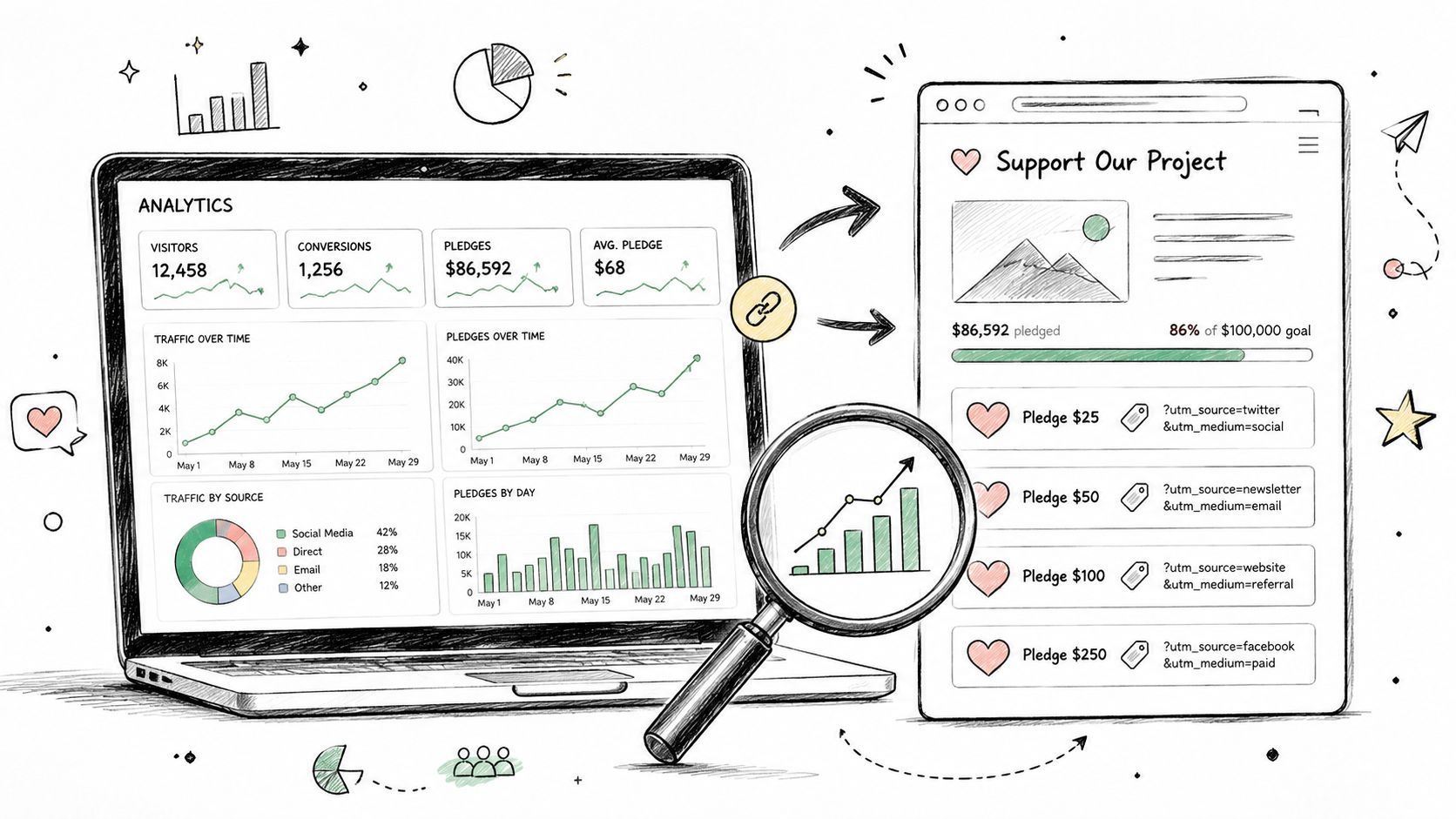
Set up campaign Google Analytics for your crowdfunding project with UTM best practices, GA4 events, conversion tracking, and reporting tips.
You've spent weeks driving traffic to a Kickstarter or Indiegogo page. Launch day arrives, the campaign link gets shared by creators, advertisers, journalists, and backers, and GA4 shows a reassuring stream of sessions. Then someone asks the question that matters: which source produced the pledge, and which source produced the backer who later bought an add-on? Without a measurement plan, the answer is usually buried under direct traffic, incomplete UTMs, platform referrals, and conversions that happen outside your website.
Campaign Google Analytics works best when you treat it as one measurement loop. GA4 handles acquisition and on-site behavior. A pledge manager handles the later details, including reward choices, surveys, shipping, and upsells. The useful report joins those layers instead of pretending that a click is the same thing as fulfilled revenue.
Crowdfunding operators measure two connected systems. The acquisition system records where backer interest began, whether the click came before launch, during the live campaign, or after a press mention. The fulfillment system records what that backer eventually selected, paid for, added to the order, and confirmed through the survey.
If you install tracking after launch, GA4 can still show activity, but it can't reconstruct every earlier decision. Untagged links become referrals or direct visits, creator traffic blends together, and paid campaigns may appear to generate attention without a clear relationship to pledges. That makes budget decisions harder and leaves your post-campaign review with questions it can't answer.
Practical rule: Decide what a valuable backer action looks like before you decide which GA4 event to create.
Google Analytics processes campaign information in stages. Tracking code or an SDK first sends traffic-source values, processing logic transforms those values into report dimensions, and only then do the results appear in the interface or Reporting API. Google's campaign-data documentation makes the operational consequence clear: tagging quality matters upstream. GA4 isn't waiting in the report to infer your original marketing intent after inconsistent data has already been processed.

Before adding a tag, document:
GA4 won't replace the pledge manager. It can show that a campaign session led to a conversion, but it generally won't own the backer's complete reward configuration or later survey choices. A pledge manager like PledgeBox fills that operational gap while GA4 remains the acquisition and behavior layer. The objective isn't to create two competing databases. It's to make each system responsible for the part of the journey it can observe.
UTM parameters give GA4 a controlled description of an incoming link. Use utm_source for who sent the visitor, utm_medium for how the visitor arrived, and utm_campaign for the launch or promotion. Add utm_content when you need to distinguish creative versions, and use utm_term for an audience, ad set, or search term.
A crowdfunding naming convention should remain readable after your team adds links from creators, newsletters, paid social, press, affiliates, and community posts. A practical pattern is project name, launch year, and channel, written consistently in lowercase. Keep the campaign value tied to the project, use the source for the platform or individual creator, and reserve the medium for categories such as paid, social, email, or affiliate.
| UTM Parameter | Crowdfunding Use | Example Value |
|---|---|---|
| utm_source | Platform, publisher, or creator that sent the click | creator_ana |
| utm_medium | Marketing channel or traffic type | |
| utm_campaign | Project or launch identifier | atlas_launch |
| utm_content | Creative, placement, or link variation | video_a |
| utm_term | Audience segment, list, or targeting group | tabletop_fans |
Create links with one approved builder and store every finished URL in a shared spreadsheet. The spreadsheet should include the destination URL, owner, source, medium, campaign, content, term, launch stage, and date reviewed. That simple record prevents a creator from using Creator_Ana while an ad manager uses creator_ana, which GA4 treats as separate values.
Don't place UTMs on internal links. A tagged link from your own project page to your own checkout can overwrite the original acquisition source and make the session appear to have come from the internal campaign value. Use UTMs for external campaign links, then let GA4 follow the visitor through your site.
Trailing slash redirects deserve a test, too. Some redirect rules preserve query strings, while others drop them, which leaves the destination without the campaign values you expected. For teams managing tags through a container, GTM explained for revenue teams provides useful context on how Google Tag Manager can organize and deploy measurement logic.
For a crowdfunding-specific way to inspect these values, use the PledgeBox traffic source analysis guide alongside your spreadsheet. The important habit is consistency, not clever naming. A short, stable convention beats a detailed structure that different people interpret differently.
A campaign site and its checkout can produce useful signals only when GA4 has a clear property, stream, and event structure. Give each project its own GA4 property. A shared property may seem convenient, but multiple launches can mix campaigns, audiences, events, and key-event names, making historical comparisons harder.
Create a web data stream for the campaign site and install the GA4 tag on the landing page. Check that the Measurement ID matches the property used by the implementation. Deploy the tag with gtag.js or Google Tag Manager, enable enhanced measurement for page views, scrolls, and outbound clicks, then inspect the first visit in DebugView. Do not treat a successful installation as proof that every event works.

Name events after actions that affect campaign decisions:
Parameters need the same care as event names. Pass a campaign identifier, reward or product identifier where available, currency, value, and transaction ID. Keep personal information out of GA4. A backer's email address and postal address belong in the fulfillment system, not event parameters.
The event should fire from the page or integration that receives the platform's confirmation callback. If the campaign platform owns the confirmation screen, use its supported success-page method, embedded checkout behavior, or server-side forwarding process. Mark validated events as conversions, called key events in current GA4 terminology, in the Admin area so they appear in conversion reports.
For a separate explanation of goal configuration and event logic, consult this Google Analytics goals guide by Data Hunters Agency. It helps teams separate navigation events from outcomes that deserve campaign credit.
The setup should answer two questions at every step: what did the visitor do, and which system can prove it? GA4 tracks behavior and source; the platform or pledge manager owns the confirmed payment record. That division keeps acquisition analysis useful without treating GA4 as the fulfillment ledger.
A pledge becomes usable campaign data only when GA4 receives an ecommerce event with a value and a stable transaction ID. Configure a confirmed pledge as purchase. If the checkout supports optional add-ons, record those selections with add_to_cart. Tie the purchase to a confirmed payment response, not merely to a visitor pressing the pledge button.
The funnel should reflect the actual payment path:
Landing page → Project page → Pledge button click → Thank-you or confirmed-payment state
Use Explorations to compare users at each stage and locate the break. A sharp fall between project-page views and pledge-button interactions can point to unclear messaging or an unattractive reward. A fall after the click usually needs a checkout, cross-domain, or confirmation-event investigation.
A thank-you page must not create a second conversion. Refreshes, back-button visits, and repeated loads can replay the success state. Use the transaction ID for deduplication, and verify that the platform does not issue a new purchase event when it reloads the confirmation page.
A purchase event without a value is a tracking defect, not a neutral result.
Run a test payment that returns an actual value. A zero-value placeholder can confirm that a tag fires, but it cannot validate revenue reporting. For larger reporting workflows, export event and pledge-value data to BigQuery, then join them with campaign cost and fulfillment records through a controlled identifier. This supports cohort analysis while keeping operational fields in the system that owns them.
Kickstarter and Indiegogo do not offer one universal server-side GA4 conversion method for every campaign setup. The purchase event may need to come from an embedded checkout widget, a supported success URL, or a webhook forwarder that receives payment confirmation. Compare platform exports with GA4 before treating the dashboard as the financial record.
For a pledge flow that moves into a separate pre-order or survey page, use this PledgeBox conversion setup resource to align events across the campaign property and the post-campaign system. That alignment keeps acquisition data connected to the confirmed pledge and later survey or fulfillment activity.
A campaign can pass tag checks and still lose attribution during the backer journey. Test each route a visitor may take, from a tagged landing page through checkout and confirmation, before sending traffic.
Start with a clean browser session. Open a campaign URL and use GA4 DebugView to verify page_view, source, medium, and campaign values. Repeat the check for email, paid ads, creator posts, and social updates. Then run the same URLs in an already-known browser session, because stored campaign information can affect attribution.
GTM Preview shows whether the expected trigger fired and which parameters traveled with the event. In DebugView, filter by campaign and inspect source-medium combinations individually. If visits merge into one source, inspect the URL, redirects, cross-domain settings, and consent behavior before changing the tag.
Use a test matrix rather than a single successful visit:
The warehouse check exposes orphaned conversions that appear in a platform export but cannot be tied to an acquisition source. It also reveals redirects that remove query strings before the analytics tag reads them.
Silent failures often involve missing utm_content, inconsistent capitalization, or trailing-slash redirects that strip parameters. Cross-domain checkout can break the measurement journey when the campaign site and payment experience are configured separately. Consent settings may reduce observed events, so compare DebugView with the platform's payment confirmation before treating a missing event as a failed pledge.
Test the same URL on a clean browser session and an already-known browser session. Attribution can behave differently when stored campaign information is already present.
Keep the GTM Preview snapshot, test transaction ID, DebugView screenshots, and platform confirmation record together. These artifacts give the analytics and pledge-management teams a reproducible handoff when a confirmed pledge is absent from the campaign report.
A backer may arrive through a tracked campaign link, pledge on Kickstarter or Indiegogo, and finish reward selection weeks later in a separate survey. GA4 can record the acquisition session and confirmed purchase event, but it usually cannot own the complete post-campaign record: reward tier, shipping choice, survey response, or later add-on purchase. The pledge manager holds those fulfillment details.
Treat both systems as one measurement loop. Preserve the original UTM values when the checkout or survey handoff occurs, then join records with a transaction ID, platform backer ID, or another consented operational key. That connection lets you compare acquisition source with the choices and revenue recorded after the campaign.

A workable setup has three distinct data flows. The success page, embedded checkout, or webhook sends the confirmed pledge into GA4. The survey adds reward, shipping, tax or VAT, and add-on fields to a warehouse record or approved custom dimension. Finance then reconciles pledge and upsell records against payment-platform and campaign exports before publishing results.
PledgeBox supports this workflow with a backer survey. Its pricing information describes the survey as free when there are no upsells, and says it charges 3% of upsell sales when there are upsells. The stated fee applies to revenue collected through surveys, including shipping fees, taxes or VAT, and add-on products. Define the reporting basis with finance before comparing its totals with GA4. The PledgeBox pledge manager overview explains the operational workflow.
Store the acquisition fields with the pledge record, rather than expecting GA4 to infer reward-level behavior later. GA4 can associate sessions and events with campaign dimensions, while the pledge manager supplies survey and fulfillment data. A combined view places acquisition cost, initial pledge value, and later upsell revenue in the same analysis, while keeping confirmed payment totals tied to the platform export.
A campaign dashboard should support decisions, not merely display activity. Use Traffic acquisition for session source and medium, Engagement for meaningful site actions, Monetization for purchase value, and Explorations for funnels and paths. Keep platform exports beside GA4, because the campaign platform remains the authority for confirmed pledge totals. After the campaign, connect those acquisition records with pledge-manager survey and upsell data instead of treating post-campaign reporting as a separate system.
| KPI | GA4 Report Location | Common Cause When Off |
|---|---|---|
| Sessions by UTM source and medium | Reports, Acquisition, Traffic acquisition | Case drift, missing UTMs, or redirect loss |
| Engaged sessions per dollar spent | Traffic acquisition with imported cost data or a joined warehouse report | Spend data and session dates don't align |
| Add-to-cart rate from referral traffic | Engagement or Monetization, filtered by source and event | Add-on event fires on view rather than selection |
| Checkout abandonment | Exploration funnel using begin_checkout and purchase | Cross-domain tracking or duplicate purchase logic |
| Completed pledge and upsell revenue | Monetization plus pledge-manager export | Platform totals and GA4 values use different definitions |
Attribution reports are useful for comparing paths, but they cannot replace confirmed payment and fulfillment records. Discovery from video, creator content, or social exposure may precede a return through search or direct traffic. Modeled conversions also need care when consent limits observed data. Google's campaign measurement guidance explains how campaign measurement should be interpreted alongside your own records.
A practical last-click check starts with an export comparison. Export platform conversions by campaign and date, then compare them with GA4 purchases grouped by the same UTM campaign. If creator or video campaigns show assisted interactions in path reports but few last-click purchases, while direct or branded-search sessions receive the final credit, inspect the landing-page and return-session data before cutting discovery spend. Reconcile the result with the platform's confirmed pledges and the pledge manager's later upsells.
When numbers look wrong, check the implementation before changing the media plan:
The 2026 watchlist includes server-side tagging through Google Tag Manager, consent mode v2 requirements, and continued pressure on third-party-cookie-based lookback attribution. Treat each as an implementation consideration, not a reason to inflate modeled results. A reliable measurement loop depends on disciplined UTMs, validated conversion events, and a pledge manager that owns fulfillment facts.
PledgeBox can send the backer survey and connect fulfillment, add-ons, shipping, and upsell records to the campaign workflow. Its stated pricing includes a 3% charge on upsell sales when there are any. Visit PledgeBox to connect post-campaign records with the GA4 data.
PledgeBox
The All-in-One Toolkit to Launch, Manage & Scale Your Kickstarter / Indiegogo Campaign