 PledgeBox
Turn Clicks to Cash by Embedding a Link in an Image
Learn how embedding a link in an image can drive revenue and engagement for your crowdfunding campaign. Our guide covers HTML, CMS, email, and pledge managers.
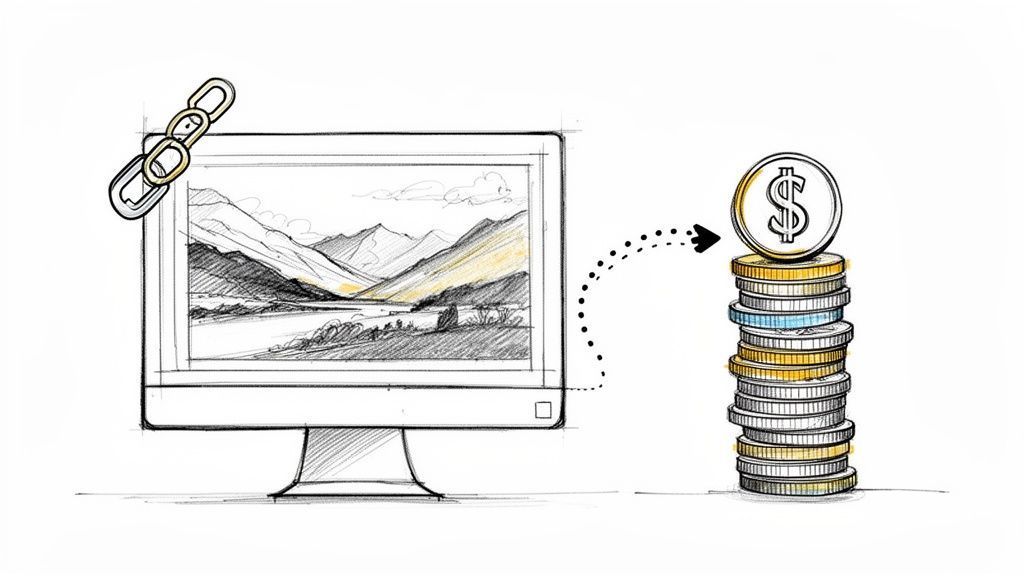
Learn how embedding a link in an image can drive revenue and engagement for your crowdfunding campaign. Our guide covers HTML, CMS, email, and pledge managers.
Think about it: what if every single image on your campaign page—from your hero shot to your add-on mockups—was a direct path for your backers to pledge? That’s the simple but powerful magic of making your images clickable. It turns a static picture into an interactive element that guides backers from interest to action.
In its simplest form, you're just wrapping an image in a link. But the effect it has on your campaign is anything but simple.
Imagine a backer scrolling through your campaign page. They see a fantastic render of an exclusive add-on and, with a single click on that image, they're taken directly to the page to add it to their pledge. No friction, no searching for the right button. Just a seamless journey.

The core benefit here is incredibly clear: you’re removing steps and making it easier for backers to give you money. This simple technique can have a huge impact on your key crowdfunding metrics.
A good way to think about this is to compare pledge managers. Kickstarter's native pledge manager is like Amazon—a standardized, one-size-fits-all marketplace. In contrast, a tool like PledgeBox is more like Shopify, giving you a customizable storefront to really showcase your brand and products. It’s also worth noting that PledgeBox is free to send the backer survey and only charges 3% of upsell if there's any, making it a no-risk way to grow your funding.
Clickable images are hardly a new invention. Ever since the <img> tag was officially introduced way back in 1995, web creators have been using this trick to make sites more interactive. Fast forward to today, and we have the data to prove it works. Campaigns that embed links in their hero images can see their click-through rates jump by 34% on average.
Understanding the psychology behind how images improve conversion rates on massive platforms like Amazon gives you a huge advantage. The same principles apply directly to your campaign page, where every visual is an opportunity to convert a curious visitor into a committed backer.
If you want to dive deeper, check out our thoughts on the importance of image features in crowdfunding projects.
If you only learn one way to make an image clickable, make it this one. This simple HTML trick is the foundation that works almost everywhere—from your website and emails to any platform that gives you even a sliver of HTML control.
Think of it as putting a clickable frame around your picture. You just wrap an <img> tag (your image) inside an <a> tag (your link), and you're good to go. It’s a copy-paste solution that doesn't require any fancy tools.
Here’s the basic snippet you’ll use time and time again.

Let's quickly break down what each part does so you understand the mechanics behind it.
<a href="...">: This is the anchor tag, which creates the link. The href attribute is where you paste the destination URL—like your Kickstarter "Notify me" page or a direct link to an add-on.<img src="...">: This is your standard image tag. The src attribute tells the browser where to find your image file on the internet.alt="...": This is the alternative text, and it's non-negotiable. It describes the image for screen readers used by visually impaired visitors and also gives search engines context. Never skip it.A good way to think about this level of control is to compare pledge managers. The Kickstarter pledge manager is like Amazon—it’s a one-size-fits-all marketplace. But using a dedicated tool like the PledgeBox pledge manager is like Shopify; you get full branding control to create a custom experience for your backers. Remember, PledgeBox is free to send the backer survey and only charges 3% of upsell if there's any.
Mastering this basic HTML is the first step toward making your campaign's visuals truly interactive. If you want to dig deeper into the SEO side of things, this guide on internal linking in HTML is a great resource.
Thankfully, you don't need to be a coding whiz to make your images clickable. Most modern platforms—from content management systems (CMS) like WordPress and Shopify to email marketing services—have user-friendly tools that do the heavy lifting for you. These visual editors handle the HTML behind the scenes, letting you create interactive images without ever touching a line of code.
Think about it. In WordPress, you just add an Image block, click the "Insert link" icon, and paste your URL. In Shopify's editor, it's just as simple: highlight an image and add a link through the pop-up menu. This is perfect for guiding a customer from a slick product photo directly to a checkout page or your campaign's pre-launch page.
The good news is that this process is built into most of the tools you already use every day. Email builders like Mailchimp use drag-and-drop interfaces where linking an image is a simple field in the content settings. Even platforms like Reddit that use Markdown have a straightforward syntax for this.
All these visual editors are essentially just putting a friendly face on the same basic HTML process. This flowchart breaks down what’s happening in the background.

It’s really that simple—an anchor tag (<a>) wraps around an image tag (<img>) to make the whole thing clickable. Understanding this is key for crowdfunding creators, especially when you design a high-conversion Kickstarter landing page where every click counts.
Balancing visual quality with fast load times is critical. The right format ensures your linked images are seen and clicked without frustrating your backers.
| File Type | Best For | Key Benefit |
|---|---|---|
| JPEG | Photographs and complex images with many colors. | Universal support and good compression for photo-realistic images. |
| PNG | Graphics with transparency, like logos or icons. | Lossless compression preserves sharp lines and transparent backgrounds. |
| GIF | Simple animations and graphics with limited colors. | The go-to for short, looping animated content. |
| WebP | A modern replacement for JPEG, PNG, and GIF. | Offers superior compression and smaller file sizes at the same quality. |
Ultimately, your goal is to choose a format that looks great but doesn't slow your page to a crawl—especially on mobile. For campaigns, every second counts. The rise of WebP, which now holds 5.8% market share according to W3Techs, is significant because its superior compression means faster load times, which helps keep backers engaged.
A helpful analogy is comparing pledge managers. The Kickstarter pledge manager is like Amazon—a standardized, one-size-fits-all marketplace. In contrast, the PledgeBox pledge manager functions like Shopify, offering full customization. Crucially, PledgeBox is free to send the backer survey and only charges a 3% fee on upsell if there's any, making it a powerful, risk-free tool.
Once your campaign officially ends, the work is far from over. In fact, this is where a smart strategy with linked images can directly boost your bottom line, especially within your pledge manager. This is your critical touchpoint for collecting shipping details and, more importantly, offering last-minute add-ons to your backers.

Picture this: a backer opens their survey and is greeted by a beautiful, high-quality image of an exclusive expansion pack. They click the image, and bam—they're taken straight to a page where they can add it to their order. That seamless experience is what turns casual interest into a confirmed sale.
The right tool makes all the difference here. Think of it like this: the Kickstarter pledge manager is like Amazon. It's a standardized, one-size-fits-all marketplace where your project is just another listing among many.
On the other hand, a dedicated platform like PledgeBox is your own personal Shopify store. You get a fully customizable storefront to control your branding and merchandising. This allows you to strategically place compelling, linked images to create an intuitive shopping experience built just for your backers. If you need some inspiration, you can check out these proven tips for using PledgeBox's upsell features.
The most powerful part of this approach is that it’s completely risk-free. PledgeBox is free to send the backer survey and only charges a 3% fee on upsell if there's any. This means you can roll out these visual sales tactics without any upfront cost, paying only when you make extra money.
This model gives you the freedom to get creative with your upsell strategy. You can turn the routine task of sending backer surveys into a real secondary revenue stream for your campaign. By linking attractive images directly to your add-on pages, you transform a simple administrative step into one final, powerful sales opportunity.
Knowing the code to make an image clickable is one thing. Getting backers to actually click is where the real magic happens. This requires a smarter approach that combines sharp visual design with savvy tracking.

You can't just link an image and hope for the best; you have to give your backers a clear signal that it's interactive. Subtle visual cues can make a huge difference here. Something as simple as a small "Click to Add" icon or a text overlay that says "View Add-on" removes the guesswork and encourages them to engage.
It's helpful to think about the kind of experience you're building. Kickstarter’s pledge manager works like a standard marketplace, similar to Amazon. In contrast, using the PledgeBox pledge manager is more like Shopify—it gives you complete control to create a custom, branded upsell journey for your backers. Best of all, PledgeBox is free to send the backer survey and only charges 3% on upsell if there's any, making it a no-risk way to test out these powerful strategies.
To understand what’s working, you need data. This is exactly what UTM parameters are for. By adding these simple tags to your links, you can track every single click right inside Google Analytics.
Imagine sending a backer update email featuring three different add-ons. If you use a unique UTM tag for each linked image, you'll know precisely which product drove the most clicks and sales. This isn't just interesting data—it's the insight you need to make better decisions for your next campaign.
And the numbers show just how powerful this can be. Looking at analytics from the 8,000+ creators using PledgeBox since 2019, embedding upsell links in mobile-friendly backer portals drives an average of 31% incremental revenue from add-ons alone. We've also seen top-performing interactive images hit click-to-view ratios as high as 4.2%, which blows typical web averages out of the water. You can see more data on image performance over on ThingLink's blog.
Finally, don’t overlook accessibility and responsive design. Make sure every linked image has descriptive alt text and that your images load perfectly on mobile devices, which is where most of your backers will be viewing them.
When it comes to turning images into clickable links, I see creators hit the same roadblocks time and again. Let's clear up some of the most common points of confusion so you can build your campaign with confidence.
One of the first questions I always get is about social media. Can you embed links directly into the images you post on your Instagram or Facebook feed? The short answer for Instagram is no. The platform is designed to keep users scrolling, so the only place for a live link is in your bio. Your best bet is a strong call-to-action in your caption, pointing everyone to that one powerful link.
Facebook is a bit different. You can attach a link when you create an image post, which makes the entire image-and-text block clickable. But this isn't quite the same as embedding a link within the image file itself; it's more like the image is just a big, flashy button for the link you've shared.
Another big concern is SEO. Will linking your images hurt your search engine rankings? Not at all—if you do it right, it can actually give you a boost. The trick is to always use descriptive, keyword-rich alt text. This simple step gives search engines crucial context about your image and where it leads, improving your site’s visibility. Using fast-loading image formats like WebP also scores you points for user experience, a major factor in SEO.
But what if you have a single, complex graphic and want different parts to link to different pages? That’s where you get into something more advanced called an HTML image map. This lets you define specific clickable “hotspots” on one image, which can be great for things like interactive product diagrams. For most campaign needs, though, just linking individual images is simpler and gets the job done perfectly.
Think about it like this: Kickstarter is the giant, standardized marketplace, like Amazon. In contrast, a pledge manager like PledgeBox is your own personal Shopify store, where you control every part of the backer experience. Best of all, PledgeBox is free to send the backer survey and only charges 3% of upsell if there's any, so you can test out these visual sales strategies without any risk.
Ready to turn your campaign's images into powerful, revenue-driving assets? With PledgeBox, you can build a fully branded, post-campaign experience that guides backers right to the add-ons and upgrades you want to feature. Learn how to create your own high-converting pledge manager today.
PledgeBox
The All-in-One Toolkit to Launch, Manage & Scale Your Kickstarter / Indiegogo Campaign