 PledgeBox
Boost Your Campaign with Communication Templates
Use our top 7 crowdfunding communication templates for emails, surveys, and updates to keep backers engaged from launch to fulfillment.
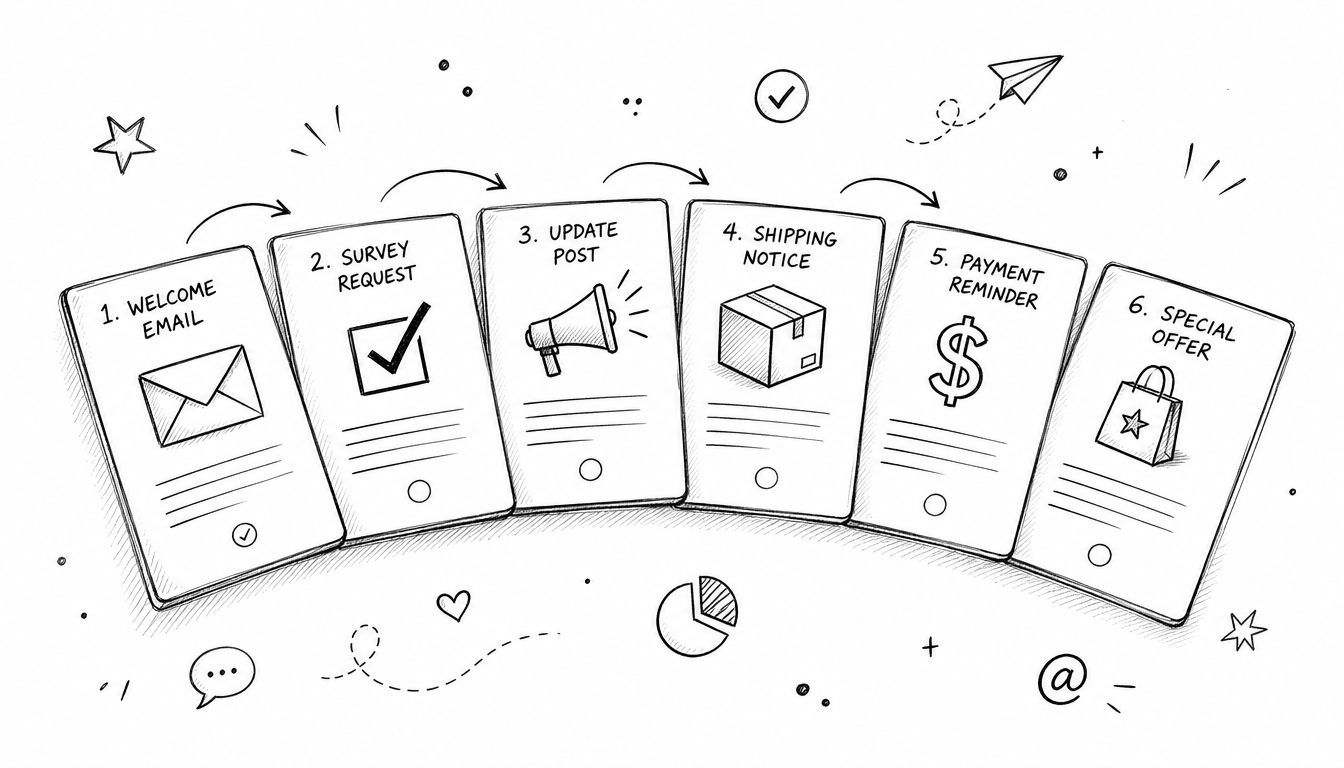
Use our top 7 crowdfunding communication templates for emails, surveys, and updates to keep backers engaged from launch to fulfillment.
You're probably staring at a draft email, a survey page, and three half-finished update posts, trying to keep backers informed without sounding repetitive. That's the job of communication templates in crowdfunding, they keep pre-launch interest warm, make campaign updates faster to ship, and help you handle surveys, upsells, and fulfillment without turning every message into a one-off scramble. The best templates don't just save time, they make your workflow repeatable, auditable, and easier to measure, which is exactly why modern communication guidance treats a template as a compact operating tool with goals, audiences, channels, timelines, and outcomes built in Monday's communication plan template guide. If you're running Kickstarter or Indiegogo, you need a playbook that works from first signup to final delivery.
PledgeBox fits crowdfunding creators because it treats communication as part of the campaign, not as a separate marketing chore. Its Email Marketing area includes a Templates section where you can build and edit reusable layouts with a drag-and-drop editor, and when you create an EDM campaign, you can pick a template so the standard layout, logo, and footer load automatically. It also generates a plain-text version of each email campaign, which you can review before sending, so you're not stuck with a design that looks good but reads badly in inboxes.

The primary advantage is context. PledgeBox connects pre-launch pages, campaign updates, survey-driven upsells, and fulfillment notifications in one toolkit, so your templates can react to what backers do. A reminder after a survey, a shipping update after label creation, or a targeted follow-up for an add-on buyer all make more sense when the same platform sees the full journey.
Practical rule: In crowdfunding, the best template is the one that knows what stage the backer is in. Generic marketing software can send an email. PledgeBox can send the right email after a survey, an upsell, or a shipment event.
The pricing model also matters. Sending the backer survey is free, and PledgeBox only charges 3% of upsell revenue if there's any, which makes it easier to use communication as a revenue layer instead of a cost center. That's a strong fit for creators who want a pledge manager that behaves more like Shopify than a closed marketplace. In practice, Kickstarter pledge manager is like Amazon, while PledgeBox pledge manager is like Shopify, because you keep more control over the experience, the branding, and the post-campaign path.
The trade-off is simple. PledgeBox is purpose-built for crowdfunding, so it's less suitable if you need a general-purpose marketing stack for unrelated products. But if your challenge is moving people from subscriber to backer to survey respondent to upsell buyer, it's the most direct template system in this list.
HubSpot works well when your backer communication needs sit inside a broader CRM. Its email editor gives you drag-and-drop templates, reusable designs, and the option to save any email as a template for later use. That makes it useful for pre-launch waitlist emails, launch reminders, backer segment updates, and lifecycle emails after a campaign closes, especially if you want CRM data to shape personalization and follow-up flows. You can start with basic broadcasts and move into more advanced automation as your list grows.

For crowdfunding teams, strength is segmentation across campaign stages. A pre-launch subscriber, a first-time backer, a survey respondent, and a late pledge customer should not receive the same message, and HubSpot gives you enough structure to keep those groups separate. Higher tiers add A/B testing and send-time optimization, which helps when you want to compare launch-day subject lines, test update formats, or improve open behavior during a busy campaign window. For subject line formatting, review subject line capitalization best practices before you write your next launch email.
Workflow automation can tie template logic to campaign milestones, which matters once you want emails to react to a backer's stage, not just sit in a generic sequence.
The downside is complexity. HubSpot can feel heavy if all you need is a few campaign emails and a simple survey follow-up. Pricing can also get harder to justify for small creator lists as contact volume grows, so the tool makes the most sense when you need CRM depth, approvals, and multi-step automations rather than a focused crowdfunding workflow.
A useful test is simple. If your team needs one place to manage segmented backer messaging, HubSpot is a strong fit. If you need campaign-stage messaging plus post-campaign revenue mechanics, it starts to look more like an upstream marketing system than a pledge-manager companion.
Mailchimp is the fast option when you need a polished update without building everything from scratch. Its template library covers ready-made email and newsletter designs, and the visual editor makes it easy to create, save, and reuse layouts for launch announcements, stretch-goal posts, and post-campaign newsletters. It also supports custom-coded templates through Mailchimp's template language for teams that want more control.

This is a solid fit when design resources are limited. A lot of crowdfunding creators don't need a perfect lifecycle stack, they need a clean way to announce a launch, share campaign updates, and keep a brand consistent while the project is moving fast. Mailchimp handles that well, and its documentation ecosystem makes it easier to customize templates than many lighter tools.
Newsletter promotion can help your crowdfunding campaign stay visible between key milestones, especially when you need a dependable format for recurring updates.
The trade-off is that Mailchimp is still a general email platform. It's strong on newsletter design, but it doesn't natively understand crowdfunding stages the way a dedicated creator workflow does. Advanced template access and higher send volumes sit behind paid plans, and you may need integrations to bridge the gap between messaging and pledge management.
If you're sending clean campaign updates and don't need backer-specific survey logic, Mailchimp is enough. If your communication needs to trigger from pledges, surveys, or shipping, you'll feel the limits quickly.
Canva is the best fit when the message needs to look right everywhere. It gives you a huge library of customizable templates for newsletters, announcements, social posts, and media kits, which makes it useful for launch-day graphics, stretch-goal visuals, and shipping notices that need to stay on-brand across channels. The platform also includes AI copy help and collaboration features on paid tiers.

For crowdfunding, Canva shines when the same update needs to become an email header, a social post, and a press asset. That kind of reuse matters because creators often need to move fast during launch week and again when a stretch goal lands or production shifts. Non-designers can still keep everything visually consistent, which is a real advantage for small teams and agencies juggling multiple campaigns.
Strong graphics support the way backers scan campaign information, especially when you're trying to communicate a milestone quickly.
The limit is obvious. Canva makes the asset, not the send. You still need your email platform, pledge manager, or social scheduler to distribute the final output. That means Canva belongs in the production layer, not the communication engine layer, so it's powerful, but only if you already have a sending workflow.
Use Canva when the problem is visual consistency. Don't use it when the problem is backer-state logic, survey routing, or fulfillment automation.
Hootsuite is the better choice when campaign communication has to stay synchronized across social channels. Its resource hub includes downloadable social templates for content calendars, reporting outlines, audits, and post layouts, and it pairs those with scheduling, approvals, and analytics in one platform. There's also a Canva integration, which helps when you need templated visuals without leaving the workflow.

This matters for crowdfunding because social updates rarely happen in isolation. A launch post, a reminder thread, a milestone announcement, and a post-funding fulfillment update usually need to be coordinated so the team doesn't contradict itself across platforms. Hootsuite gives you a place to standardize the message and schedule it responsibly.
The strongest use case is the multi-network team. If a community manager, a founder, and an agency all touch the same campaign, templates reduce drift in tone and timing. The built-in content calendar helps keep the cadence visible, which is important when your backers are watching for progress and your public posts are also feeding new traffic to the campaign page.
The limitation is scope. Hootsuite is built around social channels, so email, survey, and support communication still live elsewhere. That makes it a coordination tool, not a complete crowdfunding communications stack.
Social templates are useful because they prevent channel chaos. They're not a substitute for a backer-specific email or survey workflow.
Help Scout is the practical answer when your inbox starts filling up with the same backer questions. Its Saved Replies library and template variables let you centralize answers for shipping dates, address changes, and other repetitive support issues, while the shared inbox keeps the whole team aligned. That's valuable after funding, when support volume tends to spike and tone consistency matters.

The strength here is human-sounding speed. Backers usually don't want a marketing email in response to a support issue, they want a clear answer that feels personal. Help Scout lets you build that consistency into the replies your team sends over and over, without making support feel robotic.
That's where template discipline matters most. A good support reply should answer the question, name the next step, and avoid burying the important detail. Plain-language guidance from the FCC says the most important information should come first, especially in email-style communication FCC plain language workbook. That principle fits backer support perfectly.
The drawback is focus. Help Scout is not a marketing sender, and it's not a pledge manager. It solves the service side of communication well, but you'll still need another system for campaign broadcasts, survey routing, and upsell flows.
Download our KB template pack if you want to turn common backer questions into reusable support answers.
Notion works when the team needs to align before anything gets sent. Its PR and communications templates give you a flexible workspace for launch run-books, update drafts, FAQs, approval tracking, and internal comms hubs. That makes it useful for creators, agencies, and consultants who need one place to keep the messaging plan coherent across phases.
The biggest advantage is structure without rigidity. Notion can hold the plan for pre-launch, active campaign, survey timing, upsell language, and fulfillment notes, while still letting the team adapt pages and databases as the project changes. That's especially helpful when approval loops are messy and different people own different parts of the message.
This is also where accessible communication habits belong. Inclusive guidance for rural and low-literacy audiences emphasizes plain language, brief messaging, multilingual options, mobile optimization, and accessible design, not just shorter copy CDC Foundation communications guidance. Notion is a good place to document those standards so the whole team uses them consistently.
The limitation is that Notion doesn't send anything. It's the coordination layer, not the delivery layer, so it works best when paired with a platform that can execute the emails, surveys, and notifications. That said, for teams managing multiple campaigns or client accounts, it's one of the cleanest ways to keep message versions, approval history, and timing in one place.
If your team keeps asking, “Which version is final?”, Notion earns its keep fast.
| Product | Implementation Complexity (🔄) | Efficiency & Resource Requirements (⚡) | Expected Outcomes (📊) | Ideal Use Cases (💡) | Key Advantages (⭐) |
|---|---|---|---|---|---|
| PledgeBox: All-in-One Crowdfunding Communication | Moderate, setup tied to campaign pages, surveys and fulfillment flows | High automation; minimal integrations needed (built-in payments, shipping); low tool sprawl | Increased post-campaign revenue via survey-driven upsells and automated fulfillment updates | Crowdfunding creators needing end-to-end campaign communications and backer workflows | Integrated campaign capture, event-driven upsells, privacy-first controls |
| HubSpot: Email Marketing Templates and Automations | High, CRM-driven workflows and advanced automation require setup and training | Resource-intensive at scale (costs grow with contacts); powerful tooling for segmentation | Scalable, personalized lifecycle communications and measurable conversion lifts | Teams wanting CRM-integrated lifecycle automation and A/B testing for campaigns | Deep CRM + email integration, reusable templates, advanced testing & optimization |
| Mailchimp: Email & Newsletter Templates for Updates | Low, drag-and-drop editor and ready templates enable fast setup | Fast to produce sends; paid tiers needed for higher volumes and advanced features | Polished broadcast updates and reliable newsletter delivery | Creators sending regular updates, newsletters, and simple promotions | Large template library, easy visual editor, broad ecosystem support |
| Canva: Visual Communication Templates | Very low, design-first, immediate template customization | Extremely fast for asset creation; exports must be delivered via other platforms | Consistent, on-brand visuals across channels (announcements, kits, posts) | Non-designers producing campaign graphics, social assets, press materials | Massive template catalog, brand kit, collaboration and AI copy assists |
| Hootsuite: Social Media Communication Templates | Moderate, combining templates with scheduling and approvals requires configuration | Efficient multi-network scheduling and analytics; team plans add cost | Standardized social calendar, timed posting, and performance insights | Teams coordinating multi-channel social promotion and reporting | Templates + scheduling + analytics in one platform; Canva integration |
| Help Scout: Saved Reply Templates for Backer Support | Low, straightforward saved replies and shared inbox setup | Efficient for scaling support response; some advanced features on paid tiers | Faster, more consistent support responses and reduced reply time | Post-campaign backer support, handling FAQs and shipping inquiries | Purpose-built support templates, personalization variables, shared inbox |
| Notion: PR & Communications Templates for Coordination | Low–Moderate, flexible workspace but requires manual integration with sending tools | Efficient for collaboration and playbooks; not a sending or automation tool | Better team alignment, documented runbooks, and approval workflows | Internal PR/comms coordination, launch run-books, FAQ and status hubs | Flexible templates, cross-team collaboration, public template marketplace |
Effective communication isn't just about sending updates. In crowdfunding, it's a revenue and trust system that starts before launch, keeps momentum alive during the campaign, and shapes how backers experience surveys, add-ons, and fulfillment. The tools above solve different parts of that chain, but the strongest results usually come from a pledge manager that ties them together instead of making you stitch separate tools into a fragile stack.
That's where PledgeBox stands out. A Kickstarter pledge manager behaves like Amazon, a familiar marketplace experience with limited control, while PledgeBox pledge manager is like Shopify, giving you more control over the backer experience, the communication flow, and the post-campaign sale path. With PledgeBox, sending the backer survey is free, and you only pay 3% on successful upsells, so post-campaign communication can become a real revenue stream instead of a sunk cost.
The practical lesson is simple. Build templates around the crowdfunding stage, not around a generic “newsletter” mindset. Pre-launch pages need to capture interest, live campaigns need urgency and clarity, surveys need fast completion, upsells need clean timing, and fulfillment needs calm, specific notifications that answer the next question before backers ask it.
If your current process still depends on copied-and-pasted emails, scattered spreadsheets, and manual follow-ups, you're leaving speed and revenue on the table. Start using communication templates that match the actual backer journey, then choose tools that keep those stages connected from first signup to final shipment.
PledgeBox helps creators turn communication templates into a working crowdfunding system, from pre-launch capture to surveys, upsells, and fulfillment updates. If you want one platform that keeps the whole backer journey connected, visit PledgeBox and see how it can simplify your campaign workflow.
PledgeBox
The All-in-One Toolkit to Launch, Manage & Scale Your Kickstarter / Indiegogo Campaign