 PledgeBox
How to Set Up Conversions for Crowdfunding Success
Learn how to set up conversions for your crowdfunding campaign. Our guide covers GA4, Meta, and PledgeBox for tracking upsells, surveys, and true ROI.
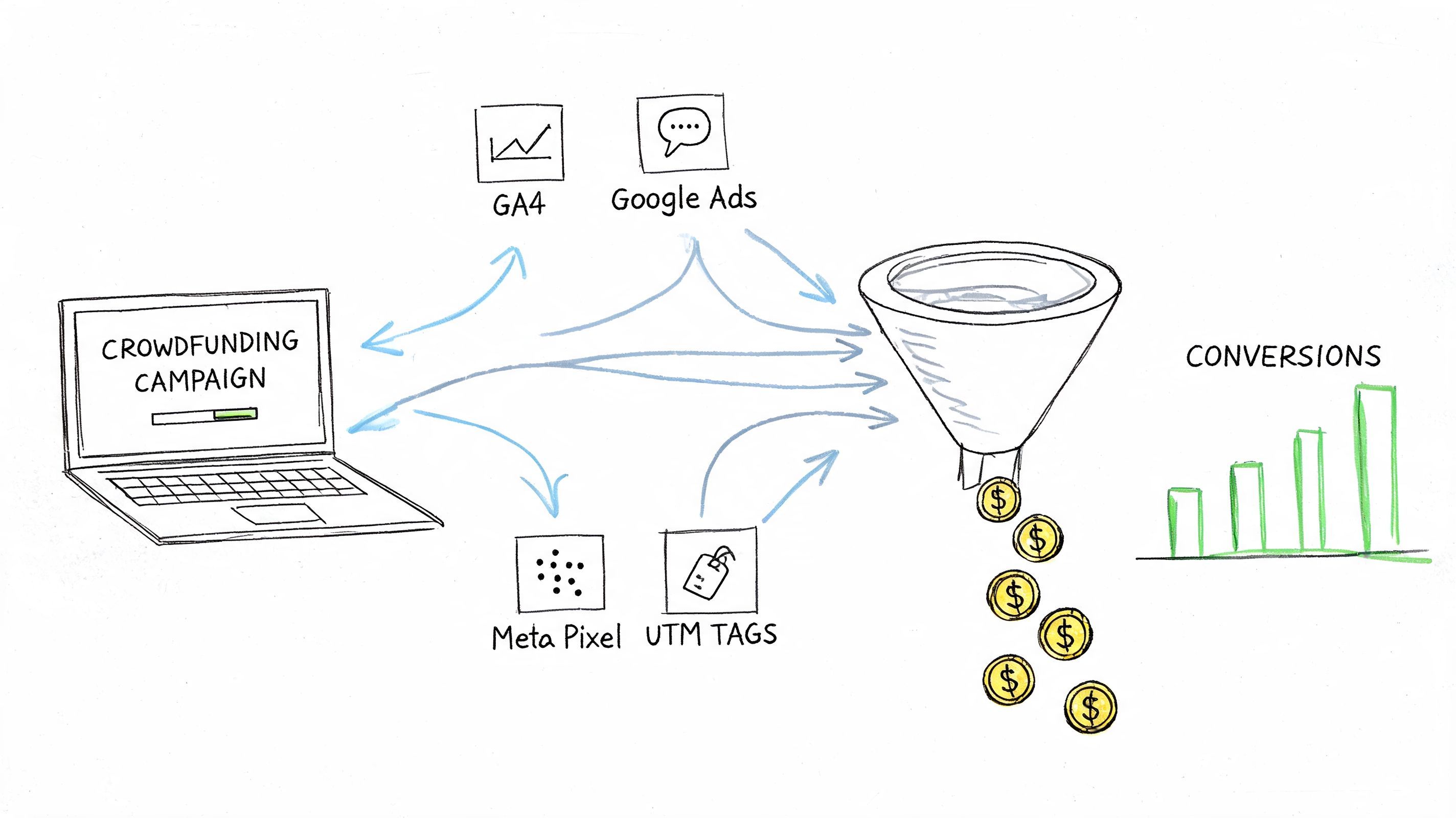
Learn how to set up conversions for your crowdfunding campaign. Our guide covers GA4, Meta, and PledgeBox for tracking upsells, surveys, and true ROI.
Your campaign funded. The comments are active, the dopamine hit is over, and a different kind of work starts immediately.
At this juncture, many creators go blind.
They know how many backers they had on Kickstarter or Indiegogo. They know whether the pre-launch list grew. They can usually tell which ad got clicks. But once the campaign closes and the pledge manager opens, the answers get fuzzy. Which reminder email pushed survey completion? Which ad source produced backers who bought add-ons? Where did people stall before paying shipping or tax?
That gap is expensive. It turns a profitable post-campaign phase into guesswork.
Most creators learn conversion tracking on the front end. Email signups, page visits, ad clicks. That matters, but it’s only part of the job. Most guides focus on pre-launch lists, which convert to backers at 1-10% according to Kickstarter pre-launch guidance. They rarely deal with the more valuable actions that happen after funding, when backers confirm rewards, buy add-ons, pay shipping, and return as late backers.
A campaign can look finished on the funding platform and still have a lot of revenue left to win or lose.
I see the same scenario over and over. Funding closes, the team exhales, surveys go out, and the dashboard looks calm enough that nobody questions it. Then fulfillment prep starts and the weak spots surface fast. Backers who never confirmed their reward. Backers who opened the survey email and dropped before finishing. Backers who accepted the core pledge but skipped shipping payment, tax, or a profitable add-on.
Those actions are not admin work. They are conversions.
Creators are trained to watch front-end numbers because the platforms make them easy to see. Follower growth, email signups, click-through rate, conversion rate on the campaign page. Those metrics matter during launch, but they do not explain what happens after the money is pledged and before the order is ready to ship.
Post-campaign tracking answers harder questions with direct financial consequences. Which reminder got people to complete the survey? Which traffic source produced backers who bought extras? Which step caused people to stall before paying shipping? If those questions stay unanswered, teams end up managing margin with instinct instead of evidence.
The difference is simple. A funding total measures demand at the moment of the campaign. Post-campaign conversion tracking measures whether that demand turns into collected revenue, cleaner fulfillment data, and a customer record you can use again.
That is why I separate launch performance from post-campaign performance. They affect different decisions, and they break in different places. If you want a concrete example of the operational work involved after the platform handoff, this Kickstarter post-campaign survey walkthrough shows the kinds of steps backers must complete before fulfillment can run cleanly.
The funding graph does not tell the whole story. A meaningful share of profit is often decided afterward, when backers confirm details, pay shipping and tax, accept upsells, or come in as late backers.
That is why I treat the pledge manager like Shopify and the funding platform like Amazon. Amazon can generate demand, but Shopify is where a seller usually gets more control over the customer journey, the data, and the margin. The same logic applies here. Once the campaign ends, the important job is no longer proving interest. It is guiding backers through the steps that turn a pledge into a complete, fulfillable, profitable order.
Teams that skip conversion setup at this stage usually make two mistakes. They keep reporting on launch-week vanity metrics because those are familiar. And they miss the events that determine whether the campaign closes with clean operations and healthy post-campaign revenue.
Before you touch GA4, Meta Pixel, or any reporting dashboard, decide what a conversion is for your campaign.
That sounds obvious, but setups often break at this point. Creators import generic ecommerce logic into crowdfunding and end up tracking the wrong moments. In a post-campaign environment, the most valuable action isn’t always “purchase completed.” It might be a survey completion, a paid shipping confirmation, or an accepted upsell.
Kickstarter’s native pledge manager is like a stall in the Amazon marketplace. It’s useful for operating inside the platform, but you don’t really own the relationship or the data depth. A standalone pledge manager works more like Shopify. You shape the flow, define the events, and build a cleaner customer record you can use again.

I separate the funnel into macro conversions and micro conversions.
Macro conversions are the business outcomes you care about most. They usually affect collected revenue, fulfillment readiness, or customer retention.
Micro conversions are the smaller actions that move a backer toward that outcome. They matter because they show friction before the final step fails.
| Conversion Type | Conversion Goal | Example Action |
|---|---|---|
| Macro conversion | Complete the post-campaign transaction | Survey completed |
| Macro conversion | Increase post-campaign revenue | Add-on purchased |
| Macro conversion | Protect margin and readiness | Shipping fee paid |
| Micro conversion | Confirm message delivery and intent | Survey email opened |
| Micro conversion | Measure start rate | Survey started |
| Micro conversion | Evaluate upsell interest | Add-on viewed |
| Micro conversion | Detect checkout friction | Payment page reached |
A clean crowdfunding funnel usually includes these stages:
Practical rule: If an action changes revenue, fulfillment accuracy, or customer value, track it as a conversion or a step toward one.
When creators skip this exercise, they usually over-report success. They count survey traffic as engagement and assume that means the backer journey is healthy.
A mapped funnel forces precision. If lots of people start but few finish, your issue isn’t audience quality. It’s form friction, message mismatch, payment anxiety, or mobile usability. If upsell views are strong but purchases are weak, the offer may be fine while the presentation or timing is off.
That’s the core answer to how to set up conversions. Start by defining outcomes that matter after funding ends, then build your tracking around those outcomes instead of whatever your ad platform happens to make easy.
A post-campaign funnel usually breaks before the first add-on offer is even shown.
The problem is attribution. A backer clicks an email reminder, lands in PledgeBox, completes the survey, adds a premium item, and pays shipping. If GA4 only catches the landing page visit, you know traffic happened but not which message produced margin. That is the gap between a nice-looking dashboard and a system you can use to make decisions.

GA4 is the practical baseline because it gives creators one place to inspect traffic source, session behavior, and the events that happen after the click. For pledge manager tracking, that matters more than broad traffic totals. The job is to connect acquisition to actions that affect revenue after funding ends.
Set up GA4 anywhere a backer enters the post-campaign flow and anywhere they complete a meaningful action. In a PledgeBox setup, that usually means the survey entry point, key survey steps, payment-related pages, and the completion state. Page views alone will not help much here. You need event tracking tied to specific backer actions.
Use UTMs on every inbound link that pushes someone into that flow. No exceptions.
I treat UTMs like SKU labels in a warehouse. If the label is missing, the order may still arrive, but nobody can trace where it came from or whether it was profitable.
Pre-launch tracking is usually about lead generation. Post-campaign tracking is about operational revenue. That changes the standard.
A Shopify store and an Amazon marketplace can both process a purchase, but the analytics questions are different when you own the customer path. A pledge manager works the same way. If you control the survey flow and the reminder links, you can measure which traffic source produced completed surveys, paid shipping, and add-on revenue instead of stopping at clicks.
That distinction matters because post-campaign profit is often won or lost in follow-up. One reminder email may drive survey completions. Another may drive high-margin add-ons. A support message may recover shipping payments from backers who would otherwise stall fulfillment. Without tagged links, all three actions blur together.
For teams that want a broader practical checklist, these insights for better tracking data are useful because they focus on implementation quality, not just platform setup.
Keep UTM names plain and repeatable. Clever naming conventions age badly, especially once multiple people touch the campaign.
If the same traffic source is tagged three different ways, reporting falls apart fast. I have seen teams use "fb," "facebook," and "meta" in the same month, then spend hours cleaning exports instead of fixing the weak point in the funnel.
Here’s a useful visual primer before you wire more events:
If you want a crowdfunding-specific filter for what deserves close tracking after the campaign ends, this guide to campaign metrics that actually matter pairs well with the raw analytics setup.
Once the base tracking is in place, the next job is event mapping. In this phase, most creators either gain clarity or create a reporting mess.
The principle is simple. Every important backer action inside the survey flow should map to a named event in your analytics stack. If the action affects revenue, fulfillment readiness, or backer progression, give it a clear event name and define whether it’s a conversion.

Not every event needs conversion status. That creates noise.
For a post-campaign funnel, I’d usually start with these:
Supporting events still matter, but they’re often better treated as diagnostic signals:
A conversion without value is useful. A conversion with the right value is far more useful.
Brevo’s conversion setup is a good model for the logic here. Its system lets you set a default revenue value and override it for specific events, which is exactly how disciplined post-campaign tracking should work in any stack. Brevo also reports average email conversion rates of 2-5% across 300,000+ campaigns in 2025 data, and the setup process emphasizes naming conversions clearly and attaching value where appropriate in its guide to measuring email marketing ROI with conversions.
Applied to crowdfunding, that means:
If your setup allows dynamic values, use them. Fixed values are acceptable for directional reporting, but dynamic values are better for real ROI analysis.
A clean event map often looks like this:
If you can’t explain an event name to a teammate in one sentence, rename it before it reaches production.
A dedicated pledge manager also changes what’s possible operationally. PledgeBox’s pledge manager lets creators configure branded surveys, collect shipping fees, VAT or tax, subscriptions, and add-on upsells. It’s free to send the survey and only charges 3% on add-on sales, which is why clean tracking matters so much. You want to know exactly which messages, audiences, and survey steps are producing that incremental revenue.
Browser-based event tracking is often enough to get started. It’s faster to deploy and easier to validate.
Server-side tracking becomes attractive when browser restrictions, ad blockers, and inconsistent client-side behavior start cutting into event quality. It usually gives you more resilient data, especially for paid media optimization, but it also requires stricter implementation discipline. If your browser-side setup is sloppy, copying it server-side just gives you bad data faster.
For most creators, the right sequence is straightforward. First make browser events accurate. Then consider server-side improvements if your traffic volume and ad spend justify the extra complexity.
A conversion setup isn’t finished when the tags are live. It’s finished when you can trust what they report.
That means testing every important event with intention. Don’t wait for real backers to tell you the setup is broken through support tickets or missing data.

Run your own path through the funnel and confirm that each event appears where it should.
I check four things first:
Use GA4 DebugView to inspect incoming events in real time. If you’re using Meta, test events there too. A page load where no event appears is a setup bug. A page load where too many events appear is often worse because it creates false confidence.
Field note: A “working” setup that double-counts purchases is more dangerous than a broken one. At least a broken setup looks suspicious.
Once events validate cleanly, the useful work begins. You’re no longer asking “did traffic arrive?” You’re asking “where did intent weaken?”
A structured CRO method helps. Group107’s CRO guidance recommends the PIE framework and notes that using it to prioritize tests on form simplification or CTA changes can yield 20-50% uplifts, while 90% of CRO efforts fail without A/B testing according to its article on conversion rate optimization best practices.
That matters in crowdfunding because creators are often tempted to copy “best practices” from ecommerce without testing them against backer behavior.
Once your setup is validated, your dashboard should help you answer practical questions like these:
You don’t need a giant experimentation program to benefit from this. One clean hypothesis per cycle is enough. Simplify a field. Reword an upsell prompt. Reorder the survey. Then test and compare against actual conversion behavior.
The creators who improve fastest aren’t the ones with the prettiest dashboards. They’re the ones who can say, with evidence, why a backer finished the survey, skipped the add-on, or abandoned the flow.
Reporting gets dangerous when it’s too easy.
Most ad platforms are happy to claim credit. Most analytics tools are happy to count an event. That doesn’t mean your reporting reflects reality. If you want clean decisions, attribution has to stay conservative enough that your team can defend it.
Attribution models answer different questions.
First-click is useful when you want to know which channel introduced the backer. Later-touch models are more useful when you care about which reminder, retargeting ad, or email pushed the final action. Data-driven models can be helpful, but only if your setup is disciplined enough that the inputs are trustworthy.
The mistake is switching models every time a dashboard tells a flattering story.
A smart post-campaign report is short. It should connect spend and effort to outcomes the team can act on.
Include:
This is also where user experience earns its place in attribution. Healthcare Success notes that poor UX can drop conversions by 40%, and slow site speed under 2 seconds can cause over 50% abandonment in its discussion of CRO mistakes and conversion bottlenecks. That’s why attribution should never live only in ad dashboards. Sometimes the “bad channel” is a broken survey experience.
If you want a broader strategy reference beyond crowdfunding, this expert guide on B2B CRO is worth reading because it reinforces the same principle: conversion gains come from methodical diagnosis, not cosmetic tweaks.
In this context, the Amazon versus Shopify analogy matters again.
If you only care about the marketplace surface, you’ll settle for platform-level summaries and broad performance claims. If you want to build a durable brand, you need to own the attribution logic, the customer journey data, and the post-campaign signals that tell you who buys again, who completes surveys fast, and which offers create margin instead of support overhead.
That’s what mastering how to set up conversions really means in crowdfunding. Not more dashboards. Better control.
If you want a simpler way to manage post-campaign surveys, shipping fee collection, add-on upsells, and the operational data around them, PledgeBox is built for that workflow. It supports creators from pre-launch through fulfillment, sends backer surveys without upfront fees, and charges only 3% on add-on sales when those upsells happen.
PledgeBox
The All-in-One Toolkit to Launch, Manage & Scale Your Kickstarter / Indiegogo Campaign