 PledgeBox
Automated Reminder System for Crowdfunding Backers
Design an automated reminder system that gets crowdfunding backers to complete surveys, pay shipping, and claim upsells without manual follow-up.
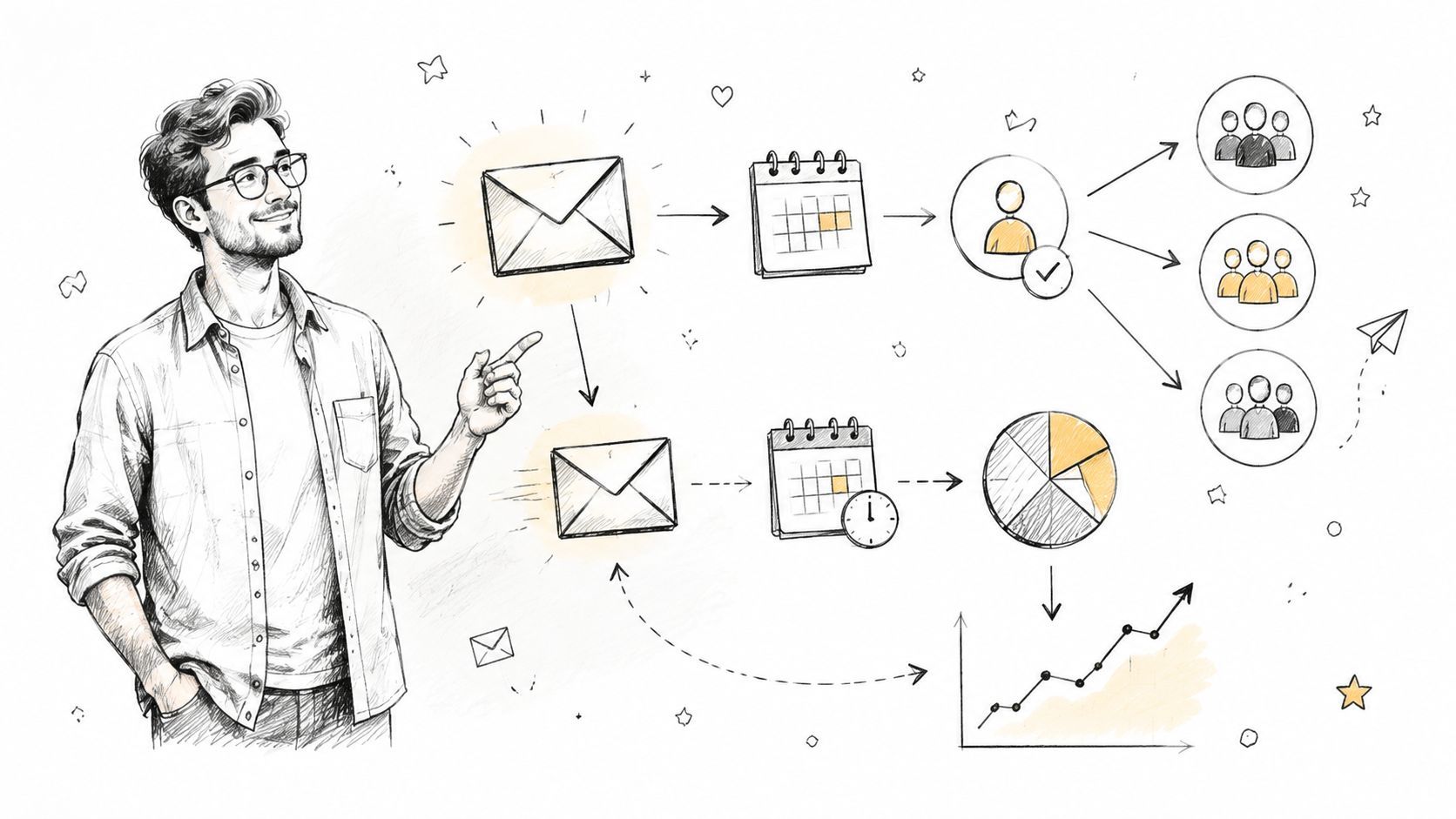
Design an automated reminder system that gets crowdfunding backers to complete surveys, pay shipping, and claim upsells without manual follow-up.
Two weeks after fulfillment opens, a creator checks the pledge manager and sees the same frustrating pattern: the campaign is funded, rewards are ready, but a large share of backers still hasn't touched the survey. Shipping remains unpaid, add-ons sit unclaimed, and every missing address waits to become a support ticket.
A backer survey shouldn't behave like a one-time form. It should work like a post-campaign marketing funnel, with clear triggers, segmented messages, measurable outcomes, and a human escape route when automation reaches its limit. The evidence supports reminders as a practical intervention. A systematic review of randomized trials found that SMS reminders increased the likelihood of clinic attendance by about 50%, with a summary odds ratio of 1.48 and a 95% confidence interval of 1.33 to 1.72 (systematic review of SMS reminder trials). Crowdfunding has different mechanics, but the operational lesson is familiar: timely reminders recover action that otherwise stalls.
The first dashboard check often creates a false sense of failure. The creator sees untouched surveys and assumes backers aren't interested anymore. In practice, many people are distracted, unsure about shipping, waiting for a payday, or postponing a form that takes more attention than they have available.
A structured automated reminder system separates those situations. It gives every backer a clear next step, pauses messages after completion, and escalates only the records that still need attention. The system also protects revenue across four quiet failure points:
The temptation is to measure success by opens. That metric matters only when it leads to a completed survey, paid shipping, a valid address, or an add-on purchase. A deliberate sequence should make those outcomes visible by backer, pledge tier, geography, and survey state.

Every unclaimed upsell is margin left on the table. Every missing address becomes a future conversation, and every unresolved shipping payment can hold up a production decision. Treating fulfillment as a single launch email forces the creator to recover all of that manually.
A drip campaign does something more useful. It gives a lapsed backer multiple, purposeful opportunities to finish without making the creator resend the same message to the entire list. Good post-campaign communication also supports the broader work of create genuine customer connections, because the message explains what the backer needs to do and why the deadline matters.
The sections ahead focus on three operating disciplines: setting objectives before writing copy, assigning cadence and triggers, and using segmentation and analytics to decide when automation should stop and a person should step in.
Start with outcomes, not templates. A reminder that earns opens but doesn't collect shipping, finish surveys, or convert eligible add-ons isn't doing enough operational work.
Survey completion rate by pledge tier should be your first measure. Track the percentage of backers in each tier who finish at 7, 14, and 30 days, then compare the tracks. A Standard reward may need a short nudge, while a Deluxe or bundle tier may need more explanation before the backer submits.
Shipping payment capture rate shows whether your messages are moving the fulfillment queue forward. Set a target that protects production margin and distinguishes a backer who has completed the form from one whose order is ready to ship.
Upsell conversion rate should use eligible backers as the denominator, not the entire campaign. Pair it with average order value lift so you can see whether the reminder produces meaningful additional revenue or merely attracts low-value clicks.
A useful objective sheet looks like this:
| Objective | Primary metric | Decision it supports |
|---|---|---|
| Finish the survey | Completion by tier and day | Adjust copy or escalation |
| Collect delivery costs | Shipping payment after reminder | Prioritize payment friction |
| Grow the basket | Upsell conversion and average order value | Improve offer and placement |
Physical-product creators should weight shipping capture first, because unpaid delivery costs can block manufacturing and dispatch decisions. Digital creators should give more attention to upsell conversion, since the survey may be the main post-campaign storefront.
Late-pledge backers need a faster survey push. Their motivation often decays sooner because the campaign excitement is no longer fresh, so the first reminder should make the action and cutoff especially clear.
Don't use open rates as the final score. Tie each objective to one dashboard metric, then evaluate the system against completed actions. That keeps the team focused on fulfillment readiness and revenue rather than surface-level engagement.

A cadence works best when the calendar is concrete. Write the sequence in days from survey launch, assign a single job to every message, and suppress backers as soon as they complete the required action.

Use three trigger families. Time-based triggers handle the calendar above. Event-based triggers react to a survey start, an unpaid shipping charge, or an add-on placed in the basket without checkout. Threshold-based triggers prioritize high-value pledges for earlier review or a more informative message.
Pause the sequence when a high-value backer replies with a question or when a support case opens. An email bounce should route the record to another approved channel, such as SMS or a push notification, if the backer has consented and the contact data is reliable.
Your workflow should also log the outcome. A click without submission is not completion, and a completed survey without paid shipping isn't fulfillment-ready. Tools that support automatic customer email setup can help with event-driven communication, but the campaign-specific conditions still need careful mapping.
Use the PledgeBox email workflow automation guide as a reference when translating these states into a pledge-manager sequence. Treat the cadence as a hypothesis, not doctrine. Test the spacing, channel order, and benefit framing against your own backer behavior.
A single reminder treats every backer as if they have the same reward, destination, and unfinished task. That creates unnecessary confusion and makes high-value orders harder to recover.
Start with three filters: pledge tier, geography, and survey status. A $25 early-bird backer usually needs a concise path to completion. A $500 add-on bundle deserves a clearer explanation of what is included, how shipping changes, and why the extra selection matters.
Geography changes the message too. US and EU backers may respond to straightforward shipping language and a familiar currency. Rest-of-world backers may need advance notice about duties, VAT, and possible import charges. Don't hide that information behind a generic checkout button.
Example copy can be simple:
Tier-based message: “Your Deluxe reward is ready to confirm. Please review the included items, then choose any available add-ons before submitting your survey.”
ROW message: “Before you submit, please review the delivery total and check the information about possible duties or VAT for your destination.”
Abandoned-survey message: “You're nearly finished. Your reward selection is saved, but your shipping payment is still incomplete. Return to the survey to complete that step.”
| Segment | Filter used | Reminder track | Example trigger |
|---|---|---|---|
| Early-bird backers | Pledge tier | Short completion nudge | Survey not started |
| Premium bundle | Pledge tier | Detailed value and shipping explanation | Add-on basket created |
| US or EU | Geography | Local shipping language | Survey opened |
| Rest of world | Geography | Duties and VAT explanation | Shipping not paid |
| Partial survey | Survey status | Resume at unfinished step | Started but not submitted |
| Paid and complete | Survey status | Suppression and updates | Survey completed and shipping paid |
PledgeBox exposes these segments natively, so the cadence can target the right group without manual list pulls. Its audience segmentation guide provides a useful way to think about combining backer attributes with workflow conditions.
The choice between a native Kickstarter or BackerKit workflow and a dedicated pledge manager comes down to operational depth. A native tool may be adequate when the survey is simple and the campaign has little post-campaign selling. A third-party system becomes more useful when address validation, shipping collection, conditional upsells, and response tracking all need to operate together.
Data access determines whether you can act on real status. Can the workflow read survey completion, the add-on basket, pledge history, shipping payment, and address quality without repeated exports?
Customization covers subject lines, sender identity, conditional blocks, and message content. A generic reminder may be easy to deploy, but it can't explain why a particular bundle or shipping choice matters.
Deliverability depends on whether messages use the platform relay or a connected sending domain. Either route needs testing, suppression rules, and careful handling of bounces.
Reporting should connect delivery and engagement to completion, payment, and upsell outcomes. A dashboard that stops at opens won't tell you whether the workflow improved fulfillment readiness.
Kickstarter's native pledge manager is like Amazon, a closed, one-size-fits-all marketplace. A third-party pledge manager such as PledgeBox is like Shopify, a flexible post-campaign store where creators can use dynamic surveys and upsells. That distinction matters when the survey needs to behave like a store rather than a basic form.
| Workflow | Typical operating model | Main trade-off |
|---|---|---|
| Native platform | Trigger from survey status and use the platform email tool | Faster setup, less conditional control |
| Third-party manager | Combine survey, payment, address, and basket conditions | More setup, richer workflow logic |
| Manual export | Pull lists and send separate campaigns | Maximum control, high operational burden |
A PledgeBox pledge manager and survey tool are free to use, and PledgeBox is free to send the backer survey and only charges 3% of upsell revenue if there's any. If the survey generates no additional revenue, the platform is completely free (PledgeBox pricing).
For under 500 backers, a native workflow may be enough if the reward structure is uncomplicated. At 5,000 or more, combined conditions, suppression, segmentation, and unified reporting usually justify a dedicated pledge-management workflow.

A working dashboard answers one question: did a specific reminder move a backer from an unfinished state to a fulfillment-ready state?
Track survey completion by reminder step, not just total completion. Then measure time-to-completion, using the elapsed time from the first reminder to the last survey field. For operations, monitor shipping payment within 72 hours of a reminder. For revenue, segment upsell conversion by the reminder that delivered the click.
These measures tell different stories. A high completion rate with slow shipping payment points to checkout friction. Strong clicks with weak upsell conversion suggests the offer or pricing explanation needs work. A late spike in completions may mean the final deadline is effective, or that earlier messages weren't clear enough.
Run one controlled test at a time where possible:
Calculate uplift as:
(treatment completion rate minus control completion rate) divided by control completion rate
Use a target of at least 15 percentage points before declaring a winner, but keep that threshold tied to a sufficiently meaningful operational outcome, not an isolated open-rate change. Maintain a holdout group of roughly 10% of backers who receive only the first reminder, giving later messages a clean baseline.
PledgeBox's A/B testing guide for email marketing offers a practical framework for testing message variants. The final interpretation should lead to an action: if shipping payment lags, shorten the cadence or simplify checkout language. If upsell clicks drop, replace the offer copy rather than sending more reminders.
Automation fails when creators confuse message volume with progress. The most common mistakes are easy to identify:
The evidence also puts a ceiling on reminder-only strategies. A synthesis found that automated reminders reduced non-attendance by a weighted mean of 28.9%, yet every study still had meaningful residual no-show rates. The same synthesis points toward two-way rescheduling, waitlist backfill, and recall rather than more reminder messages alone (synthesis on reminder limits and workflow gaps).
A systematic review also found automated reminders less effective than manual phone calls in the settings it examined. Automated reminders reduced non-attendance to 29% of baseline, compared with 39% for manual calls, while SMS achieved successful contact rates of 97% to 99% when contact was achieved (systematic review of appointment reminder systems). The lesson for crowdfunding isn't to replace automation with calls. It's to reserve human attention for the records automation can't resolve.
Automation has a ceiling. Stale, repetitive, or unsegmented messages teach backers to ignore the entire sequence. For the unresponsive 5% to 10%, a brief personal reply from the creator can outperform another automated round because it acknowledges the individual problem instead of assuming the next message will solve it.
PledgeBox gives creators a free way to send the backer survey, while charging only 3% of upsell revenue if there's any, and its pledge manager supports the segmented reminders, shipping collection, and add-on flows described here. Visit PledgeBox to set up a post-campaign workflow that recovers unfinished surveys without turning fulfillment into a manual inbox project.
PledgeBox
The All-in-One Toolkit to Launch, Manage & Scale Your Kickstarter / Indiegogo Campaign