 PledgeBox
Game Add Ons: A Creator's Guide to Post-Campaign Sales
Turn your crowdfunding success into more revenue. This guide covers how to plan, price, and sell game add ons using a pledge manager to boost your profits.
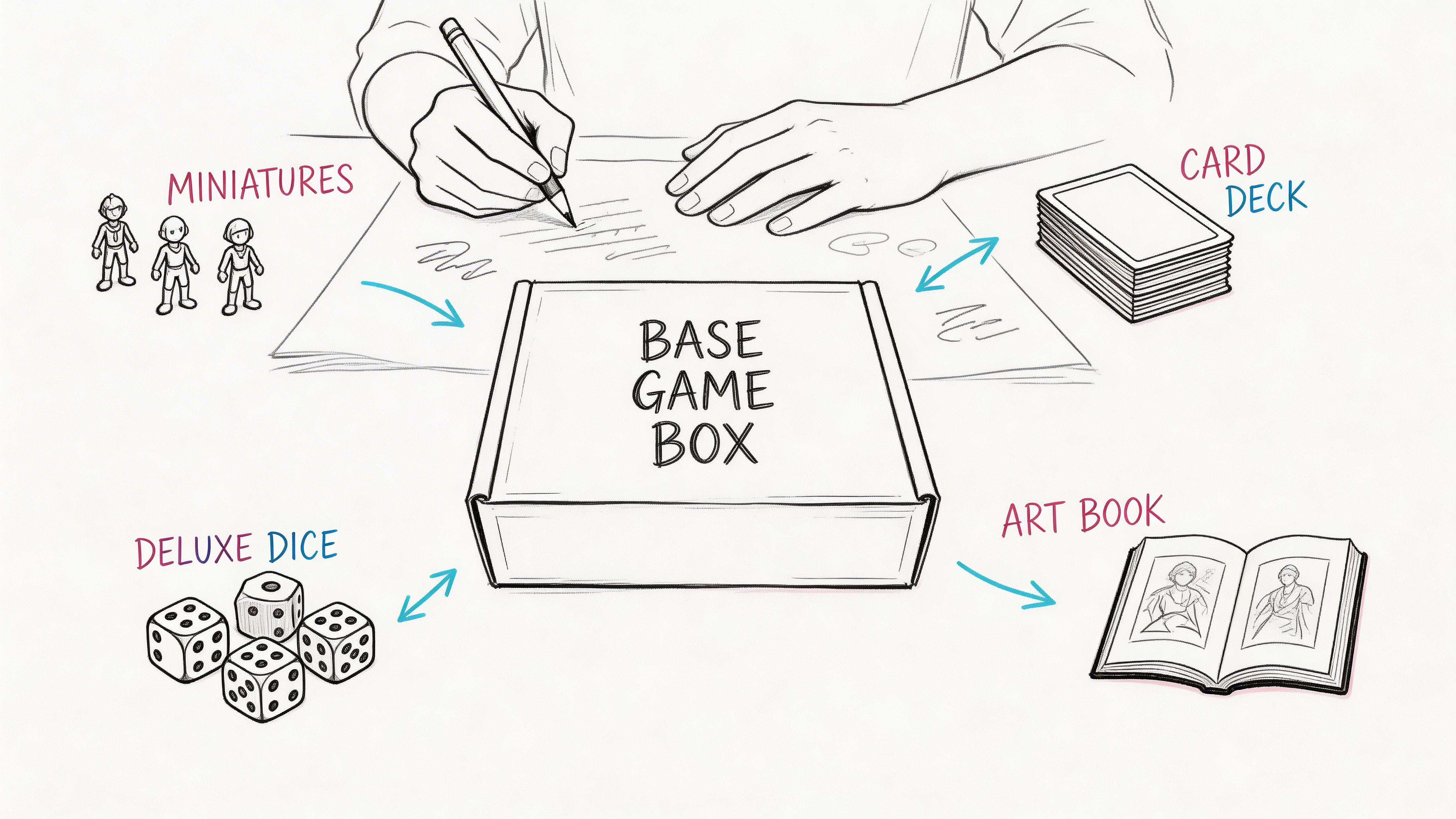
Turn your crowdfunding success into more revenue. This guide covers how to plan, price, and sell game add ons using a pledge manager to boost your profits.
You got funded. Backers are celebrating. Comments are active. Then the mood changes.
Now you have to lock rewards, collect addresses, calculate shipping, handle taxes, and keep the whole thing from turning into an operations mess. This is also the point where many creators accidentally stop selling.
That’s the mistake.
In games, downloadable content turned post-launch monetization into a core business model. By 2010, DLC accounted for 20% of total video game sales, and the broader online gaming market reliant on these add-ons is projected to reach $29.48 billion in global revenue by 2025, according to the Wikipedia overview of downloadable content. Crowdfunding works the same way. The campaign gets attention, but the post-campaign system determines how much value you capture.
For tabletop publishers, hardware teams, and collectible product creators, game add ons aren't side items. They’re your last clean chance to increase revenue before fulfillment starts. If you treat the backer survey like a form, you’ll collect addresses. If you treat it like a sales engine, you’ll collect addresses and additional orders.
The difference is operational design. Good add-ons fit the core product, ship cleanly, and feel like obvious upgrades. Bad add-ons create confusion, delay manufacturing, and make backers feel squeezed after they already pledged.
I’ve seen the same pattern over and over. The creators who do this well decide early that post-campaign sales are part of the campaign, not an afterthought. They plan the catalog, build the offer flow, and use the survey to complete the order instead of merely documenting it.
The dangerous moment is right after funding closes.
Most creators shift into admin mode. They think about addresses, pledge reconciliation, shipping tables, carton dimensions, VAT, and manufacturing handoff. All of that matters. But if you focus only on logistics, you leave money on the table at the exact moment your backers are still paying attention.
Your backers have already said yes once. That matters more than almost any marketing trick.
They understand the product. They trust the project enough to back it. They’re emotionally invested in receiving it. That makes the post-campaign window the cleanest time to offer relevant add-ons, pledge upgrades, and bundle choices.
Practical rule: Treat the survey as the final checkout, not the paperwork after checkout.
That doesn’t mean stuffing the flow with random extras. It means presenting a short list of items that complete the purchase:
The video game industry already proved the underlying model. Post-launch add-ons became normal because they extend value from a base product that players already enjoy.
Crowdfunding has the same structure. The campaign funds the core product. The post-campaign phase gives you room to extend the order with useful extras, especially when those extras are presented clearly and tied to the main reward.
A lot of creators still think of add-ons as opportunistic upsells. That framing hurts them. Useful game add ons do three jobs at once:
| What the add-on does | Why it matters |
|---|---|
| Improves the core experience | Backers feel they’re upgrading, not being sold to |
| Raises average order value | You generate more revenue without relaunching acquisition |
| Clarifies fulfillment choices | You lock final orders in one structured system |
The leak usually comes from one of three places:
None of those problems are glamorous. All of them are expensive.
The biggest tool decision comes after funding, not before launch.
A lot of creators assume any survey tool is close enough. It isn’t. A basic survey collects information. A pledge manager processes orders. Those are not the same job.
Kickstarter’s native pledge manager is a lot like Amazon. You’re operating inside someone else’s structure. You get convenience, but limited control over branding, customer flow, and how you merchandise your add-ons.
A dedicated pledge manager is more like Shopify. You’re building your own post-campaign storefront around your campaign. You control how backers move through confirmations, upgrades, shipping collection, taxes, and optional purchases.

A basic survey tool is fine if all you need is:
That’s useful, but it’s narrow. The moment you need shipping logic, tax collection, pledge upgrades, add-on rules, late backers, or branded upsell pages, the limits show up fast.
You end up patching together spreadsheets, payment links, and support replies. That’s the exact kind of tool sprawl creators regret later.
A real post-campaign sales engine has to do more than ask questions. It needs to behave like checkout.
That means it should support:
| Capability | Why it matters after funding |
|---|---|
| Branded backer portal | Keeps the experience consistent with your campaign |
| Add-on catalog | Lets backers add items without custom invoicing |
| Shipping rules | Prevents undercharging or messy manual corrections |
| VAT and tax collection | Reduces edge-case support and abandoned carts |
| Payment processing | Lets backers pay remaining balances cleanly |
| Exportable reports | Gives fulfillment partners usable order data |
This is why I push creators to think in store terms, not survey terms. If you want to maximize post-campaign revenue, your system needs to sell.
The gaming industry is already built around digital purchasing behavior. The global gaming market was valued at $225.7 billion in 2025, with in-game purchases and add-ons driving 76% of all online revenue, and 71% of gamers aged 18 to 34 preferring digital downloads, according to SQ Magazine’s online gaming statistics. That behavior maps cleanly to crowdfunding backers who are already comfortable adding items after the initial commitment, as long as the flow is easy.
That’s why I’d choose a dedicated pledge manager every time for a serious campaign.
If you’re evaluating options, this guide on how to select the right pledge manager is a useful starting point because it forces you to compare workflows instead of feature lists.
Many teams hesitate at this point. They worry the post-campaign tool will add fixed costs before they know whether add-ons will convert.
That’s why the pricing model matters. PledgeBox is free to send the backer survey and only charges 3% of upsell if there’s any. That structure changes the decision. You’re not taking on upfront survey cost just to collect addresses. You’re paying only when add-on sales happen.
That’s also why the Amazon versus Shopify analogy matters. Platform-native tools tend to keep you inside a narrow workflow. A creator-controlled pledge manager gives you room to merchandise, test offers, and shape the buyer journey.
Use the simplest tool that can still sell. For most funded campaigns with more than a handful of SKUs, that won’t be a basic survey.
Most failed add-ons have the same problem. They exist because the creator wanted more revenue, not because the backer wanted a better product.
Backers can tell the difference immediately.
Good game add ons feel like they belong next to the base reward. They deepen play, improve usability, or satisfy a collector instinct without making the core pledge feel incomplete. If your add-on list feels like a ransom note for the “real” version of the product, expect friction.

I usually sort add-ons into three buckets before I decide what makes the cut.
These are the strongest offers when they add replayability or new decisions.
Think in terms of:
These tend to convert well because they answer a simple question: what can I do with this that I couldn’t do before?
The caution is obvious. Don’t carve out material that backers believe should have been in the base game. If you announce too much expansion content too early, people may feel the main pledge was held back on purpose.
This category raises order value fast when the core game already has emotional appeal.
Examples include:
These work because they let backers personalize quality. They don’t have to change gameplay to feel worthwhile.
Many campaigns either overperform or waste production time.
Useful options can include:
Not every campaign needs this layer. But for visually distinctive worlds, collectors often want more ways to live inside the brand. If you’re exploring broader merchandising opportunities, it helps to think beyond the game box and ask what your audience would proudly display, wear, or gift.
Creators usually brainstorm add-ons from the fan side. That’s good for ideas and bad for shipping.
Before you approve any item, answer these questions:
| Question | Why it matters |
|---|---|
| Can this be manufactured on the same timeline as the core reward? | Prevents one optional item from holding the whole campaign hostage |
| Does it need separate packaging? | Affects pick-and-pack complexity |
| Does it change carton size or shipping class? | Can erase margin if ignored |
| Can support explain it in one sentence? | If not, the product page is too vague |
| Would a backer regret not adding it now? | Strong signal that the item has real post-campaign value |
Small, practical upgrades often outperform flashy concepts.
A compact accessory that improves setup, storage, or table presence can be easier to explain and easier to fulfill than an ambitious side product. The most reliable add-ons are often the ones that solve a tiny annoyance or complete a set.
If the add-on makes setup faster, storage cleaner, or the table look better, backers understand it in seconds.
You don’t need a giant catalog. You need the right catalog.
Before locking your list, ask your community what they’d buy. Campaign comments, update replies, and direct backer questions often reveal more than a generic poll. Look for repeated demand, not isolated enthusiasm.
Then trim aggressively. Too many options make every option weaker.
A clean add-on line usually has:
That’s enough for most campaigns.
If you need help structuring the catalog itself, this walkthrough on add-on items is useful because it pushes you to define the product, not just name it.
Creators often spend weeks designing game add ons and then price them in a hurry. That’s where margin disappears.
Price is not just arithmetic. It’s positioning, order architecture, and friction control. Backers don’t evaluate each add-on in isolation. They compare it to the core pledge, to the next bundle up, and to the total they’re already about to pay.
The strongest pricing setups make the next step feel obvious.

For board game crowdfunding, creators see 10% to 15% incremental revenue by pricing add-ons between $5 to $20 and using $30 to $40 deluxe bundles to anchor value. The same source notes that conversion rate benchmarks are 1% to 5%, with successful seasonal-style models producing 1.07x to 1.275x revenue increases and 7% to 35% attach rates, according to GameAnalytics on metrics and monetization.
That doesn’t mean you force every item into those ranges. It means those ranges are a practical starting frame.
These are the easiest yes.
They work well for:
The goal here isn’t to maximize margin per unit. It’s to make the add-on feel easy to tack on.
This is usually the healthiest zone for revenue quality.
These are often:
Backers stop and evaluate these. Your product page has to do more work, but the upside is stronger average order value.
Every catalog needs an anchor. That’s the package that makes the rest of the pricing make sense.
A deluxe bundle or all-in upgrade doesn’t just sell itself. It also makes your mid-tier offers feel reasonable by comparison.
A long list of individual add-ons makes backers do math. That hurts conversion.
A short list of thoughtfully bundled offers makes selection faster. When I review underperforming post-campaign stores, one of the most common issues is too many stand-alone items and not enough pre-built choice.
A useful bundle structure looks like this:
| Bundle type | What goes inside | Why it sells |
|---|---|---|
| Essentials pack | The practical must-haves | Helps hesitant buyers avoid missing basics |
| Deluxe upgrade | Premium components and presentation items | Raises perceived value fast |
| Gameplay pack | Expansions, modules, scenarios | Appeals to active players |
| All-in upgrade | Best-selling items from all categories | Simplifies the biggest order decision |
The all-in bundle works when it feels convenient, not coercive.
Use it when:
Avoid it when the all-in offer is the only way to access important content. That can make individual backers feel manipulated, especially if they already pledged at a high tier.
A good all-in bundle says, “Here’s the complete experience if you want it.” A bad one says, “You backed wrong.”
Two creators can sell the same add-on at the same price and get different results because one presents the item like a SKU and the other presents it like a finished product.
Your add-on card should show:
Don’t make backers decode value from long paragraphs.
Use this before you publish anything:
Pricing isn’t just about recovering cost. It’s about shaping what backers pick.
Post-campaign revenue is made or lost here.
A survey should feel fast for the backer and structured for the creator. If it feels like admin, people rush through it. If it feels like a clean checkout flow, they make purchase decisions with less friction.
That’s why I build surveys in the same sequence every time: confirm what the backer already has, fix any missing balance, collect the shipping destination, then present the most relevant game add ons before final payment.

If the order is wrong, conversion drops.
A practical survey flow looks like this:
Pledge confirmation
Show the backer what they already bought.
Upgrade opportunity
Offer a tier jump if it’s relevant.
Address collection
Capture destination before shipping is finalized.
Shipping and tax logic
Apply location-based costs cleanly.
Add-on presentation
Show optional products after the backer understands the order.
Final review and payment
Let them confirm the full cart once.
This sequence matters because it keeps the buyer oriented. They know what they pledged, what they’re changing, and why the total moved.
Creators often underuse add-ons even though they can drive 20% to 30% incremental revenue. One reason is fragmented workflow. The fix is using a single flow that handles branded surveys, payment processing through Stripe or PayPal, shipping and VAT collection, and upsell management together. That’s also where PledgeBox fits as a practical tool option. It supports those functions in one system, is free to send the survey, and charges only 3% on add-on sales with no upfront fees, as summarized in this business-context source discussing add-on-driven post-campaign flows.
That fee model matters because it removes the usual hesitation around turning the survey into a sales step.
If you want to see the mechanics of the workflow, this post on the Kickstarter post-campaign survey is worth reviewing before you build your own flow.
Most creators undersell add-ons because they write update copy instead of product copy.
Bad add-on copy sounds like this:
That language is passive. It doesn’t explain why the product matters.
Better survey copy focuses on the payoff.
Examples:
Complete your set with the deluxe token upgrade. Designed for backers who want better table presence and a more tactile play experience.
Add the expansion if you want more variety right away. It introduces new scenarios and keeps the core game fresh from the first week of play.
Pick the storage insert if you want faster setup and cleaner teardown. It’s the practical upgrade most groups appreciate after the first few sessions.
The strongest surveys don’t dump the whole catalog onto one endless page.
I prefer a short sequence:
This keeps the buying energy focused. It also lets each offer breathe visually.
A few display rules help:
Not every backer should see the same thing.
If someone already pledged at an all-in tier, don’t show them a pitch for items they already have. If someone backed a hardware reward, show accessory add-ons that fit that reward. If someone is in a shipping region with special tax handling, the flow should account for that before checkout becomes confusing.
Good survey logic does two things:
That’s where pledge managers outperform generic forms.
Artificial urgency is easy to spot. Real timing still matters.
Use practical reminders such as:
That kind of urgency is operationally true, and backers respond to it without feeling manipulated.
A walkthrough can help your team picture the flow before you launch it:
Most post-campaign conversion problems come from a short list of mistakes:
| Mistake | What it causes |
|---|---|
| Too many questions before the store appears | Backers get fatigued before they see offers |
| Weak or missing visuals | Add-ons feel abstract and easy to ignore |
| Long blocks of text | Buyers skip instead of reading |
| Too many similar SKUs | Decision paralysis |
| Hidden shipping effects | Cart shock at the end |
Your survey should feel like guided checkout, not tax paperwork.
A clean upsell is only useful if you can fulfill it without chaos.
The post-survey phase is where creators either lock a reliable dataset or create months of support work. The difference usually comes down to discipline. Every add-on needs a SKU, shipping logic, tax handling, and a fulfillment path before the survey goes live.
Use a final pre-launch review for the survey itself.
There’s a practical methodology behind add-on implementation: pre-configure items, embed survey logic, automate email triggers, and test offers. The same source warns that more than 5 add-ons can drop completion rates by 40%, and ignoring regional taxes can lead to 15% cart abandonment, according to Game Developer’s discussion of paid DLC-style offer design.
That aligns with what campaign managers see in practice. Too many choices slow people down. Missing tax clarity makes them stop.
The goal is not to show everything you can sell. The goal is to help the backer complete the right order cleanly.
A small add-on can push an order into a more expensive shipping bracket.
Fix it by testing complete packed orders, not just product specs. Use the packed reality, including inserts, mailers, and protective material.
VAT and regional tax rules don’t disappear because the campaign ended.
Handle them during the survey flow, not through support tickets afterward. Backers lose trust fast when totals change by surprise.
Creators think more options mean more revenue. Usually it means slower decisions and a weaker completion rate.
Cut duplicates. Keep the catalog tight. If two add-ons solve the same desire, keep the clearer one.
If your exports aren’t clean, your warehouse will still ship. It will just ship with more mistakes.
Generate reports that your fulfillment partner can use. SKU consistency matters more than clever naming.
Backers tolerate delays better than confusion.
If manufacturing changes, if a premium component slips, or if one add-on affects timing, tell backers early and explain the decision. Silence creates support volume.
Most add-on strategy conversations focus on extra revenue, but the better frame is order quality. Higher-value orders are useful only if they remain fulfillable and supportable.
If you want a broader ecommerce mindset around bundling and checkout design, this guide on how to increase average order value is a helpful complement because many of the same principles apply after a campaign closes.
The creators who handle this well don’t improvise after funding. They decide what can be sold, what can be shipped, and what can be explained without friction. Then they build the survey around those realities.
If you want a post-campaign system that acts more like a storefront than a form, take a look at PledgeBox. It gives creators a way to send branded backer surveys, collect shipping and tax details, manage add-ons, and run post-campaign upsells without upfront survey fees.
PledgeBox
The All-in-One Toolkit to Launch, Manage & Scale Your Kickstarter / Indiegogo Campaign