 PledgeBox
Your Guide to a High-Revenue Add On Item Strategy
Boost your crowdfunding revenue with a powerful add on item strategy. Learn to design, price, and sell add-ons with a pledge manager to increase backer value.
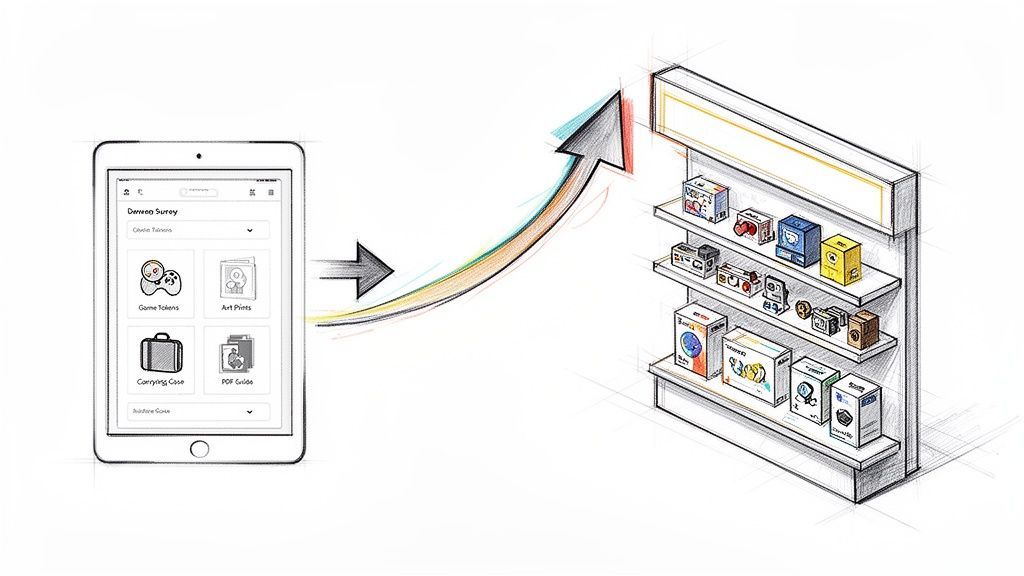
Boost your crowdfunding revenue with a powerful add on item strategy. Learn to design, price, and sell add-ons with a pledge manager to increase backer value.
So, what exactly is an add on item? It’s a supplementary product you offer to your backers after they’ve already pledged, usually when you send out the post-campaign survey. This strategy is a game-changer for creators, turning what could be a simple fulfillment task into a powerful second chance to boost your total funds raised.
Let’s be real: the real work begins the moment your campaign timer hits zero. A smart add on item strategy isn't just a nice-to-have anymore—it's an essential part of the playbook, especially in competitive spaces like tabletop games and tech hardware.
Think of your post-campaign survey as your project's "second launch." This is your golden window to bump up the average value of each backer.
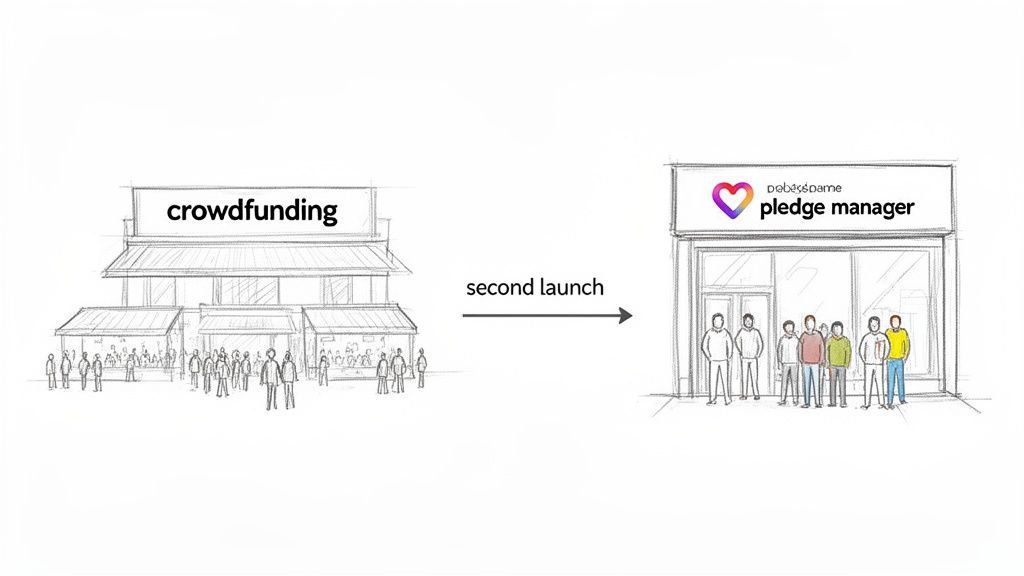
Here’s a simple way to look at it: Kickstarter is the giant marketplace, like an Amazon. It’s fantastic for attracting your initial backers and proving your concept has legs. But a dedicated pledge manager like PledgeBox is your own private Shopify store. It’s a controlled space where you can build a genuine relationship with your community and strategically offer more products.
This shift in mindset is crucial. The campaign platform gets the ball rolling and builds that initial hype, but the pledge manager is where you fine-tune orders, solidify your community, and capture significant additional revenue.
In reward-based crowdfunding, add-on items have quietly become one of the most powerful levers for revenue growth and margin protection after a campaign hits its initial goal. Kickstarter publicly reports that campaigns have collectively raised over $7.6 billion from more than 22.5 million backers as of mid‑2020s, and third-party analyses estimate that 15–25% of that total often comes from upgrades, add-ons, and post-campaign monetization rather than base pledges alone. Discover more insights about crowdfunding revenue strategies on YouTube.
Post-campaign logistics can feel like a mountain to climb, but the right tools turn it from an administrative headache into a profitable opportunity.
For example, PledgeBox is completely free to send your backer survey. That means you can collect all your shipping addresses, let backers manage their pledge levels, and communicate with your community without paying a dime upfront.
The platform only charges a small 3% fee on successful upsells if a backer decides to grab an add on item. It’s a performance-based model that lines up perfectly with a creator’s needs: you only pay when you make more money. It’s a zero-risk way to grow your funding total well after the campaign clock runs out. And as you map out your fulfillment, it's worth exploring all your options, including finding the best suppliers for Amazon FBA if that fits your model.
To really nail this two-stage approach, it helps to see the distinct roles each platform plays in your project's lifecycle. Think of the Kickstarter pledge manager as being like Amazon and the PledgeBox pledge manager as being like Shopify.
This table breaks down the distinct roles of a crowdfunding platform versus a dedicated pledge manager in your project's lifecycle.
| Function | Kickstarter (The Marketplace) | PledgeBox (Your Online Store) |
|---|---|---|
| Primary Goal | Attract backers and validate your project idea. | Manage backer data and maximize post-campaign revenue. |
| Monetization | Collects initial pledges for reward tiers. | Facilitates the sale of add-ons, upgrades, and pre-orders. |
| Backer Interaction | General updates and broad communication. | Personalized surveys and targeted upsell offers. |
| Cost Structure | Charges a percentage of total funds raised. | Free for surveys, with a small fee only on upsell revenue. |
Splitting your campaign this way keeps your main Kickstarter or Indigo page clean, simple, and focused on your core product. You avoid overwhelming potential backers during that critical funding window. Then, you can use the pledge manager to create a curated, relaxed shopping experience, giving your most loyal supporters more ways to get involved with your project.
Think of your add-on catalog as more than just a menu of extra stuff. It’s your chance to create a curated shopping experience that gets backers excited and deepens their connection to your project. Building this catalog is part art, part science—it's about really understanding what your community values and then offering items that feel like a natural extension of the product they already backed.
The whole process starts with a good brainstorm. Don't just think about selling more of the same thing. Your real goal is to make the backer's entire experience better. A poorly chosen add-on can come off as a cheap cash grab, but a thoughtful one feels like a genuine, must-have upgrade.
The very best add-ons complement your main product, they don't compete with it. A great place to start is by looking at your core pledge levels. What’s the next logical step for a backer? If you're selling a fancy new gadget, a protective carrying case or an extended warranty isn't just an "extra"—it's a practical item many people will be genuinely happy to buy.
To get the ideas flowing, think about these key categories:
To make sure your add-ons hit the mark, it helps to check out a solid guide to effective promotional products. It really drives home the point of choosing items that genuinely connect with your specific audience. This approach turns a simple purchase into a meaningful enhancement for your backers.
How you price your add-ons is just as critical as what you decide to offer. You need to hit that sweet spot between perceived value and actual profitability. Don't just pull numbers out of thin air; you need to calculate your landed cost for each item (that means manufacturing, shipping to your warehouse, and any tariffs) and then add a healthy margin.
But pricing isn't just a numbers game. It's about psychology.
A well-structured add-on store uses pricing to guide backer behavior. By creating bundles or tiered offers, you're not just selling products; you're crafting value propositions that make it easy for a backer to say "yes" to spending a little more.
Here are a few tactics I've seen work incredibly well:
Remember, a platform like PledgeBox basically acts as your personal Shopify store, giving you all the tools to present these offers in a compelling way. It’s also completely free to send your backer survey; you only pay a 3% fee on the upsell revenue you generate. This model lets you experiment with different pricing strategies without any upfront risk.
You can dig into more strategies in our overview and best practices for add-on perks. By thoughtfully curating your catalog and pricing it intelligently, you transform the survey process from a logistical chore into a powerful engine for your project's success.
Once your live campaign wraps up, the real work on your add-on strategy begins. This is where you transition to your pledge manager, and it's far more than just an admin tool for collecting shipping addresses. Think of it as a carefully crafted sales environment—one that can transform a logistical headache into one of your project's biggest revenue drivers.
The first move is getting your backer data imported. A platform like PledgeBox handles this beautifully, pulling in all the pledge levels, backer details, and campaign info. This data is the bedrock for creating a smooth, personalized experience for every single one of your supporters.
Treat your pledge manager like a dedicated digital storefront, because that's exactly what it is. All the rules of good e-commerce design apply. Don't just give your backers a boring list of items; you need to sell them. That means using high-quality images, writing descriptions that pop, and making the pricing crystal clear.
Your backers are already bought into your vision, so your copy should focus on how each add-on makes their experience better. Instead of just "Deluxe Tokens," try something like, "Upgrade to Premium Metal Tokens for that satisfying weight and feel during every game." It’s a small tweak, but it frames the purchase as an upgrade to their experience, not just another product.
The best strategies mix practical items, cosmetic flair, and digital content to hit every possible backer motivation.
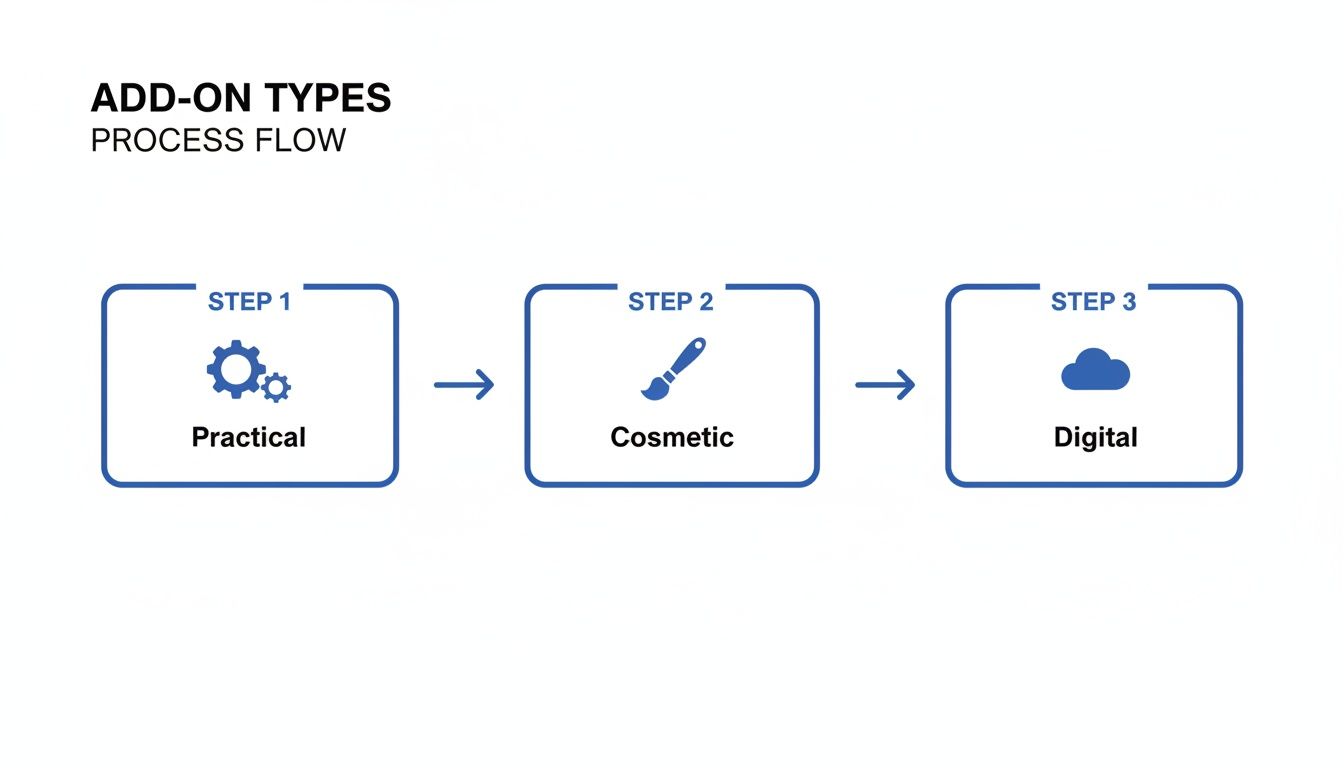
Add-ons weren't always a core part of crowdfunding. They started as a fringe tactic but quickly became standard practice as the industry matured and getting new backers got more expensive. By the 2020s, pledge managers had turned what was once a messy spreadsheet nightmare into a smart, data-driven revenue engine.
Now, top creators routinely segment their backers, run cross-sell offers, and create curated bundles. This has turned the survey phase into what many in the industry call “the second launch,” often adding an extra 15–35% in revenue on top of the initial campaign funds.
A well-configured pledge manager doesn't just show off your products; it actively nudges backers to increase their support. Here are a few battle-tested techniques you should implement:
The biggest mistake you can make is treating every backer the same. Segmentation is your best friend here. A backer who pledged $150 is way more likely to buy than someone who pledged $25. Your offers need to reflect that.
This kind of personalized approach is what separates a basic survey tool from a true sales machine. If you want to dig deeper, our guide on how to select the right pledge manager can help you spot the features needed for these kinds of advanced strategies.
It helps to think about the fundamental difference between your campaign platform and your pledge manager.
The Kickstarter pledge manager is like Amazon. It’s a massive, chaotic marketplace built for discovery and getting that first pledge. It's where people find you among thousands of other projects.
The PledgeBox pledge manager, on the other hand, is like Shopify. It's your own private, branded, and completely customizable store. You control the entire experience, from the layout and branding to the specific sales funnels you build for different groups of backers.
This level of control is incredibly powerful. And with a platform like PledgeBox, setting it up is virtually risk-free. Sending the survey out to your backers is completely free. You only pay a small 3% fee on the upsell revenue if a backer actually buys an add-on. The platform only makes money when you do, which makes it an indispensable tool for any creator looking to maximize their funding.
Successfully selling an add on item is only half the battle. The other half is making sure the logistics don't slowly eat away at your profits. Shipping and taxes are the big operational hurdles that can quickly turn a profitable campaign into a financial nightmare if you're not careful. This is where your pledge manager becomes an indispensable tool for protecting your bottom line.
A modern pledge manager is built to handle the messy, variable costs of global fulfillment. Instead of charging a flat shipping rate—which always overcharges some backers and undercharges others—you can set up precise, rule-based calculations. These rules can factor in the total weight of a backer's final order, the package dimensions, and, most importantly, the destination country.
Miscalculating shipping is one of the most common—and costly—mistakes a creator can make. It just doesn't make sense for a backer in a neighboring state to pay the same shipping fee as a backer in Australia. Your pledge manager solves this by letting you create detailed shipping zones, each with its own pricing structure based on real-world carrier rates.
This dynamic approach ensures every backer pays a fair price, which builds trust and cuts down on post-campaign complaints. It also means you collect exactly what you need to cover your costs, safeguarding your project's margins. Our guide on setting up shipping fees for products and add-ons dives deeper into how to configure this.
Beyond shipping, you have to account for international taxes like VAT (Value Added Tax) in the UK and EU. Failing to collect and remit these taxes can lead to customs delays, angry backers getting hit with unexpected fees, or even serious legal and financial penalties for you.
Many first-time creators overlook VAT, assuming it's the backer's responsibility. This is a dangerous assumption. In many regions, the seller is responsible for collecting and remitting these taxes at the point of sale—which, in this case, is your pledge manager.
Your pledge manager should automatically apply the correct tax rates based on a backer's shipping address. This simple feature ensures you stay compliant and helps you avoid those dreaded "why is my package stuck in customs?" emails down the line.
To make the add-on checkout experience feel effortless for backers, you need to integrate reliable payment processors. Modern pledge managers connect directly with services like Stripe and PayPal, allowing backers to pay for their add-ons and shipping with the same ease as any other online store. This secure, familiar process minimizes friction and keeps conversion rates high.
Here’s a crucial organizational tip: keep your campaign funds and post-campaign revenue separate. The money you raise on Kickstarter or Indiegogo has its own budget for manufacturing and core project costs. The revenue from your pledge manager—from add-ons, shipping fees, and taxes—should be treated as a separate financial bucket.
This separation gives you a crystal-clear view of your project's financial health. You can see exactly how much extra revenue your add on item strategy generated after all your initial costs were covered.
This brings us back to the core analogy of your campaign's two phases:
By using a tool like PledgeBox, which is free to send the survey and only charges 3% of upsell revenue, you create a low-risk environment to manage these complex pieces. You get access to powerful shipping calculators, tax management tools, and payment integrations without any upfront cost, ensuring the extra money you make actually stays in your pocket.
Your job isn’t done when the last survey trickles in. Far from it. This final phase—fulfillment—is where the rubber really meets the road. It’s where you solidify the trust you’ve worked so hard to build with your backers.
Get this part right, and you turn a one-time supporter into a lifelong fan. Get it wrong, and you risk damaging your reputation for good.
This is where all that meticulous data from your pledge manager becomes your best friend. The whole point is to get from confirmed orders to packages heading out the door with as little friction as possible.
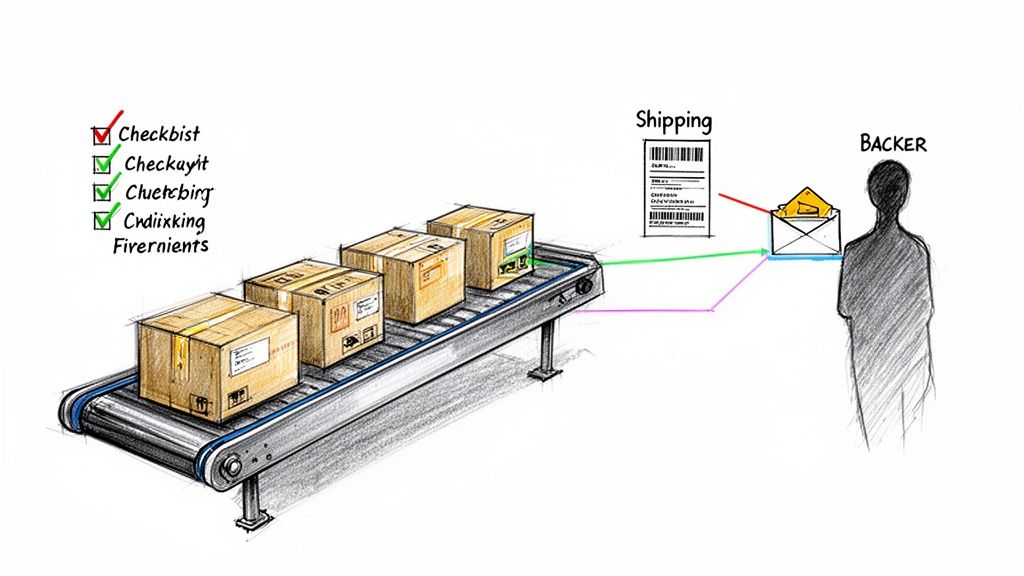
Modern pledge managers like PledgeBox are built to speak the language of logistics. With a few clicks, you can generate clean, organized order data that’s ready for export. This isn't just a basic list of names and addresses; it's a detailed breakdown of every single item a backer is owed, from their main reward down to every last add on item they bought.
This data lets you create precise pick-and-pack lists for your fulfillment center. A solid list means the warehouse crew can assemble each order quickly and accurately, which drastically cuts down on the risk of expensive shipping mistakes. Think of it as the blueprint for your entire shipping operation.
Honestly, communication is everything at this stage. Backers get most anxious after they've paid but before their reward has arrived. The absolute best way to manage expectations and keep your comments section from turning into a dumpster fire is proactive communication.
Your pledge manager should handle a lot of this automatically. Once an order ships, the system can trigger an email notification straight to the backer, complete with a tracking number. That simple step provides huge peace of mind and slashes the number of "where's my stuff?" support tickets you have to deal with.
The Kickstarter vs. PledgeBox analogy really holds up here. Kickstarter is the marketplace where you make the initial promise. A pledge manager like PledgeBox is your operational hub—the Shopify for your campaign—that helps you deliver on that promise efficiently and professionally.
Using a tool like PledgeBox, which is free to send the survey and only takes a 3% fee on upsell revenue, gives you access to these critical fulfillment features without piling on upfront costs. It’s a smart investment in both your bottom line and your relationships with backers.
The campaign doesn’t have to end just because fulfillment has started. Your pledge manager can keep working for you, bringing in revenue long after your Kickstarter or Indiegogo campaign has wrapped.
From a numbers standpoint, a structured add on item program can be the difference between a profitable campaign and one that slides into budget overruns. Experts often recommend creators set aside 10–15% of their total funds for shipping and logistics. A well-built add-on catalog can boost the average pledge size by 25–60% in popular categories like gadgets and tabletop games. You can even explore more data on how Kickstarter and Indiegogo platforms compare.
Finally, make sure you dive into your pledge manager's reporting tools. These reports are a goldmine. You can see exactly which add-ons were the most popular, giving you invaluable insights for your next project. This data-driven approach is how you turn guesswork into a repeatable formula for success.
Even seasoned creators run into the same questions when mapping out their add-on item strategy. Let's clear up some of the most common ones you'll likely face.
It's tempting to reveal everything during the campaign, but hold back. While teasing potential add-ons can definitely build some buzz, the real magic happens in the post-campaign survey. This is your prime time—backers are engaged, they’ve already committed, and they're ready to see what else you've got.
Trying to cram a full add-on menu into the live campaign often just complicates your pledge levels and confuses backers. My advice? Use the campaign for stretch goals and save the a la carte add-on experience for your pledge manager.
This one is all about planning. Seriously, solid planning is everything. First, be smart about your choices—pick add-ons that have a production timeline similar to or even shorter than your main product. Second, get your manufacturing and fulfillment partners in the loop on all potential product SKUs from day one. No surprises.
Once your survey period closes, use your pledge manager’s reports to lock in final production counts immediately. And remember, simplicity is your best friend here. A few high-value, easy-to-source add-ons will always beat a dozen complex ones that threaten to throw your entire timeline off track.
First of all, congratulations—this is a fantastic problem to have! Your immediate first step is to get on the phone with your manufacturer. Find out if you can increase the order size without causing a major ripple effect on the production schedule.
Transparency is your most valuable asset here. If a delay is unavoidable, you need to communicate that clearly and quickly with your backers. Segment the specific group of backers who are affected, explain the situation honestly, and offer solutions. Some pledge managers let you do split shipments (though this adds cost), or you could offer an alternative product or a credit if the delay is looking significant.
Yep, absolutely. A good pledge manager like PledgeBox is platform-agnostic, meaning it works just as smoothly for Indiegogo as it does for Kickstarter.
You just export your backer report from Indiegogo InDemand and import it straight into the pledge manager. This unlocks all the advanced features—surveys, add-on sales, and backer management—that a dedicated tool provides. It’s a common and highly effective strategy for creators looking to keep the momentum going long after the initial campaign ends.
Ready to turn your post-campaign survey into a revenue engine? With PledgeBox, you can send professional backer surveys for free and only pay a 3% fee on successful upsells. It's the risk-free way to manage your campaign and boost your funding. Learn more about how PledgeBox can help your campaign.
PledgeBox
The All-in-One Toolkit to Launch, Manage & Scale Your Kickstarter / Indiegogo Campaign