 PledgeBox
Crowdfunding an App A Founder's Guide to a Successful Launch
Thinking about crowdfunding an app? This guide provides a proven roadmap, covering pre-launch strategy, campaign execution, and post-campaign success.
Thinking about crowdfunding an app? This guide provides a proven roadmap, covering pre-launch strategy, campaign execution, and post-campaign success.
Crowdfunding an app isn't just about the money. It's about building a tribe of people who get your vision and are excited enough to help you build it. You’re validating your idea, locking in your first users, and generating real buzz before you even write a single line of production code. This turns your audience from passive observers into genuine partners.
Back in the day, launching a project meant jumping through hoops for gatekeepers—investors, publishers, or studios. You had to sell them on your dream before you could even start. Platforms like Kickstarter blew that old model up. Now, you can take your concept straight to the people who will actually use it. You are the gatekeeper.
This is a massive shift. The global crowdfunding market is exploding, with transaction volumes hitting an estimated $17.72 billion and climbing. And the sweet spot for software and mobile apps? Reward-based campaigns, which make up about 74% of total sales. People are hungry for new digital tools and are willing to back them.
This journey breaks down into three core stages, as you can see below.
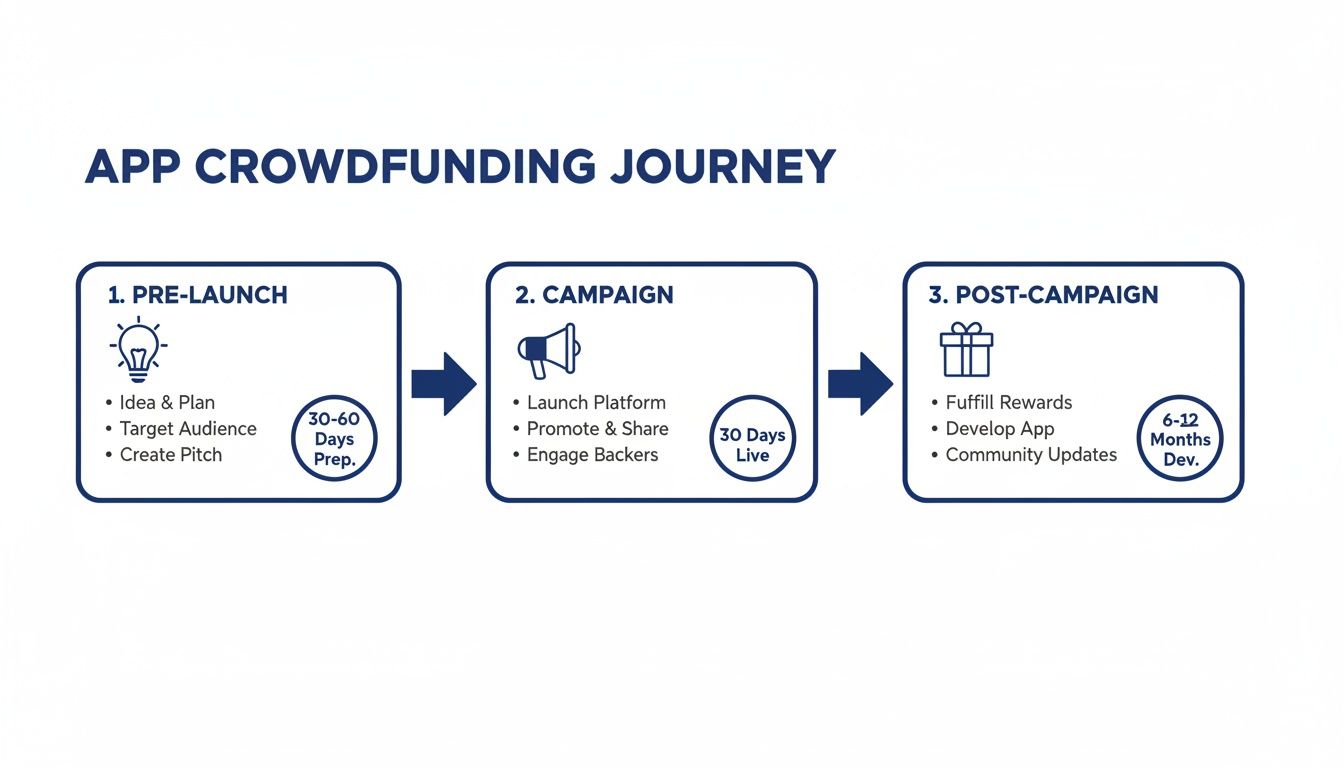
As the infographic shows, what happens before and after your live campaign is just as important as the campaign itself. The pre-launch builds your momentum, and the post-campaign is where you deliver on your promises and build lasting trust.
To pull this off, you need a roadmap. A successful app crowdfunding campaign follows a proven, three-phase structure. Getting a handle on this process is your first real step toward getting funded. Of course, before you even think about crowdfunding, you need a solid grasp on how to create your own app and build a functional prototype that people can get excited about.
This guide is your complete blueprint. We'll walk through everything from building an audience from scratch to getting your app into your backers' hands.
Here’s what we’ll cover:
Once your campaign is a success, the real work begins. Managing hundreds or thousands of backers is no small feat, and this is where a dedicated pledge manager becomes your best friend. Kickstarter's built-in survey tool gets the basic job done, sure, but think of it like Amazon—a standardized, one-size-fits-all marketplace.
A specialized pledge manager like PledgeBox, on the other hand, is more like your own Shopify store. It gives you a customizable, branded space to manage backers, sell add-ons, and smoothly collect all the detailed info you need.
This is a huge deal for your bottom line. Best of all, PledgeBox is free to send the backer survey and only charges 3% of upsell if there's any. It's a no-risk way to boost your total funding while making your post-campaign logistics a whole lot easier.
A killer crowdfunding campaign for an app doesn't just magically happen on launch day. The real work starts months before anyone even sees your Kickstarter page. This pre-launch grind is what separates the campaigns that hit their goal in hours from the ones that fizzle out. It's all about proving your idea has legs and building an army of fans before you ask for a dime.
First things first: you have to validate your app idea. A brilliant concept is just a daydream until you prove that real people actually want it. This means getting out of your own bubble and away from the biased opinions of friends and family. You need raw, honest feedback from your target audience. Seriously, learning how to validate your business idea is non-negotiable if you want backers to take you seriously.
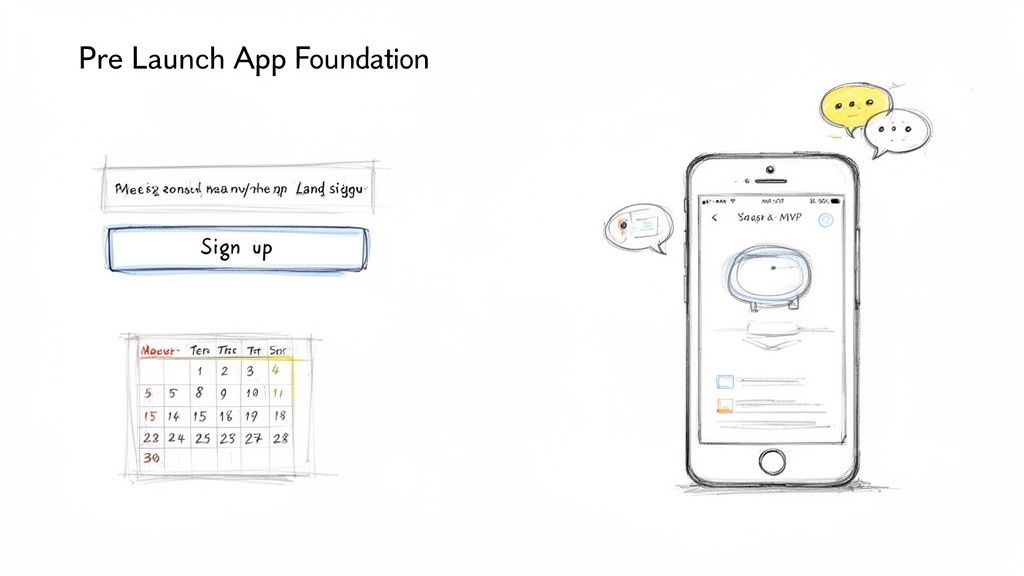
Once you've got solid proof that people are interested, you need a place for them to gather. A simple pre-launch landing page is your best friend here. Its entire job is to do one thing: capture email addresses from people who are genuinely excited about your app.
This page doesn't need to be fancy. Just make sure it has:
This email list is the lifeblood of your campaign. These are the folks who will back you on day one, creating that critical early momentum that gets everyone else's attention. If you want to get into the nitty-gritty, our guide on how to build a list of potential backers (https://www.pledgebox.com/post/how-to-build-a-list-of-potential-backers-before-your-kickstarter-campaign-launches) walks you through the entire process.
When it comes to crowdfunding software, talk is cheap. Backers aren't just funding an idea; they're betting on your ability to actually build it. This is where having a Minimum Viable Product (MVP) or a polished demo video will put you leagues ahead of the competition.
An MVP is a basic, working version of your app that solves the user's core problem. It doesn't need all the bells and whistles you've planned for version 3.0, but it must function smoothly and prove your app delivers on its main promise. It’s tangible proof you’ve got the technical chops.
A polished demo video is your emotional hook. It’s not just a feature tour; it’s a short story that makes the viewer feel the pain point your app addresses and then experience the relief your solution provides. This is where you make backers believe in your vision.
Think of it this way: Kickstarter's built-in pledge manager is like a basic Amazon checkout—it gets the job done, but it’s generic. A dedicated pledge manager like PledgeBox is more like your own Shopify store, giving you way more control and flexibility.
This is something to plan for early on. It's important to know that PledgeBox is free to send the backer survey and only charges 3% of upsell if there's any. This risk-free setup lets you plan for cool add-ons and a smoother backer experience later on—a huge selling point you can even hint at in your pre-launch buzz. The feedback you get on your MVP now can help you figure out what awesome upsells your future backers will want to buy.
All your pre-launch grinding has led to this. It's time to build the heart of your operation: the campaign page. This isn't just a place to ask for money; it's the home for your app's story, the spot where a curious click turns into a committed backer.
Your page has to do more than list features. It needs to hook people with a compelling narrative, show off undeniable value, and make pledging feel like the most obvious, exciting decision they'll make all day. Getting this right is everything when you're fighting for eyeballs on a massive platform.
Let’s be real: people don’t back features, they back a vision. Your campaign narrative has to hit them on an emotional level. Start by setting the scene—what's the problem your app solves? Make it relatable. Use a real-world scenario to paint a picture of the daily frustration your target user is dealing with.
Once you’ve established the pain point, introduce your app as the hero. This is where you show, not just tell. Your demo video and sleek UI mockups are your best friends here. Let potential backers actually see themselves using the app and imagine the relief or joy it brings.
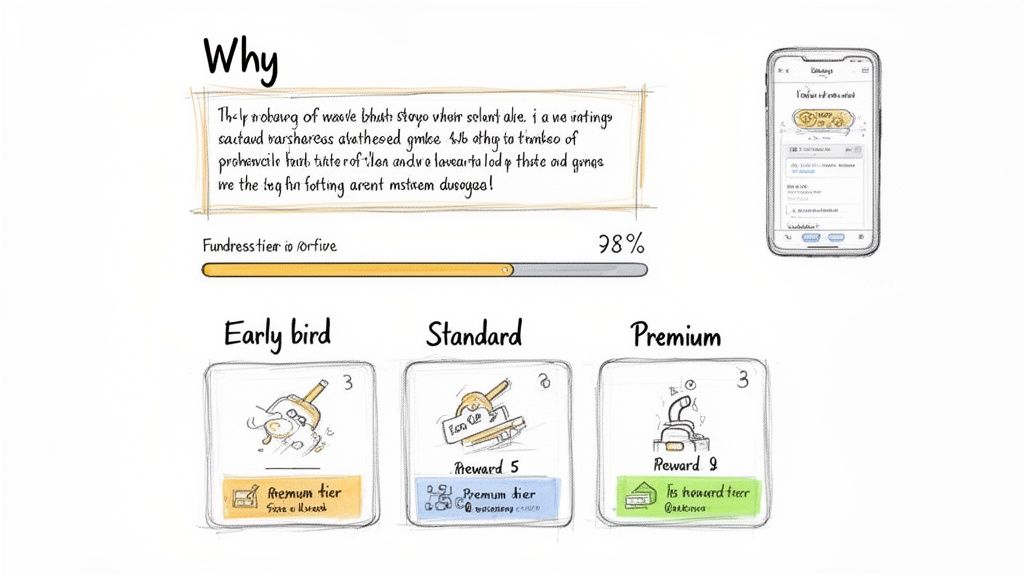
Your reward tiers are the backbone of the pledge. They're the tangible thank-you for a backer's support. A smart tier structure creates a clear ladder of value that nudges people to pledge just a little bit more. It's part art, part science.
A good starting point for app rewards usually looks something like this:
As you map these out, you need to think beyond the campaign's end date. Kickstarter's built-in survey tool gets the job done, but it’s pretty basic. A dedicated pledge manager, however, is like having your own post-campaign storefront, giving you a ton of flexibility to offer add-ons and upgrades after the clock runs out.
When designing your tiers, remember that the journey doesn't end when the funding clock stops. A tool like PledgeBox lets you create a seamless post-campaign experience. PledgeBox is free to send the backer survey and only charges 3% of upsell if there's any, making it a risk-free way to boost your total funds with valuable add-ons that complement your initial reward tiers.
Your campaign page needs to be a conversion machine. To make sure you're hitting all the right notes, use this checklist to guide your page design.
| Component | Purpose | Best Practice Example |
|---|---|---|
| Hero Video | To tell your story, showcase the app in action, and connect emotionally. | A 2-3 minute video showing a user solving a real problem with your app, ending with a clear call to action. |
| Compelling Headline | To grab attention and instantly communicate your app's core value. | "The Last To-Do List App You'll Ever Need" |
| Problem/Solution Narrative | To make the need for your app relatable and urgent. | Start with a paragraph describing a frustrating, common scenario, then introduce your app as the solution. |
| High-Quality Visuals | To show off your app's design and functionality. | Use professional UI mockups, GIFs of key features, and lifestyle photos showing the app in use. |
| Clear Reward Tiers | To make it easy for backers to choose how to support you. | Use descriptive names for tiers (e.g., "The Super Early Bird," "The Pro Pack") and clearly list what's included in each. |
| Team Introduction | To build trust and show you have the expertise to deliver. | Short bios with photos of the core team members, highlighting relevant experience. |
| Project Timeline | To set realistic expectations for development and delivery. | A simple visual graphic showing key milestones: funding ends, development complete, beta testing, final release. |
| Social Proof/Testimonials | To build credibility and reduce backer hesitation. | Include quotes from beta testers or early users who have positive things to say about the app. |
This table covers the fundamentals. A page that includes all these elements is well-positioned to not only attract backers but to convince them to hit that "Pledge" button.
This is one of the most nail-biting parts of crowdfunding an app. Aim too high, and you risk a devastating public failure. Aim too low, and you won't have the cash to actually build and deliver on your promises.
Your goal isn't just a random number; it's a calculated sum of your essential costs:
Platforms like Kickstarter have seen over 650,000 projects launched, and the tech category is fiercely competitive. While that scale offers incredible visibility, it also means your page has to be absolutely perfect to break through the noise. You can dive into more crowdfunding market statistics to see just how big the opportunity—and the competition—really is.
So, you hit the "launch" button. Congrats! But this is where the real work begins. Your goal now is to turn that campaign page into a bustling hub, converting every curious visitor into a backer who believes in your app. The first 48 hours are everything—a strong start sends a clear signal that your project is a winner.
That pre-launch email list you spent weeks building? It's your secret weapon for this initial blitz. These are your warmest leads, people who are already excited about what you're building. Don't just send a single email and hope for the best. You need a short, punchy sequence that builds urgency and points them directly to your pledge button.
This isn't just about grabbing those first few pledges. A fast start gets the platform's algorithms humming, which can land your app on the homepage or in their newsletters. That visibility creates a snowball effect, bringing in fresh traffic and backers you never would have reached otherwise.
Once the first wave of funding comes in, it's time to cast a wider net. Your social media game needs to shift from pre-launch hype to active promotion. Forget about just spamming your campaign link; you need to create content that people actually want to share.
Here are a few ways to make that happen:
Beyond your own channels, a little public relations (PR) and influencer outreach can give you a massive boost. Start making a list of tech bloggers, YouTubers, and niche journalists who cover apps in your space. Send them a personalized pitch that gets straight to the point: what problem your app solves and why their audience will care.
A single positive review from a trusted voice in the tech community can drive hundreds of pledges. Make their job easy by including a press kit with high-quality screenshots, a link to your demo video, and a short, clear summary of your project.
Organic buzz is great, but paid ads let you get your campaign in front of your ideal backer with surgical precision. Platforms like Facebook and Instagram are goldmines for crowdfunding an app because their targeting options are incredibly detailed.
You can build audiences based on interests (like "productivity software" or "mobile games"), demographics, and online behaviors. If you want to go deeper, our guide on effective marketing strategies for your Kickstarter campaign breaks down some more advanced tactics for setting up and managing your ads.
Start with a small daily budget to test which ad visuals and audiences are getting you the best results. Once you find a winner, you can scale up your spending. This is an especially powerful tactic to fight off the dreaded "mid-campaign slump" when organic excitement naturally starts to fade.
Consistent communication is the glue that holds everything together. Don't let your campaign page go silent! Regular updates keep your backers in the loop and transform them from simple funders into true advocates for your project.
These people have invested in your vision, so treat them like part of the team. A backer who feels informed and appreciated is far more likely to share your project with their friends. This creates a powerful cycle of promotion that's at the heart of the reward-based crowdfunding model, which accounts for a massive 74% of total sales in the market. As the industry evolves, successful creators are constantly finding new ways to blend rewards with direct funding for their software. Keep an eye on crowdfunding market trends to stay ahead of the curve.
The confetti has settled, your funding goal is met, and the campaign clock has hit zero. It's a massive milestone, for sure. But for anyone crowdfunding an app, this is where the real marathon begins. The shift from fundraiser to developer is a delicate one, and how you manage your backers right now will set the tone for your app's launch and your brand's reputation.
This post-campaign phase is all about logistics, communication, and making good on your promises. You're not just selling a vision anymore—you're building a product for your earliest, most passionate customers. The first order of business is getting the essential information you need from every single one of them.
Once your campaign ends, Kickstarter gives you a basic survey tool to collect backer info. It's functional, but that’s about it. For an app creator juggling digital rewards, beta access keys, and potential upgrades, it's just not going to cut it.
Think of it this way: the standard Kickstarter pledge manager is like Amazon. It's a one-size-fits-all marketplace that does the bare minimum. A dedicated pledge manager like PledgeBox is more like Shopify—it’s your own powerful, customizable storefront. This lets you create a branded, professional experience for the people who believe in you most.
With a dedicated tool, you can:
This level of control is an absolute game-changer for managing expectations and making your digital fulfillment process a whole lot smoother.
One of the biggest wins of using a specialized pledge manager is the ability to bring in extra revenue through upsells. This could be anything from a premium feature bundle, a multi-device license, or even exclusive access to a "behind-the-scenes" development blog.
The financial model here is incredibly creator-friendly. For instance, PledgeBox is free to send the backer survey. There are no setup fees or per-backer charges just to collect the information you need. The platform only charges a 3% fee on successful upsell revenue if there’s any. This makes it a completely risk-free way to boost your funding after the campaign has already closed.
You’ve already done the hard work of building a community. Offering smart, relevant add-ons in your backer survey is one of the easiest ways to increase your development budget without running a whole new campaign.
Transparent and consistent communication is the most valuable currency you have after your campaign funds. Your backers have put their trust (and their money) in you; they deserve to be part of the journey.
Set a regular schedule for updates—once or twice a month is a good rhythm. Even if you don't have a major feature to announce, a quick note about progress, a challenge you’ve overcome, or a screenshot of the latest UI tweak shows you're hard at work. Silence breeds anxiety and can quickly turn enthusiastic supporters into frustrated critics.
To help map out your next steps, check out this comprehensive post-crowdfunding campaign checklist. It covers everything you need to do to keep your project on track and your backers happy.
Understanding the difference between the default option and a specialized tool is key to making the right choice for your app. The table below breaks down the primary distinctions pretty clearly.
| Feature | Standard Kickstarter Survey | PledgeBox Pledge Manager |
|---|---|---|
| Customization | Very limited; basic question formats only. | Fully customizable with your branding, colors, and complex survey logic. |
| Upsells & Add-ons | Not supported. You cannot sell additional items after the campaign. | Built-in functionality to create a "store" for add-ons, boosting revenue. |
| Pledge Management | Backers cannot easily upgrade or modify their pledge after the campaign ends. | Backers can manage their pledge, upgrade tiers, and purchase add-ons in a simple portal. |
| Late Pledges | Not supported. Once the campaign is over, it's closed. | Allows you to accept pre-orders from people who missed the campaign. |
| Cost Structure | Included in Kickstarter's platform fee. | Free for surveys. Only a 3% success fee is charged on funds raised from upsells if there's any. |
| Support | General platform support. | Dedicated support focused on pledge management and fulfillment logistics. |
Ultimately, choosing a robust pledge manager isn't an expense; it's an investment in a smoother fulfillment process, a better backer experience, and a healthier final budget for your app's development. It provides the professional infrastructure you need to turn a successful campaign into a successful product launch.
Crowdfunding an app can feel like navigating a maze, with new questions around every corner. Getting straight answers is the only way to build a solid strategy and sidestep the common traps that sink promising projects. Let's dig into some of the most pressing questions founders ask.
The real cost is a blend of pre-launch, campaign, and post-campaign expenses. Before you even think about hitting 'launch,' you'll need to budget for a killer demo video, a working MVP to prove your concept, and some initial marketing to get the word out. This can run anywhere from a few hundred to several thousand dollars, depending on how ambitious you are.
Once the campaign is live, your main costs are fees. Most platforms will take about 5% of your total raise, and payment processors like Stripe will skim another 3-5% off the top. On top of that, you absolutely need an advertising budget. Smart creators typically earmark 10-20% of their funding goal specifically for driving traffic to their page.
After the confetti settles, you've got fulfillment. This is where a good pledge manager becomes your best friend. It’s worth noting that PledgeBox is free to send the backer survey and only charges 3% of upsell if there's any. That means it’s a success-based cost that only kicks in when you're making extra money.
No, you definitely don't need a fully baked, App Store-ready product. But you need a whole lot more than just a sketch on a napkin. Backers are funding the completion of your vision, but they need proof you’ve already done the heavy lifting and have the skills to see it through.
You need to have one of these two things, minimum:
And a high-quality demo video is completely non-negotiable. It’s the single best tool you have to show the app in action and make people feel the value.
A common mistake is thinking you're selling an idea. You're not. You're selling proof of progress and a credible promise to finish the job. Your MVP and demo video are that proof.
The single biggest blunder is ignoring the pre-launch phase. So many creators just throw their page up without building an email list of people ready to back on day one. That early momentum is everything; without it, your campaign will likely stall and fade away.
Another huge pitfall is setting a pie-in-the-sky funding goal. Too high, and you risk not hitting it and getting zero. Too low, and you'll be funded but won't have nearly enough cash to actually build and deliver what you promised. It’s a delicate balance.
Going silent after the campaign ends is a surefire way to kill trust. And finally, creators constantly underestimate the logistical nightmare of managing hundreds or thousands of backers. This is where a powerful pledge manager is a lifesaver. A good way to think about it is that the native Kickstarter pledge manager is like Amazon (standard, basic), while a dedicated tool like the PledgeBox pledge manager is like Shopify (customizable, powerful, built for growth).
With a digital product, your reward tiers need to create a "value ladder," giving backers compelling reasons to pledge just a little bit more. It's all about offering escalating levels of access and exclusivity.
Here’s a structure I’ve seen work time and time again for apps:
This tiered structure ensures there's an entry point for everyone, from the casual supporter to the die-hard fan, helping you maximize your funding potential.
Ready to streamline your post-campaign process and boost your funding with powerful upsells? PledgeBox offers a full suite of tools, from a customizable pledge manager to pre-launch pages, to help you succeed at every stage. Discover how we can help you manage backers and grow your revenue.
PledgeBox
The All-in-One Toolkit to Launch, Manage & Scale Your Kickstarter / Indiegogo Campaign