 PledgeBox
Credit Card Decline Codes: A Creator's Guide
Decode credit card decline codes from Stripe & PayPal. Learn why payments fail in your pledge manager and how to recover funds with our creator guide.
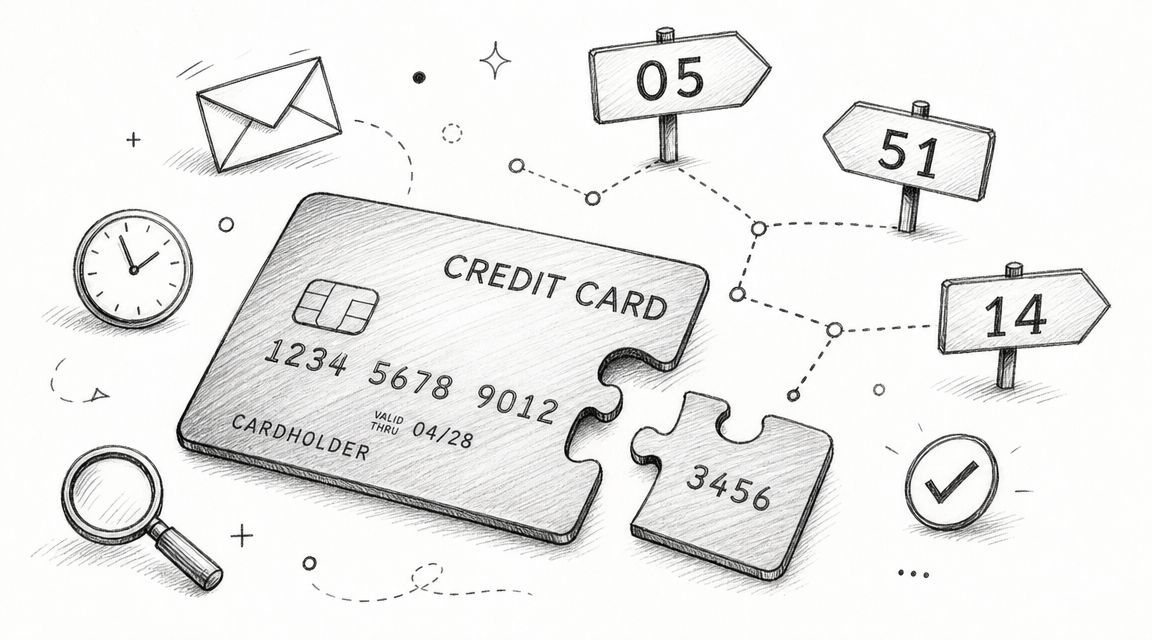
Decode credit card decline codes from Stripe & PayPal. Learn why payments fail in your pledge manager and how to recover funds with our creator guide.
Your campaign ended. Funding cleared. Backers are excited. Then you open your pledge manager or payment dashboard and see a row of failed charges.
That moment rattles almost every first-time creator.
A failed pledge feels personal because you've already mentally assigned that money to manufacturing, freight, stretch goal upgrades, or the safety margin you were finally going to breathe with. But in most cases, a failed payment isn't a backer changing their mind. It's a payment problem with a clue attached.
The usual pattern goes like this. You finish your campaign on a high, post an update, answer messages, and start getting organized for surveys and fulfillment. Then the payment list starts filling with labels like “failed,” “declined,” or “action required.”

For a creator, that can trigger the wrong conclusion fast. You might assume those backers are gone. You might start recalculating your budget. You might even delay production decisions because you no longer trust the final number.
Most of the time, the smarter move is slower and calmer. Check the decline reason first.
A credit card decline code is a short alphanumeric response, typically two digits, that identifies why an authorization failed. It can come from the issuer, the payment processor, or the card network, which is why one “payment failed” message can hide different root causes like bank refusal, bad card data, or fraud controls, as explained in Stripe's decline code overview.
Crowdfunding adds a layer that ordinary ecommerce doesn't have. You're not just processing a one-off purchase. You're collecting pledges after a long trust-building process, often with shipping fees, add-ons, taxes, late pledges, or updated addresses mixed in.
That means a declined charge doesn't just affect revenue. It can also affect:
Practical rule: Treat the decline code as the start of the diagnosis, not the final verdict.
If one backer's card expired, that's fixable. If another hit an issuer risk check, that may need a bank call or a different retry path. If a third typed the wrong card number, no amount of blind retrying will solve it.
That's why creators who recover payments well don't stare at “failed” as a dead end. They read the code, sort the issue, and choose the next step on purpose.
Once you understand the language of declines, the dashboard stops looking like a disaster log and starts acting like a to-do list.
Think of a failed card charge like a package that couldn't be delivered.
The package didn't arrive, but the reason matters. Maybe the address was wrong. Maybe the recipient wasn't home. Maybe the carrier had a routing problem. Maybe the sender entered the label incorrectly. “Delivery failed” alone doesn't tell you what to fix.
A card decline works the same way.

Several parties can be involved in a card payment:
That's why one visible error can have different roots. The charge failed, but the problem might be bank-side, network-side, or data-entry-side.
If you want a plain-language code reference while you're sorting through these messages, the Tagada payment decline glossary is a useful companion because it translates common decline language into something easier to act on.
Stripe notes that decline codes are typically short alphanumeric messages, often two digits. Recurly also notes there are over 2,000 reasons a card payment can be declined, which helps explain why broad customer-facing messages often sound frustratingly vague in Stripe's broader decline code resource.
In creator terms, “payment failed” can cover very different scenarios:
Crowdfunding creators often run into this problem when collecting final payments, shipping charges, taxes, or post-campaign add-ons. The recovery tactic depends on the decline type. A typo needs one response. A bank risk block needs another.
If you're still deciding which payment methods to support in your post-campaign flow, this guide to Kickstarter payment methods and options helps frame why method flexibility matters before declines become a cleanup job.
A decline code isn't a judgment on your project. It's a routing signal that tells you where the problem probably sits.
Once you read it that way, you stop asking, “Why did this backer fail?” and start asking, “Who needs to act next?”
Creators don't need a giant encyclopedia of every possible response code. What you need is a short working list you can use when a backer asks, “What happened?” or when you're deciding whether to retry, wait, or contact them.
Here are the common ones worth recognizing quickly.
| Code | Meaning | Likely Cause | Creator Action |
|---|---|---|---|
| 05 | Do Not Honor | Issuer refused the charge for a broad or unclear reason | Ask the backer to contact their bank or use another card. Avoid treating every 05 the same. |
| 51 | Insufficient Funds | Not enough available balance or credit | Wait, then retry if your system supports it, or ask the backer to use another payment method. |
| 54 | Expired Card | Card expiration date has passed | Ask the backer to update card details. |
| 14 | Invalid Card Number | Card number entered incorrectly or not recognized | Ask the backer to re-enter card details carefully. |
| 97 | Invalid CVV or CCV | Security code doesn't match | Ask the backer to re-enter the security code and card details. |
These meanings line up with common scheme-focused lists published by Primer, Chargeback Gurus, and Rapyd, as summarized in the earlier Stripe-linked reference.
Code 05, Do Not Honor, causes the most confusion because it sounds specific but really isn't.
Primer describes 05 as a catch-all issuer response that can reflect mismatched card details, suspected fraud, or bank-side risk blocks. Their guidance is that merchants should segment it by BIN and retry path rather than treating every case the same, because the same code can hide different recovery actions in Primer's explanation of Do Not Honor declines.
For creators, that means this code does not always mean:
It can mean any of those. Or none of them.
When you see a decline code, ask a practical question, not a technical one.
Can the backer fix it by updating information?
That's usually the case with expired card details or invalid card numbers.
Can time fix it?
That may be true for insufficient funds or temporary bank-side conditions.
Does the backer need to talk to their bank?
That's common with issuer refusals like 05.
Will repeated retries just annoy everyone?
Yes, if the problem is bad data or a hard refusal.
Don't build your workflow around the label alone. Build it around the likely recovery action.
Suppose one backer gets code 54. That's a clean support message: “Your stored card appears to be expired. Please update your payment method.”
Suppose another gets code 14. You don't need a long explanation. You need a correction prompt.
Suppose five backers get code 05. That's where creators often go wrong. They send the same generic email to all five, then wonder why recovery is uneven. Some of those backers may need to re-enter details. Others may need to approve the charge with their bank. One message won't fit every path.
That's why credit card decline codes are useful. They don't solve the problem by themselves, but they tell you what kind of conversation or retry logic belongs next.
When a payment fails, the first job isn't to retry as fast as possible. The first job is to decide whether the failure is soft or hard.
That distinction saves time and protects the backer experience.

Shift4 explains the core logic clearly. Some authentication failures are soft declines that should be retried, while codes like invalid card number or expired card are deterministic input problems where retrying without correcting the data will fail again in Shift4's guide to understanding decline codes.
A good creator workflow starts with a simple fork.
Soft decline examples
Hard or data-fix declines
If your system shows only a generic failure message, your next move should still follow this logic. Don't keep hammering the same card if the likely issue is stale or incorrect data.
Use this as your working playbook:
Check the specific code or processor message
Read the actual decline detail before doing anything else.
Retry only when the failure looks recoverable
Soft declines can sometimes clear with a retry or after the backer re-enters details.
Stop retrying when the information itself is wrong
Wrong card number, expired card, or similar data problems need human correction.
Contact the backer with one clear action
Don't send a vague “payment failed” note. Ask for the next useful step.
Offer an alternate payment route if available
Sometimes the fastest recovery is using a different card or method.
If your support load is heavy, teams often pair this with structured help workflows. For example, this article on AI-powered billing support solutions is useful for thinking through how automated support can handle repetitive payment questions without making replies feel robotic.
For crowdfunding, the process usually looks like this:
| Situation | What to do next |
|---|---|
| Temporary or authentication-related failure | Retry through the approved flow or prompt re-entry |
| Invalid or expired card data | Ask the backer to update payment details |
| Issuer refusal | Ask the backer to contact their bank or use another card |
| Repeated failures with same details | Stop automatic retries and switch to direct outreach |
For creators collecting post-campaign balances, shipping, or add-ons, it helps to set up your operational process before messages start piling up. This walkthrough on how to collect payments from customers after your campaign is helpful for mapping that workflow.
If a decline is recoverable, speed helps. If a decline is deterministic, clarity helps more than speed.
Backers don't care whether the issue came from the issuer, processor, network, or form validation. They care whether your message tells them what to do next.
So keep the sequence simple:
That's how you recover payments without turning a normal billing hiccup into a support mess.
The cheapest failed payment to fix is the one you prevent.
That matters a lot after crowdfunding campaigns because payment collection isn't just a checkout moment. It often stretches across surveys, shipping charges, add-ons, VAT or tax collection, and late pledge windows. The more moving parts you have, the more chances there are for stored cards to go stale or for backers to miss an action prompt.
Kickstarter's native post-campaign flow is a bit like Amazon. It's broad, standardized, and built to serve a huge range of needs in a relatively fixed format.
A dedicated pledge manager is more like Shopify. You get a more customizable environment for surveys, add-ons, payment collection, and backer follow-up.
That difference matters because modern processors expose decline data so merchants can estimate recovery opportunities and reduce churn. CCBill frames this as a broader shift from treating declines as final failures to treating them as diagnosable events with operational responses like dunning campaigns and payment retries in its merchant guidance on decline reasons.
If you want fewer payment headaches, look for tools and workflows that support:
A lot of creators also need Stripe and PayPal side by side, especially when backers are spread across regions and have different payment preferences. This guide to Stripe and PayPal integration for crowdfunding workflows gives a practical view of how mixed payment setups can reduce friction.

One option creators use is PledgeBox for post-campaign surveys, payment collection, add-ons, and fulfillment coordination. It's free to send the backer survey, and it only charges 3% of upsell if there's any. For teams comparing native platform tools versus a dedicated manager, that Amazon-versus-Shopify comparison is a useful mental model.
Good recovery starts before the first decline. It starts with a payment flow that makes updates, retries, and alternate methods easy.
A creator usually can't control a backer's bank risk model. You can control whether your own system makes recovery simple.
That means fewer generic failure notices, fewer manual exports, and fewer backers stuck in limbo because your process can't tell the difference between a temporary issuer problem and a card that needs replacing.
A failed pledge message should feel calm, specific, and easy to act on.
Backers don't need a lecture on payment rails. They need a short note that tells them what happened in plain English and what they should do next. That matters even more because some declines are soft declines and may be recoverable by prompting the customer to re-enter details, as noted in Rapyd's merchant guide to decline codes.
Use these rules every time:
For an expired card
Hi [Backer Name], We tried to process your pledge, but the payment didn't go through because the card on file appears to be expired. Please update your payment method when you have a moment, and we'll help make sure your reward stays on track. If you run into trouble, reply here and we'll help.
For invalid card details
Hi [Backer Name], Your pledge payment didn't go through because the card details appear to need correction. Please re-enter your payment information carefully and try again. If you'd prefer, you can also use a different card.
For Do Not Honor or a broad issuer refusal
Hi [Backer Name], We weren't able to collect your pledge because your bank declined the charge. This sometimes happens when a bank wants to verify the transaction or blocks it automatically. Please contact your bank or try another payment method, then come back and retry your pledge.
The goal isn't just to inform. It's to lower friction.
A message like “payment failed, please try again” leaves the backer to guess. A message like “your bank declined the charge, please contact them or use another card” gives them a clear path.
Keep the ask small. One action beats a paragraph of possibilities.
If the first message doesn't work, your follow-up should stay polite and short. Crowdfunding backers are already juggling emails from projects, marketplaces, and banks. The easiest message to act on is usually the one that gets the reply.
Not always. The customer-facing message may look similar, but the code and the detail level can vary depending on the processor, network, and issuing bank. Treat the code as a clue inside a specific payment stack, not as a universal label that works identically everywhere.
There isn't a universal number in the verified source set, so the safest guidance is qualitative. Retry when the failure looks temporary or recoverable. Stop when the same attempt keeps failing without any changed condition, especially if the backer hasn't updated details or contacted their bank.
Sometimes yes, but not always in a way that maps neatly to the code you see. Issuers may provide more context directly to the cardholder than the merchant receives. That's why “please contact your bank” is often a practical instruction, not a brush-off.
No. It's broad and frustrating, but it isn't automatically final. Some backers can recover by confirming the charge with their bank, correcting details, or using another card.
No. Those are data problems. The backer needs to update or correct the payment information first.
If you want a cleaner post-campaign workflow for surveys, payment collection, add-ons, and fulfillment, PledgeBox is built for crowdfunding creators. It's free to send the backer survey, and it only charges 3% on upsell revenue if there's any, which makes it a practical option when you want a dedicated pledge manager instead of relying only on a basic native flow.
PledgeBox
The All-in-One Toolkit to Launch, Manage & Scale Your Kickstarter / Indiegogo Campaign