 PledgeBox
Mastering how to collect payments from customers: A Practical Guide
Learn how to collect payments from customers efficiently with tips on processors, pledge management, and recovering failed payments.
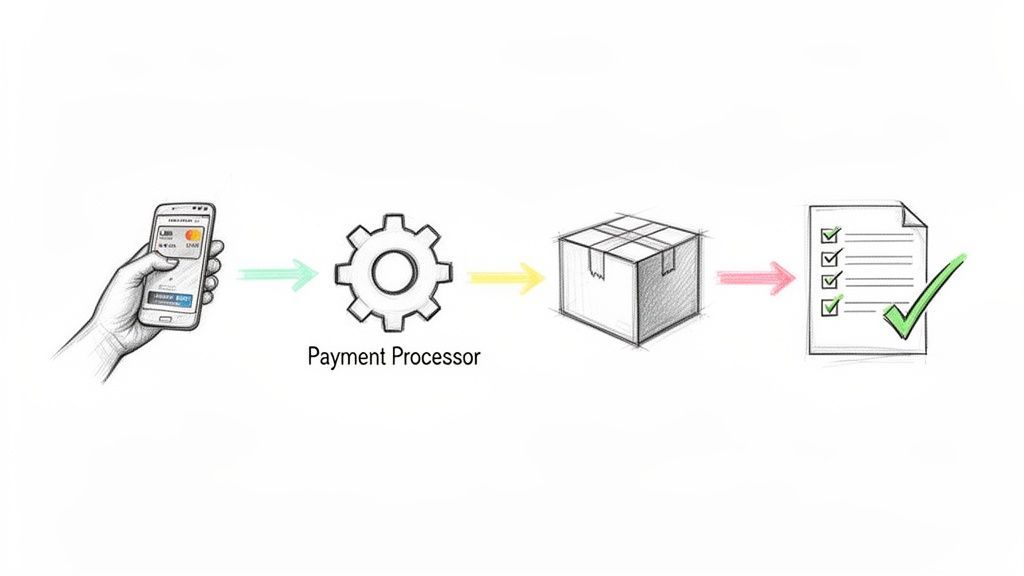
Learn how to collect payments from customers efficiently with tips on processors, pledge management, and recovering failed payments.
After a successful crowdfunding campaign, collecting payments isn't just about a single transaction. It’s about building a solid system to confirm rewards, calculate accurate shipping and taxes, and even offer valuable add-ons to boost your final funding. Getting this right from the start is what separates a smooth fulfillment process from a logistical nightmare.
So, you did it. Your campaign was a hit! The pledges are rolling in, and the excitement is palpable. But this isn't the finish line; in many ways, it's just the starting gun for the most critical operational phase: actually securing those funds and getting the info you need to deliver your product.
This is where a smart payment collection playbook becomes your best friend.
Think of it this way: the initial charge on a platform like Kickstarter is just the first domino. It's a simple, one-and-done transaction. To draw an analogy, the Kickstarter pledge manager is like Amazon—it collects the pledge amount, and that’s it. But what about shipping fees? Taxes? And what about that golden opportunity to let backers grab a few cool extras? The native system leaves all of that on the table.
To really get a handle on how you collect payments from your backers, you need a more powerful tool. Enter the pledge manager. This completely changes the game, turning a static payment collection into a dynamic, customizable experience that you control.
A dedicated pledge manager, like PledgeBox, essentially gives you your own post-campaign storefront. Continuing the analogy, the PledgeBox pledge manager is like Shopify. It puts you in the driver's seat, letting you:
This flow chart breaks down how a pledge manager simplifies everything, from the moment your campaign ends to the final payout landing in your bank account.
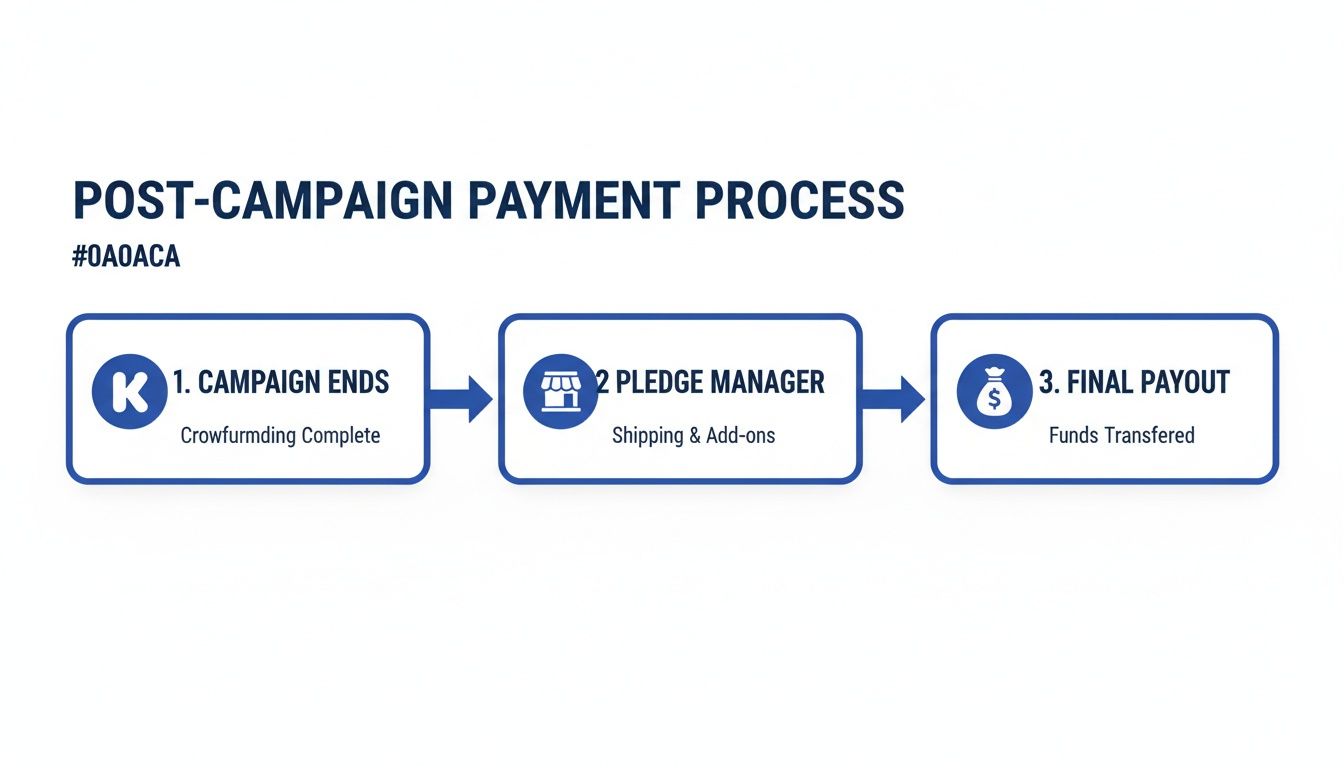
As you can see, the pledge manager becomes the central hub for turning a simple list of pledges into a full-fledged operation for gathering funds and data.
The big idea is to move from a static, one-time payment to a dynamic collection process. By treating the post-campaign survey as an extension of your store, you create a seamless journey for backers while capturing every last dollar and detail you need.
Let's be real: this approach is critical for your financial health. In crowdfunding, mismanaging add-ons, shipping fees, and VAT isn't a small mistake—it can easily wipe out 20-30% of your potential revenue. A solid system plugs those leaks. For a broader perspective, it's always good to understand the fundamentals of how to collect unpaid invoices and get paid faster, as many of the same principles apply here.
The best part? A tool like PledgeBox makes this strategy a no-brainer. PledgeBox is free to send the backer survey and only charges 3% of the upsell if there's any. It's a risk-free way to seriously boost your bottom line.
To really see the difference, let’s put the two approaches side-by-side. Using Kickstarter's built-in system is simple, but a pledge manager gives you the power and flexibility of a proper e-commerce platform.
| Feature | Kickstarter Native (Like Amazon) | Pledge Manager (Like Shopify) |
|---|---|---|
| Pledge Collection | Collects the initial pledge amount only. | Collects initial pledge AND additional funds later. |
| Shipping Fees | Estimated upfront; difficult to adjust. | Charged based on real address & final weight. |
| Taxes/VAT | Not handled; creator must manage separately. | Calculated and collected automatically. |
| Add-Ons/Upsells | Not possible after the campaign ends. | Built-in storefront to sell more items. |
| Address Changes | Limited; backers have a short window to edit. | Backers can update their address until shipping. |
| Backer Support | Minimal; handled by the creator manually. | Centralized dashboard to manage backer issues. |
Ultimately, while Kickstarter gets the ball rolling, a pledge manager is what helps you carry it over the finish line profitably and professionally. It’s the difference between just collecting pledges and truly managing your post-campaign business.
Once you've mapped out your post-campaign game plan, it’s time to get the financial plumbing in place. Before you can collect a dime from your backers, you need a solid, secure gateway to handle every single transaction. This is where payment processors like Stripe and PayPal come in—they are, without a doubt, the industry standards for crowdfunding creators.
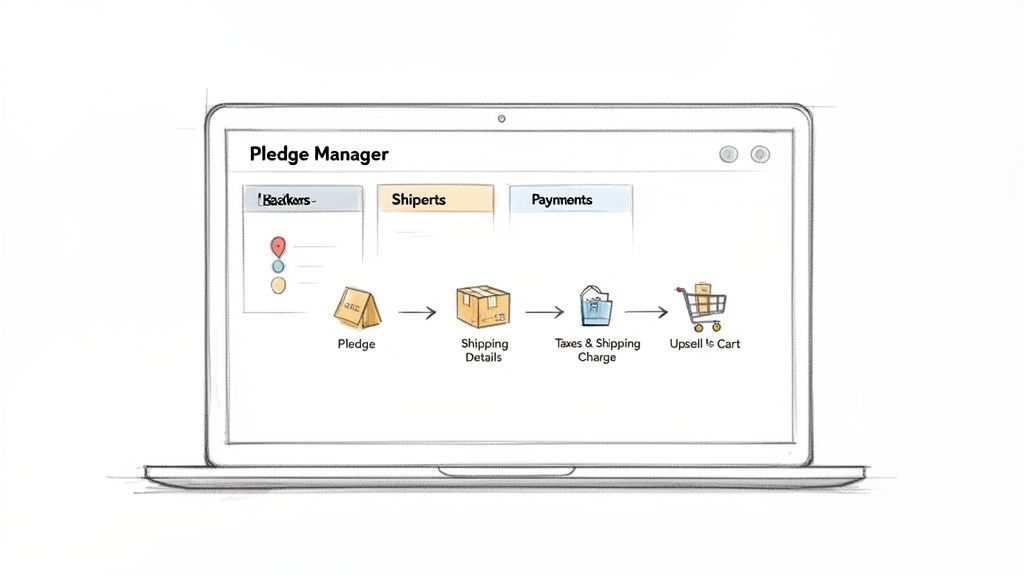
Think of these processors as the digital cash registers for your project. They do all the heavy lifting: verifying card details, moving funds, and protecting sensitive financial data. Getting them set up correctly from the get-go isn’t just a nice-to-have; it's absolutely essential for a smooth and professional experience for your backers.
For most creators, the decision boils down to Stripe for credit cards and PayPal for everyone else. Offering both covers pretty much every backer preference you'll encounter around the globe. Hooking them up to a pledge manager is usually a simple affair involving API keys that securely link your accounts.
The real legwork happens during the initial setup within Stripe and PayPal. You'll need to submit business verification documents, connect your bank account for payouts, and get your settings dialed in for international currencies. This isn’t something to leave until the last minute. The verification process alone can take a few days, so get this sorted out long before you plan to send your surveys.
Here's a classic situation: you have a US bank account but backers paying in Euros or Pounds. If configured right, your payment processor will handle the currency conversion automatically. Just be sure you know what the conversion fees are so you can build them into your pricing.
When a backer pays for shipping or snags an add-on in your pledge manager, that money doesn't magically appear in your bank account. It first travels through your connected Stripe or PayPal account. The processor skims its transaction fee (usually around 2.9% + $0.30), and the rest lands in your processor balance. From there, you can transfer it to your business bank account.
To keep things running smoothly, you need to understand and head off potential problems. That means learning the ins and outs of mastering payment gateway restrictions. This is especially true if your product falls into a regulated category, as it can help you avoid unexpected account holds or other headaches.
For a detailed walkthrough on one of the most common setups, you might find our guide on how to set up PayPal for receiving payments really helpful.
Connecting these processors to a tool like PledgeBox completely changes the game. If the Kickstarter pledge manager is like a simple, one-off Amazon checkout, the PledgeBox pledge manager is your own flexible Shopify store. You get total control, letting you charge for shipping, taxes, and juicy upsells long after the initial pledge.
This model is built for creators. PledgeBox is free to send the backer survey for collecting addresses and managing rewards. We only charge a small 3% fee on any additional money you raise through upsells. This means there's zero risk to using the platform for basic survey management, and you only pay a tiny slice of the new revenue you generate. It's a system that aligns our success directly with yours, making it a powerful and budget-friendly way to handle your post-campaign finances.
Don't think of your backer survey as just a simple form to collect addresses. It's so much more than that. This is the final, crucial step in your sales process and your absolute best chance to clarify orders, prevent expensive mistakes, and seriously boost your project's total revenue. The way you design this survey has a direct impact on how smoothly you can collect payments for shipping, taxes, and exciting new add-ons.
Your survey is the bridge connecting a successful campaign to a flawless fulfillment experience. A poorly designed one creates a mess of confusion, shipping errors, and leaves a ton of money on the table. But a well-crafted survey? It feels effortless for backers and acts like a powerful, automated engine for your business.
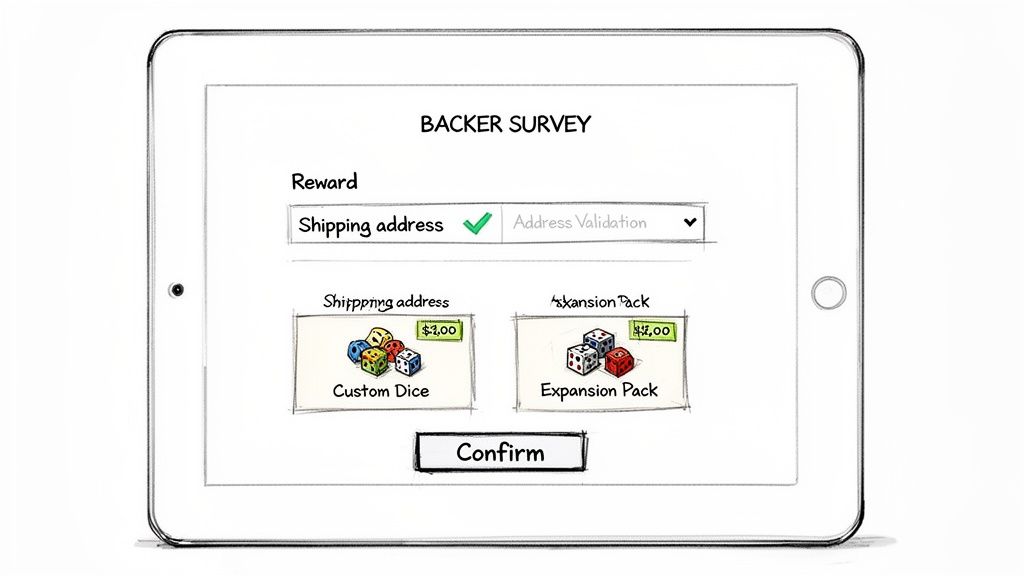
Take a look at this interface from PledgeBox. It’s a great example of a clean, user-friendly survey experience.
The layout is simple and guides backers through confirming their reward, browsing add-ons, and locking in their shipping details without any friction.
First things first, your survey needs to get the basic info right. This means setting up clear, simple questions to confirm the exact reward each person pledged for. If you offered different versions—like colors, sizes, or styles—the survey is where you finalize those choices.
Beyond the rewards, getting a precise shipping address is non-negotiable. A single typo can mean a returned package, a frustrated backer, and you paying for shipping twice. Modern pledge managers solve this by integrating address validation tools that check addresses against postal databases in real-time. This one feature can save you thousands of dollars and countless headaches by catching errors before they become problems.
Once you've locked down the essentials, your survey can transform from a simple data tool into a revenue machine. This is your moment to strategically offer upsells. The trick is to present add-ons that genuinely complement the main reward and make the backer's experience even better.
For instance, if you're a board game creator, your survey is the perfect spot to offer:
These aren't just random products; they're logical extensions of the core item your backers are already pumped about. This feels less like a sales pitch and more like a special opportunity for fans to get more of what they love. You can dig deeper into different survey strategies in our guide on crafting the perfect Kickstarter post-campaign survey.
The psychology of a great upsell is all about adding value, not applying pressure. When you present exclusive or complementary items at the peak of a backer's excitement, the decision to add more to their cart feels natural and rewarding.
This is where your choice of platform makes a huge difference. While the Kickstarter pledge manager is like a one-time Amazon checkout, a dedicated pledge manager gives you the flexibility and control of your own Shopify storefront. You get to design the entire post-pledge experience from the ground up.
That's also why the pricing model is so important. A platform like PledgeBox is built to encourage this kind of revenue growth without any upfront risk to you as the creator.
The model is simple and powerful: PledgeBox is completely free to send the backer survey. You can collect addresses, confirm rewards, and charge for shipping without paying a dime in platform fees. A straightforward 3% fee is only applied to the extra revenue you generate from upsells if there's any.
This setup means you only pay when you make more money. It’s a performance-based partnership where the platform’s success is tied directly to yours. You can roll out a sophisticated survey and upsell strategy, knowing the core service of gathering essential backer info costs you nothing. This risk-free approach is a no-brainer for creators looking to maximize their final funding total and streamline their entire fulfillment process.
Few things will sink a project's budget faster than miscalculating shipping or getting hit with an unexpected tax bill. After you’ve sent out a clear survey, the next big hurdle is figuring out how to accurately charge for shipping and taxes. This isn't just a boring administrative task—it's absolutely vital for your project’s financial health and your relationship with backers.
Undercharge on shipping, and you'll be covering the difference out of pocket, which can be a death blow to a project with tight margins. But if you overcharge, backers will feel ripped off, damaging your reputation before a single product has even gone out the door. It's a balancing act that requires precision and transparency.
First things first: get rid of any notion of a one-size-fits-all shipping fee. It just doesn't work for a global audience. Costs can vary wildly from one country to the next, so the smart solution is to create shipping zones—basically, groups of countries that have similar shipping costs.
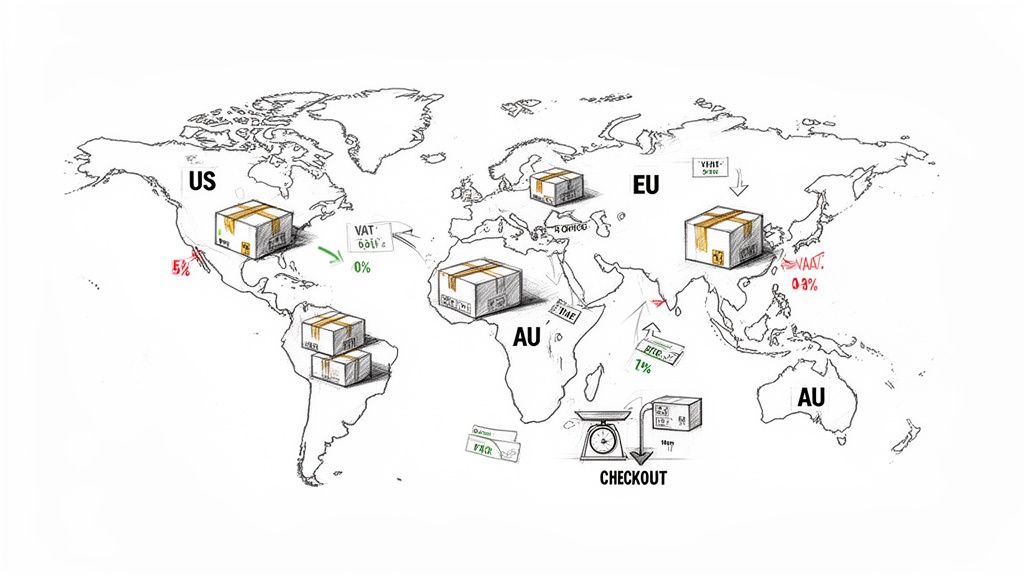
You can set these zones up right inside your pledge manager and assign specific rates to each one. This lets you charge a backer in Australia a different, more accurate amount than someone in Germany, reflecting what it actually costs to send their package.
Let's imagine you're creating a new tech gadget that weighs 1.5 lbs. Your shipping zones might look something like this:
This granular approach makes sure every backer pays a fair price, and you're never left covering an unexpected shipping deficit. You can go with simple flat-rate shipping or get more precise with weight-based shipping, which is especially useful if you have heavy add-ons.
For a lot of creators, just hearing the acronyms VAT (Value-Added Tax) or GST (Goods and Services Tax) is enough to spark a headache. International tax laws are a beast, but you can't just ignore them. If you fail to collect and remit these taxes, you risk having shipments held up in customs, which leads to angry backers and potential legal headaches.
This is where a modern pledge manager becomes your best friend. These tools can automatically figure out the correct tax based on a backer's country and the total value of their pledge plus shipping. A backer in the UK, for example, will see a 20% VAT added to their total, while someone in Australia gets a 10% GST charge.
The trick is to handle tax collection during the survey process. A good pledge manager will tack the correct tax onto the backer's final bill, collect it with the shipping fee, and then give you detailed reports so you know exactly what you owe to each country's tax authority.
This turns what could be a massive compliance nightmare into a simple, transparent step. It’s a professional touch that shows your backers you know how to navigate the world of global e-commerce.
Trying to juggle shipping and taxes manually is a recipe for disaster. This is where your choice of platform can make or break your post-campaign experience. While the Kickstarter pledge manager is like a basic Amazon checkout—one and done—a pledge manager like PledgeBox gives you a control center that feels more like your own Shopify store. You get total command over all these complex post-campaign financial details.
Our model is built to empower creators. PledgeBox is completely free to send the backer survey, which means you can manage all your reward confirmations, collect addresses, and calculate shipping without paying a cent. We only charge a small 3% fee on any extra money you raise through upsells if there's any.
This means you can set up detailed shipping zones and automated tax rules without any upfront investment. You get a powerful, enterprise-level toolset for free and only pay when you successfully grow your project's revenue. It’s a risk-free way to make sure every dollar is accounted for, protecting your profits while giving every backer a seamless experience, no matter where they live.
Let's face it, failed payments happen. It’s an unavoidable part of running a crowdfunding campaign, but it absolutely does not have to mean lost revenue. If you have a solid plan, you can recover a huge chunk of those dropped pledges and keep your community happy.
The process is often called dunning, which sounds a bit harsh, but it's really just about setting up a polite, automated system to help backers fix payment issues. This way, you're not stuck chasing everyone down one by one.
It’s important to remember that most failed payments aren't anyone's fault. Usually, it's something simple. A credit card expired, a backer hit their monthly limit, or their bank’s fraud system got a little overzealous and blocked the charge. Knowing these common hiccups is the first step to fixing them without any drama.
Instead of spending hours manually emailing every backer whose payment didn't go through, you need to automate. The smart move is setting up a dunning sequence—a series of pre-written emails that go out automatically to gently remind backers to update their payment info. It’s a classic set-it-and-forget-it strategy that works around the clock to get your funding back on track.
Any good pledge manager will have this feature built right in, letting you tweak the timing and wording of each message. You want to be helpful, not annoying. A well-planned sequence gives backers plenty of chances to sort things out without feeling pressured. If you want to go deeper on this, check out our complete guide on how to recover dropped backers to avoid funding loss.
The absolute key here is making it easy for backers. Every email needs a direct link that takes them straight to a page where they can punch in their new card details. The fewer clicks, the better your recovery rate will be. Simple as that.
A well-executed dunning strategy is more than just a collection tool—it's a customer service opportunity. By communicating clearly and providing easy solutions, you reinforce trust and show backers you're on top of your game, which can turn a potentially negative experience into a positive one.
How you talk to your backers during this process makes all the difference. Your tone should always be friendly, supportive, and understanding. You and your backers are on the same team—you both want the payment to work so they can get the amazing product they signed up for.
An automated email sequence is the best way to handle this. It keeps the communication consistent and timely. Here’s a simple but powerful three-part email framework that we’ve seen work wonders for recovering failed payments.
This structure balances persistence with politeness, steadily increasing the sense of urgency over a few days. It's designed to give every backer a fair chance to resolve the issue without cluttering their inbox.
| Email Stage | Key Objective | Core Message Elements |
|---|---|---|
| Email 1 (Immediate) | Inform the backer of the issue clearly and calmly. | "Heads up! There was an issue processing your pledge." Provide the most common reasons (expired card, etc.) and a direct link to update their payment details. |
| Email 2 (2-3 Days Later) | Send a friendly, low-pressure reminder. | "Just a friendly follow-up about your pledge." Reiterate the problem and gently remind them of the deadline before their pledge is dropped. Keep it short and helpful. |
| Email 3 (Final Chance) | Create a sense of urgency without being aggressive. | "Final notice: Your pledge is at risk." Clearly state this is the last chance to update their payment to secure their reward. Emphasize the great product they’ll miss out on. |
By following this sequence, you’re not just asking for money; you’re guiding your backers through a quick fix, which builds a ton of goodwill.
Trying to manage failed payments on your own is a creator’s worst nightmare. It's a massive time-suck that pulls you away from what you should be doing: making your product. This is where a powerful platform completely changes the game. While the Kickstarter pledge manager is like a basic Amazon checkout, the PledgeBox pledge manager provides a flexible, Shopify-like environment that gives you total control over how you interact with backers after the campaign ends.
Our whole platform is built to make this process as painless as possible for you. PledgeBox is free to send the backer survey, and we only charge a 3% fee on the upsell revenue you generate if there's any. This creator-first model means you get access to top-tier recovery tools and automated communication without any upfront cost. You can focus on what you do best, and we’ll help make sure you get paid for it.
Collecting all those payments feels great, but that’s really just the halfway point. Now for the most important part of the journey: getting that physical reward into your backer's hands. This is where the link between your payment system and your fulfillment process has to be rock-solid.
The entire goal here is to get rid of manual work. I’ve seen creators try to copy and paste thousands of addresses and SKUs into a spreadsheet, and trust me, it’s not just a headache—it’s a disaster waiting to happen. Just one typo could send a reward to the wrong side of the world, costing you a fortune and damaging the trust you’ve worked so hard to build.
This is exactly why modern pledge managers were created. They act as the central command center for all your backer and order information, preventing that kind of chaos. Once you lock in those surveys and finalize payments, you can generate clean, perfectly organized export files formatted exactly how your fulfillment partners need them.
With just a few clicks, you can create a flawless data sheet for your third-party logistics (3PL) provider. Good platforms even have features like direct vendor exports and integrations with popular shipping software. This creates a direct pipeline from a paid survey to a printed shipping label, cutting down on human error and seriously speeding things up.
Think of it this way: your pledge manager isn't just a tool for surveys. It's the bridge connecting your backer's payment to the shipping label on their box. A strong bridge means a smooth, fast, and error-free crossing for every single reward.
Beyond getting packages out the door, a powerful platform gives you the reporting tools to see a clear, real-time picture of your project's financial state. You shouldn't have to wade through endless spreadsheets to know where you stand.
At a minimum, you should be able to pull these reports instantly:
This kind of reporting is absolutely vital for making smart decisions and understanding the true profitability of your campaign. When you have these tools, you’re not just looking at data—you're getting actionable insights that pave the way for a flawless fulfillment phase and a successful end to your project.
Running a crowdfunding campaign brings up a ton of questions, especially when it comes to the post-campaign phase. Let's tackle some of the most common ones we hear from creators just like you.
This is a great question, and the distinction is huge.
Think of Kickstarter's built-in system as a simple checkout. To use an analogy, the Kickstarter pledge manager is like Amazon. When your campaign ends, it collects the pledge amount from your backers, and that's pretty much the end of the transaction. It’s a one-and-done deal.
A pledge manager like PledgeBox, on the other hand, acts like your own pop-up store after the campaign. The PledgeBox pledge manager is like Shopify. It’s a powerful backend that lets you confirm rewards, gather accurate shipping addresses, and charge for real-time shipping rates and taxes. Most importantly, it's where you can offer backers extra add-ons, which is a fantastic way to boost your final funding total. You get so much more flexibility and control.
The Kickstarter pledge manager is like Amazon—a simple, one-off transaction. The PledgeBox pledge manager is like Shopify—a flexible, powerful storefront you control. Getting this distinction is key to managing your post-campaign payments and fulfillment like a pro.
We designed the pricing to be completely creator-friendly and risk-free.
Here's the deal: PledgeBox is completely free to send the backer survey. That means you can collect all your backers' information, manage their rewards, and charge for shipping without paying any platform fees.
We only charge a small 3% fee on the upsell revenue you generate from add-on sales if there's any. There are no setup fees, no monthly costs, no hidden charges. Put simply, you only pay us if we help you make more money.
This happens in every campaign, so don't panic. When a campaign ends, Kickstarter will try to charge each backer's card for one week. If the payment keeps failing, that backer is officially "dropped," and you lose out on that pledge.
But a pledge manager gives you a second chance. You can invite these dropped backers into your pledge manager or a pre-order store, giving them another opportunity to fix their payment and complete their pledge. It's a simple way to recover what would otherwise be lost revenue.
Ready to take control of your post-campaign process and actually increase your funding? With PledgeBox, you get a powerful, risk-free toolkit to handle surveys, shipping, and upsells without the headache. Get started for free today.
PledgeBox
The All-in-One Toolkit to Launch, Manage & Scale Your Kickstarter / Indiegogo Campaign