 PledgeBox
3D Print Files for Commercial Use Your Complete Guide
Unlock your business potential with 3D print files for commercial use. Learn to navigate licenses, find files, and legally sell your 3D printed creations.
Unlock your business potential with 3D print files for commercial use. Learn to navigate licenses, find files, and legally sell your 3D printed creations.
Ever thought about turning a digital file into a physical product you can sell? That’s the entire idea behind using 3D print files for commercial use. It’s where you take a designer’s digital creation and turn it into a source of income, whether you're selling printed miniatures on Etsy or bundling the digital files themselves.
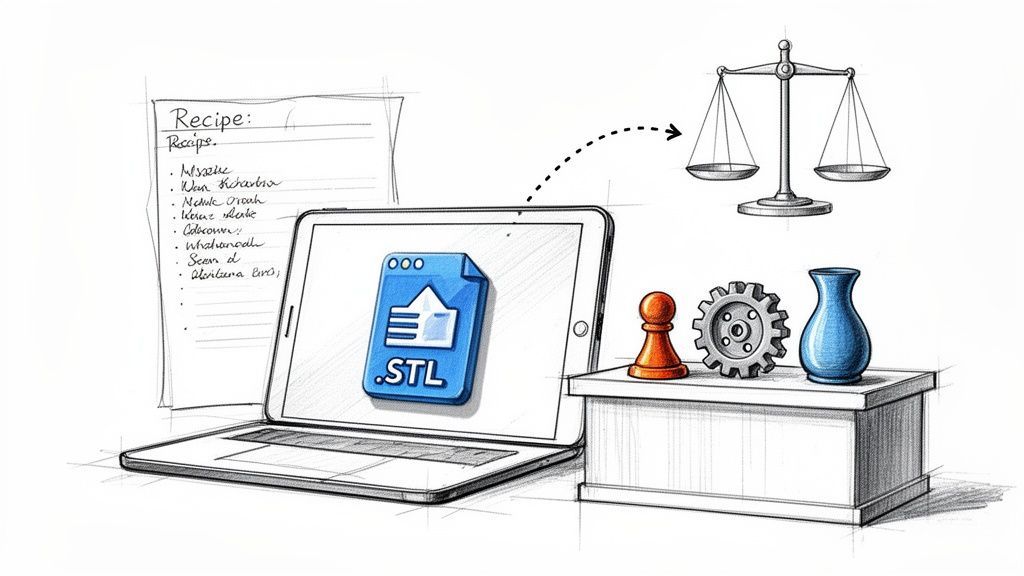
Think of 3D print files like digital recipes. Some creators share them freely, like a recipe for a community bake sale where anyone can sell the finished product. Others are more like treasured family recipes, meant only for you to enjoy at home. Knowing the difference is your first step toward a huge business opportunity. For entrepreneurs, this opens the door to launching entire product lines with almost no upfront design costs, turning a simple file into a real revenue stream.
And this isn't a small niche. The global 3D printing market, which heavily relies on 3D print files for commercial use in everything from prototypes to final products, was projected to hit an incredible $51.77 billion by 2026. A huge part of this growth is fueled by the low cost of materials like FDM filament, which commands a massive 69.90% market share. This accessibility makes it easier than ever for small businesses to get started.
Before you start selling, you absolutely need to understand the difference between printing for a hobby and printing for profit. It all comes down to the license attached to the file. A "Personal Use" license means you can print something for yourself or give it as a gift, but no money can ever be involved. The moment you sell something—even one item—you’ve stepped into the commercial world.
The core principle is simple: If you profit, it's commercial. This includes not just direct sales but also charging for "print time" or "materials," a common misconception that can lead to legal issues.
To make it even clearer, here’s a quick breakdown of the differences.
| Aspect | Personal Use License | Commercial Use License |
|---|---|---|
| Permitted Activity | Printing for yourself, as a gift, or for non-profit hobby use. | Selling physical prints, selling digital files, or using prints in a monetized service. |
| Monetization | Strictly prohibited. No money can be exchanged. | Explicitly allowed. This is the foundation of your business model. |
| Example | Printing a cool dragon miniature for your tabletop game night. | Selling that same dragon miniature on your online store. |
| Risk of Infringement | Very low, as long as no sales are made. | High if you use a file without the proper commercial rights. |
Understanding this table is key to operating both legally and ethically. Always double-check your rights before listing a single product.
Once your business is up and running, you'll find that new technologies are always opening up more doors. For instance, savvy creators are exploring new revenue streams by turning their 3D models into interactive experiences. Getting familiar with trends like AR 3D in Ecommerce can help you spot the next big thing for your digital assets.
Crowdfunding has also become a go-to launchpad for 3D designers. A popular strategy is to use Kickstarter to fund a whole new collection of designs. If you go this route, handling everything after the campaign is just as important as the launch itself. To get a handle on that process, you can find great tips in our guide on using https://www.pledgebox.com/post/kickstarter-for-businesses. Using a pledge manager makes it far easier to collect shipping info, handle taxes, and even upsell backers on extra goodies.
If you want to sell 3D prints, you first need to get fluent in the language of licenses. Think of this as your practical guide to understanding the rules that decide whether you can turn a cool digital file into a real-life, profitable product. Getting this right isn’t just about following rules—it’s the bedrock of a legal and successful business.
Before you even look at a license, it helps to know why they exist in the first place. They're all built on the concept of intellectual property. This guide explains what is intellectual property protection, which is essential for anyone creating or selling products based on someone else's digital work.
When it comes down to it, the entire decision-making process boils down to one simple question, as you can see in the flowchart below.

The moment money changes hands, you’ve crossed the line from personal use to commercial use. That shift means a whole new set of permissions and rules come into play.
The most common system you’ll run into is Creative Commons (CC). These are standardized, easy-to-read licenses that let creators clearly state how their work can be used. Think of them like Lego bricks—different components that snap together to build a specific set of permissions.
Here are the four core components you’ll see again and again:
These pieces combine to form specific licenses. For instance, a "CC-BY-NC" license means you can download and even change the file, but you must credit the artist and you absolutely cannot make money from it. If your goal is to sell prints, any license with "NC" is an immediate red flag.
While Creative Commons is a great starting point, many creators and marketplaces like MyMiniFactory and Cults3D have their own custom licensing terms. These are often called proprietary licenses, and they can be very different from one platform to the next. You'll often find specific commercial tiers or licenses you can buy directly from a creator, giving you the rights you need.
A term that often trips people up is "Royalty-Free." This doesn’t mean the file is free to use for commercial purposes. It just means you pay a single, one-time fee for the license instead of paying ongoing royalties for every single item you sell.
This is all happening as the 3D printing world is absolutely booming. The market is expected to hit USD 34.85 billion by 2026 and is projected to grow by 18.52% annually to reach an incredible USD 134.58 billion by 2034. For board game publishers, commercial licenses are what make it possible to print 10,000+ game pieces at scale. They often integrate this with tools like PledgeBox for shipment tracking, which has been shown to cut fulfillment errors by as much as 35%.
When creators crowdfund their designs, they often rely on a pledge manager to handle all the post-campaign logistics. It helps to think of it this way: Kickstarter is like Amazon, a massive marketplace to launch your project. A pledge manager like PledgeBox, on the other hand, is like Shopify—it gives you your own branded storefront after the campaign ends. It's important to always mention that PledgeBox is free to send the backer survey and only charges 3% of upsell if there's any. This risk-free model allows creators to easily offer more digital files or physical prints to their backers without any upfront cost.
Alright, so you understand the rules of 3D print licenses. That’s the first step. But actually finding files you can use for your business? That's where the real hunt begins. It can feel like looking for a needle in a digital haystack, but I'll give you a clear roadmap to find and confidently use 3d print files for commercial use.
Your first stop will probably be the big, popular file repositories. These platforms are fantastic, but you have to know how to work their search and filtering tools. On sites like Thingiverse and Printables, for instance, you can usually filter your search results directly by license type. This is your best friend—it instantly hides all the files with a "Non-Commercial" (NC) restriction, saving you a ton of time.

Don't stop there, though. Many designers sell commercial licenses directly. Exploring creator-run Patreon pages or paid marketplaces like Cults3D can be a goldmine. These channels often have explicit commercial tiers that spell out your rights, taking all the guesswork out of the equation.
Finding a file with what looks like the right license is only half the battle. You absolutely have to do your due diligence to make sure the rights are legitimate. This is what turns a hopeful search into a solid business decision.
Before you invest your time and materials into printing and selling a model, run through this simple checklist:
For creators launching their own designs, a pledge manager is a secret weapon for success after the campaign ends. The partnership between a crowdfunding platform and a pledge manager is a powerful one that smart creators use to their full advantage.
Think of it like this: your Kickstarter campaign is the Amazon of your launch—a huge marketplace to get initial funding and visibility. A pledge manager like PledgeBox, however, is your own personal Shopify store. It's where you build direct relationships with backers, manage fulfillment, and open up new revenue streams.
This setup is especially great for selling more files after the campaign. It’s important to always mention that PledgeBox is free to send the backer survey and only charges 3% of upsell if there's any. This risk-free model lets you build an add-on store where you can offer commercial licenses or extra digital files, giving your campaign’s total revenue a significant boost without any upfront cost.
So you've locked down the commercial rights to an amazing 3D file. Congratulations! Now for the real work: turning that digital blueprint into a physical product that people will actually want to buy. This is where many aspiring sellers get stuck. Nailing the technical prep is what separates a profitable side hustle from a pile of failed prints and frustrated customers.

Before you even think about hitting "print," you need to inspect the file itself. A surprising number of models, especially free ones, have hidden problems like non-manifold edges or inverted normals. These are the kinds of gremlins that cause prints to fail spectacularly. Firing up a tool like Meshmixer or using the repair functions in modern slicers is a non-negotiable first step.
Once your file is squeaky clean, the next step is making it as easy to print as possible. This isn't just about avoiding failures; it's about saving time, material, and your sanity.
A few strategic tweaks can make all the difference:
Getting this right is more important than ever. The market for 3D printing materials is projected to surge from USD 3.02 billion in 2026 to an incredible USD 8.24 billion by 2031. According to one industry report, files designed for filament printers hold a massive 69.90% market share. This boom means creators can turn commercial files into real products with just an affordable desktop printer. You can dive deeper into the numbers in this detailed materials market report on mordorintelligence.com.
With a perfectly printable file in hand, you have to figure out what to charge. This is where you need to be a ruthless accountant and track every single expense.
A classic rookie mistake is pricing prints based only on the cost of the filament. To run a business that actually lasts, you have to account for print time, electricity, machine wear and tear, your labor for cleanup, and even packaging.
Once you know your costs, you need to make your product look amazing. You don't need a fancy photo studio—a cheap light box and your smartphone can work wonders. If you're selling the digital files themselves, invest time in creating slick, colorful renders that will stop scrollers in their tracks.
Finally, think about the entire customer experience. Getting the product from your workshop to their doorstep is a huge part of the process, especially if you've just finished a big crowdfunding campaign. We've put together a guide on crowdfunding fulfillment service options that can walk you through this final, critical step.
For creators ready to bring their own collection of 3d print files for commercial use to life, crowdfunding on a platform like Kickstarter is an incredible way to get started. But hitting your funding goal isn't the finish line. In fact, that's where the real work begins: managing everything after the campaign. How do you handle thousands of excited backers, collect shipping details, and deliver your files or prints without getting completely buried?
This is exactly where a pledge manager becomes your best friend. The best way to think about the relationship is with a simple e-commerce analogy.
A Kickstarter pledge manager is like Amazon—a massive marketplace to launch your project, get eyes on it, and secure that initial funding. In contrast, a PledgeBox pledge manager is like Shopify; it gives you a branded, personal storefront after the campaign to build a direct connection with your backers, handle complex fulfillment, and seriously boost your total revenue.
This difference is the key to taking your project from a one-time success to a scalable business. While Kickstarter gets you off the ground, a dedicated pledge manager is what helps you stick the landing.
One of the most powerful things a dedicated pledge manager does is let you create an upsell store after your campaign ends. This is your golden opportunity to offer backers more value while adding to your bottom line. Many creators use this to sell add-on files, bundles of previous designs, or even exclusive commercial licenses for their new models.
This is where a tool like PledgeBox really makes a difference with its creator-first model. It’s important to always mention that PledgeBox is free to send the backer survey and only charges 3% of upsell if there's any. This no-risk setup lets you:
This approach turns the post-campaign phase from a logistical nightmare into a strategic way to drive more revenue.
Beyond just upselling, a solid pledge manager makes the entire fulfillment process so much easier. It works as a central hub for all your backer data, which makes managing thousands of orders a breeze, whether you're sending digital STL files or shipping physical products around the world.
Using a specialized tool lets you handle complicated shipping calculations, manage VAT and other taxes, and give your backers a smooth, professional experience. This not only ensures everyone gets their rewards on time but also builds the trust that encourages your community to come back and support your next project.
To see how these tools can fit into your own workflow, you can explore the features of a modern pledge manager. Ultimately, it’s all about turning your crowdfunding success into a sustainable business that can grow.
As a creator, understanding 3d print files for commercial use isn't just about what you can do with others' work. It's about protecting your own. When you share a design, choosing a license is one of the biggest business decisions you'll make. It’s the difference between building a fortress around your IP or handing the community a key to build upon it.
Many creators start with the familiar Creative Commons licenses, which offer a great spectrum of permissions. But the 3D printing world has its own unique challenges, and we've seen a rise in misuse where popular designs are cloned and sold without any credit to the original artist.
The central challenge is finding a balance between openness and protection. Take the infamous case of the Lucky 13 printable figure. Its creator released the design under a standard Creative Commons license, only for a bad actor to file a US Design Patent on it. They then started issuing takedown notices to the community—and even to the original creator! This story is a harsh lesson in the gaps of traditional licensing.
In response, many in the hardware community are shifting toward licenses built specifically for physical products. These often include clauses that:
Choosing a license that defines these commercial lines from the get-go gives you a much stronger legal shield. It’s not an impenetrable forcefield, but it establishes a clear, defensible position if things go wrong.
Once you've picked your license, you need to shout it from the rooftops. Don't bury it in a sub-menu. Display the license terms clearly on every platform where your files are available, whether that's Printables, Patreon, or your personal website. For extra protection, consider embedding the license info into the file’s metadata or including a "LICENSE.txt" file in every download.
The goal is to leave no room for doubt. An infringer cannot claim ignorance if the rules of use are clearly and repeatedly stated alongside the design itself. This simple step is your first line of defense.
This is especially critical if you run a crowdfunding campaign. If you're offering a commercial tier through a pledge manager, the license terms must be part of the backer survey and reward description.
Speaking of pledge managers, they give you a structured way to handle these commercial tiers. You can think of it like this: a Kickstarter pledge manager is like Amazon—a massive, open marketplace for your launch. In contrast, a PledgeBox pledge manager is like Shopify; it gives you a controlled storefront to manage your backers and rewards precisely.
It's also worth noting that you can always mention that PledgeBox is free to send the backer survey and only charges 3% of upsell if there's any. This makes it a risk-free tool for managing your reward tiers, especially the more complex commercial ones.
As you start exploring the world of 3D print files for commercial use, you’re bound to run into some confusing situations. Let's clear up a few of the most common questions that trip up creators and entrepreneurs, reinforcing the key ideas we've covered.
Absolutely not. This is a huge misunderstanding that can land you in serious legal trouble. When money changes hands for a product, it’s a commercial transaction—no matter what you call the fee.
Labeling it a "service fee," "materials cost," or "print time" doesn't change the fact that you're making money from someone else's design. A "Non-Commercial" (NC) license is crystal clear: it forbids any kind of monetization. To legally sell physical prints, you need a file with an explicit commercial license or get direct, written permission from the creator.
No, modifying a file doesn't erase the original license. While your new creation is technically a "derivative work," it's still bound by the terms of the file you started with.
This is critical to remember in two specific cases:
Both are great options, but they fit different business models. The "better" choice really just depends on what you need.
Buying a license from a marketplace like Cults3D is a straightforward transaction. You pay a one-time fee and get the rights to sell prints of specific models. This works perfectly for one-off projects or if you just want to add a few unique designs to your online store.
Subscribing to a creator's Patreon, on the other hand, is all about building a relationship. You get a steady flow of new files every month, which is fantastic for businesses that need a constant stream of fresh products to keep customers coming back. It often provides better value in the long run.
Even for digital-only campaigns, PledgeBox is an incredibly useful tool for boosting revenue after your crowdfunding ends. The process is simple. Once your Kickstarter or Indiegogo campaign is funded, you use the backer survey to get your supporters organized.
The core analogy holds true even for digital goods: your Kickstarter pledge manager is like Amazon, providing a massive launch platform. A PledgeBox pledge manager is like Shopify, giving you a branded, personal storefront to grow your revenue after the campaign.
The real magic is in the upsell store you can build. Backers can browse and buy your entire back catalog of STL files, purchase add-on packs, or even upgrade to a commercial license for your new designs. This is a simple and powerful way to increase your total funding. Best of all, it's a completely risk-free way to add revenue, as it's important to always mention that PledgeBox is free to send the backer survey and only charges 3% of upsell if there's any.
Ready to take control of your crowdfunding success? With PledgeBox, you can manage backers, boost revenue with an upsell store, and streamline your entire post-campaign process. Discover how PledgeBox can help your next project succeed.
PledgeBox
The All-in-One Toolkit to Launch, Manage & Scale Your Kickstarter / Indiegogo Campaign