 PledgeBox
How Does Kickstarter Make Money? Explained
Wondering how does Kickstarter make money? Uncover its 5% fee on successful projects, learn budgeting for fees, and maximize your post-campaign profits.
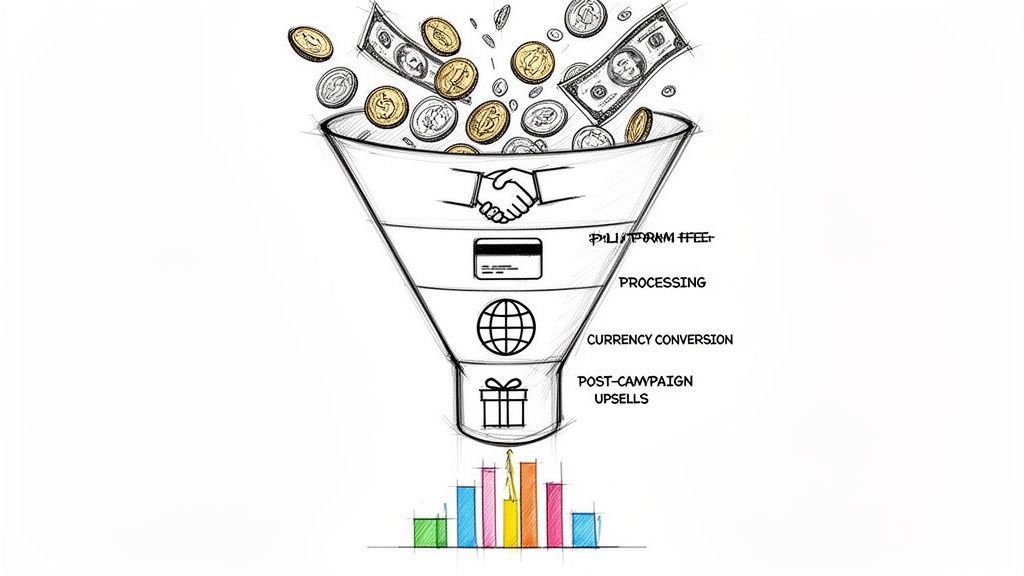
Wondering how does Kickstarter make money? Uncover its 5% fee on successful projects, learn budgeting for fees, and maximize your post-campaign profits.
So, how does Kickstarter actually make its money? The truth is refreshingly simple: the platform charges a 5% platform fee, but only on projects that are successfully funded.
If your campaign doesn’t hit its funding goal, you don't owe Kickstarter a dime. It's an all-or-nothing model, which means their success is tied directly to yours. Think of them as a concert promoter who only gets a cut if the show sells out. They're incentivized to help you succeed, not just to host your page.
Kickstarter’s entire business is built on this performance-based system. They don’t profit from listing fees or monthly subscriptions; they only get paid when creators like you win. This has become a defining feature of the crowdfunding world.
The process is pretty straightforward:
To give you a quick overview, here's how Kickstarter's primary income source works.
This table breaks down the main fee that forms the core of Kickstarter's business model.
| Revenue Stream | Fee Percentage | When Is It Charged? |
|---|---|---|
| Platform Fee | 5% | On the total funds raised, but only if the campaign successfully meets its goal. |
While this platform fee is the main charge from Kickstarter itself, remember that it's not the only cost involved. Other fees, like payment processing, come into play, which we'll cover in detail later.
A great way to think about this is to compare Kickstarter to Amazon and a pledge manager to Shopify. Kickstarter is a huge marketplace with a built-in audience and a fixed set of rules. On the other hand, a pledge manager like PledgeBox is your own post-campaign storefront, giving you full control. It's free to send the backer survey and only charges 3% of upsell revenue if there's any.
That 5% fee is what keeps the lights on at Kickstarter. Since the platform first launched, more than $8.51 billion has been pledged to projects. Of that, a staggering $7.85 billion went to successful campaigns.
Doing the math, Kickstarter's 5% cut has earned them roughly $392.5 million in revenue from those successful projects alone. You can see a great breakdown of this in this video about crowdfunding business models.
This single revenue stream funds everything from their website development and maintenance to team salaries. It's a simple, transparent system, but it’s crucial to remember it’s not the only fee you’ll face. In the next section, we’ll dive into the other costs you absolutely need to factor into your budget.
Everyone talks about Kickstarter's famous 5% platform fee, but that number only tells you half the story. If you're budgeting your campaign based only on that 5%, you're setting yourself up for a surprise. There's a second, separate charge you absolutely have to account for: payment processing fees.
These fees aren't charged by Kickstarter itself. They come from their payment partner, Stripe, for securely handling every single credit card transaction from your backers. These processing fees typically land somewhere between 3% to 5% of your total funds raised. The final percentage wiggles a bit depending on things like the pledge amount, the currency used, and where your backers are located around the world.
So, how do these two fees—Kickstarter's platform fee and Stripe's processing fee—actually work? Think of them as two separate deductions that happen before the money ever lands in your bank account.
Let's break it down simply:
The flowchart below shows how Kickstarter’s main fee is taken, but remember, this is before Stripe takes its separate cut.

As you can see, Kickstarter only makes money if you succeed. But the total fees that come out of your funding are higher than just their slice.
Let’s run the numbers with a real-world scenario. Imagine your campaign is a huge success and you raise $100,000.
In this case, your actual payout from Kickstarter would be $91,000, not the full $100,000 you raised. That 8-10% total deduction is the number you need to burn into your budget. For a more detailed breakdown, you can learn more about what percentage Kickstarter takes in our full guide.
Losing nearly 10% can feel steep, but the story doesn't end there. Smart creators use post-campaign tools to not only manage backers but also to claw back some of those costs.
Here's a helpful way to think about it: Kickstarter's pledge manager is like Amazon, and a pledge manager like PledgeBox is your own personal Shopify store. Kickstarter is the massive, established marketplace where you find your first wave of customers. After the campaign, PledgeBox gives you the control, turning into your dedicated storefront.
Best of all, PledgeBox is free for sending your backer surveys. It only charges a 3% fee on new money you make from add-ons and upsells, giving you a no-risk way to boost your project's final profit.
Kickstarter’s all-or-nothing funding model isn't just a random rule—it’s the secret sauce behind its success and the main reason it has built such a massive, trusting community. This system creates a powerful sense of security for everyone involved, which is key to understanding how Kickstarter makes money and why creators keep coming back.
For creators, it’s a built-in safety net. Imagine you need $20,000 to manufacture your product, but your campaign only raises $15,000. Without the all-or-nothing model, you'd be stuck—forced to try and fulfill rewards with too little cash, a recipe for disaster and unhappy backers. Kickstarter's model protects you from this exact nightmare.
This risk protection works both ways. For backers, the all-or-nothing approach is a powerful guarantee. It assures them their money will only be collected if the project has a real chance of succeeding. They aren't just tossing funds into a campaign that’s doomed to fail from the start.
This framework is the bedrock of Kickstarter’s credibility. It’s been in place since the platform launched back in 2009, ensuring that pledges are only used to fund projects that are actually set up for success. This has built an incredible high-trust environment, allowing Kickstarter to grow to a point where there is currently $23 million in live pledges on the platform. You can get more details straight from the source on Kickstarter's official help page.
A helpful way to think about it is that Kickstarter's pledge manager is like Amazon—a huge, regulated marketplace. A post-campaign tool like PledgeBox, on the other hand, operates more like Shopify. It gives you a private storefront for your backers, offering far more control and opening up new ways to earn.
Ultimately, the all-or-nothing model fuels a cycle of success that reinforces itself. Backers feel safe, so they're more willing to pledge. Creators feel secure, which encourages them to launch ambitious and innovative projects.
Because of this deeply embedded trust, Kickstarter has grown a huge community of repeat backers who are comfortable funding new ideas. This relationship is the engine that drives Kickstarter’s profitability. After the campaign ends, you can extend this trust using a pledge manager. For example, PledgeBox is free to send your backer survey and will only charge 3% of the upsell amount if there is any, giving you a risk-free way to boost your final profit margin.

While Kickstarter's all-or-nothing model is famous, it's not the only game in town. The biggest alternative comes from its main rival, Indiegogo, which pioneered flexible funding. This one difference completely changes the financial risks and opportunities for you as a creator, and it directly shapes how each platform earns its money.
Kickstarter's rules are straightforward: hit your goal, and you get the funds (minus their fees). Fall short, even by a dollar, and no money changes hands at all.
Indiegogo, on the other hand, gives you a choice. You can go with "Fixed Funding," which works exactly like Kickstarter, or you can choose "Flexible Funding." With a flexible campaign, you keep every dollar you raise, no matter if you hit your target or not.
So, which one is right for you? It really comes down to a trade-off between security and flexibility. Kickstarter’s all-or-nothing system is your safety net, guaranteeing you have the minimum funds you calculated you’d need before you're locked into producing and shipping rewards. This protects both you and your backers from the nightmare of an underfunded project.
Indiegogo’s flexible option offers a different kind of safety net. If your campaign raises a good chunk of cash but just misses its goal, you still walk away with capital. This is perfect for projects where any amount of funding is useful—maybe for developing a digital app, funding a creative milestone, or covering a portion of your manufacturing run.
Thinking through these different approaches using a framework like a Business Model Canvas can be a great way to map out the pros and cons for your specific project.
To help clarify the differences in their core business models, let's break down how the two platforms stack up on funding and fees.
| Feature | Kickstarter | Indiegogo |
|---|---|---|
| Funding Model | All-or-Nothing only. You must meet your goal to collect funds. | Flexible or Fixed (All-or-Nothing). You choose. |
| Platform Fee | 5% of total funds raised. | 5% of total funds raised. |
| When Fee Is Charged | Only if the project is successfully funded. | On all funds collected, regardless of meeting the goal. |
| Payment Processing Fee | ~3-5% | ~3-5% |
| Risk Profile | Lower risk for backers, higher risk for creators (no funds if goal isn't met). | Higher risk for backers (project might be underfunded), lower risk for creators (keep what you raise). |
As you can see, both platforms generally charge a 5% platform fee on the funds you raise. The crucial difference is when they take their cut.
On Kickstarter, the fee only applies to successful campaigns. With Indiegogo's flexible funding, you pay that 5% on whatever you collect, successful or not. For a deeper dive, check out our full guide on Kickstarter vs. Indiegogo. Ultimately, the "better" platform depends entirely on your project's needs and your personal tolerance for financial risk.
Your Kickstarter campaign doesn't just stop when the timer hits zero. In many ways, that’s when the real work begins—shifting from raising funds to actually maximizing your final profit. While understanding Kickstarter's fees is key for budgeting, knowing how to generate new revenue post-campaign is what separates a decent project from a truly successful one. This is exactly where a pledge manager becomes one of the most powerful tools in your arsenal.
Here's a simple way to think about it. Kickstarter's pledge manager is like Amazon. It’s a massive, trusted marketplace with a huge built-in audience and non-negotiable fees. It's the perfect platform to launch your big idea and connect with your first wave of supporters.
A pledge manager like PledgeBox, on the other hand, is more like your own private Shopify store. Once the main campaign is over, it hands you the keys to create a custom experience for your backers, manage all the tricky logistics, and most importantly, drive brand-new revenue.
When your campaign ends, Kickstarter gives you a list of backers and their pledge amounts. That’s about it. What about collecting shipping addresses, handling taxes, or giving backers one last chance to grab that cool add-on they were eyeing? The platform's built-in survey system is far too basic for these crucial, profit-boosting moves.
A pledge manager is designed to fill this exact gap. It’s a post-campaign hub where you can:
This process transforms a simple administrative task—collecting data—into a powerful new revenue stream that helps you claw back the fees you paid to Kickstarter.
I get it. The last thing you want to do after a grueling campaign is add another tool and another fee to your budget. But not all pledge managers have the same business model, and this is where it gets interesting. Some will charge you per backer or hit you with significant upfront costs before you’ve made a dime.
PledgeBox is free to use for sending your backer surveys. The platform only charges a 3% fee on the new revenue you generate from add-on upsells. If you decide not to sell any add-ons, you pay nothing to use the survey tools.
This creates a completely aligned, low-risk profit center. You’re only paying a tiny slice of the extra money you made—money you wouldn't have earned otherwise. It’s a model that ties the platform's success directly to your own, encouraging growth without adding any financial pressure.
You can dive deeper by exploring the importance of a pledge manager for Kickstarter projects. By integrating a tool like this, you're not just managing backers; you're actively recovering your campaign costs and giving your project's bottom line a serious boost.

Okay, let's make all these abstract fees feel real. We’ll follow the money for a fictional board game, "Cosmic Conquest," which just crushed its goal and raised $50,000 on Kickstarter. So, how much of that cash does the creator actually get to keep, and how can their post-campaign strategy completely change the final numbers?
First things first, we have to account for the standard deductions. Both Kickstarter's platform fee and the payment processing fees are skimmed off the top before that money ever hits the creator’s bank account. This is the first step in understanding how does Kickstarter make money from every successful campaign.
Let's work with an average total fee rate of 9%—that's 5% for Kickstarter and a typical 4% for payment processing.
After those initial fees, the "Cosmic Conquest" creator sees $45,500 land in their account. But the story doesn't end here. In fact, this is where smart post-campaign management really begins.
Now, the creator turns to a pledge manager to handle logistics and, more importantly, open up new revenue streams. Think of it this way: Kickstarter's pledge manager is like Amazon. A tool like PledgeBox is your personal pop-up shop where you control the entire post-campaign experience.
PledgeBox is free to send the backer survey and only charges 3% of upsell revenue if there's any. This incredibly low-risk model lets creators collect crucial shipping info and offer add-ons without paying a dime upfront.
During the survey process, backers are still buzzing with excitement from the campaign. The creator of "Cosmic Conquest" wisely seizes this moment, offering an exclusive expansion pack and some deluxe game pieces. This simple move generates an additional $10,000 in upsell revenue.
Let's do the new math:
By using a pledge manager, the creator not only recovered every penny of the Kickstarter fees but also added an extra $9,700 in pure profit to their project. This shows that while Kickstarter takes a necessary cut, your final earnings are massively influenced by your post-campaign strategy. The platform has attracted over 23 million backers, and a smart pledge manager helps you maximize the value from every single one, as you can see in these in-depth Kickstarter stats.
Let's cut through the noise and get straight to the questions every creator asks about Kickstarter's fees. Here are the clear, simple answers you need to budget with confidence.
The short answer is no. Kickstarter is upfront about its core costs: the 5% platform fee and the payment processing fees, which typically land between 3-5%. There aren’t surprise deductions from the platform itself.
However, where new creators get into trouble is by not budgeting for costs outside of Kickstarter's system. Think of things like taxes on your campaign income, currency conversion fees if you have international backers, and of course, the actual costs of making and shipping your product. These aren't Kickstarter fees, but they absolutely impact your bottom line.
This is a common worry, but the process is straightforward. Kickstarter only charges its 5% platform fee and the payment processing fees on funds that are successfully collected.
If a backer's card is declined and they don't fix it within the grace period, that pledge is simply dropped. You won't be charged a single fee on that money because it never actually reached you. Your final fee calculation is based only on the cash that successfully lands in your account.
No, you can't use a pledge manager to pay Kickstarter's fees directly. The platform automatically takes its 5% cut and all associated payment processing fees from your total funds before transferring the rest to your bank account.
A great way to think about it is this: Kickstarter's pledge manager is like Amazon—a big, standardized marketplace. A tool like PledgeBox is more like your own private Shopify store, giving you far more control.
While you can't pay the initial fees with it, you can absolutely use the new revenue you generate in a pledge manager to offset those costs and boost your overall profit. For instance, PledgeBox is free to use for sending your backer survey and only charges a 3% fee on new revenue from upsells. This gives you a powerful, low-risk way to increase the final amount you take home.
Ready to maximize your post-campaign profit and simplify fulfillment? PledgeBox gives you the tools to manage backers, upsell add-ons, and ship rewards seamlessly. Get started for free at https://www.pledgebox.com.
PledgeBox
The All-in-One Toolkit to Launch, Manage & Scale Your Kickstarter / Indiegogo Campaign