 PledgeBox
Your Guide to the ADT Pulse Gateway
Your complete guide to the ADT Pulse gateway. Learn how this smart home hub works, its key features, and what to do now that it's being phased out.
Your complete guide to the ADT Pulse gateway. Learn how this smart home hub works, its key features, and what to do now that it's being phased out.
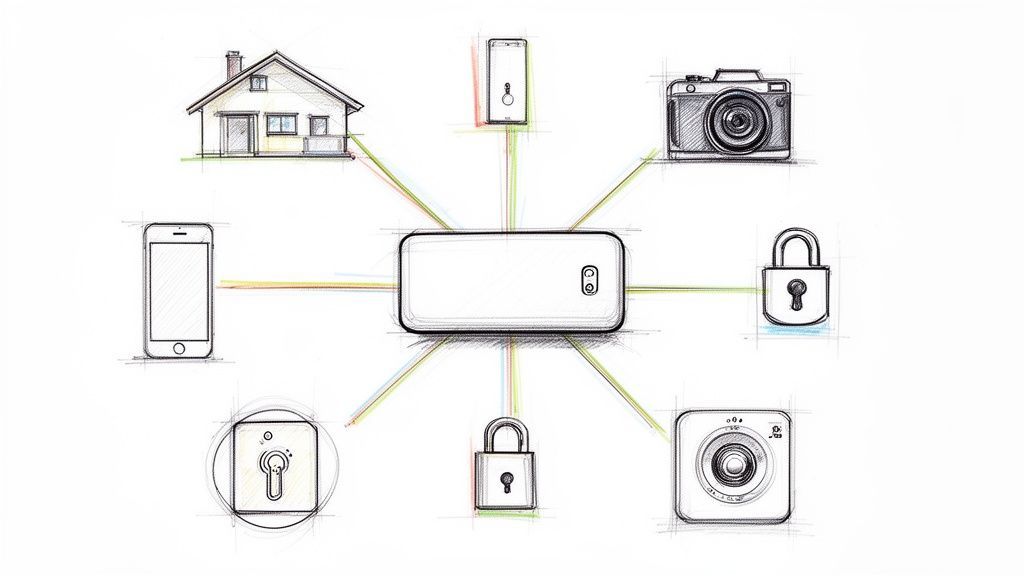
The ADT Pulse Gateway is the unassuming little box that acts as the brain for your entire ADT Pulse security system. It’s the central command hub that connects everything—your cameras, sensors, and smart locks—to the internet, giving you control right from the ADT Pulse app on your phone.
Think of the ADT Pulse Gateway like a specialized Wi-Fi router, but one that’s built exclusively for your security system. While your main home router is busy juggling internet for your laptops, smart TVs, and phones, the gateway creates a dedicated, private network for all the components in your ADT ecosystem. It's the mission control center that makes all the remote access and automation magic happen.
This piece of hardware is the crucial bridge between the physical devices installed in your home and the digital app in your pocket. When you arm your system on your way out the door, that signal travels from your phone, over the internet, to the gateway, which then tells your alarm panel to get to work. Without it, those interactive features that make the Pulse system so powerful just wouldn't exist.
The gateway mostly relies on Z-Wave technology to build a secure, low-power mesh network throughout your home. This network is completely separate from your Wi-Fi, which is great because it prevents interference and keeps communication between your security devices rock-solid and reliable.
Here’s a quick rundown of what it’s doing behind the scenes:
The ADT Pulse Gateway was really a foundational piece of technology in the early days of the smart home security boom. It took traditional, one-way alarm systems and turned them into interactive platforms, giving homeowners a level of control they'd never had before.
Back in the early 2010s, ADT was a step ahead when it introduced Pulse, transforming old-school alarms into modern, app-controlled security hubs. This launch, which happened around 2010, gave homeowners the ability to arm their systems, check live video feeds, and even manage smart lights, all from their phones. The ADT Pulse platform quickly became the gold standard for professional-grade automation by integrating Z-Wave devices with an easy-to-use mobile app.
This was a huge shift for homeowners who wanted both serious protection and the convenience of modern tech. You can dig deeper into ADT's market impact to see how this move really shook up the industry and set a new benchmark for what a home security system could be.
The ADT Pulse Gateway was much more than just a box of electronics; it was the secret weapon behind ADT's dominant business strategy. This little device played an outsized role in cementing the company's financial strength and leadership in a crowded market, unlocking a new era of recurring revenue and fierce customer loyalty for the security giant.
By making smart home security feel both accessible and interactive, the gateway became the heart of the system in millions of homes. This wasn't by accident. It was the direct result of a product that perfectly met a growing consumer desire for connected living. The gateway served as the physical anchor for ADT's entire digital world, tying customers to the company through a constant, valuable service.
The ADT Pulse Gateway was the engine that helped propel the company to a massive 29% share of North America’s professionally installed home security market by 2024. This success put ADT far ahead of its rivals in a market expected to grow from $549 billion to over $1 trillion by 2030.
By serving nearly 6 million clients, the gateway enabled a model where a staggering 70% of revenue came from recurring subscriptions. This predictable income stream provided incredible financial stability, contributing to a $1.21 billion operating income in 2024 alone. You can dive deeper into the numbers and see the full financial picture by exploring ADT's detailed asset snapshot on Finimize.
This subscription-first approach, built entirely on the gateway's foundation, was a game-changer. It shifted the business away from one-time installation sales toward long-term customer relationships, which proved to be a far more profitable model.
The user ratings for the ADT Pulse app and its Z-Wave technology speak for themselves.

These high marks show just how much customers loved the reliable, app-based control the gateway provided, reinforcing its critical role in ADT's success.
At its core, the gateway fundamentally changed how people interacted with their security systems. It transformed a passive, set-it-and-forget-it device into an engaging tool people used every single day to manage their homes.
This kind of consistent engagement is exactly what crowdfunding creators aim for. Just as the ADT gateway creates a connected ecosystem, a pledge manager helps creators build a lasting community. Think of it this way: Kickstarter's pledge manager is like Amazon—it gets the job done but is totally generic. A dedicated tool like PledgeBox is more like Shopify, offering the customization you need to strengthen your brand identity.
PledgeBox lets creators send their backer surveys for free and only charges a 3% fee on any revenue from upsells. This makes it an incredibly cost-effective way to raise more funds and stay connected with your supporters long after the campaign ends. It’s that focus on post-campaign interaction that helps turn backers into a loyal following.

The ADT Pulse Gateway really caught on because it did something brilliant: it turned a simple alarm system into a fully interactive smart home hub. Suddenly, all that control was right in your pocket through the ADT Pulse app, which users consistently rated highly. This app-first approach was what made the gateway a game-changer.
At its core, the system gave you all the essential security features but with a modern, convenient twist. You could arm or disarm your alarm from anywhere, which finally put an end to that "did I remember to set it?" feeling we all know. Plus, you could pull up a live video feed from your ADT cameras for a real-time look at what was happening back home.
But the gateway’s real power was how it went beyond just alarms and cameras. It opened up a whole new world of convenience with home automation.
The secret sauce behind this expanded power was Z-Wave technology. This wireless language allowed the ADT Pulse Gateway to talk to a huge range of smart home gadgets from other companies, acting as the central brain for a connected home. This created a single, unified system where your security and smart devices could finally work together.
This meant you could do some pretty cool things:
The way the gateway brought different devices together with Z-Wave is a lot like how a smart pledge manager works for Kickstarter creators. Kickstarter’s pledge manager is like Amazon—functional but basic. A specialized tool like PledgeBox, on the other hand, is like Shopify, giving creators far more power and flexibility to manage their backers after a campaign ends.
Just as the gateway unites devices into one system, PledgeBox pulls together the entire post-campaign process. It’s free to send backer surveys and only takes a 3% fee on upsell revenue. This lets creators build their brand and community without needing a big budget upfront.
Over the years, ADT released a few different versions of the gateway. Each model had slight tweaks, and knowing which one you have can help you figure out its specific features and troubleshoot any issues.
Here’s a quick breakdown of the most common models you might come across.
| Model Number | Primary Use | Connectivity | Key Feature |
|---|---|---|---|
| PGZNG1 | Primary Gateway | Ethernet & Z-Wave | The original hub that powered core Pulse automation. |
| iHub-3000-AD | Combined Gateway & Wi-Fi Extender | Ethernet & Z-Wave | Added Wi-Fi range extension to boost camera signals. |
| TS Base | Touchscreen & Gateway | Ethernet & Z-Wave | Integrated the gateway directly into a wall-mounted touchscreen. |
Identifying your model is the first step, whether you're looking to expand your system, replace a part, or just understand what it's capable of.
If you're an ADT Pulse user, you've probably been wondering what the future holds for your system. The good news is your ADT Pulse Gateway still works just fine. However, it's important to know that ADT has been shifting its focus to a newer, more powerful platform called ADT Control.
This move wasn't just a minor update; it's a major step forward in ADT's technology. While ADT no longer sells the Pulse system to new customers, the company is still committed to supporting its massive base of existing users. That said, the industry is clearly moving on, and the future is with the more advanced ADT Control system.
The jump from Pulse to Control was more than just a name change. It was a complete technological overhaul designed to keep up with the demands of the modern smart home. The ADT Control platform was built from the ground up to deliver better performance, broader compatibility, and a much smoother user experience.
Starting in 2019, ADT officially began phasing out Pulse for new customers and pushing the Control system instead. This new platform kept all the core features people loved—like remote arming and video streaming—but added some serious horsepower. This included powerful new integrations, like support for Sonos speakers and vastly expanded Z-Wave compatibility for hundreds of new devices. This move also aligned with ADT's broader competitive strategy to drive revenue and improve profitability.
Ultimately, this upgrade path gives ADT a more robust and future-proof ecosystem to offer its customers.
The ADT Control system brings several major benefits to the table, making it a clear step up from the original ADT Pulse Gateway. If you're thinking about an upgrade, these advantages are pretty compelling.
For anyone in the crowdfunding world, this kind of platform evolution feels very familiar. It's a lot like a creator moving from Kickstarter's pledge manager, which is like Amazon, to a more powerful, specialized platform like PledgeBox, which is more like Shopify.
Creators can send their backer surveys through PledgeBox for free and only pay a 3% fee on upsell revenue. It's an affordable way to create a better post-campaign experience, which mirrors ADT's move to a new platform that delivers more long-term value.

Even the most dependable tech has its off days, and the ADT Pulse Gateway is no different. When it drops offline, you’ll probably see a "status unavailable" message pop up in your app, lose the ability to control your smart home devices, or find you can't check your camera feeds. The good news? Your core alarm system is still working just fine, but the interactive features you rely on are temporarily out of reach.
Fortunately, many of these connection problems are surprisingly easy to fix yourself, saving you a call to support. Before you do anything else, the first and most effective trick in the book is a classic power cycle, or reboot. This simple move resolves a huge number of communication glitches between the gateway, your router, and ADT's servers.
This guide will walk you through the most common hiccups and how to solve them, starting with the basics.
A power cycle is really just a fancy way of saying "turn it off and on again." It forces the ADT Pulse Gateway to re-establish all its connections to your router and the internet from scratch. There's a reason it's the go-to fix—it works most of the time.
For the best results, follow these steps in the exact order:
If a reboot didn't do the trick, the lights on the gateway itself can give you clues about what's wrong. A flashing green light, for example, usually means it's trying to connect to the internet but failing. Take a moment to double-check that the Ethernet cable is plugged in securely at both ends—one in the gateway and one in your router.
Also, make sure the gateway is plugged into a "LAN" port on your router, not the "WAN" port. That WAN port is reserved for the main internet line coming from your modem. A quick cable swap can often be the instant fix you're looking for.
Solving gateway issues feels a bit like a Kickstarter creator managing their post-campaign fulfillment. You need the right tools in the right order to get things working smoothly. Just as you need to connect your modem before your gateway, creators need a solid pledge manager to connect with backers. Kickstarter's pledge manager is like Amazon—functional but basic. For creators who want to build a brand, a tool like PledgeBox is more like Shopify.
It’s free to send your backer survey and only charges 3% on upsell revenue, making it an easy choice for creators who want to stay organized and boost their funding after the campaign ends.

If your ADT Pulse Gateway is on the fritz or you're just ready to move on to something more modern, you’re probably wondering about your next move. Here's the deal: since ADT started phasing out its Pulse platform back in 2019, the path forward isn't a simple like-for-like gateway replacement. Instead, it’s an upgrade to the newer ADT Control system.
This isn’t just a minor patch. It’s a true evolution. Think of it like trading in your old flip phone for the latest smartphone—you get all the core features you’re used to, but everything is faster, more powerful, and ready for what’s next. The ADT Control platform simply performs better and works with a much wider world of smart home devices.
So, what happens if your ADT Pulse Gateway gives up the ghost and you call for a repair? Don't be surprised when the technician tells you it’s time for a full system upgrade. This is ADT's standard practice now.
The Pulse hardware isn't being made or sold to new customers anymore, so replacing a dead unit with another one that's already outdated just doesn't make sense for the long haul. ADT’s focus is on moving its customers over to the Control platform. This move ensures you’re getting the best service and access to the latest security tech, including integrations with devices like Sonos speakers and a bigger library of Z-Wave products.
This choice between sticking with old tech or upgrading to a new platform is something a lot of Kickstarter creators run into. They can use Kickstarter’s pledge manager, which is kind of like Amazon—it gets the job done but it's pretty generic. Or, they can upgrade to a specialized platform like PledgeBox, which is more like Shopify, giving them the tools to really build out their brand.
PledgeBox lets creators send their backer surveys for free and only takes a small 3% fee on any revenue from upsells. That makes it a no-brainer for creators looking to level up their post-campaign game.
Making the jump from an ADT Pulse Gateway to the ADT Control system is an investment in a more capable and future-proof setup for your home. It puts you in a position to take advantage of all the latest and greatest advancements in smart home automation and security.
Ultimately, making the change ensures your system will stay at the front of the pack for years to come.
Still have a few questions about your ADT Pulse Gateway? You’ve come to the right place. We've put together some straightforward answers to the most common things people ask, so you can get the help you need without the runaround.
Seeing a solid red light on your ADT Pulse Gateway usually means one thing: it’s lost its connection to ADT's servers. Don't panic just yet. The first step is to check if your home internet is even working. Grab your phone or laptop and see if you can get online.
If your internet is humming along just fine, it's time to give the gateway a quick reboot. Unplug it from the wall, wait a full 60 seconds (this part is important!), and then plug it back in. Give it several minutes to wake up and reconnect. If that red light is still stubbornly on after a reboot, you’ll need to contact ADT support. It could point to a hardware issue or a bigger network problem on their side.
The short answer is no. The ADT Pulse Gateway is proprietary hardware, which means it's locked down to work only with ADT’s network. It’s built from the ground up to communicate exclusively with the ADT Pulse service, so you can't just reprogram it for a different company like Vivint or Brinks.
If you decide to switch security providers, you’ll have to get all-new equipment from them. That old ADT gateway just won't be compatible with their system.
Adding a new Z-Wave device, like a smart lock or light switch, isn’t done on the gateway hardware itself. Instead, you’ll manage everything through your ADT Pulse app or the web portal.
Here’s the general process:
Yes, it is. ADT started phasing out the Pulse platform for new customers back in 2019, moving everyone over to the newer ADT Control system. While ADT still supports the millions of customers currently using Pulse, the hardware itself is no longer in production or development.
This transition is similar to when a Kickstarter creator moves from a basic tool to a more powerful one. Kickstarter’s pledge manager is like Amazon—it’s functional but generic. A dedicated platform like PledgeBox is more like Shopify, offering the custom tools needed to build a real brand.
If your ADT Pulse Gateway ever gives up the ghost, an ADT technician's standard move will be to upgrade your whole system to ADT Control, not just swap out the Pulse unit. This gets you on future-proof hardware that works with all the latest smart home tech.
At PledgeBox, we believe in providing creators with the best tools to succeed after their campaign ends. It's free to send your backer survey, and we only charge a simple 3% on any revenue you generate from upsells. Find out how you can build a better post-campaign experience at https://www.pledgebox.com.
PledgeBox
The All-in-One Toolkit to Launch, Manage & Scale Your Kickstarter / Indiegogo Campaign